Bojangles
- 17.28K
- 4.1
- Installs
- 500.00K
- Price
- Free

Screenshots

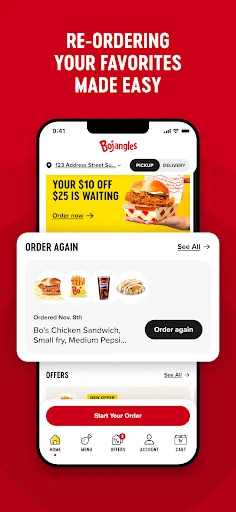
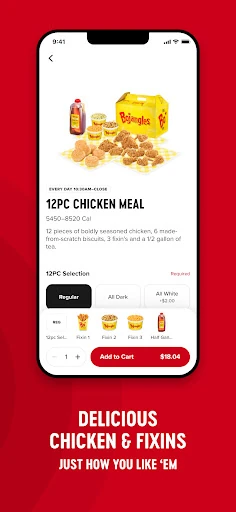
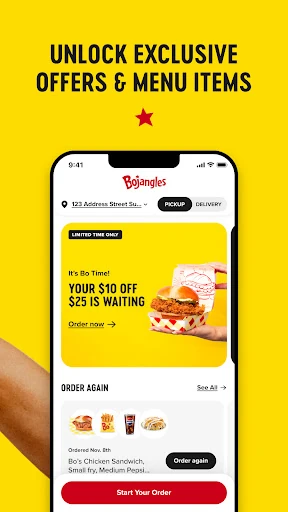
Analysis by Reviewed APKs
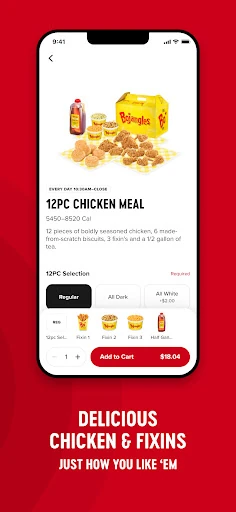
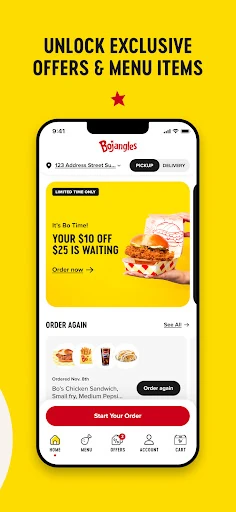
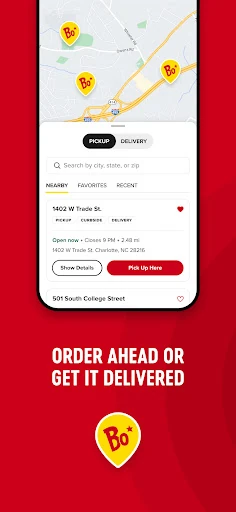
Bojangles is a food-ordering app for people who already know they want the chain’s chicken and biscuits and would rather place an order ahead than wait to order in person. I like the simplicity of that purpose: it is built around getting food from Bojangles, not trying to be a general restaurant guide. It makes the most sense when a nearby visit is already part of your day.
A Faster Stop for Bojangles
Picture a weekday when I have a short lunch break and already plan to stop at Bojangles. Instead of beginning the order after I arrive, I can use the app to order ahead, then head to the restaurant with that step taken care of. The appeal is practical rather than elaborate: it gives a familiar food stop a little more structure when my time is tight.
When I first considered the app’s main job, that simple handoff stood out. The app is not asking me to rethink lunch or browse a broad collection of restaurants; it is for placing an order with Bojangles and skipping the line. That narrow focus can be useful when the craving is settled. It is less compelling if I am still deciding what kind of food I want.
Focused, Not a Food Guide
Compared with a general restaurant or delivery app, Bojangles is a direct route to one restaurant brand. That is a useful distinction: I would open it when I want Bojangles, not when I want to compare a range of nearby places. Its order-ahead purpose is clear, and the experience is most relevant to people whose routine already includes a visit to the chain.
It is also not a substitute for a broad dining search or a promise of delivery. The description centers on ordering ahead and skipping the line at Bojangles. I would keep that expectation in mind rather than assume the app handles every part of a meal plan. If my priority is exploring lots of cuisines or arranging a different kind of restaurant visit, another service is a better fit.
Make Ordering a Habit
The easiest way to get value from a focused ordering app is to use it at the moment it solves a real inconvenience. I would open Bojangles before leaving for a planned stop, rather than waiting until I am already in line. That small change is the whole point: it moves ordering earlier in the trip and can make a familiar lunch or dinner stop feel less rushed.
I would also keep the app tied to a routine instead of treating it as something to browse without a plan. For example, if I already know I am stopping at Bojangles after work, placing the order ahead fits naturally into that decision. The benefit depends on wanting food from this chain in the first place; it does not need a more complicated workflow to make sense.
More From Our News Desk

Zoom Meetings, Google Meet, or Teams: Which Is Easiest to Join?

How I Build a Free Streaming Lineup With Tubi

Why Crunchyroll Is the Default Anime App for So Many Fans

YouTube TV: A Practical Guide to Cutting Cable

Rummikub and the Small Comfort of Phone Games

TeamViewer Remote Control or AnyDesk for Helping Family?
Who will find it useful
I would recommend Bojangles to regular customers who want a straightforward way to order ahead before visiting a restaurant. It suits people who already know where they are going and value having the order placed before they arrive. The app’s focused purpose is a plus for that audience: there is little reason to sift through unrelated restaurants when the destination is already Bojangles.
It may not suit someone looking for a restaurant-discovery tool, a broad delivery service, or a reason to choose among many kinds of food. The app is tied to one chain, so its usefulness depends on having a Bojangles visit in mind. I would also treat the order-ahead feature as the key benefit, rather than expecting the app to replace every step of an in-person restaurant visit.
Bojangles is developed by Bojangles OpCo, LLC. On Google Play, it has over 500,000 installs and a 4.1-star rating from 17,279 ratings. The app is free to download, with no in-app purchases and no ads. Google Play gives it an Everyone content rating, making its store classification suitable for a general audience.
The listed Android requirement is Android 7.1 or later. The current listed version is 2.2.36. Bojangles was released on May 31, 2021, and its last update was January 12, 2026. Those details help set expectations for compatibility and recency, though I would still check Google Play for the latest information before installing.
A Simple Route to Ordering Ahead
A Clear First Impression
When I first opened the idea of Bojangles, the clearest impression was how little guesswork there is about its purpose. It is for ordering Bojangles food ahead of a visit. That directness makes it easy to understand who should consider it: someone with a restaurant stop already in mind, not someone looking for a big menu of local choices.
The setup is best approached with a specific outing in mind. I would think about where a Bojangles stop fits into the day, then use the app for the order-ahead part. The description does not make the app sound like a complicated planning tool, and that is a sensible match for a quick meal. Its value starts with the trip, not with exploring the app for its own sake.
The Everyday Order
Day to day, the central promise is convenience at a familiar restaurant. If I am already heading to Bojangles, ordering ahead gives me a way to handle the order before I reach the line. That can be helpful on a lunch break or during a busy stretch of errands, when shaving a little friction from a stop matters more than having extra browsing options.
I would not overstate what that convenience means. Ordering ahead and skipping the line are the supported core uses; the app does not turn the visit into something entirely hands-off. I still need to be going to Bojangles, and the app’s usefulness follows from that choice. For a regular customer, though, a clear tool for the ordering step can be enough.
One Feature, Real Purpose
The standout feature is order-ahead functionality. It is not a long checklist of extras that gives the app its purpose; it is the practical promise of placing an order before reaching the restaurant and avoiding the line. I appreciate that this is easy to explain. A narrow feature can be worthwhile when it addresses a recurring annoyance in a familiar routine.
That focus also helps separate Bojangles from apps designed for browsing or delivery. The app points toward a Bojangles visit, with ordering ahead as the useful part. I would judge it by whether that step makes my usual stop easier, rather than by how many unrelated tools it includes. For a customer who visits the chain, the straightforward pitch is the feature.
A Routine That Fits
A practical routine would be to decide on a Bojangles stop before setting out, then use the app to order ahead rather than waiting until I am standing in line. That fits neatly into a commute, a midday break, or an errand run where I know the restaurant is already part of the plan. The app does not need to become a daily habit to be useful.
I would keep the routine simple: use it when I already want Bojangles and when moving the order earlier might help. That avoids turning a quick food decision into unnecessary app time. The main advantage is tied to timing, so the best moment to use it is before the visit. For occasional customers, that can still be useful when the right outing comes along.
Keep the Scope in Mind
The biggest limitation is also the app’s defining trait: it is for Bojangles. Someone who does not visit the chain often may have little reason to keep it in their routine. It is not a broad restaurant directory, and the stated purpose is not to compare places or arrange a meal from a range of businesses.
I would also keep expectations centered on ordering ahead and skipping the line, rather than assuming features beyond that core. The app is a convenience for a particular restaurant stop, not a universal solution for every dining situation. That is a fair tradeoff for customers who want the focused option, but it makes the app an easy pass for people who rarely choose Bojangles.
Bojangles is a focused ordering app with a clear everyday use: place an order ahead of a visit and avoid waiting to order in line. I like that its purpose is easy to understand, and the free download makes it accessible to try for a regular customer.
I would recommend it to people who already stop at Bojangles and want a more convenient way to handle ordering. If you are looking for restaurant discovery, a broad choice of food, or features beyond the stated order-ahead purpose, this is probably not the app you need.
Bojangles Frequently Asked Questions
What is the Bojangles app used for?
Bojangles is used to order food from the restaurant ahead of a visit. Its stated purpose is to let customers skip the line and get their order more quickly. It is most useful when you already plan to go to Bojangles, rather than when you are searching for restaurants or comparing different places to eat.
What devices can run the Bojangles app?
The app is available on Android through Google Play. The listed minimum requirement is Android 7.1. Check the Google Play store page for current device compatibility and any changes to the requirements. The available information here supports Android availability, so I would not assume support for other platforms.
Does the Bojangles app cost money?
The Bojangles app is free to download on Google Play. It has no listed in-app purchases and does not contain ads. Store details can change, so it is worth checking Google Play for the latest cost and app information before installing.
Does the Bojangles app deliver food?
The described feature is ordering ahead so you can skip the line at Bojangles. That does not establish delivery as a feature, so I would use the app with an in-person restaurant visit in mind. Check the Google Play page or the app for current ordering options and details that may vary.
Who should use the Bojangles app?
It is a good fit for people who already visit Bojangles and want to place an order ahead of time. It may be less useful if you rarely eat there or want a broad restaurant-search service. The app is focused on one chain, so whether it suits you mostly depends on whether a Bojangles stop is part of your routine.
Pros
- A clear order-ahead purpose for planned Bojangles visits.
- Designed to help customers skip the line.
- Free to download, with no in-app purchases or ads.
- Straightforward fit for customers who already choose Bojangles.
Cons
- Its usefulness is limited to people who want Bojangles.
- Not a broad restaurant-discovery or comparison app.
- The core benefit depends on planning a restaurant visit.
- Category
- Food & Drink
- Version
- 2.2.36











