Axonify
- 28.60K
- 4.6
- Installs
- 500.00K
- Price
- Free
Screenshots
Analysis by Reviewed APKs
Axonify is a workplace app for employees who need training, useful job information, assigned tasks and a way to share feedback in one place. It is aimed especially at frontline teams, where time for long training sessions can be hard to find. I like its practical mix of learning and everyday work support, though its usefulness depends on an employer providing access and setting it up for staff.
A Shift Starts Here
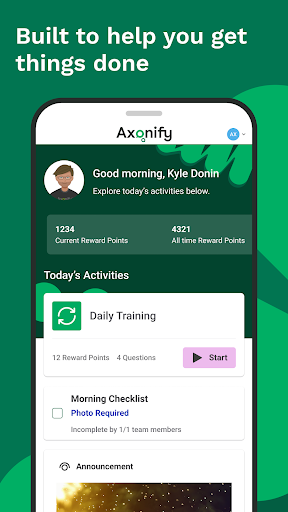
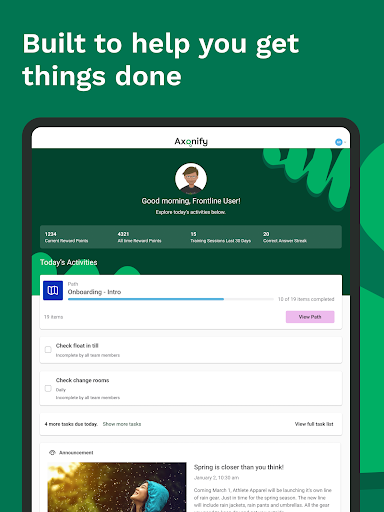
Picture arriving for a shift and needing a quick refresher before getting started. Axonify gives employees a place to complete personalized daily training, check work resources and see assigned tasks. I can imagine using it in a short lull rather than setting aside a large block of time: finish a learning activity, check what needs doing and get back to the day’s work.
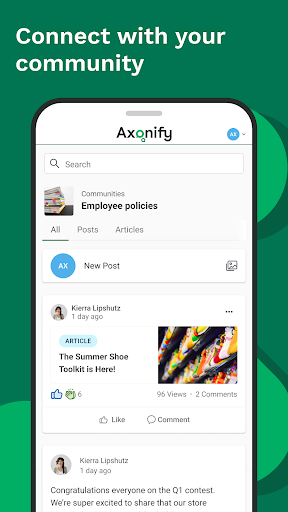
The app also gives employees a channel to share ideas and feedback with head office. That makes it more than a training destination; it can sit alongside practical work information and to-dos. I’d find that combination useful when a team needs both a reminder of how to handle something and a straightforward way to pass along an observation from the floor.
Workplace Tool, Not Course Library
Axonify is best understood as an employer-connected work app, rather than a general learning platform I could sign up for independently. Training, resources and tasks are tied to the workplace, and using the app requires an access code provided by an employer. That makes it a sensible fit for staff whose organization uses Axonify, but a dead end for someone simply browsing for lessons.
Compared with a standalone to-do app, Axonify combines assigned tasks with training, job resources and employee feedback. It is not presented as a broad personal productivity system or a replacement for every workplace communication tool. I’d use it for the specific work material and activities made available through my employer, while keeping other needs in the tools my workplace already uses.
Make It a Small Habit
The daily training format lends itself to a modest routine: open Axonify when there’s a suitable pause, complete the assigned learning and check whether there are tasks or resources to follow up on. I wouldn’t treat it as a long study session. The appeal is that learning can be part of the workday rather than something employees must remember to return to after hours.
I’d also make a habit of checking the personal report card occasionally. It shows achievements and knowledge growth over time, giving employees a way to review their progress. If a useful idea or concern comes up during a shift, the feedback feature offers another reason to open the app. Those small check-ins make more sense than opening it without a work-related purpose.
More From Our News Desk

Zoom Meetings, Google Meet, or Teams: Which Is Easiest to Join?

How I Build a Free Streaming Lineup With Tubi

Why Crunchyroll Is the Default Anime App for So Many Fans

YouTube TV: A Practical Guide to Cutting Cable

Rummikub and the Small Comfort of Phone Games

TeamViewer Remote Control or AnyDesk for Helping Family?
Who Will Find It Useful
I’d recommend Axonify to frontline employees whose employers provide access and use it for training, resources or assigned work. The combination is particularly relevant to people who need practical information in the flow of a shift and may benefit from regular skills development. The games, points and rewards may also make training feel less routine for employees who enjoy a little friendly competition.
It may not suit someone looking for a self-directed course catalog, a general task manager or an app they can use without workplace involvement. The employer-issued access code is an important part of the deal. Managers or organizations evaluating workforce tools may also want to look beyond the employee app itself; the features described here focus on what employees can do in Axonify.
Axonify is a free Android app from Axonify Inc. Google Play shows over 500,000 installs and a 4.6-star rating from about 28,600 ratings. The app is rated Everyone. It was released on May 13, 2013, and the provided version is 5.12.0.
The app contains no ads and offers no in-app purchases. Its last update is dated August 21, 2026. Using Axonify requires an access code from an employer. A minimum Android version is not included in the available app details, so check Google Play for device compatibility.
A Practical Companion for Frontline Work
A Work-First Welcome
When I first considered Axonify, the employer access requirement immediately shaped my expectations. This isn’t an app I would install and explore as a personal learning project; it becomes useful when my workplace has supplied a code and made relevant material available. That clear workplace focus helps explain why training, resources and tasks sit together.
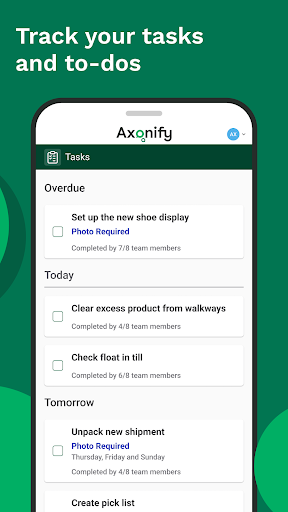
Once access is in place, the range of activities gives employees several reasons to return. Training and skills development are joined by job information, assigned tasks, feedback and a personal report card. I like that the app’s purpose is grounded in work needs rather than a generic promise to keep users busy.
The Daily Learning Loop
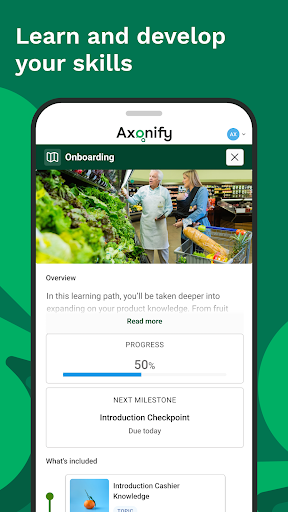
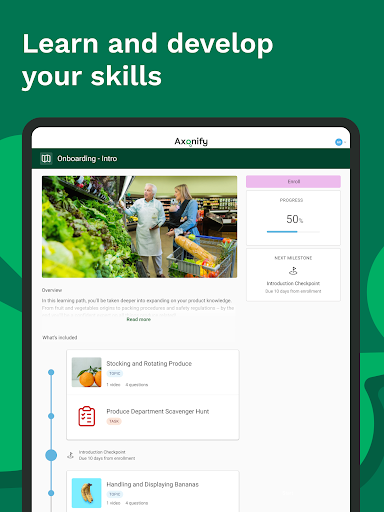
The core experience centers on personalized daily training. That structure can make development feel more manageable than a single large course, especially for employees fitting learning around active shifts. Axonify also describes the training as skills development, so the idea is not only to complete a task but to build knowledge that relates to the job.
The report card adds a longer view by showing achievements and knowledge growth over time. I appreciate that pairing: daily learning gives the app a regular role, while progress information gives employees a reason to reflect on what they have completed. The description does not specify exactly how every employer configures training, so the content and routine will depend on the workplace.
More Than Training
The most useful distinction is the blend of learning and work support. Employees can access valuable job resources, share feedback with head office and track assigned tasks as well as complete training. That breadth could make Axonify a handy reference point during a shift, rather than an app that matters only when a training assignment arrives.
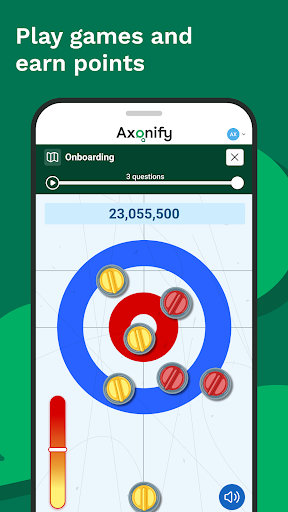
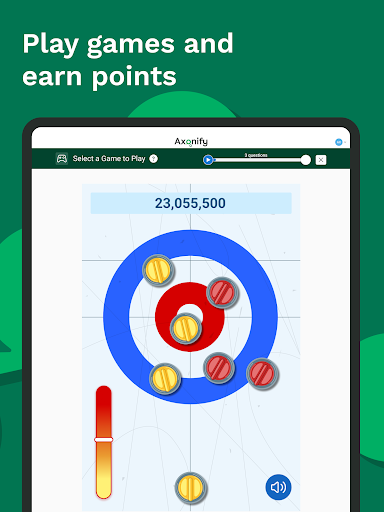
Games and challenges with coworkers add a lighter element. Employees can earn points and redeem them for prizes and rewards, according to the app description. I see that as an optional nudge around learning, not the main reason to use the app. The practical value still comes from the training, information and tasks an employer makes available.
A Routine That Fits
A practical routine might begin with checking assigned tasks and completing the day’s training when work allows. If a question comes up, I’d look for the relevant resource in Axonify, then return to the task at hand. This approach uses the app as a brief work companion rather than asking employees to spend a long stretch away from their duties.
At the end of a week or another convenient point, an employee could review the personal report card and consider progress. The feedback option also gives staff a way to pass useful observations upstream. I’d keep these steps flexible: the employer’s schedule and the content available in the app will determine what a realistic routine looks like.
Keep Expectations Grounded
Axonify’s biggest limitation for an individual is also its defining feature: access depends on an employer. Without an access code, the app cannot serve as a general learning library. Even with access, the specific training, resources and tasks will be shaped by the organization, so two employees may not use it in quite the same way.
It is also worth keeping its scope in mind. Axonify brings together several frontline learning and work activities, but the available description does not establish it as a replacement for every workplace system. Employees should expect a focused tool for the functions their employer has made available, not a universal home for all work communication or personal planning.
Axonify makes a practical case for putting daily learning, job resources, tasks and employee feedback in one workplace app. I like that its focus is specific: it is built around frontline work, not general-purpose productivity. Games and a progress report add some variety without changing that central role.
I’d recommend it to employees whose organizations already use Axonify and can provide an access code. If you want independent courses or a task app for personal life, look elsewhere. For the right workplace, Axonify could be a useful, manageable part of the shift.
Axonify Frequently Asked Questions
What is Axonify used for?
Axonify helps employees complete personalized daily training, develop skills, access job resources, track assigned tasks and share feedback with head office. It also includes games, points and rewards, plus a personal report card showing achievements and knowledge growth. An employer must provide an access code, so the app is intended for workplace use rather than independent study.
Which devices can run Axonify?
Axonify is an Android app. The available details do not specify a minimum Android version, and device compatibility can vary. Check the app’s Google Play page for the current requirements for your device. The app’s description specifically refers to using an access code provided by an employer.
Does Axonify cost anything?
Axonify is listed as free on Google Play, with no in-app purchases and no ads. Access still depends on an employer providing a code, so being able to install the app does not by itself mean its workplace features will be available. Check Google Play for current app details.
Does Axonify need an employer code?
Yes. The app’s description says users need an access code provided by their employer. Axonify is built around workplace training, resources and tasks, so it is not intended to function as a general learning app for people without employer access. Ask your employer about access if your organization uses the app.
Who is Axonify best suited to?
Axonify is most suited to frontline employees whose employers use it for daily training, job information, assigned tasks or feedback. Its report card and games may appeal to people who like seeing progress and adding some variety to learning. It may not suit someone looking for independent courses or a general personal task manager.
Pros
- Combines daily training with job resources, assigned tasks and employee feedback.
- Personal report card lets employees review achievements and knowledge growth.
- Games, points and rewards add variety to workplace learning.
- Free to install, with no ads or in-app purchases.
Cons
- Requires an access code from an employer to use.
- Training and resources depend on what each workplace makes available.
- Not designed as a general-purpose course library or personal task manager.
- Category
- Business
- Version
- 5.12.0











