Alora Plus
- 283
- 2.8
- Installs
- 50.00K
- Price
- Free
Screenshots
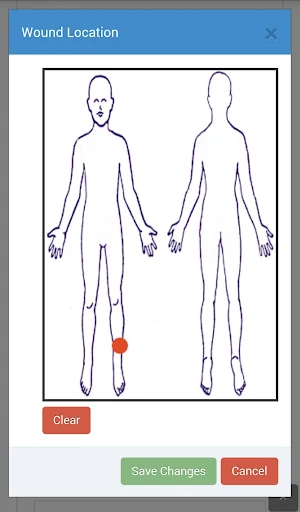
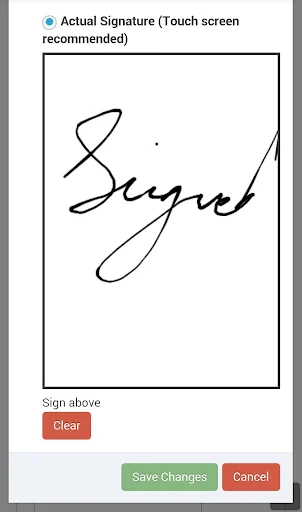
Analysis by Reviewed APKs
Alora Plus is a mobile companion for home health agencies that use Alora Healthcare Systems, bringing clinical documentation, visit verification, schedules, and signature capture into an app. It is aimed at agency staff working away from a desk, not at people looking for a personal health tracker. I like the practical focus: it puts several work tasks in one place, though its customer-only access narrows who can use it.
Work Between Visits
Picture a home health staff member moving through a day of patient visits. Instead of waiting to return to a computer to handle every piece of visit-related work, Alora Plus gives staff access to schedules and clinical documentation through a mobile app. A staff member can also capture a patient or caregiver signature and use the app’s electronic visit verification features. That makes the app’s purpose easy to understand: support work in the field, where a browser-based workflow may be less convenient.
The app is intended to work with an internet connection, so it suits moments when staff can get online during the day. The description also says documents save automatically when navigating between tabs in clinical documents, a useful detail for a workflow that may involve moving between sections. I would think of it as a work tool to keep visit tasks moving, rather than a replacement for the judgment or conversations involved in providing care.
A Work App, Not a Tracker
Alora Plus sits closer to agency software than to consumer health apps. It is for staff at organizations that use Alora Healthcare Systems, and its features center on documentation, schedules, signatures, and visit verification. That is a very different job from tracking your own steps, setting personal wellness goals, or reading general health articles. If you are not part of an Alora customer organization, the app is unlikely to have a role in your routine.
Compared with using Alora’s web app, the mobile version is meant to put access on a phone without requiring staff to remember website addresses or open a browser. It is not described as a general-purpose office suite, a standalone patient portal, or a tool for people seeking health advice. I would choose it when an agency’s existing Alora workflow needs to travel with staff; for personal health management, another category of app makes more sense.
Make Each Visit Count
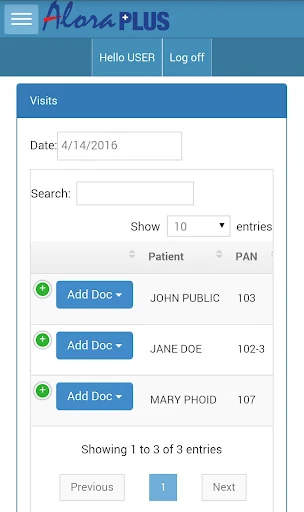
A useful way to approach Alora Plus is to tie it to the visit routine already used by an agency. Staff can check the schedule, use the clinical documentation features, and capture signatures as part of their work. Since the app offers patient lookup options, finding the relevant patient is another task it is designed to support. Keeping these steps close together may help reduce the need to switch between a phone and a browser during a busy day.
The automatic document saving described for navigation between clinical-document tabs is worth keeping in mind when moving through a record. I would still treat the app as a work system, not assume that every task happens automatically. It requires internet connectivity, and access is for Alora Healthcare Systems customers. Agencies and staff should follow their established processes for using the software and confirm any workflow details with their organization.
More From Our News Desk

Zoom Meetings, Google Meet, or Teams: Which Is Easiest to Join?

How I Build a Free Streaming Lineup With Tubi

Why Crunchyroll Is the Default Anime App for So Many Fans

YouTube TV: A Practical Guide to Cutting Cable

Rummikub and the Small Comfort of Phone Games

TeamViewer Remote Control or AnyDesk for Helping Family?
Who It Makes Sense For
I would recommend Alora Plus to staff at a home health agency that already uses Alora Healthcare Systems and wants mobile access to its work features. Its combination of schedules, clinical documentation, signatures, and electronic visit verification speaks directly to field-based agency work. The app also makes sense for teams that want a mobile route into Alora rather than relying on a web browser for those tasks.
I would not recommend it as a general wellness app or as a way for an individual to manage personal health information. The app is explicitly limited to Alora customers, so its usefulness depends on an agency relationship and access to that system. If your workplace does not use Alora, or if you only want basic personal tracking, the app’s professional focus is likely to feel irrelevant.
Alora Plus is developed by Alora Healthcare Systems and is listed in the Business category on Google Play. It has over 50,000 installs and a 2.8-star rating from 283 ratings. The app is free to download, with no in-app purchases or ads indicated in the supplied store facts. Its content rating is Everyone.
The supplied facts give the current version as 1.1.22, with an original release date of April 14, 2016, and a last update date of February 4, 2026. A minimum Android version was not included among the available facts, so check Google Play for the requirement that applies to your device.
A Mobile Toolkit for Agency Visits
A Focused First Impression
Alora Plus makes its intended audience clear: this is an app for people doing home health agency work, rather than a broad app for anyone interested in health. The listed features point to practical tasks such as documentation, schedules, signatures, and visit verification. That focus is helpful when deciding whether to install it; the important question is whether your agency already uses Alora Healthcare Systems.
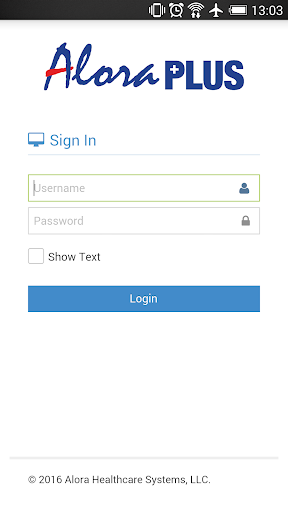
Access is described as using a simple email-based login, and the app is for customers of Alora Healthcare Systems. I would expect an agency’s existing relationship with the company to determine whether a staff member can use it. The app is also intended for use with internet connectivity, so it is best considered a connected work tool rather than something designed to operate entirely offline.
The Day-to-Day Job
The central appeal is having several work functions accessible from a mobile device. Staff can access clinical documentation for different disciplines, look at schedules, capture patient and caregiver signatures, and use electronic visit verification. Those features are particularly relevant to work that happens across patient visits, where a desk and a browser may not be the most convenient way to reach agency software.
The app’s place in a routine depends on how an agency uses Alora. It is presented as providing access to features available through the Alora web app, with the phone app removing the need to use a browser for that access. That is a practical distinction, not a claim that the mobile version changes how the underlying work should be done. Staff still need to follow their agency’s process for documentation and visit tasks.
Details That Stand Out
Signature capture is one of the more concrete mobile features: the app can capture signatures from patients and caregivers. The description also says it automatically tracks the GPS location of signatures for visit verification. Together, those functions connect the act of capturing a signature with the app’s electronic visit verification role, rather than treating signatures as a generic note-taking feature.
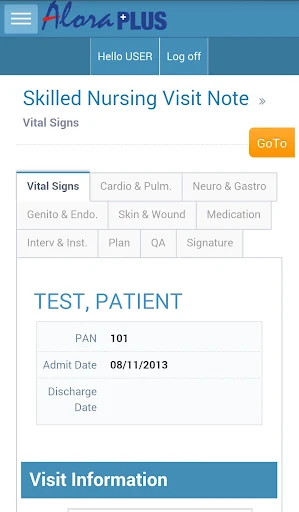
Another useful detail is automatic saving when moving between tabs in clinical documents. The app also describes patient lookup options as a benefit, which matters in a setting where staff need to reach the right patient record. These are specific work-oriented conveniences, not an analytics dashboard or a personal health library; I would judge the app by whether these documented tasks fit the needs of an Alora-using agency.
A Simple Visit Routine
One sensible routine would be to use the schedule as a reference for the day, then turn to the relevant patient information when carrying out work at a visit. From there, staff can use the clinical documentation features and capture signatures as required by their agency’s process. Electronic visit verification is part of the same toolkit. The app brings these capabilities together, though the exact order of work belongs to the agency and its staff.
Between tasks, the automatic saving described for movement between clinical-document tabs may make it easier to navigate within documentation without treating each tab change as a separate save step. Patient lookup options can also help staff reach the record they need. Since the app requires internet connectivity for its use, I would make sure a connection is available when planning to rely on it during the day.
Keep the Boundaries Clear
The biggest limitation is also the clearest: Alora Plus is exclusively for customers of Alora Healthcare Systems. A person cannot treat it as a standalone home health service or download it expecting general access to agency records. Its usefulness relies on the organization using Alora and on staff having the appropriate access through that customer relationship.
The app’s work focus also means it will not suit someone looking for personal wellness tracking, general medical information, or a broad consumer health experience. It is intended to be used with internet connectivity, and the available facts do not give a minimum Android version. If device compatibility matters, check Google Play before relying on it for work.
Alora Plus has a clear, practical role: it gives staff at Alora-using home health agencies mobile access to documentation, schedules, signatures, and visit verification. Its customer-only focus makes it less versatile than a consumer app, but that is not really the point. The features are aimed at work that happens beyond the office.
I would recommend it to agency staff who already rely on Alora and want those tools on a phone. If you are not an Alora customer, or you want a personal health app, look elsewhere. For the right workplace, its specific set of mobile tasks is the main reason to give it a try.
Alora Plus Frequently Asked Questions
What is Alora Plus used for?
Alora Plus is a mobile app for customers of Alora Healthcare Systems, especially staff working in home health. Its described features include clinical documentation, schedules, patient and caregiver signature capture, electronic visit verification, and patient lookup. It is designed to give staff mobile access to Alora work features, rather than to serve as a general personal health or wellness app.
Which phones and platforms support Alora Plus?
Alora Plus is listed on Google Play for Android. The supplied information does not specify a minimum Android version, so check the Google Play store entry to see whether your device meets the current requirement. The app is intended for use with an internet connection, and access is for customers of Alora Healthcare Systems.
What Android version does Alora Plus require?
The minimum Android version is not included in the available app facts. Requirements can vary as an app is updated, so check Google Play for the version that applies to your device before installing. Alora Plus is described as an internet-connected work app for Alora Healthcare Systems customers.
Does Alora Plus cost money?
Alora Plus is listed as free to download on Google Play, with no in-app purchases or ads indicated in the supplied store facts. Its use is limited to Alora Healthcare Systems customers, so being able to download the app does not by itself mean it will be useful to someone whose agency does not use Alora.
Is Alora Plus suitable for personal health tracking?
Not based on its described purpose. Alora Plus focuses on home health agency work, including clinical documentation, schedules, signatures, and visit verification. It is meant for Alora Healthcare Systems customers, not for general wellness tracking or personal health planning. Staff considering it for work should check with their agency about access and the processes they are expected to follow.
Pros
- Brings schedules, clinical documentation, signatures, and visit verification into a mobile app.
- Supports patient and caregiver signature capture, with GPS location tracking for signatures.
- Automatically saves documents when navigating between clinical-document tabs.
- Free to download, with no in-app purchases or ads indicated in the supplied facts.
Cons
- Only Alora Healthcare Systems customers can use the app.
- Requires internet connectivity for its intended use.
- Its agency-work focus will not suit people seeking a personal wellness app.
- Category
- Business
- Version
- 1.1.22











