Acorn TV: Brilliant Mysteries
- 7.28K
- 4.1
- Installs
- 1.00M
- Price
- Free

Screenshots
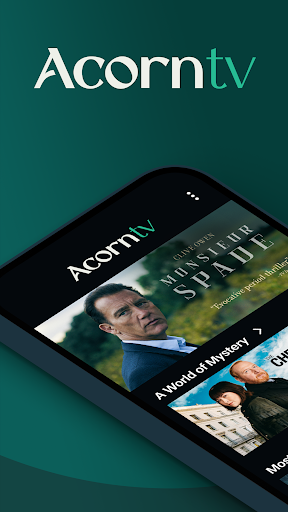

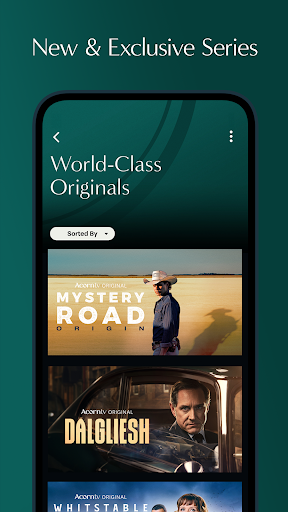
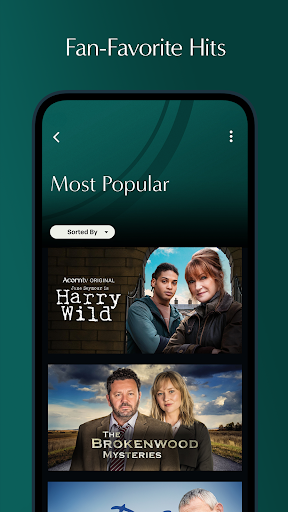
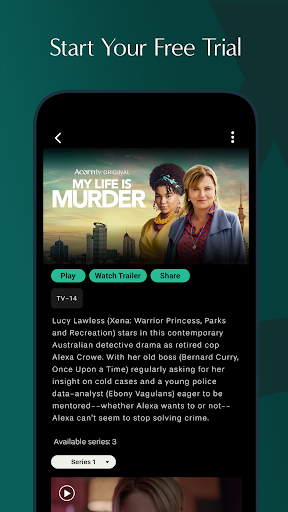


Analysis by Reviewed APKs
Acorn TV: Brilliant Mysteries is a subscription streaming app for viewers who like mysteries, dramas, comedies, and documentaries, with a particular draw for fans of shows such as Midsomer Murders and Brokenwood Mysteries. I see it as a focused alternative to a broad, everything-for-everyone streaming service. Its commercial-free viewing and watchlist make it easy to settle into a series, though the ongoing subscription is worth considering before starting the trial.
A Quiet Night of Mysteries
When I want something to watch after dinner, the appeal here is having a library centered on dramas, mysteries, comedies, and documentaries rather than trying to browse every kind of entertainment at once. I can search for a familiar title, start watching, or save a show to my watchlist if I am not ready to commit. That makes Acorn TV a natural fit for an evening when I want a new series without a long hunt.
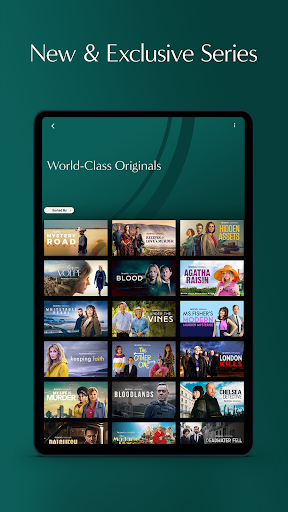
The named shows give that choice some shape. I might turn to Midsomer Murders for a familiar mystery, try The Chelsea Detective when I want a different crime story, or browse original series such as Inspector Ellis. New series and episodes are added weekly, so the app is built around returning to a changing catalog, not just watching one movie and moving on. Commercial-free playback also means the story is not broken up by ad slots.
A Focused Streaming Choice
Compared with a general streaming service, Acorn TV has a narrower identity: its center of gravity is mysteries and dramas, with comedy, documentaries, and other programs alongside them. That focus can be useful when I already know the kind of storytelling I want. Rather than treating the app as a replacement for every service in a household, I would think of it as a targeted subscription for people who return to this kind of programming.
It is not a general-purpose video app for every mood, nor is it a free collection of clips. The description presents a seven-day trial followed by a continuing subscription, so casual viewers should be mindful of what happens after the trial. If I mainly want blockbuster films, live television, or a huge mix of unrelated genres, this focused catalog may not be the best match. Its strengths are more specific than that.
Small Habits That Help
I would use the watchlist as a running shortlist instead of trying to remember every series that catches my eye. When I spot a title but have only a few minutes, saving it gives me an easy place to return later. Search is useful when I have a particular show in mind; browsing the catalog makes more sense when I am open to trying something new. Those two approaches keep the app from becoming another endless scroll.
A simple weekly check-in also fits the way the catalog is described. Since new series and episodes arrive weekly, I would revisit the app when I have time for another episode rather than expecting the library to stay static. I would also keep the trial and subscription terms in view while deciding whether the service belongs in my routine. The app's best use is deliberate: find a show, save it if needed, and come back when I am ready to watch.
More From Our News Desk

Zoom Meetings, Google Meet, or Teams: Which Is Easiest to Join?

How I Build a Free Streaming Lineup With Tubi

Why Crunchyroll Is the Default Anime App for So Many Fans

YouTube TV: A Practical Guide to Cutting Cable

Rummikub and the Small Comfort of Phone Games

TeamViewer Remote Control or AnyDesk for Helping Family?
Who Might Enjoy Acorn TV
I would recommend Acorn TV to viewers who regularly choose mysteries and dramas and want a dedicated place to find more of them. It should also suit someone who likes a mix of series, comedies, and documentaries, and who appreciates being able to search for a title or keep a watchlist. Fans of the shows named in the app description have an especially clear reason to give the catalog a look.
It may be less appealing to people who only watch occasionally, want a broad range of unrelated entertainment, or do not want another subscription to manage. The seven-day trial offers a way to sample the service, but it is not a promise of ongoing free viewing. I would suggest that anyone unsure about the fit use the trial to check whether there are enough shows they would genuinely watch.
Acorn TV: Brilliant Mysteries is an Entertainment app from RLJ Entertainment. Google Play shows more than one million installs and a 4.1-star rating from about 7,300 ratings. The app is free to download, but it offers in-app purchases; listed items range from $5.99 to $99.99. The service description says new members can start with a seven-day free trial, after which the subscription continues unless they choose to leave.
The app is rated Teen and contains no ads, according to its store details. Its current listed version is 5.0.29.1. It was released on December 17, 2016, and the store gives September 17, 2026, as its most recent update date. The store information provided does not specify a minimum Android version, so it is sensible to check compatibility on Google Play before installing.
A Closer Look at the Viewing Experience
Getting Started
When I first opened the idea of Acorn TV, what stood out was how clearly the service is aimed at people who want a particular kind of television. The app invites new viewers to sign up for a seven-day free trial, then presents a library of series and other programming to explore. That gives the first session a practical purpose: see whether the selection matches my taste before deciding whether to keep a subscription.
I would start by searching for one familiar title or browsing until something catches my attention, then add anything promising to the watchlist. The description says subscribers can sign up and stream on all their devices, which gives the service room to fit into more than one viewing setting. I would still check the store page for device compatibility before downloading, since requirements can differ by device.
Watching Day to Day
The everyday experience is centered on choosing something and watching when it suits me. I can search for a favorite show and begin immediately, or save it for another time. That is a useful distinction on a busy day: I do not have to make a final choice just because I happened to find a promising title while browsing. The watchlist gives those passing discoveries somewhere to go.
Commercial-free viewing is one of the service's clearest practical advantages. When I sit down for an episode, I can stay with the story instead of stopping for commercial breaks. The catalog also changes, with new series and episodes added weekly, so there is a reason to check back. This is a steady, series-oriented routine rather than a promise that every visit will reveal an entirely new kind of entertainment.
A Catalog With Character
The examples in the description help explain the app's personality. Familiar titles include The Brokenwood Mysteries, Midsomer Murders, The Chelsea Detective, and Harry Wild, while the Originals named include Irish Blood, Murder Before Evensong, Art Detectives, and Inspector Ellis. Those titles point toward a catalog with a strong mystery and drama thread, rather than a library organized around a wide spread of blockbuster genres.
The service also includes comedies, documentaries, and more, so it is not limited to crime stories alone. I like that the description gives viewers a few concrete entry points instead of relying only on broad genre labels. If I am in the mood for a mystery, I can look for one directly; if not, I can explore the other categories. The appeal is the curated-feeling focus, not sheer variety across every possible niche.
A Simple Viewing Routine
A practical way to use Acorn TV is to make it part of a weekly evening routine. I might open the app, check for a new episode or series, and add anything that sounds interesting to my watchlist. When I have a proper stretch of time, I can choose one of those saved titles and watch. That small habit helps me spend more time viewing and less time trying to recall what I meant to look up.
The service can also work for people who alternate between a familiar series and something new. Search supports the first impulse, while the watchlist helps with the second. Because the catalog is described as receiving weekly additions, a quick return visit can be worthwhile without requiring daily browsing. I would treat the trial period as a chance to test that routine and see whether the selection earns a place in my regular viewing.
Subscription and Scope
The main limit to keep in view is the subscription model. The app is free to download and offers a seven-day trial, but the description says the subscription continues after the trial for as long as the member chooses to remain. That makes it important to decide whether the catalog is worth paying for, rather than assuming the free download means the programming is free indefinitely.
The catalog's focus is another consideration. A viewer who wants a little of everything may find this service too specialized, even though it includes several kinds of programming. The app's appeal depends on returning to its mix of mysteries, dramas, comedies, and documentaries. I would browse the named shows and the wider selection during the trial, then judge the service by how many titles I actually want to watch.
Acorn TV: Brilliant Mysteries makes a clear case for itself: a focused collection of series, commercial-free viewing, search, a watchlist, and new additions each week. I like the straightforward way it supports finding a show and returning to it later. Its strongest appeal is not an attempt to be everything, but a steady home for viewers drawn to its particular mix.
I would recommend trying it to mystery and drama fans who want a dedicated streaming option and are comfortable with a subscription after the trial. If that sounds like you, use the seven days to explore the catalog rather than judging it by one title. If you rarely watch these genres, or prefer a broader service, you may be better off without another subscription.
Acorn TV Frequently Asked Questions
What is Acorn TV: Brilliant Mysteries used for?
Acorn TV: Brilliant Mysteries is used to stream series and other programming, including mysteries, dramas, comedies, and documentaries. The app lets viewers search for shows, start watching, or save titles to a watchlist for later. It also adds new series and episodes weekly, making it suited to people who like returning to an ongoing catalog.
Which devices can I use with Acorn TV?
The Android app is available through Google Play, and the service description says members can sign up and stream on all their devices. Exact device compatibility can vary, so check the Google Play details for your device before installing. The information here does not identify other specific platforms, so consult the relevant store for current availability.
What Android version does Acorn TV require?
The minimum Android version can vary by device and app release. Check the Acorn TV page on Google Play for the current requirement shown for your phone or tablet. The app's listed version is 5.0.29.1, but that version number does not by itself establish which Android versions are supported.
Does Acorn TV cost money?
The app is free to download and offers a seven-day free trial, but the service continues as a subscription after the trial unless you choose to leave. Google Play lists in-app purchases from $5.99 to $99.99 per item. Subscription terms and available prices may vary, so check the current store details before signing up.
Is Acorn TV a good fit for me?
It is most likely to suit viewers who regularly watch mysteries, dramas, comedies, or documentaries and want a focused streaming catalog. The app includes a watchlist and commercial-free viewing, which can help make it convenient for regular series watching. If you want a broad mix of entertainment or do not watch these genres often, the subscription may be less worthwhile.
Pros
- A focused selection of mysteries, dramas, comedies, and documentaries.
- Commercial-free viewing keeps episodes from being interrupted by ads.
- Search and a watchlist make it easier to find and revisit shows.
- New series and episodes are added weekly.
Cons
- The seven-day trial leads into a continuing subscription.
- Its genre focus may feel narrow for viewers seeking a general streaming library.
- In-app purchase prices vary widely, so check current subscription details.
- Category
- Entertainment
- Version
- 5.0.29.1











