Yoosee
- 293.53K
- 3.8
- Installs
- 50.00M
- Price
- Free
Screenshots
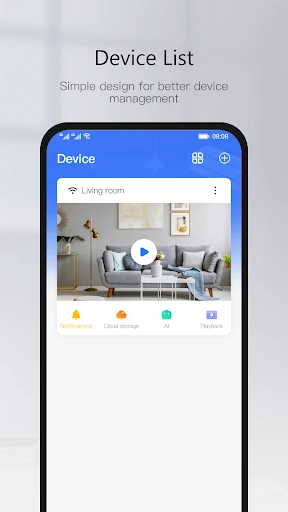
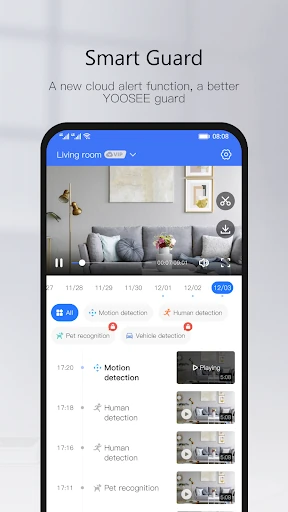
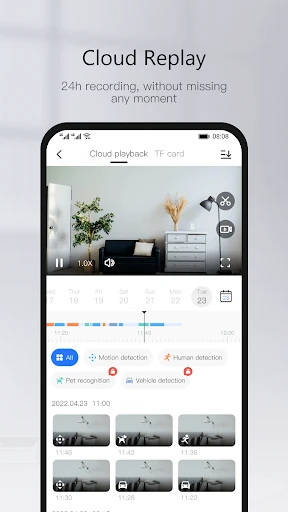
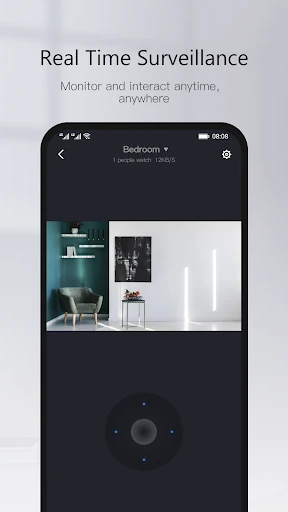
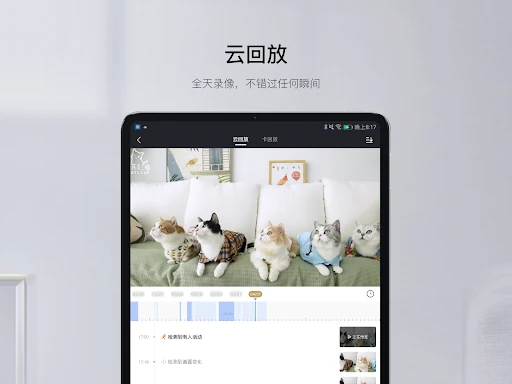
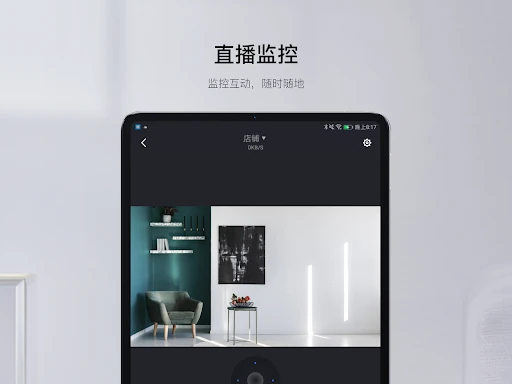
Analysis by Reviewed APKs
Yoosee is an Android companion app for connecting with compatible smart home appliances and checking on them remotely. It makes the most sense for someone who already has a device designed to work with it and wants a phone-based way to stay in touch when away. My overall take is that the idea is practical and focused, but its usefulness depends on having the right connected device.
Checking In From Afar
When I imagine using Yoosee on an ordinary day, the appeal is simple: I’m away from home and want to check in on a compatible connected device rather than wait until I return. The app is built around remote monitoring, so the phone becomes a way to stay closer to home while I’m at work, running errands, or visiting family. That clear purpose is easier to understand than a broad smart-home dashboard trying to do everything.
The practical value comes from having the app and a suitable smart home appliance working together. I would open Yoosee when I wanted a remote check, then return to my day instead of treating the app as something to watch constantly. The description emphasizes caring about family and friends from anywhere, which gives the monitoring idea a personal use as well as a home-focused one. It is a small, specific convenience, not a replacement for being there.
A Companion, Not a Camera
Yoosee is best understood as a companion for supported smart home appliances, rather than as a standalone camera app. It does not create a monitoring setup by itself: the central job described is connecting remotely to compatible equipment. That distinction matters if you are comparing it with a general video player, a photo app, or a wider smart-home hub. The app’s purpose is narrower, and that focus can be useful when it matches the device you own.
I would not choose Yoosee expecting it to edit video, organize a media library, or manage every brand of connected home equipment. Its category on Google Play is Video Players & Editors, but its stated use is remote monitoring for smart home appliances. If you do not have a compatible device, there is little reason to keep it installed. If you do, the app may be a more direct route to checking in than a general-purpose tool.
Make Check-Ins Intentional
A simple habit can make a monitoring app feel useful without letting it take over the day. I would keep Yoosee easy to find on my phone and open it when I have a specific reason to check a connected appliance. For example, a quick look after leaving home or before settling in for the evening gives the app a clear place in a routine. The point is to use remote access when it helps, not to keep checking without purpose.
It also helps to think about the people or places the device is meant to help you keep in touch with. The description presents Yoosee as a way to care about family and friends from a distance, so I would start with that practical goal and see whether the compatible appliance supports it well. A focused routine keeps expectations realistic: Yoosee is a connection to equipment at home, not a substitute for conversation or for spending time together.
More From Our News Desk

Zoom Meetings, Google Meet, or Teams: Which Is Easiest to Join?

How I Build a Free Streaming Lineup With Tubi

Why Crunchyroll Is the Default Anime App for So Many Fans

YouTube TV: A Practical Guide to Cutting Cable

Rummikub and the Small Comfort of Phone Games

TeamViewer Remote Control or AnyDesk for Helping Family?
Who Might Find It Useful
I would recommend Yoosee to Android users who already have a smart home appliance intended to work with it and want a straightforward way to monitor that equipment remotely. It is especially easy to understand if your reason for installing it is specific: you want to check in while away, or stay connected to family and friends through a compatible device. The app’s focused purpose is its main strength for that kind of user.
It may not suit someone looking for an all-purpose smart-home control center, a general camera app, or a video-editing tool. Yoosee’s value rests on the equipment it connects to, so the app alone is not much of a solution. I would also think twice if advertising in a free app is a dealbreaker; Google Play says it contains ads. For anyone without compatible equipment, it is likely more sensible to look for an app built for their device.
Yoosee is developed by Gwell and is available on Google Play for Android. It is free to install, contains ads, and has no listed in-app purchases in the supplied app details. Google Play gives it an Everyone content rating. The minimum Android requirement is Android 7.0, so users on older versions of the operating system should check device compatibility before installing.
Google Play shows more than 50 million installs and a 3.8-star rating from about 294,000 ratings. The current version is 6.38.2. Yoosee was released on May 30, 2015, and its latest update is dated January 15, 2026. Those figures provide useful context, though the rating reflects a wide range of devices and individual experiences.
A Focused Way to Stay Connected
First Impressions
When I first opened Yoosee, the description gave me a straightforward picture of its job: connect with smart home appliances and enable remote monitoring. That focus is useful because it sets a sensible expectation before I start. I would approach the app as one part of a setup, not as something that can monitor a home on its own. The key first question is whether the equipment I want to use is compatible.
Getting started is therefore tied to the device as much as to the app. I would make sure the intended appliance is ready and that I can use it with Yoosee before building a routine around remote access. The available details do not describe a particular setup sequence, so I would follow the instructions for the equipment and check the Google Play page for current requirements. That is a practical first step rather than a knock against the app.
The Everyday Role
Day to day, Yoosee makes the most sense as a quick point of connection. I would open it for a specific remote check, then close it and get back to what I was doing. That pattern fits the app’s stated purpose better than treating it as a constant stream of entertainment or a general-purpose home organizer. The benefit is convenience: a connected appliance can be monitored from a distance through the app.
What surprised me about the concept is how much of its usefulness depends on a simple question: do I have a compatible appliance, and is remote monitoring something I actually need? If the answer is yes, the app has a clear role. If not, there is little reason to use it just because it is available. That makes Yoosee a practical tool for a particular setup rather than an app that everyone needs.
Remote Monitoring Focus
The standout feature supported by the app’s description is remote monitoring through Cloudlink P2P network transmission technology. In everyday terms, Yoosee is designed to let people connect to compatible smart home equipment from elsewhere. That is the feature I would judge it by: can it make a remote check convenient for the people and appliances I care about? The description keeps the promise broad, without making the app sound like a full security service.
Yoosee’s stated emphasis on staying connected to family and friends gives the monitoring feature a human angle. I can see why someone might want to check in while traveling or during a busy workday. Still, I would keep the description in perspective: it explains the app’s general purpose, not every capability of every compatible appliance. The experience a user gets will depend on the equipment they pair with the app.
Build a Small Routine
A useful routine could be a quick check when I arrive at work, or a glance before I leave for a longer trip. I would decide in advance what I am checking and use Yoosee for that purpose, rather than opening it repeatedly out of habit. This makes remote monitoring feel like a small convenience in the day, not another stream of notifications or information to manage. The app’s role is to help me connect from a distance.
I would also keep expectations tied to the appliance I am using. Yoosee is the app component; the connected smart home device is what makes monitoring possible. Once I know the setup suits my needs, I can use the app when the situation calls for it and leave it alone otherwise. That modest workflow is likely to be more useful than expecting one app to solve every home-monitoring question.
Keep the Limits in View
Yoosee is not useful in isolation. Its central purpose depends on having compatible smart home equipment, and the supplied description does not promise that it works with every appliance or device. Before relying on it, I would check that the specific equipment is intended to work with Yoosee. That is the most important limitation to keep in mind, because the app’s appeal comes from a connection rather than from a standalone feature set.
The app is free and contains ads, which may also affect whether it feels like a good fit. Its stated purpose is narrower than the Video Players & Editors category might suggest, so users seeking a media editor or broad home-control suite should look elsewhere. I would treat Yoosee as a focused remote-monitoring companion and check the store page for details that can change, particularly compatibility and device requirements.
Yoosee has a clear job: help Android users remotely monitor compatible smart home appliances. I like that the purpose is easy to grasp, and the focus on staying connected to family and friends gives it an everyday reason to exist. Its usefulness, though, depends on the equipment you already have and whether remote check-ins fit your routine.
I would try Yoosee if I owned a compatible device and wanted a dedicated way to connect from away from home. I would skip it if I wanted an all-purpose smart-home app or a video editor. The free install lowers the barrier to trying it, while ads and device compatibility are worth considering first.
Yoosee Frequently Asked Questions
What is Yoosee used for?
Yoosee is an Android app for remote monitoring with compatible smart home appliances. Its description highlights Cloudlink P2P network transmission and the ability to connect from elsewhere, including as a way to stay in touch with family and friends. The exact experience depends on the appliance being used with the app.
Which phones and platforms support Yoosee?
The supplied app details place Yoosee on Google Play for Android devices. They do not provide details for other platforms, so check the store page for current availability on the device you use. You will also need a compatible smart home appliance to make use of its remote-monitoring purpose.
What Android version does Yoosee require?
Yoosee requires Android 7.0 or later according to the supplied app details. Requirements can change as versions are updated, so it is worth checking the current Google Play page before installing. Device compatibility also matters, since the app is intended to connect with compatible smart home appliances.
Does Yoosee cost money or include purchases?
Yoosee is free to install on Google Play and the supplied details say it contains ads, with no in-app purchases listed. Store information can change over time, so check the current Google Play page for the latest details about cost, advertising, or purchases before downloading.
Is Yoosee right for every smart home user?
Yoosee may suit Android users who have compatible equipment and want remote monitoring. It is less likely to fit someone seeking a general video editor or a broad smart-home control app. Compatibility is central to its purpose, so check the app’s Google Play page and your appliance information before relying on it.
Pros
- A focused purpose makes the app easy to understand for remote monitoring.
- Free to install, with no in-app purchases listed in the supplied details.
- Designed to help users connect with compatible smart home appliances from afar.
- The stated use includes staying connected to family and friends.
Cons
- Its usefulness depends on owning compatible smart home equipment.
- The app contains ads, which may not suit every user.
- Its focused monitoring role will not replace a general video editor or home hub.
- Category
- Video Players & Editors
- Version
- 6.38.2











