Yi iot
- 126.08K
- 2.5
- Installs
- 10.00M
- Price
- Free

Screenshots
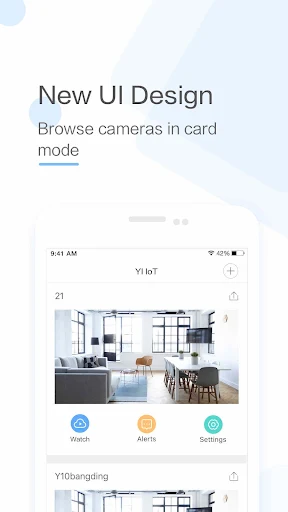
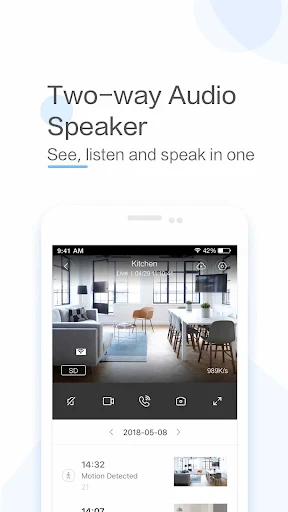
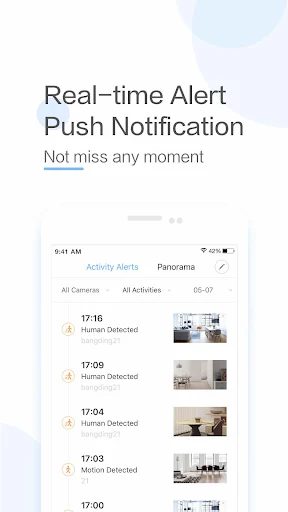
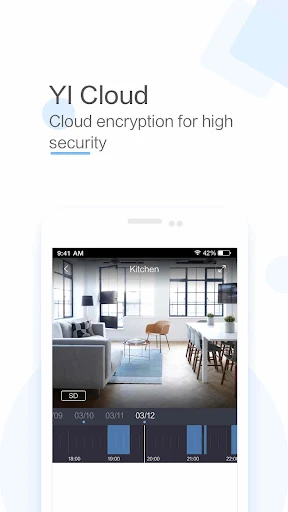
Analysis by Reviewed APKs
Yi iot is a companion app for viewing and talking through compatible Yi IoT cameras, with motion alerts and video storage options for checking in on a room or family member. I see it as a focused camera-viewing tool rather than a complete smart-home hub. It can be useful for a simple remote check-in routine, though the camera-version restriction and modest Play rating are worth weighing first.
A quick check from away
Imagine stepping out to run errands and wanting to see whether the room you are monitoring looks as expected. With a compatible camera connected, Yi iot is designed to bring up real-time video and audio on your phone. The app also supports two-way conversation, so a check-in can be more than just watching a silent picture. That makes its central job straightforward: let you see and speak through the camera remotely.
The viewing controls give that check-in a little more flexibility. The camera description specifies a 111-degree wide-angle lens, and double-tapping the view activates 4x digital zoom for a closer look at details. You can also move your phone left or right to explore a panoramic view, with gyroscope support following the phone's orientation. I would use those controls when a fixed view does not show the corner I want to inspect.
A camera companion, not a hub
Yi iot makes the most sense if your main goal is viewing a compatible camera, receiving movement notifications, and talking through it. That is a narrower job than managing a broad collection of smart-home products. The app description focuses on camera video, audio, motion detection, and recording to an SD card; it does not describe a general-purpose home automation system. I would choose it for camera access, not as the center of every connected device.
It is also not a universal companion for every camera sold under a related name. The app is specified for the International Version Yi IoT Camera, while China Version YUNYI Smart Camera users are directed to a suitable app in Mi Store. That distinction matters before building a routine around it. If you only want to turn an old phone into a security camera, the description says that is supported, but the main camera functions are presented around Yi IoT cameras.
Small habits that help
A useful habit is to treat alerts as prompts to check the live view, rather than as a complete account of what happened. Yi iot is described as sending phone notifications when its motion detection identifies movement, including details about when, where, and what movement was detected. When an alert arrives, opening the camera view and checking the area can make the notification more useful than simply glancing at the banner.
For a room where you want to keep recordings, the described SD-card support goes up to 32GB, and a mode saves video and audio when image changes are detected. That selective recording is intended to make better use of storage. I would also use the wide view for a quick scan and reserve digital zoom for a detail that needs a closer look. These are practical ways to make the available controls part of a repeatable check-in.
More From Our News Desk

Zoom Meetings, Google Meet, or Teams: Which Is Easiest to Join?

How I Build a Free Streaming Lineup With Tubi

Why Crunchyroll Is the Default Anime App for So Many Fans

YouTube TV: A Practical Guide to Cutting Cable

Rummikub and the Small Comfort of Phone Games

TeamViewer Remote Control or AnyDesk for Helping Family?
Who may find it useful
I would recommend Yi iot to someone who already has a supported International Version Yi IoT Camera and wants phone-based live viewing, two-way audio, movement notifications, or SD-card recording. It may suit a household check-in routine where a person wants to see a room and speak through the camera. The option to use an old phone as a security camera may also appeal to people looking for that specific use.
I would hesitate if you have the China Version YUNYI Smart Camera, since the app description points those users elsewhere, or if you expect a broad smart-home control center. The Google Play rating is 2.5 from around 126,000 ratings, a reason to read recent user feedback and consider your own needs before relying on it. People who do not need camera viewing or remote conversation may find its focus too narrow.
Yi iot is published by Kami HK and falls under Video Players & Editors. On Google Play it has over 10 million installs and a 2.5-star rating from around 126,000 ratings. The app is free to download, contains no ads, and offers in-app purchases. Those purchases are priced from $0.49 to $479.99 per item, so the free download does not mean every purchase option is free.
Google Play gives the app an Everyone content rating. Its listed version is 5.2.0_20261104; it was released on May 9, 2018, and last updated on November 3, 2026. The minimum Android version is not included among the supplied app facts, so check Google Play for device compatibility before installing. These details describe the Android app and can change with later store updates.
What using Yi iot feels like
First look and setup
When I first considered Yi iot, the important question was not how many features it had but whether my camera version matched. The app description draws a clear line between the International Version Yi IoT Camera and China Version YUNYI Smart Camera. Checking that distinction first is a sensible way to avoid starting with the wrong companion app.
The app is built around the phone as a window into a camera: video, audio, controls, and alerts are the focus. The supplied description does not lay out a detailed onboarding sequence, so I would avoid assuming a particular pairing flow. What is clear is that its central purpose is remote camera access, with an option described for turning an old phone into a security camera.
The everyday viewing loop
The day-to-day experience described here centers on opening a live camera view when you want to check in. Video and audio are available remotely, and two-way conversation lets you speak through the camera from the phone. For a quick look at a family member or a particular space, that combination is more useful than a feed alone. The app's job stays focused on seeing and communicating.
Viewing quality can adjust to network conditions through adaptive streaming, according to the app description. That is relevant when checking in over a connection that does not hold steady. The camera is described as capturing HD video at 1280 by 720, with an f/2.0 glass lens. Those camera specifications help set expectations for the picture, while the actual experience will depend on the connected camera and network.
Controls beyond the live view
The wide-angle view and digital zoom offer two different ways to inspect what is in front of the camera. A 111-degree lens is described as covering a broad area, while a double tap activates 4x digital zoom for focusing on details. I like that distinction as a practical idea: use the wide view to understand the scene, then zoom when there is a specific object or area to examine.
The panoramic control is another distinctive part of the viewing experience. Moving the phone left or right is described as displaying a panoramic view, and gyroscope support follows the phone's orientation. Motion detection adds a separate layer by sending notifications when movement is detected. Together, these features are aimed at making a camera check more interactive than simply opening a static recording.
A simple check-in routine
A practical routine might be to check the live view at a chosen moment, scan the full area, and use zoom only if something needs a closer look. If you receive a motion notification, you can use the live video and two-way audio to see what is happening and communicate through the camera. That is a clear, contained use case for the app, rather than an elaborate automation setup.
For recording, the app description says the camera supports an SD card up to 32GB and can store video and audio. It also describes a mode that triggers storage when an image change is detected, intended to use capacity efficiently. If recording is part of your routine, the card limit and this recording behavior are useful details to keep in mind when planning how the camera will be used.
Limits to keep in mind
The camera-version restriction is the most important limitation to check before getting started. Yi iot is described as supporting the International Version Yi IoT Camera, while users with the China Version YUNYI Smart Camera are directed to a different app. A related product name is not enough to assume compatibility, so identifying the version of the camera matters.
The Google Play rating is 2.5 stars from around 126,000 ratings. That figure is a reason to approach the app with realistic expectations and read recent feedback that matches your camera and intended use. The app's described features are centered on camera viewing, communication, motion alerts, and recording; anyone looking for a wider connected-home control experience may need a different kind of app.
Yi iot has a clear purpose: give compatible camera owners a way to watch, listen, talk, and respond to movement from a phone. Its wide view, zoom, panoramic control, and recording options support that job without turning it into a general smart-home dashboard. The fit depends heavily on having the right camera version.
I would consider it for a focused camera check-in routine, especially if two-way conversation and motion notifications matter to you. I would check camera compatibility and recent Google Play feedback before committing to it. If your camera is the China Version YUNYI model, or you want broader device management, this is not the right match.
Yi iot Frequently Asked Questions
What is Yi iot used for?
Yi iot is a companion app for viewing and communicating through compatible Yi IoT cameras. Its described features include real-time video and audio, two-way conversation, motion notifications, digital zoom, panoramic viewing, and recording to a supported SD card. The description also says it can turn an old phone into a security camera.
Which devices work with Yi iot?
Yi iot is an Android app for use with the International Version Yi IoT Camera, according to its description. China Version YUNYI Smart Camera users are directed to a suitable app in Mi Store. The minimum Android version is not provided in the available app facts, so check Google Play for current device requirements and compatibility.
Is Yi iot free, and does it have purchases?
Yi iot is free to download on Google Play and contains no ads. It does offer in-app purchases, with listed items ranging from $0.49 to $479.99 each. The available facts do not explain what each purchase includes, so check the Google Play page for current purchase details before buying.
What Android version does Yi iot require?
The minimum Android requirement is not included in the available app facts. Requirements can vary as the app is updated, so check the Google Play page on the device you plan to use. The listed app version is 5.2.0_20261104, and it was last updated on November 3, 2026.
Is Yi iot a good fit for every camera owner?
No. The app description specifies the International Version Yi IoT Camera, and directs owners of China Version YUNYI Smart Camera to another app. It may suit someone seeking remote camera viewing and two-way conversation, but its focus is narrow. Checking camera compatibility and recent Google Play feedback is sensible before installing.
Pros
- Combines remote video viewing with two-way audio for camera-based check-ins.
- Offers a wide-angle view, 4x digital zoom, and phone-orientation panoramic control.
- Motion notifications and SD-card recording support everyday camera monitoring.
- Adaptive streaming adjusts viewing quality to network conditions.
Cons
- Supports the International Version Yi IoT Camera, not the China Version YUNYI model.
- Its camera-centered purpose may not suit people seeking a broad smart-home hub.
- Its 2.5-star Google Play rating makes recent user feedback worth reviewing.
- Category
- Video Players & Editors
- Version
- 5.2.0_20261104