Woolworths
- 95.16K
- 3.7
- Installs
- 1.00M
- Price
- Free

Screenshots
Analysis by Reviewed APKs
Woolworths brings online shopping, rewards and money-account tools together for Android users in South Africa. I see its main appeal in handling several ordinary errands in one place: planning groceries, arranging delivery or collection, checking offers, and managing Woolworths accounts. That breadth is useful, though it also means this is a much larger app than a simple grocery list or standalone banking tool. It suits regular Woolworths shoppers best.
A Busy-Day Shopping Run
Picture a weekday evening when the fridge is nearly empty and there is no appetite for another queue. I would use Woolworths to browse groceries, add pantry basics and fresh food to an order, then choose a delivery option that fits the day. If the timing works better another way, the app also supports selecting a delivery date and time or ordering online for collection at a nearby store.
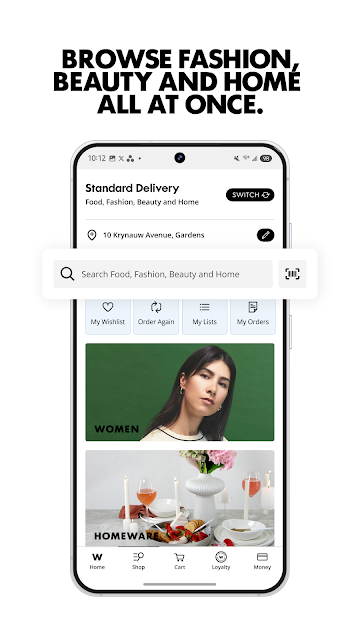
The same session can cover more than the dinner shop. Ready-made meals are available alongside groceries, and the catalogue also spans clothing, beauty, homeware and tech products. I like the idea of making one planned visit to the app rather than switching between separate shopping destinations. Still, a broad catalogue is most helpful when I know roughly what I need; it is less compelling if I only want a quick, minimal grocery checklist.
One App, Several Jobs
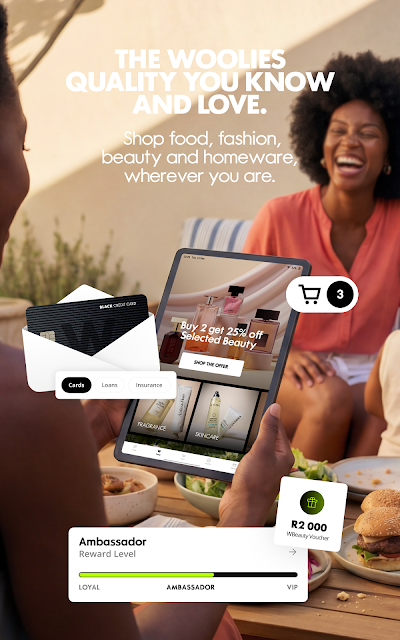
Compared with a basic grocery-delivery app, Woolworths reaches further into fashion, beauty, home goods and electronics. It also includes MyDifference rewards and account features for Woolworths financial services. That makes it a practical home base for people who already shop with Woolworths and want to keep related errands together. The rewards tools include vouchers, cashback loaded in the app, promotions and monthly goals.
The trade-off is that this is not just a focused shopping cart, nor is it a general-purpose budgeting app. Its money tools are framed around Woolworths accounts and services, including cards, payments and credit; its shopping covers Woolworths categories and services. I would not choose it solely to compare every retailer's prices or to manage unrelated financial accounts. Its value depends on whether those Woolworths activities are already part of my routine.
Small Habits That Help
A shopping list is an easy place to begin. I would add household staples as I notice them running low, rather than trying to remember everything when it is time to order. Before heading to a store, checking product availability and using the store locator can also make an in-person trip more deliberate. The app can show store details such as trading hours and directions, alongside product information from an in-store scan.
For rewards, I would make a habit of checking vouchers and offers before checkout, then occasionally reviewing savings, rewards and transactions. That keeps the feature useful without turning every shop into a hunt for a promotion. If I have an account with Woolworths Financial Services, the app also lets me view balances and statements and make payments. I would keep those account checks separate from casual browsing so the money features stay purposeful.
More From Our News Desk

Zoom Meetings, Google Meet, or Teams: Which Is Easiest to Join?

How I Build a Free Streaming Lineup With Tubi

Why Crunchyroll Is the Default Anime App for So Many Fans

YouTube TV: A Practical Guide to Cutting Cable

Rummikub and the Small Comfort of Phone Games

TeamViewer Remote Control or AnyDesk for Helping Family?
Who Will Get the Most From It
I would recommend Woolworths to people in South Africa who shop at Woolworths regularly and want grocery ordering, collection or delivery, rewards and related account tools in one Android app. It is especially relevant if a household alternates between online orders and store visits, or likes having fashion, beauty and homeware shopping alongside food. The lists, product scanning and store information can support both a planned online shop and a quick visit.
It may be a less natural fit for someone who only wants a lightweight grocery list, shops mainly across other retailers, or has no use for Woolworths rewards and money services. The wide scope can also feel like more than necessary if the only goal is a single ready-made meal order. Since the app includes credit and loan-related services, I would treat those as distinct financial products and review their terms carefully rather than seeing them as ordinary shopping features.
Woolworths is developed by Woolworths SA and is available for Android. Google Play shows over 1 million installs and a 3.7-star rating from about 95,000 ratings. The app is free to download, with no in-app purchases or ads reported in the supplied store facts. Its content rating is Everyone, and version 10.23.1 is the current version provided.
The supplied release date is March 12, 2012, and the last update date is November 3, 2026. A minimum Android version was not provided in the app facts, so compatibility is worth checking on Google Play for the device in use. The description presents the app as serving Woolworths customers in South Africa, with shopping, rewards and financial account features.
How Woolworths Fits a Shopping Routine
First Look and Setup
When I first opened the idea of Woolworths, what stood out was its unusually broad job description. It is not only for filling a grocery basket: the same app brings together meals, other retail categories, rewards and financial services. That can be convenient for an existing Woolworths customer, but it also sets an expectation that I will need to choose which parts matter to me instead of treating every feature as essential.
I would start by deciding whether I mainly want to shop, check rewards or manage an existing account. That simple choice keeps the experience grounded in a real need. The app supports Android phones and tablets, and the description places its services in South Africa. I would also check Google Play for device compatibility before installing, since the minimum Android version is not included in the available facts.
The Everyday Shopping Flow
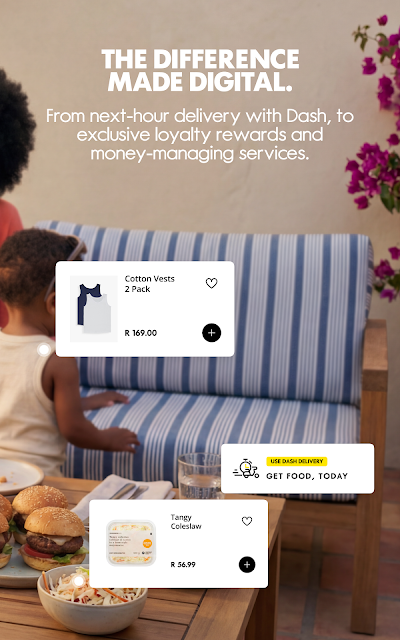
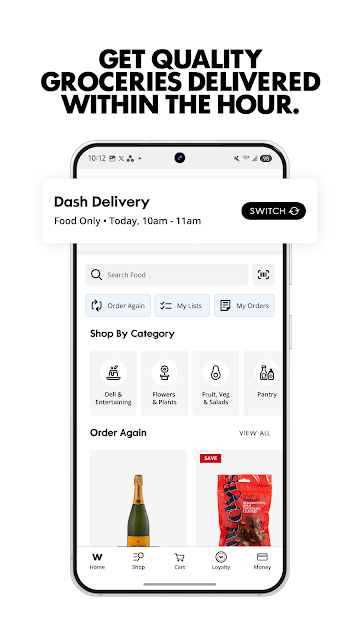
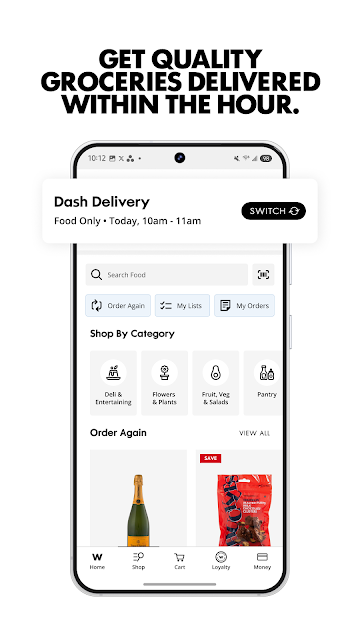
For a normal grocery shop, the practical sequence is straightforward in concept: browse food, add what is needed, and choose how to receive it. Woolworths offers standard delivery with a selected date and time, same-day Dash delivery for fresh groceries and meals, and Click and Collect from a nearby store. Those options make it easier to fit an order around the day rather than treating delivery as the only route.
I would use the app differently depending on the errand. A planned weekly shop suits a list and a chosen delivery slot; a quick store visit can benefit from checking stock or scanning an item for details. Ready-made meals give the app a role on nights when cooking is not appealing. The convenience is real in principle, though the best option depends on the service and timing available for the order.
Beyond the Grocery Basket
The breadth of categories is one of the app's defining features. Along with fresh food, pantry staples and ready-made meals, it covers clothing, shoes, beauty, tech and homeware. That lets a shopper browse for several kinds of household needs without moving to a separate Woolworths app for each category. In-store tools add a practical bridge between browsing at home and shopping on foot.
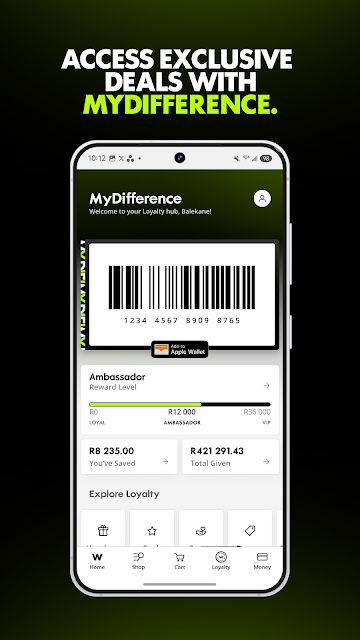
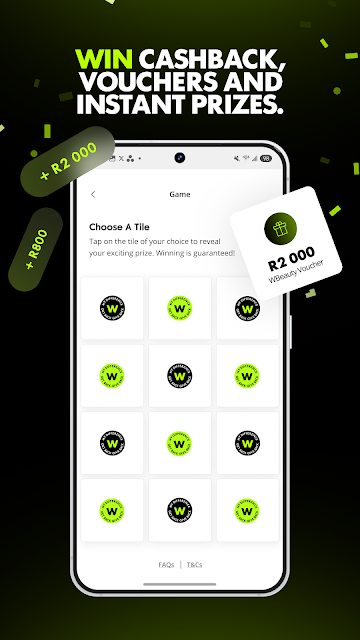
MyDifference adds another layer: personalised vouchers, tailored promotions, Play and Win games, cashback loaded to the app, monthly goals and ways to track savings, rewards and transactions. The app also includes store information, shopping lists and recipes, fashion trends and home inspiration. I would approach these as optional tools rather than a checklist to complete; the strongest features are the ones that solve an immediate shopping or account task.
A Useful Weekly Rhythm
A routine I can imagine is adding staples to a shopping list through the week, then reviewing it before placing an order. I would check whether standard delivery, same-day Dash or collection best suits that particular day, rather than assuming one option always wins. For an item I plan to buy in person, checking store stock and hours first could reduce a wasted trip.
After shopping, a quick look at available vouchers and rewards can help me keep track of benefits without letting promotions dictate the basket. Someone with a Woolworths account could separately use the app to review balances or statements and make payments. That division matters: shopping and account management sit together here, but they are different tasks and deserve different attention.
A Few Limits to Consider
An all-in-one approach inevitably asks the app to serve different needs at once. A shopper who wants nothing beyond groceries may find fashion, homeware, rewards and credit services unnecessary. Likewise, the money tools are tied to Woolworths financial services rather than acting as a broad financial dashboard. I would judge the app by the parts I expect to use, not by the total number of categories it contains.
Some choices also depend on practical availability. The description offers multiple delivery and collection methods, but a user should check the options presented for their order and location. Store stock checks and delivery timing are useful planning aids, not a reason to assume every product or slot will always suit. And because the app includes credit and loan products, I would read the relevant terms and costs carefully before applying.
Woolworths makes the most sense as a regular customer's companion: it combines online shopping, delivery and collection choices, in-store helpers, rewards and Woolworths account management. I like that it can support both a planned grocery order and a store visit, rather than forcing one shopping style.
I would recommend it if Woolworths already features in your shopping routine and you want its related services together on Android. If you only need a basic list or a general finance app, its wide scope may be more than you need. Treat the financial products as separate decisions from the convenience of shopping.
Woolworths Frequently Asked Questions
What is the Woolworths app used for?
Woolworths is an Android shopping and money app for customers in South Africa. It supports online grocery shopping, ready-made meals, fashion, beauty, homeware and tech, with delivery and Click and Collect options. It also includes shopping lists, store information, MyDifference rewards and tools for managing Woolworths financial service accounts.
Which devices can run the Woolworths app?
The app is described for Android smartphones and tablets. The supplied app facts do not give a minimum Android version, so check the Woolworths Google Play page on your device for current compatibility requirements. The app description focuses on use in South Africa.
Is Woolworths free, and does it have purchases or ads?
The supplied Google Play facts say Woolworths is free to download, with no in-app purchases and no ads. Shopping orders and any financial services are separate from the download itself. Check the app and relevant service terms for details that may vary, particularly before applying for a financial product.
Can I use the Woolworths app to manage money?
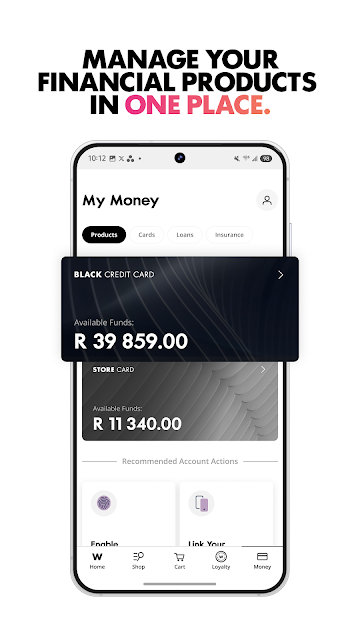
Yes. The description says the app can help customers manage Woolworths financial services, including viewing balances and statements, making payments and using a virtual store card. It also describes credit cards, store cards, personal loans and insurance. These are financial products, so review their terms and costs directly before deciding whether to apply.
Is the Woolworths app a good fit for every shopper?
It is most useful for people who already shop with Woolworths and want shopping, delivery or collection, rewards and related account tools together. Someone seeking only a simple grocery list or a general finance app may prefer a more focused option. The app also covers a wide range of retail categories beyond food.
Pros
- Combines groceries, ready-made meals, fashion, beauty, homeware and tech shopping.
- Offers standard delivery, same-day Dash delivery and Click and Collect options.
- Includes lists, store details, stock checks, product scanning and rewards tools.
- Brings Woolworths financial account management into the same app.
Cons
- Its wide range of shopping and money features may feel excessive for grocery-only users.
- Financial tools are centered on Woolworths services, not general account management.
- Delivery and collection choices may depend on the order and location.
- Category
- Finance
- Version
- 10.23.1











