Woodforest Mobile Banking
- 42.12K
- 4.8
- Installs
- 1.00M
- Price
- Free

Screenshots
Analysis by Reviewed APKs
Woodforest Mobile Banking puts everyday Woodforest National Bank account tasks on an Android phone, from checking balances to paying bills and depositing checks. It suits customers who already bank with Woodforest and want a convenient way to handle routine money management without making every task a branch visit. My overall take is that its broad set of practical banking tools makes it useful, provided you are looking for a bank-specific app rather than a general finance tracker.
A Banking Errand on Your Phone
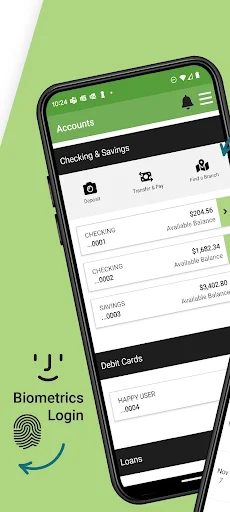
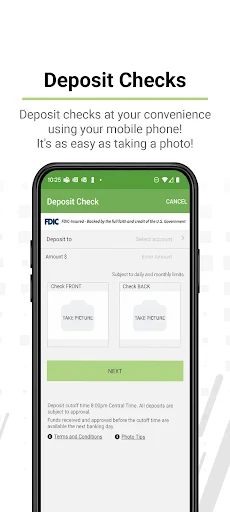
Imagine checking your finances between errands rather than waiting until you get home to open a computer. With Woodforest Mobile Banking, you can look at account balances and transaction history, check for an account alert, and pay a bill from your phone. If a check arrives while you are away from a branch, mobile check deposit is another option. The appeal is having several ordinary banking jobs within one app.
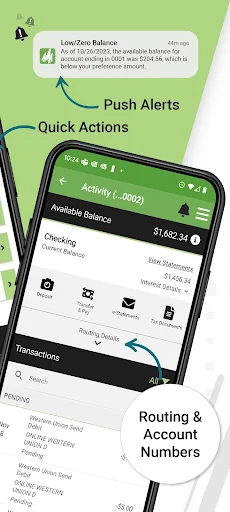
I like that this sort of app can fit into small pauses in the day instead of demanding a dedicated banking session. A quick balance check before a purchase is a different task from arranging recurring bill payments, but both belong to the same everyday routine. The app also provides access to statements and tax documents, which could be useful when you need records rather than just a current balance.
A Bank App, Not a Budget Coach
The clearest comparison is with online banking through a browser or a visit to a branch: this app brings many Woodforest account tasks to an Android device. It includes transfers between eligible accounts, bill payment, check deposit, alerts, and card controls. For customers who already use Woodforest, that is a more direct fit than a general-purpose finance app that is not designed around their bank account.
It is not presented as a complete budgeting or investing platform, and I would not choose it expecting detailed spending plans or a way to manage accounts at unrelated banks. Its focus is access to Woodforest services and account management. Some features also have specific conditions: for example, Zelle requires an eligible Woodforest consumer checking account. That makes it useful to check eligibility before building a routine around a particular tool.
Small Habits That Help
A useful habit is to check balances and transaction history at a regular point in the day or week, rather than relying on memory. Account and balance alerts can add another way to stay informed. I would treat those tools as helpful prompts, not a substitute for reviewing account activity, since the app notes that activity and history may not reflect the most recent expenditures.
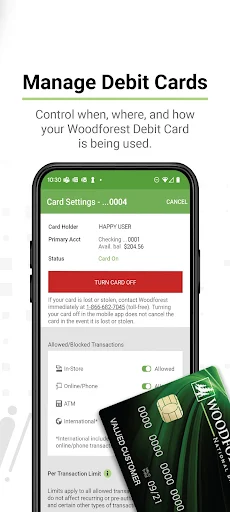
It also makes sense to group tasks by how often they come up. Recurring bills can be managed alongside one-time payments, while statements and tax documents are there for less frequent record-keeping. If you use a Woodforest debit card, the option to turn it on or off and control transaction settings adds another practical reason to keep the app available. A little familiarity can make occasional tasks easier to find.
More From Our News Desk

Zoom Meetings, Google Meet, or Teams: Which Is Easiest to Join?

How I Build a Free Streaming Lineup With Tubi

Why Crunchyroll Is the Default Anime App for So Many Fans

YouTube TV: A Practical Guide to Cutting Cable

Rummikub and the Small Comfort of Phone Games

TeamViewer Remote Control or AnyDesk for Helping Family?
Who Will Find It Useful
I would recommend Woodforest Mobile Banking to existing Woodforest customers who want their routine account tasks on an Android phone. It has a wide mix of everyday tools: balances, transaction history, transfers, bill payments, check deposit, alerts, statements, and debit-card controls. Someone who often needs to check an account while away from home may appreciate having those options together rather than relying on branch visits for every small task.
It may not suit someone who wants a bank-independent money dashboard or a dedicated budgeting app. The app is centered on Woodforest accounts and services, and some options depend on eligibility. Zelle, for instance, requires an eligible consumer checking account. I would also suggest checking the app’s current requirements and service details in Google Play and with Woodforest if a particular feature is essential to your routine.
Woodforest Mobile Banking is developed by Woodforest National Bank and is a Finance app for Android. Google Play shows over 1 million installs, a 4.8-star rating from about 42,000 ratings, and an Everyone content rating. The app is free to download, with no in-app purchases or ads. Its listed version is 26.10.03.
The app was released on October 28, 2010, and its listed last update is October 19, 2026. Mobile data charges may apply, and the bank notes that service outages, technology failures, or device capacity can affect use. Account activity and history may not reflect recent expenditures, so the displayed information may not always include the latest activity.
Everyday Banking, Without the Branch Stop
A Straightforward Starting Point
When I first considered what this app is for, its purpose was easy to understand: it brings Woodforest account access and common banking tasks to a mobile device. The feature set covers both quick checks, such as viewing a balance, and tasks that need a little more attention, such as managing payments or reviewing documents. That range gives it a practical role beyond being just a place to glance at an account.
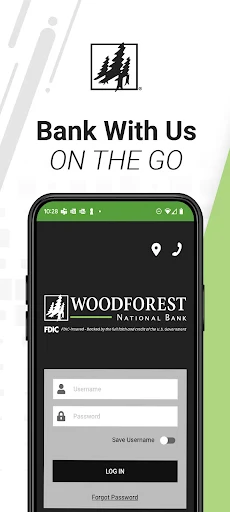
The app also includes account support tools, FAQs, and branch locations, along with a self-service option for a forgotten password. Those details matter because banking apps are not only used when everything goes smoothly. Having help and branch information available through the app can be useful when a question or in-person need interrupts an otherwise ordinary routine.
The Day-to-Day Mix
The everyday experience is built around checking and acting: view balances and transaction history, move funds between eligible accounts, pay bills, and keep an eye on alerts. It is a useful combination for the small money-related decisions that crop up during a normal week. I would not expect every person to use every option, but having them in one bank app can reduce the need to switch between different ways of handling routine tasks.
The app’s description cautions that account activity and history may not reflect recent expenditures. That is worth remembering when using the balance or transaction view to make a quick decision. I would treat the app as a convenient way to stay connected to an account, while allowing for the possibility that recent activity has not yet appeared. The bank also notes that outages and technology issues can affect access.
Tools Beyond Balances
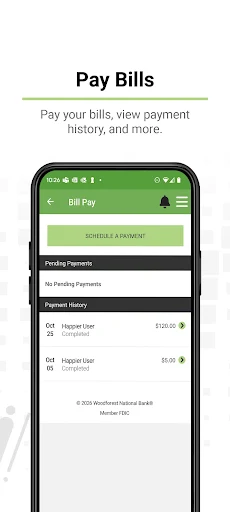
Several features give the app a broader job than account viewing. You can deposit checks using your mobile device, manage recurring bill payments, and receive account or balance alerts. Statements and tax documents are available too, which is a welcome addition for those occasional moments when a transaction list is not the record you need. Together, these options cover both frequent check-ins and less common account housekeeping.
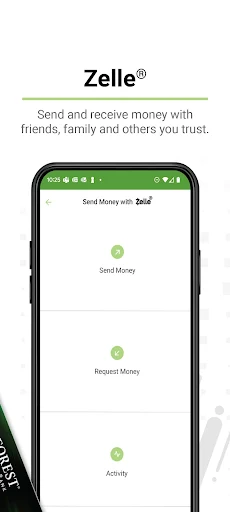
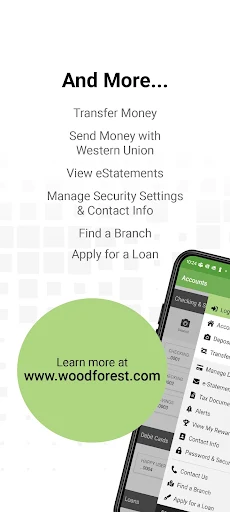
Money movement includes transfers between eligible Woodforest accounts, as well as sending, requesting, and receiving money with Zelle using a U.S. mobile number or email address. The app also describes worldwide sending and receiving through Western Union. Zelle has an eligibility requirement: an eligible Woodforest consumer checking account is needed. I would check the terms that apply before relying on any particular payment service.
A Weekly Account Check-In
One practical routine would be to use the app for a weekly account review. Start with balances and transaction history, then look at any alerts that have arrived. If a bill needs attention, the payment tools are available in the same app; if a check needs depositing, mobile deposit may be an option. The point is not to turn banking into a daily chore, but to make regular check-ins easier to fit around other plans.
For less frequent needs, I would keep the document and account-management features in mind. Statements and tax documents can help when organizing records, while contact information and account preferences can be managed in the app. Debit-card controls are another tool to remember if you need to turn a card on or off or adjust transaction settings. A simple routine helps make these features easier to find when the need arises.
A Few Practical Limits
This is a Woodforest banking app, so its main value depends on having a relationship with the bank and using the services it supports. It is not a universal account hub for people who want to see finances across many institutions, nor does its description position it as a full budgeting tool. Features such as transfers also apply to eligible accounts, and Zelle has its own account requirement.
Mobile banking also depends on having a working device and internet access. Woodforest notes that cellular data charges may apply and that service outages, technology failures, or device capacity limits can affect use. The bank also cautions that account history may lag recent expenditures. Those are sensible limitations to keep in view, especially if you rely on a current transaction record for a quick check.
Woodforest Mobile Banking is a practical companion for customers who want everyday account access, payments, transfers, check deposit, and account controls in one Android app. Its strengths are breadth and convenience, not a promise to replace every kind of financial tool. I especially like the mix of quick account checks and useful occasional tasks such as finding statements or managing card settings.
I would recommend it to Woodforest customers who want to handle routine banking on the go and are comfortable using a bank-specific app. If you need a broad budgeting workspace or manage accounts elsewhere, it is unlikely to be the whole answer. For its intended audience, though, the feature range makes it worth trying.
Woodforest Mobile Banking Frequently Asked Questions
What is Woodforest Mobile Banking used for?
Woodforest Mobile Banking is for managing Woodforest accounts and related banking tasks from an Android device. It supports viewing balances and transaction history, transferring funds between eligible accounts, paying bills, depositing checks, and receiving account or balance alerts. It also provides access to statements, tax documents, debit-card controls, support resources, and other account preferences.
Which phones and devices support Woodforest Mobile Banking?
The app is for Android, and Google Play is the relevant store for its Android version. The available material does not give a minimum Android version, so check the current Google Play details on your device before installing. Woodforest also notes that device capacity and internet or service issues can affect app use.
Is Woodforest Mobile Banking free?
The app is free to download and has no in-app purchases or ads. Cellular data charges from your provider may apply. Fees or terms related to banking products and services can depend on the service, so check the current Google Play details and contact Woodforest for information about applicable account or service fees.
Does Woodforest Mobile Banking support Zelle?
Yes. The app supports sending, requesting, and receiving money with Zelle using a U.S. mobile number or email address. An eligible Woodforest National Bank consumer checking account is required. Eligibility and other terms can apply, so review the current information from Woodforest before relying on Zelle for a payment.
Who should use Woodforest Mobile Banking?
It is best suited to Woodforest customers who want mobile access to routine banking features such as balances, transfers, bill payments, check deposit, alerts, and card controls. Someone looking for a bank-independent budgeting app may prefer a different kind of service. Check Google Play and Woodforest’s current information if a particular requirement or feature will determine whether it fits.
Pros
- Combines balances, transfers, bill payments, check deposit, and account alerts.
- Includes statements, tax documents, debit-card controls, and account preferences.
- Supports Zelle for customers with an eligible Woodforest consumer checking account.
- Free to download, with no in-app purchases or ads.
Cons
- Designed around Woodforest accounts rather than finances at multiple banks.
- Recent expenditures may not appear immediately in account activity or history.
- Some money-movement features require eligible accounts or additional terms.
- Category
- Finance
- Version
- 26.10.03











