Winamp
- 3.33K
- 2.7
- Installs
- 500.00K
- Price
- Free

Screenshots
Analysis by Reviewed APKs
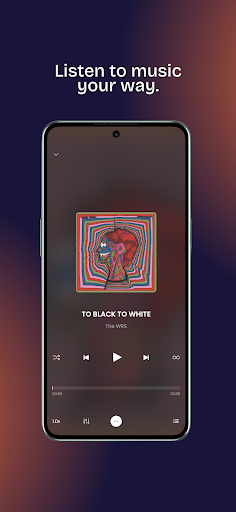
Winamp is an Android music player for bringing several kinds of listening into one place: music stored on your device, Fanzone tracks, podcasts, and radio stations. I see the appeal for people who move between a personal music collection and other audio rather than sticking to one source. Its range is attractive, though the Google Play rating suggests the experience may not land equally well for everyone.
A listening session in one place
When I think about Winamp’s everyday role, I picture a commute that starts with albums saved on my phone, shifts to a podcast, then ends with a radio station while I make dinner. The app is designed to bring those sources together instead of making each one feel like a separate listening destination. That makes its central idea easy to understand: open one player and choose what suits the moment.
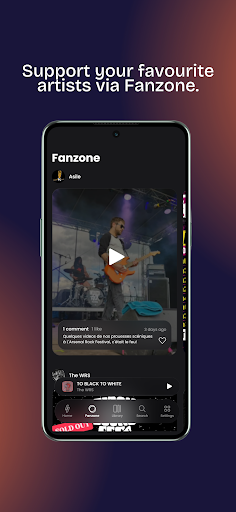
The local library is the most familiar starting point. I can imagine reaching for it when mobile reception is unreliable or when I want to hear music I already keep on my device. Later, the podcast and radio options offer a change of pace without changing apps. Fanzone tracks add another route into listening, although the material doesn’t spell out how that section is arranged or what it contains.
A player, not just streaming
Winamp makes the most sense to me as a broad audio player rather than a narrowly focused streaming service. Its mix of local music, podcasts, radio, and Fanzone content is the point: it can serve different listening habits from one place. Someone who mainly wants a simple way to play music already on their phone may find the extra sources less important, but they are central to the app’s wider pitch.
It also isn’t presented as a music creation tool, a podcast recording studio, or a service built around one particular catalog. I wouldn’t choose it on the assumption that every song or show is available on demand; the description promises access to several kinds of audio, not a specific catalog or playback arrangement. If you prefer a single-purpose app, Winamp’s variety may feel like more than you need.
Make listening a habit
A useful way to approach Winamp is to start with the kind of audio you already use most. If your phone holds a music collection, begin there; if radio or podcasts are what you reach for, make those part of your regular listening instead. That simple starting point keeps a multi-source player from becoming a collection of options you never actually use.
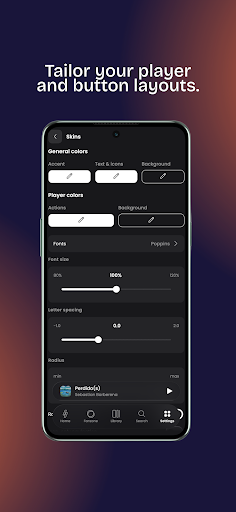
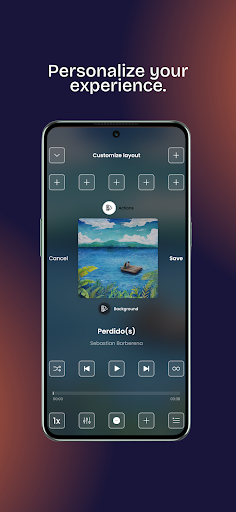
I’d also treat its organization and customization as small, gradual habits rather than a weekend project. Spend a little time arranging the music you return to, then adjust the experience to your taste as you go. The description doesn’t specify particular controls or organization tools, so I wouldn’t promise a certain workflow. The useful principle is to make the player fit how you listen, not to explore every option at once.
More From Our News Desk

Zoom Meetings, Google Meet, or Teams: Which Is Easiest to Join?

How I Build a Free Streaming Lineup With Tubi

Why Crunchyroll Is the Default Anime App for So Many Fans

YouTube TV: A Practical Guide to Cutting Cable

Rummikub and the Small Comfort of Phone Games

TeamViewer Remote Control or AnyDesk for Helping Family?
Who may enjoy Winamp
I’d recommend Winamp to Android listeners who like having personal music alongside other audio sources. It may especially suit someone who moves between a saved collection, podcasts, and radio during the day and would rather explore those options in one player. People curious about Fanzone tracks or about customizing their listening experience may also find the mix worth trying.
It may be a less natural fit if you want only a bare-bones local music player, or if you expect a particular streaming catalog and its specific features. The Google Play score is 2.7 from 3,328 ratings, so I’d go in with measured expectations and judge it against your own routine. The app’s broad idea is clear; whether that breadth feels convenient or cluttered will depend on what you actually listen to.
Winamp is a Music & Audio app for Android, published by Winamp SA. Google Play shows more than 500,000 installs and a 2.7-star rating from 3,328 ratings. The listed version is 6.0.7, with a release date of November 30, 2023, and a last update date of July 27, 2026.
The app is free to download, with no in-app purchases and no ads reported in the supplied store details. Its content rating is Everyone. The minimum Android version is not included in the available facts, so check Google Play for the requirement that applies to your device.
How Winamp Fits Into Everyday Listening
A familiar name, broader job
When I first opened the idea of this version of Winamp, the biggest change in expectation was its scope. It isn’t described only as a place to play a local music library; it also brings in Fanzone tracks, podcasts, and radio stations. That gives the app a broader identity than a simple file player, while keeping audio listening as its central job.
The setup details aren’t spelled out in the supplied description, so I wouldn’t want to invent a sequence of screens or permissions. The practical first move is simply to decide which source matters most to you. Starting with local music, podcasts, or radio gives you a clear way to assess whether the combined-player approach fits, rather than judging it by the full list of possibilities.
Day-to-day listening
The everyday strength of a multi-source player is less about novelty and more about reducing context switching. If I’m listening to music at my desk, then want a spoken show on a walk, Winamp’s stated range makes that transition part of the same audio app. Radio offers another option when I want something different from my own collection or a podcast.
That convenience depends on how well the available sources match your habits. Someone who rarely listens to radio or podcasts may not gain much from their presence, while a listener who regularly alternates between them has more reason to keep the app around. The description gives the categories, but not detailed playback or navigation behavior, so the real day-to-day feel is something to assess in use.
Four kinds of audio
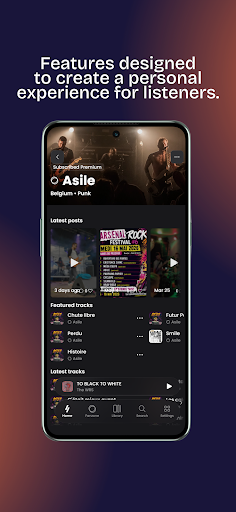
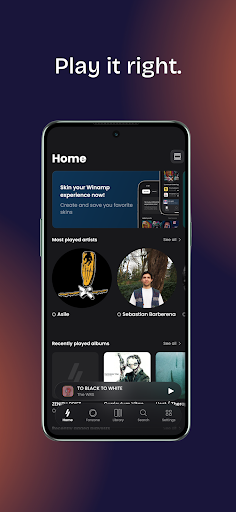
The clearest feature is the combination of local music, Fanzone tracks, podcasts, and thousands of radio stations. That range gives Winamp more than one reason to open it, and it can make sense for listeners whose routines include both planned albums and more spontaneous audio. I like that the app’s purpose is easy to summarize even though the sources vary.
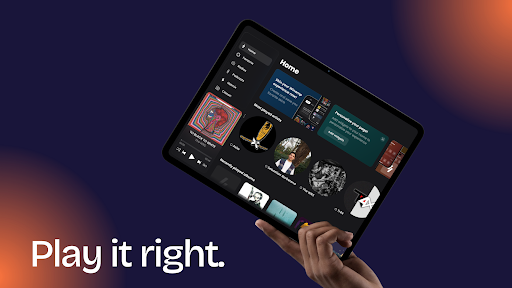
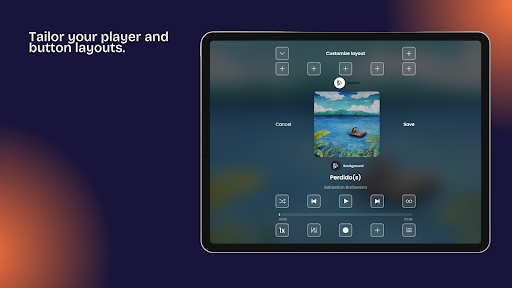
Customization is another part of the pitch, described as a way to make the player feel more personal. The available information doesn’t name specific themes, controls, or settings, so I can’t recommend a particular customization trick. Still, the promise of shaping the experience could matter to people who enjoy making a regular player feel more like their own, rather than accepting a fixed presentation.
A practical listening routine
For a realistic routine, I’d use the app according to the day rather than forcing one source to do everything. Start with music from the local library during a familiar part of the day, switch to a podcast when you want spoken audio, and try radio when you’re in the mood to browse. Fanzone tracks give the app another place to explore when you want something beyond those staples.
I’d keep the routine simple at first: pick one or two sources you know you’ll use, then see whether having the others alongside them makes listening easier. That approach helps answer the useful question—does Winamp fit my real habits?—without turning setup into a project. If organization and customization appeal, add them gradually, and only where the app’s available options match what you want.
Keep expectations grounded
The main limitation is that a wide set of audio categories doesn’t automatically mean every listener will find the app convenient. The supplied description doesn’t explain catalog details, how individual sources are presented, or what the customization controls include. If you need a specific song, podcast, or station, check whether it is available in the app before making Winamp your only listening option.
The store rating also deserves a little attention: Winamp has 2.7 stars from 3,328 Google Play ratings. That doesn’t explain why users rated it as they did, and it can’t predict your own experience, but it is a sensible reason to try the app with realistic expectations. Its broad concept is appealing; the details of daily use will matter more than the name.
Winamp’s appeal is straightforward: one Android player for local music, Fanzone tracks, podcasts, and radio, with customization as part of the experience. I like the flexibility of that idea, particularly for listeners who regularly move between different kinds of audio. Its lower Play rating makes me cautious, but not dismissive.
I’d suggest trying Winamp if you want several audio sources under one roof and are willing to see how its approach fits your habits. If you only need a basic music player or depend on a specific catalog, compare your priorities first. For curious, varied listeners, it is worth a considered try.
Winamp Frequently Asked Questions
What is Winamp used for?
Winamp is an Android audio player for listening to music stored on your device, Fanzone tracks, podcasts, and radio stations. It also describes organization and customization as part of the experience. The app is aimed at bringing those kinds of listening together, rather than focusing on only one audio source.
Which devices can run Winamp?
Winamp is listed as an Android app on Google Play. The supplied details don’t give a minimum Android version, so check the Google Play page to see whether your device meets the current requirement. I’d also check the store for device compatibility details before relying on it for a particular phone or tablet.
Does Winamp cost money?
Winamp is listed as free to download, with no in-app purchases and no ads in the supplied Google Play details. Store information can change, so it’s sensible to check the current page before installing. The app’s stated audio sources include local music, Fanzone tracks, podcasts, and radio.
What Android version does Winamp require?
The minimum Android version isn’t included in the available app facts. Since requirements may vary by release or device, check Winamp’s Google Play page for the current compatibility information. The listed app version is 6.0.7, but that version number doesn’t indicate the minimum Android requirement.
Is Winamp a good choice for every listener?
Winamp may suit Android listeners who switch between local music, podcasts, and radio, or who are interested in Fanzone tracks and customization. It may be less appealing if you want only a basic music player or require a particular catalog. Its Google Play rating is 2.7 stars from 3,328 ratings, so consider your own needs and expectations.
Pros
- Combines local music, Fanzone tracks, podcasts, and radio in one player.
- Offers a broad listening mix for people who switch audio formats.
- Customization is part of its appeal for listeners who like personal touches.
- Free to download, with no in-app purchases or ads reported.
Cons
- The Google Play rating is relatively low at 2.7 stars.
- The available description doesn’t detail catalog coverage or customization controls.
- Its range may feel unnecessary if you only want a basic music player.
- Category
- Music & Audio
- Version
- 6.0.7











