Vivint
- 178.44K
- 4.3
- Installs
- 1.00M
- Price
- Free

Screenshots
Analysis by Reviewed APKs
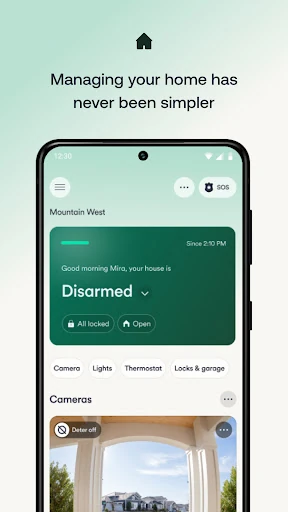
Vivint is a companion app for managing a Vivint Smart Home system, bringing security controls, cameras, locks, climate settings, and lighting into one place. I see it as most useful for people who already use Vivint equipment and want to check in or make adjustments from their phone. Its broad mix of controls is appealing, though the app depends on Vivint hardware and a service subscription.
A Quick Check From Anywhere
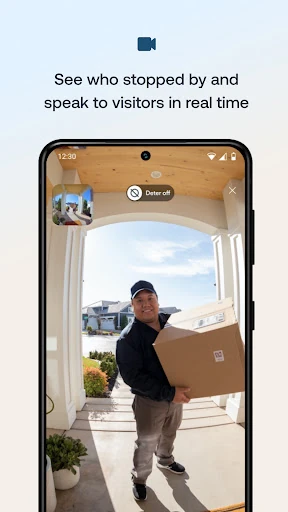
Imagine leaving home in a hurry and realizing you cannot remember whether you armed the security system or closed the garage door. With Vivint, I can check the system and garage status from my phone, then act on what I find. If a doorbell visitor arrives while I am out, the app can also let me see and speak with that person, rather than making me wait until I get home to respond.
That combination makes the app feel like a remote control for the parts of home life that tend to nag at me after I leave. I can check camera feeds, review recordings, adjust the thermostat, or lock a smart door without being physically there. The useful part is not one flashy feature; it is having several small checks and decisions available in the same place when my plans change.
A Companion, Not a Standalone
Vivint makes the most sense alongside a Vivint Smart Home system and service subscription. It is not a general-purpose camera viewer or a standalone security app that can take over for equipment from any brand. That distinction matters before downloading: the app's controls are designed around Vivint's connected system, so people without that setup are unlikely to get the intended day-to-day value from it.
Compared with using separate controls for security, cameras, a thermostat, and smart locks, Vivint brings those jobs together. That can be convenient if your home already uses compatible Vivint equipment, especially when a single check-in is enough to confirm several things. It is not a replacement for shopping for or installing a smart home system, and the app is not positioned as a general home-planning or maintenance tool.
Make Small Checks Routine
I would get the most out of Vivint by tying it to moments I already have in my day: a quick security check after leaving, a look at the doorbell when I hear an alert, and a thermostat adjustment before heading home. Those small habits are easier to sustain than opening the app without a clear reason. The app supports remote control, so these checks do not have to wait until I am back at the house.
Custom actions and schedules can also help reduce repeated manual steps. For example, the app describes custom actions for automating smart home functions and schedules for lights. I would start with one routine that solves a real annoyance, then add others only if they are useful. That keeps a multi-feature app from becoming another place to manage settings I rarely need.
More From Our News Desk

Zoom Meetings, Google Meet, or Teams: Which Is Easiest to Join?

How I Build a Free Streaming Lineup With Tubi

Why Crunchyroll Is the Default Anime App for So Many Fans

YouTube TV: A Practical Guide to Cutting Cable

Rummikub and the Small Comfort of Phone Games

TeamViewer Remote Control or AnyDesk for Helping Family?
Who Will Get the Most From It
I would recommend Vivint to people with a Vivint Smart Home system who want to manage security and connected devices while away. It is particularly appealing if you use several of the supported categories, such as cameras, a doorbell, smart locks, garage status, lighting, or a thermostat. Having those controls together can make everyday check-ins less scattered, whether I am at work, running errands, or traveling.
It may not suit someone looking for a free, standalone security service or an app that controls equipment from many different providers. Vivint requires its smart home system and a service subscription, so the app alone is not the whole product. I would also think about whether I actually want remote access and alerts; if I rarely need to check on or adjust the home from my phone, its wide range of controls may be more than I need.
Vivint is developed by Vivint Home and is listed in the House & Home category on Google Play. The app has more than one million installs and a 4.3-star rating from about 178,000 ratings. Google Play gives it an Everyone content rating. The listed version is 26.10.400, with a release date of March 3, 2014, and a last update date of October 16, 2026.
The app is free to download, with no in-app purchases or ads indicated in the provided app facts. That does not remove the equipment and service requirement: Vivint says using the app requires a Vivint Smart Home system and service subscription. The minimum Android version is not included in the available app facts, so check the Google Play listing for the requirement that applies to your device.
A Home Control Hub in Practice
First Impressions and Setup
When I first opened Vivint, the clearest idea was that it is meant to bring several home tasks together, not just sound an alarm. Security, energy management, cameras, and smart home controls all fit under that larger purpose. The app is designed for people using Vivint's own system, so the sensible first step is having that system and service in place rather than expecting the app to work as a standalone tool.
That requirement shapes expectations from the start. I would approach the app as the phone-based control point for an existing connected home, with the available controls depending on the Vivint setup in use. The description focuses on straightforward actions, such as arming the system or adjusting a thermostat. It does not present the app as a setup guide for choosing equipment, so prospective customers should treat the system and subscription as part of the decision.
The Everyday Control Loop
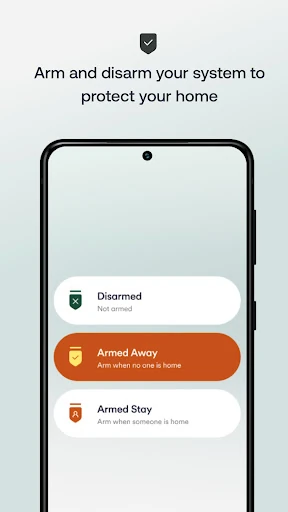
Day to day, the main appeal is being able to check and act without returning home. I can arm or disarm the security system, check whether a smart lock is secure, and lock or unlock a door from the app. The garage door status indicator is another practical detail, with an alert available if the door is left open. These are small tasks, but they are exactly the sort of things I like to settle quickly.
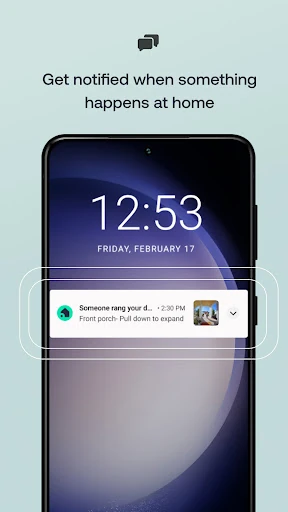
When something prompts a check-in, the app's cameras and notifications add context. I can view live camera feeds and recordings, and the description mentions alerts for events such as a package delivery or a camera deterring someone. Rather than treating every notification as a reason to rush home, I can use the available camera or doorbell features to see what is happening and decide whether any response is needed.
Features That Work Together
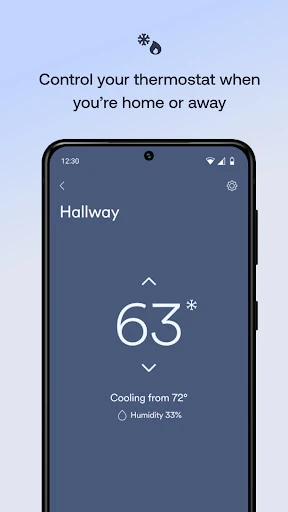
The doorbell experience combines viewing and conversation: Vivint describes two-way talk and HD video, with the ability to respond to visitors from elsewhere. The app also describes unlocking the door for a guest and changing the temperature remotely. I like that these are presented as connected actions around a real situation, such as handling an arrival while I am away, rather than isolated controls with no everyday context.
Camera recordings add another layer for people who want to revisit events. The description includes 30-day DVR recording and Smart Clips, alongside live camera feeds. Lighting and thermostat controls broaden the app beyond security, with custom light schedules and remote adjustments intended to help manage energy use. Together, these features give the app a wider role than a simple alarm control, provided the household has the relevant Vivint equipment.
A Simple Weekly Routine
A practical routine might start when I leave for work: check the security system, confirm the garage status, and arm the system if needed. If an alert arrives later, I can check the camera or doorbell view and respond to a visitor. At the end of the day, a thermostat adjustment or a lighting schedule can take care of a small comfort task without requiring another trip to a wall control.
I would keep that routine focused instead of trying to use every feature at once. A household might begin with security and door status, then add camera checks or lighting schedules as those become relevant. Custom actions offer a way to automate smart home tasks, while schedules can handle lights on a recurring basis. The best workflow is the one that makes a regular decision easier, not one that adds extra checking for its own sake.
Keep the Boundaries in View
The biggest limitation is also the clearest: Vivint is tied to a Vivint Smart Home system and service subscription. Downloading the app alone does not provide the hardware or service it controls. That makes it a poor fit for someone comparing standalone security apps or hoping to bring unrelated smart home brands under one roof. It is worth understanding that commitment before counting the app as a complete home security solution.
The app's usefulness will also depend on which connected devices a household actually has. Camera tools, smart locks, lighting, a thermostat, and garage status are all described, but they are not interchangeable with owning that equipment. A household that uses only a small part of the system may find the broad set of controls less compelling. I would judge it by the specific daily tasks it can handle in my own Vivint setup.
Vivint is a capable control companion for people already invested in its smart home system. The mix of security, camera, doorbell, lock, garage, lighting, and thermostat tools gives it practical value beyond arming an alarm. I especially like the idea of resolving quick questions remotely instead of letting them interrupt the day.
I would recommend it to current Vivint customers who want those controls on their phone and will use remote checks or schedules. If you do not have Vivint equipment and service, I would not choose this app as a standalone solution. Its strengths are real, but they depend on being part of the wider Vivint setup.
Vivint Frequently Asked Questions
What is the Vivint app used for?
Vivint is used to control a Vivint Smart Home system from a phone. Its described tools include arming or disarming security, checking cameras and recordings, responding to doorbell visitors, managing smart locks and garage status, adjusting a thermostat, and controlling lights. A Vivint system and service subscription are required, so the app is a companion to that setup rather than a standalone service.
What devices and platforms support the Vivint app?
The app is available for Android through Google Play. It is intended to control a Vivint Smart Home system, including supported connected devices such as cameras, a doorbell, smart locks, lights, a thermostat, and garage status. The minimum Android version can vary with the app and device, so check the Google Play listing for the requirement that applies to your phone.
What Android version does Vivint require?
The minimum Android version can vary, and the app facts provided do not give a specific requirement. Before installing, check the current Google Play listing on the device you plan to use. Vivint also requires a Vivint Smart Home system and service subscription, so meeting the phone requirement alone does not provide access to the system's controls.
Does the Vivint app cost money?
Vivint is free to download on Google Play, and the app facts indicate no in-app purchases or ads. However, the app requires a Vivint Smart Home system and service subscription. Those requirements are separate from the download, so check the Google Play listing and Vivint's service information for current details that apply to your situation.
Is the Vivint app right for my home?
It is best suited to people who have a Vivint Smart Home system and want to manage its security and connected devices remotely. It may be a poor fit if you want a standalone security app or controls for a different smart home setup. The system and service subscription are required, so consider whether the Vivint equipment and phone-based controls match your household's needs.
Pros
- Combines security, camera, doorbell, lock, lighting, and thermostat controls.
- Supports remote checks and actions when you are away from home.
- Includes camera recordings, doorbell talk, and smart home schedules.
- Free to download, with no in-app purchases or ads indicated.
Cons
- Requires a Vivint Smart Home system and service subscription.
- Designed for Vivint equipment rather than a broad mix of smart home brands.
- The usefulness of its controls depends on the devices in your setup.
- Category
- House & Home
- Version
- 26.10.400