PadSplit: Rooms for rent
- 3.97K
- 4.6
- Installs
- 100.00K
- Price
- Free

Screenshots
Analysis by Reviewed APKs
PadSplit: Rooms for rent is a housing app for people looking to apply for membership, find a room in a shared home, and handle practical parts of living there. It also gives hosts tools to communicate with members. I see its appeal for someone who wants a room rather than a whole rental and values having applications, payments, and housemate messages in one place.
From Search to Move-In
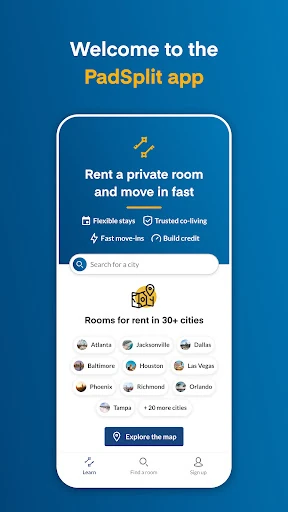
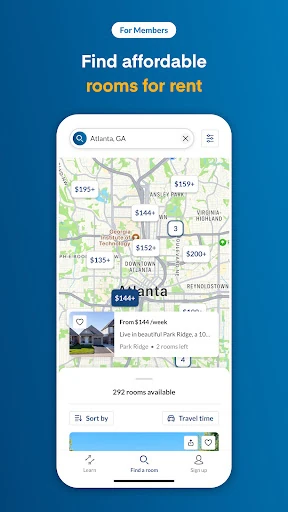
When I first considered the app’s main job, I pictured someone who needs a place to live soon but does not need an entire apartment. PadSplit lets prospective members complete an application and book a room that suits their budget and needs. The stated possibility of moving in within 48 hours gives the process a practical, time-sensitive angle, though a specific room and move-in timing will depend on the situation.
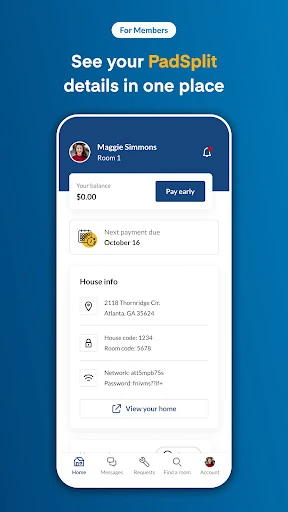
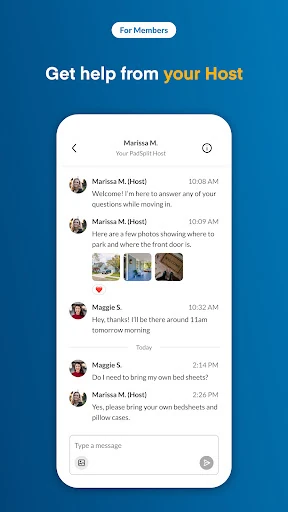
Once someone is part of a home, the app continues to serve a purpose beyond finding a room. Members can pay their dues, chat with housemates and the host, and keep up with happenings in the home. That makes the experience feel centered on the whole shared-living arrangement rather than a one-time room search. I would expect those communication tools to matter most after the booking is complete.
A Room, Not a Whole Rental
PadSplit is best understood as a route to a room in a shared home, not as a general-purpose apartment hunting tool. Compared with looking for a whole place through traditional rental channels, its focus is narrower: apply for membership, book a room, and use the app for some of the ongoing household logistics. That focused approach may suit people whose priority is a room and a shared-living setup.
It is not presented as a social network, a roommate-matching service, or a broad property-management platform for every kind of rental. The description centers on booking rooms, member dues, and communication within a PadSplit home. I would not choose it if I were specifically searching for a private whole-home rental or expecting a catalog of unrelated housing services. Its usefulness depends on wanting the arrangement it is built around.
Small Habits That Help
I would start by completing the membership application before getting too far into planning a move. Then I would use the booking step to look for a room that fits my budget and needs, rather than treating the first appealing option as an automatic match. Since the app supports communication with a host and housemates, asking relevant questions there can help keep important details tied to the home and its members.
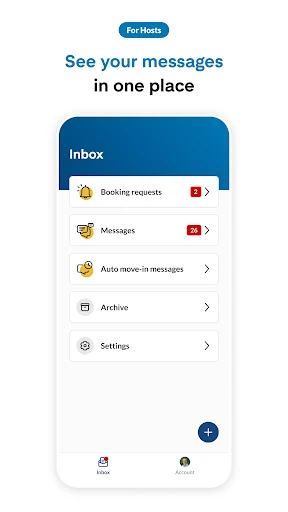
After moving in, I would make checking messages and home updates part of a regular routine. The app’s payment and chat functions give members a reason to return even when they are not searching for a room. Hosts can also set messaging hours and preferences, view member profiles, and prepare automated move-in messages, so both sides can use it to keep household communication organized.
More From Our News Desk

Zoom Meetings, Google Meet, or Teams: Which Is Easiest to Join?

How I Build a Free Streaming Lineup With Tubi

Why Crunchyroll Is the Default Anime App for So Many Fans

YouTube TV: A Practical Guide to Cutting Cable

Rummikub and the Small Comfort of Phone Games

TeamViewer Remote Control or AnyDesk for Helping Family?
Who Might Find It Useful
I would recommend PadSplit to someone open to living with housemates who wants an app-based way to apply for membership and book a room. It may also be useful for current members who want to pay dues and stay in touch with the host and other people in the home. The combination is practical: the app has a role before move-in and can remain relevant once a person is settled.
Hosts may appreciate having member profiles and messaging tools, especially the option to set communication hours and preferences or use automated move-in messages. On the other hand, this may not suit someone who wants a standalone private rental or has no interest in shared housing. The app’s described purpose is specific, so I would first decide whether a room in a shared home fits my needs.
PadSplit is the developer. On Google Play, PadSplit: Rooms for rent has over 100,000 installs and a 4.6-star rating from about 4,000 ratings. The app is free to download, with no in-app purchases or ads. The content rating is Everyone. These figures give a quick sense of its Play Store presence, while the main cost of using the service is separate from the app download.
The Android app requires Android 8.0 or later. Its current version is 1.6.4, and the recorded release date is February 24, 2021. It was last updated on February 3, 2026. Those details can help Android users check whether the app is compatible with their device before installing it.
How PadSplit Fits Shared Living
A Focused First Step
The first impression I get from PadSplit is that it is designed around a specific housing journey, not a sprawling set of unrelated tools. The starting points are clear in purpose: complete a membership application and book a room suited to your budget and needs. For someone already considering shared housing, that focus makes sense. It keeps the app’s role connected to finding a place rather than browsing for its own sake.
I would approach setup with the details of my housing needs in mind. The description does not spell out every step of the application or booking process, so I would avoid assuming how many screens or decisions it involves. What is clear is that the app is meant to support both the application and the room booking, giving prospective members a place to begin.
Useful After Booking
A room-search app can lose its relevance once someone has moved in, but PadSplit describes tools for that next stage too. Members can pay their dues through the app, chat with housemates and the host, and stay informed about happenings within the home. That continuing role is useful in a shared-living context, where coordination and updates do not stop at the moment a room is booked.
I can imagine checking the app as part of a simple weekly routine: take care of dues when needed, catch up on household messages, and see whether there is a home update. The convenience here is not a promise that every household interaction happens in the app. Rather, it gives members a dedicated channel for the kinds of communication and practical tasks the service says it supports.
Tools for Both Sides
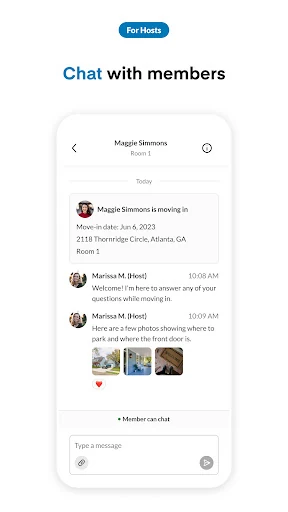
The app is not only for people looking for a place. Hosts can use its messenger to communicate with members in their homes, set messaging hours and preferences, view member profiles, and prepare automated move-in messages. Those options suggest a deliberate effort to support communication on both sides of the shared-home arrangement, rather than leaving the host tools entirely outside the app.
The host features are especially relevant around a move-in, when a clear message can help get communication started. I would also value the ability to set messaging preferences as a way to shape how and when contact happens. The description does not explain the exact controls or what a profile contains, so I would treat these as useful categories of tools, not assume specific settings beyond those stated.
A Practical Member Routine
For a prospective member, I would use PadSplit in stages. First, complete the membership application; next, consider available room options against my needs and budget; then use the booking process for the room that seems like the right fit. The app says members may be able to move in within 48 hours, which could matter to someone working on a tight schedule, but I would still plan around the particular room and circumstances.
After moving, the routine changes from finding a place to keeping up with it. I would check messages from the host or housemates, look for updates about the home, and use the app to pay dues. Keeping those tasks in one app may make them easier to remember. It also gives the app a clear everyday purpose without requiring a member to use it constantly.
Keep the Scope in Mind
The main limitation is also the app’s defining focus: PadSplit is for people considering rooms in shared homes. Someone looking for a whole apartment, a standalone house, or a service unrelated to PadSplit’s membership setup may find that the described features do not address their needs. I would make that suitability decision before spending time on an application.
The app also cannot remove the practical questions that come with choosing a home and sharing it with other people. Its description points to booking, payments, messaging, and home updates, but does not detail every housing arrangement or booking condition. I would use those in-app tools as part of the process, while checking the specific room and relevant terms before making plans.
PadSplit: Rooms for rent has a clear purpose: help members apply for and book a room, then support some of the communication and payment tasks involved in shared living. Its host tools add a useful second perspective. I like that the app’s role can continue after move-in, rather than ending with the room search.
I would recommend it to people who are open to a room in a shared home and want app-based support for the process. It is less compelling for anyone seeking a whole-home rental or a general housing marketplace. If that shared-living setup fits, PadSplit is a practical place to start.
PadSplit Frequently Asked Questions
What is PadSplit: Rooms for rent used for?
PadSplit is used to complete a membership application and book a room in a shared home. Members can also pay dues, chat with housemates and the host, and keep up with happenings in their home. Hosts can message members, view member profiles, set messaging hours and preferences, and create automated move-in messages.
Which devices can I use PadSplit: Rooms for rent on?
PadSplit: Rooms for rent is an Android app available through Google Play. It requires Android 8.0 or later. Check the Google Play store on your device for current compatibility details, since requirements and availability can vary.
Is PadSplit: Rooms for rent free?
The app is free to download and has no in-app purchases or ads. Using the housing service may involve dues, which members can pay through the app. The app details do not give a specific housing price, so costs may vary by room and arrangement; check the Google Play store and the relevant room information.
Can PadSplit: Rooms for rent help me move in quickly?
The app says members may be able to move in within 48 hours. That makes it relevant for people looking for a room on a short timeline, but actual timing can depend on the room and circumstances. Review the specific booking information in the app or store before relying on a particular move-in date.
Is PadSplit: Rooms for rent right for someone who wants privacy?
PadSplit focuses on booking rooms in shared homes, with tools for communication among members and hosts. It may suit someone comfortable with shared living, but it is not described as a service for finding an entire private home. Whether a particular room meets your needs depends on its details, which are worth checking before booking.
Pros
- Supports the process from membership application and room booking through ongoing home communication.
- Members can pay dues and chat with housemates and the host in the app.
- Host tools include messaging preferences, member profiles, and automated move-in messages.
- The app is free to download and contains no ads or in-app purchases.
Cons
- Its focus on shared-home rooms will not fit everyone looking for a rental.
- Specific room details and housing costs require checking the relevant information.
- The stated 48-hour move-in possibility may depend on the individual situation.
- Category
- House & Home
- Version
- 1.6.4