Merkury Smart
- 17.37K
- 4
- Installs
- 500.00K
- Price
- Free

Screenshots
Analysis by Reviewed APKs
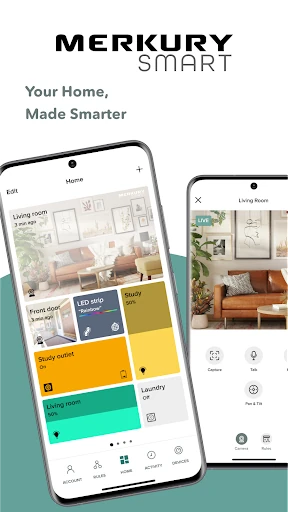
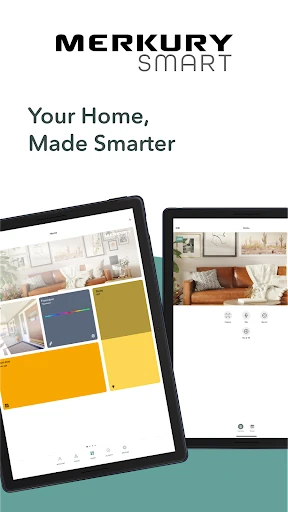
Merkury Smart is a companion app for controlling compatible Merkury cameras, lights, plugs, and other home devices. I see it as a practical choice for people who already own those products and want a single place to check cameras or adjust lighting. Its mix of live video, saved activity, and device controls covers useful everyday tasks, though its appeal naturally depends on having compatible Merkury hardware.
A quick check from away
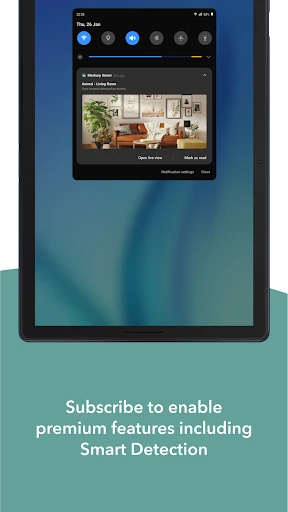
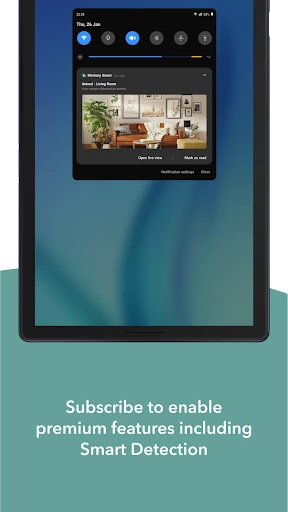
When I picture using Merkury Smart during a normal day, the clearest example is checking in while I’m away from home. I can open a compatible camera’s live HD stream for a quick look, rather than waiting until I’m back to find out what happened. Motion notifications can draw attention to activity, and Rules can automatically record and save events when they occur.
That makes the app most useful in brief, practical moments: taking a look at home between errands, checking a camera at another location, or reviewing a saved clip after an alert. The app supports multiple cameras on one account, so the experience can extend beyond a single room. It’s a straightforward job, and the camera features give it a clear purpose.
A companion, not a gadget
Merkury Smart is best understood as the control center for compatible Merkury devices, not as a general-purpose smart-home app that works with every brand. It brings cameras, bulbs, LED strips, plugs, a doorbell camera, a floodlight camera, and an outlet extender into one app. If your home already uses those products, that shared control can be more convenient than handling each device separately.
It is not a camera in its own right, a home-security service, or a way to control unrelated equipment. You need compatible Merkury hardware to get much out of it. That distinction is worth keeping in mind before downloading: the app’s usefulness comes from the devices you pair it with, rather than from standalone content or tools. For a mixed-brand setup, its scope may feel narrow.
Small habits that help
I’d get the most from the app by deciding which devices deserve a quick check and which events I want saved. For cameras, setting up Rules to record and save activity can make later review more useful than relying only on a live view. When a motion notification arrives, I can check the camera and then look back at recorded video or photos if I need more context.
For lights and plugs, the useful habit is simpler: use the app when I want to adjust a compatible device without going to its switch or outlet. LED strips offer many color and temperature variations, while supported bulbs can be dimmed. Keeping several cameras in one account also helps when I want to check more than one location without switching between separate camera apps.
More From Our News Desk

Zoom Meetings, Google Meet, or Teams: Which Is Easiest to Join?

How I Build a Free Streaming Lineup With Tubi

Why Crunchyroll Is the Default Anime App for So Many Fans

YouTube TV: A Practical Guide to Cutting Cable

Rummikub and the Small Comfort of Phone Games

TeamViewer Remote Control or AnyDesk for Helping Family?
Who will find it useful
I’d recommend Merkury Smart to people who own, or are considering, compatible Merkury cameras, lights, plugs, or related devices. The strongest fit is someone who wants quick camera access alongside basic lighting and plug controls, all in one app. Multiple cameras and locations are supported, and recorded clips can be downloaded and shared, which adds a practical option when a brief live check isn’t enough.
It may not suit someone looking for a standalone app, broad compatibility across smart-home brands, or a reason to manage devices they don’t own. The app’s job is specific: it connects to the listed Merkury products and helps control or review them. If you only need a single unrelated device, or you prefer not to use a companion app, much of what it offers may not apply.
Merkury Smart is developed by Merkury Innovations and is listed in the House & Home category. On Google Play, it has over 500,000 installs and a 4.0-star rating from 17,374 ratings. The app is free to download, and the provided store details say it contains no ads and offers no in-app purchases. Its content rating is Everyone.
The current version shown is 3.21.0. The app was released on November 19, 2022, and its last update is dated September 21, 2026. The supplied details do not give a minimum Android version, so check the Google Play page on your device for compatibility information before installing.
A closer look at daily control
Getting started
My first impression is that Merkury Smart has a clear, device-led purpose. It is designed to work with specific Merkury products, including indoor and outdoor cameras, a doorbell camera, a Wi-Fi floodlight camera, bulbs, LED strips, plugs, and an outlet extender. That range gives the app more to do than camera viewing alone, but it also means the setup only makes sense if you have compatible hardware.
Once devices are in the picture, the main idea is easy to grasp: use one account to access cameras and control supported home devices. The description emphasizes do-it-yourself simplicity and adding multiple cameras. I’d approach setup with the relevant device nearby and think ahead about which cameras or lights I want to access routinely, rather than expecting the app to provide a useful experience by itself.
The everyday experience
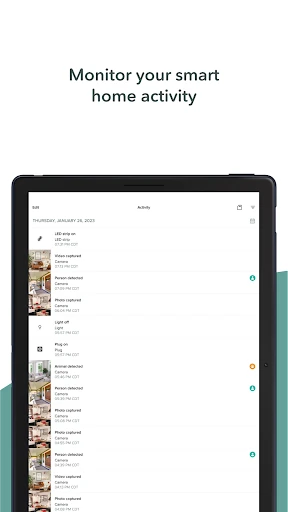
The camera side is built around quick access and later review. I can use live HD streaming to see what is happening, receive notifications when motion is detected, and look through recorded HD videos and photos afterward. That covers the basic sequence I’d want from a home camera companion: notice an event, check in, and revisit what happened if the live moment has passed.
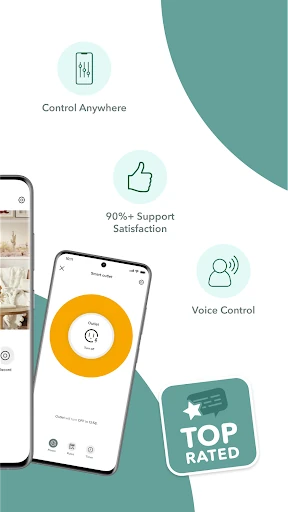
For lights and plugs, the day-to-day appeal is remote control. Compatible smart bulbs can be controlled or dimmed through the app, while a smart plug can switch connected devices from wherever I am. The app also describes voice control for smart bulbs. These are small conveniences rather than elaborate routines, but they can be handy when I want to change a light or plug without being beside it.
Features with a purpose
Rules are one of the more useful camera features because they can automatically record and save events when they happen. That reduces the chance of realizing later that I wanted a clip but never saved it. The app also lets me review recorded videos and photos, then download and share important video clips. Those options make saved activity useful beyond a quick glance inside the app.
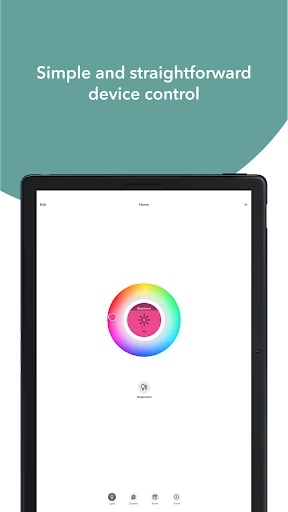
Multiple-camera access is another practical point of difference within the app’s own device range. I can add more than one camera to a single account and access cameras across multiple locations. On the lighting side, LED strips support thousands of color and temperature variations, and smart bulbs can be dimmed. The feature set stays focused on the connected devices rather than branching into unrelated services.
A simple home routine
A realistic routine might start with a motion notification while I’m out. I’d open the live stream for a quick check, then review recorded video or photos if I wanted to understand the event better. If a clip matters, I can download and share it. Rules can handle recording and saving events automatically, making the follow-up less dependent on remembering to capture something in the moment.
Later, the same app can help with a different kind of task: adjusting a compatible bulb or LED strip, or controlling a smart plug remotely. I’d keep the camera check separate from the lighting adjustment in my mind, since they solve different problems, but having both available under one app is convenient. The routine is most useful when it matches the Merkury devices already installed at home.
Keep the scope in mind
The main limitation is also the app’s defining boundary: it is for compatible Merkury devices. That’s a sensible arrangement for owners of those products, but it does not make the app a universal controller for every smart device in a home. Before relying on it as a central hub, I’d make sure the specific cameras, lights, or plugs I use are among the supported products.
The camera tools are useful for checking and reviewing activity, but the app description presents them as monitoring features, not as a substitute for a broader security service. Remote access and notifications are convenient, yet the overall experience still depends on the connected hardware and the way I use it. If my needs are limited to a single device from another brand, Merkury Smart is unlikely to add much.
Merkury Smart earns its place when compatible devices are already part of the home. I like the practical combination of live camera access, motion notifications, saved activity, and simple controls for lights and plugs. Multiple cameras and locations add flexibility without changing the app’s straightforward purpose.
I’d recommend it to Merkury device owners who want one app for checking cameras and managing supported home controls. If you want a broad, brand-neutral smart-home controller or don’t own compatible products, this is probably not the app to start with.
Merkury Smart Frequently Asked Questions
What is Merkury Smart used for?
Merkury Smart is a companion app for compatible Merkury home devices. It can show live camera video, send motion notifications, and let you review recorded videos and photos. It also controls supported smart bulbs, LED strips, plugs, and other listed Merkury products. Its usefulness depends on having compatible devices to connect.
Which devices can run Merkury Smart?
Merkury Smart is listed for Android and is distributed through Google Play. The supplied details do not specify a minimum Android version, and compatibility can depend on your device, so check the Google Play page for the current requirement. The app is intended for supported Merkury products, including cameras, lights, plugs, and an outlet extender.
What Android version does Merkury Smart require?
The minimum Android version is not provided in the app details used for this review. Requirements can change, so the best place to confirm compatibility is the Merkury Smart page in Google Play on your Android device. The current version shown is 3.21.0.
Is Merkury Smart free, and does it have purchases?
Merkury Smart is free to download. The store details provided say it has no in-app purchases and contains no ads. You will need compatible Merkury devices to use its camera, lighting, and plug controls; the app itself is a companion for those products.
Is Merkury Smart a good fit for my home?
It is a good fit if you use compatible Merkury cameras, bulbs, LED strips, plugs, or related devices and want to manage them in one app. It may not suit you if you need a controller for unrelated brands or do not own compatible hardware. The app’s features are focused on the Merkury device range.
Pros
- Combines live camera viewing, motion notifications, and recorded activity in one place.
- Supports multiple cameras and access across multiple locations.
- Controls compatible bulbs, LED strips, and smart plugs remotely.
- Free to download, with no ads or in-app purchases.
Cons
- Its usefulness depends on owning compatible Merkury devices.
- The app is focused on Merkury products rather than broad brand compatibility.
- Camera monitoring tools do not replace a wider security service.
- Category
- House & Home
- Version
- 3.21.0