Roku Smart Home
- 52.61K
- 4.4
- Installs
- 1.00M
- Price
- Free
Screenshots
Analysis by Reviewed APKs
Roku Smart Home is a companion app for setting up and managing Roku cameras, video doorbells, smart lights, and plugs. It suits people building a home setup around those devices, especially anyone who wants to check cameras or adjust lights and schedules from one place. My overall take is that its appeal is practical focus: it brings everyday controls together, though it is meant for Roku Smart Home products rather than every connected device in the house.
Checking In From Anywhere
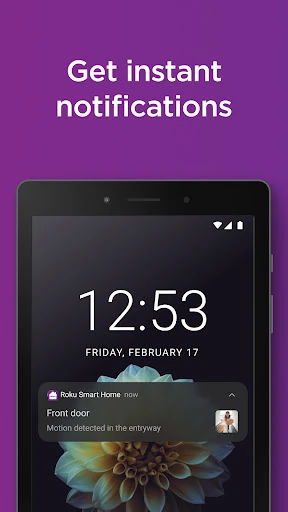
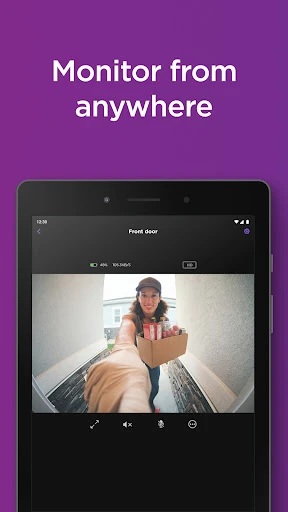
Imagine leaving home in the morning and wanting to check whether a delivery has arrived. With a Roku camera or video doorbell set up, I can open the app, view live footage, and use two-way audio to speak through the device. Motion or sound notifications can also bring activity to my attention, while customizable detection zones and notification settings help narrow down what I hear about. That makes the app useful for brief, practical check-ins.
At home, the same app can be less about watching and more about small adjustments. I might change a smart bulb’s color, switch on a plug-connected lamp, or group devices for a shared control. What stands out is the range of household jobs in one place: lighting, plugs, and cameras are all part of the same Roku Smart Home manager. It gives the app a role in both home routines and occasional checks while I’m away.
A Roku-Centered Home
Roku Smart Home makes the most sense if your devices are from Roku’s smart home range. It is designed to set up and manage that collection, including cameras, video doorbells, bulbs, light strips, and plugs. Grouping devices can make it easier to control several together, rather than opening a separate manager for each type of Roku device. That focused approach is straightforward, but it also defines who is most likely to get value from the app.
I wouldn’t treat it as a universal controller for every smart-home brand or as a general-purpose security service on its own. The app’s camera features depend on Roku cameras or doorbells, and its lighting and plug controls are for Roku Smart Home devices. If your priority is managing a mixed collection from many manufacturers, this narrower scope may not fit as neatly. It is a device companion, not a replacement for choosing compatible hardware.
Small Habits, Better Control
A little setup can make everyday use feel less fiddly. For cameras, I’d take time to adjust motion detection zones and notification preferences so routine movement is less likely to distract me. For lights, saving color presets means a familiar setting is easy to call up again. These are small choices, but they make the app feel more personal than a simple collection of on-and-off buttons.
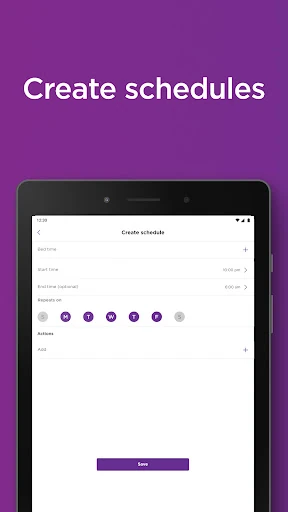
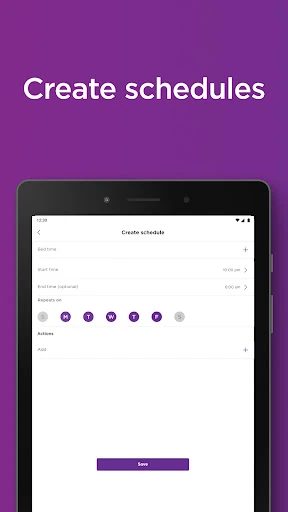
Schedules are another useful habit. I can set compatible lights to follow a routine even when I’m not home, and use plug schedules for items such as a lamp or outdoor holiday lights. Grouping devices offers a separate convenience when several should be controlled together. I’d start with one or two routines and adjust them as needed; the benefit is less daily tapping, not a need to automate every corner of the house.
More From Our News Desk

Zoom Meetings, Google Meet, or Teams: Which Is Easiest to Join?

How I Build a Free Streaming Lineup With Tubi

Why Crunchyroll Is the Default Anime App for So Many Fans

YouTube TV: A Practical Guide to Cutting Cable

Rummikub and the Small Comfort of Phone Games

TeamViewer Remote Control or AnyDesk for Helping Family?
Who May Find It Useful
I’d recommend Roku Smart Home to someone who owns, or plans to use, Roku cameras, doorbells, smart lights, or plugs and wants one place to set them up. Camera owners may appreciate live viewing, two-way audio, and adjustable alerts, while lighting and plug users can make good use of color settings, groups, and schedules. The app’s mix of setup and routine controls is particularly appealing if you prefer managing devices from a phone.
It may be a less natural fit for someone whose smart-home equipment comes mostly from other brands, or for anyone who only wants a camera viewer without Roku Smart Home devices. I’d also think about whether you want cloud recordings and smart detection: those features are tied to a Roku Smart Home subscription. The free app still has a clear job, but the subscription matters if those particular camera options are central to your plans.
Roku Smart Home is developed by Roku, Inc. & its affiliates. On Google Play, it has over 1 million installs and a 4.4-star rating from 52,613 ratings. The app is free to download, contains no ads, and offers in-app purchases. Listed in-app purchase prices range from $3.99 to $119.99 per item.
The app is rated Everyone and requires Android 9 or later. Its listed version is 3.5.0.571. It was released on October 10, 2022, and was last updated on February 3, 2026; the recent update notes mention bug fixes and performance improvements. A Roku Smart Home subscription can unlock cloud storage and motion-triggered recordings, as well as smart detection for people, pets, packages, and cars.
A Practical Hub for Roku Devices
Setup Without the Guesswork
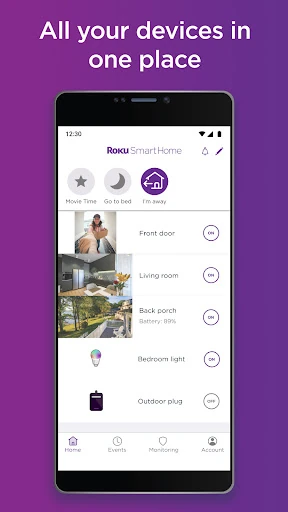
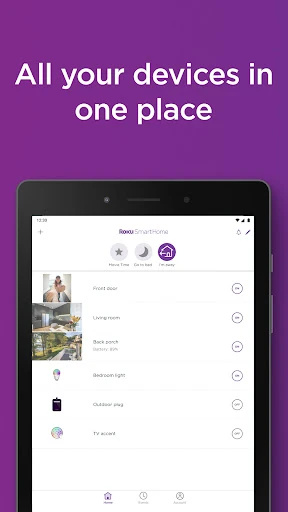
The first impression is of an app with a defined purpose: get Roku Smart Home devices set up, then manage them in one place. Guided setup is provided for Roku Smart Home products, which is useful when adding a camera or light and wanting to move from installation to everyday controls without hunting through unrelated tools. The app also brings devices together in a single view.
I’d approach setup one device at a time, then check that its basic controls are easy to find before adding more. That keeps a growing home setup manageable, especially if you are mixing cameras, lights, and plugs. The app’s role is clear from the outset: it is the manager for Roku Smart Home devices, not a general catalog of every connected product you might own.
Everyday Controls
Day to day, the app covers a useful range of quick tasks. I can check a live camera view, respond to a motion or sound notification, or use two-way audio when I want to speak through a camera or doorbell. On the lighting side, I can adjust brightness and color, while plugs can be controlled remotely. These are direct, practical actions rather than elaborate features that need constant attention.
The convenience is in having those different device types gathered in the same manager. A camera check and a light adjustment are very different jobs, but both can belong to the same household routine. Group controls can also reduce repeated individual taps when I want to control the house in a broader way. The app is most useful when its devices are part of regular routines, not just installed and forgotten.
Features With a Purpose
Camera settings include notification customization and motion detection zones, giving me some control over which activity matters. If a notification pattern feels too busy, narrowing the zone or changing alert preferences can help make alerts more relevant. Live footage and two-way audio add a way to check in and respond, rather than only receiving a notice that something happened.
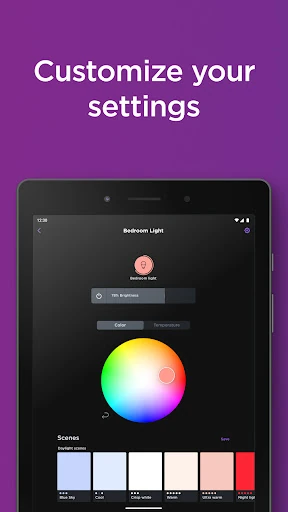
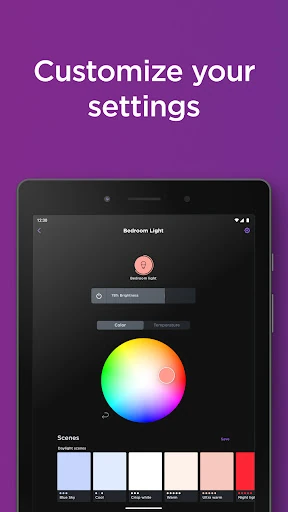
For lights, the app supports color changes, brightness adjustments, and saved custom presets. Rules can put lights on a schedule, including when I am away. Smart plugs can also be scheduled to switch on or off, whether they are controlling an indoor lamp or outdoor holiday lights. Taken together, these options focus on repeatable household tasks instead of promising a complicated automation system.
A Simple Weekly Routine
One practical routine would be to set up a camera notification zone around the area I actually want to monitor, then use live footage for occasional checks. I’d tune the alert settings after seeing what kinds of motion or sound notifications arrive. The goal is a useful signal, not a phone that keeps interrupting me about activity I do not need to follow.
For the rest of the home, I’d save a preferred light preset and create a schedule for a lamp or other plug-connected device. Once those controls are in place, I can leave them to run and make changes when my routine shifts. Grouping related devices can help when I want to manage them together. This kind of light maintenance is where the app’s settings become more useful than repeated manual switching.
Keep the Boundaries in Mind
The clearest limitation is the product ecosystem. Roku Smart Home is built around Roku cameras, video doorbells, lights, and plugs, so it is not the right starting point for controlling an unrelated collection of smart devices. Before building a setup around it, I’d make sure the Roku Smart Home products cover the jobs I want the app to handle.
Some camera options also sit behind a subscription. Roku Smart Home subscription features include cloud storage, motion-triggered recordings for up to 14 days, and smart detection that can identify people, pets, packages, and cars and filter alerts. Those additions may matter to someone who wants recordings or categorized alerts, so it is worth considering them separately from the free app and its basic device management.
Roku Smart Home is a focused companion app that makes sense when Roku cameras, lights, or plugs are already part of the plan. I like that it combines setup, quick controls, schedules, and camera checks without losing sight of its main job. Its strongest everyday value is convenience across compatible devices, not breadth across every smart-home brand.
I’d recommend giving it a look if you want to build or manage a Roku Smart Home setup from your phone. If you need a controller for a mixed-brand home, its Roku-centered design may feel restrictive. Camera owners should also weigh whether subscription features such as cloud recordings are important to them.
Roku Smart Home Frequently Asked Questions
What is Roku Smart Home used for?
Roku Smart Home is used to set up and manage Roku Smart Home devices, including indoor and outdoor security cameras, video doorbells, smart bulbs, light strips, and plugs. The app offers controls such as live camera viewing, two-way audio, alert customization, light adjustments, groups, and schedules. Some camera recording and smart detection features require a Roku Smart Home subscription.
Can I use Roku Smart Home on iPhone or other devices?
The app information here is for its Android release on Google Play. Its Android requirements and features are described for that version; availability on other platforms may vary. Check the relevant store listing for current device compatibility and platform details before choosing a device for your home setup.
What Android version does Roku Smart Home require?
Roku Smart Home requires Android 9 or later. If you are unsure which Android version your phone runs, check its system settings before installing. Device compatibility can also depend on the phone and current app release, so the Google Play listing is the best place to check the latest requirements.
Is Roku Smart Home free, and does it have purchases?
The app is free to download and contains no ads, but it offers in-app purchases. Listed purchase prices range from $3.99 to $119.99 per item. A Roku Smart Home subscription unlocks cloud storage, motion-triggered recordings for up to 14 days, and smart detection. Prices and available purchase options may vary, so check Google Play for current details.
Is Roku Smart Home suitable for my setup?
It is best suited to people managing Roku Smart Home cameras, doorbells, bulbs, light strips, or plugs. Its controls and setup are centered on those products, so it may not suit someone looking for one manager for devices from many brands. Consider which Roku devices you plan to use and check the store listing for current compatibility details.
Pros
- Brings Roku cameras, lights, and plugs together in one device manager.
- Offers useful camera controls, including live footage, two-way audio, and alert settings.
- Supports light presets, device groups, and schedules for repeatable household routines.
- Free to download and contains no ads.
Cons
- Its device management is centered on Roku Smart Home products.
- Cloud recordings and smart detection require a Roku Smart Home subscription.
- The Android app requires Android 9 or later.
- Category
- House & Home
- Version
- 3.5.0.571