Video Editor & Maker - InShot
- 24.76M
- 4.8
- Installs
- 500.00M
- Price
- Free

Screenshots
Analysis by Reviewed APKs
Video Editor & Maker - InShot is a mobile editor for shaping videos and photos into posts, short clips, collages, and other shareable projects. It suits casual creators who want trimming, music, text, effects, and more advanced tools in one app. After spending time with its broad feature set, my overall take is that InShot offers a useful middle ground: approachable for quick edits, with enough depth to keep experimenting.
A quick edit after a day out
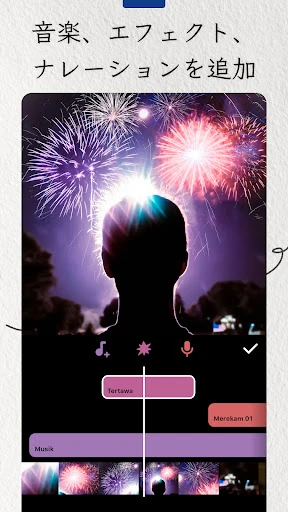
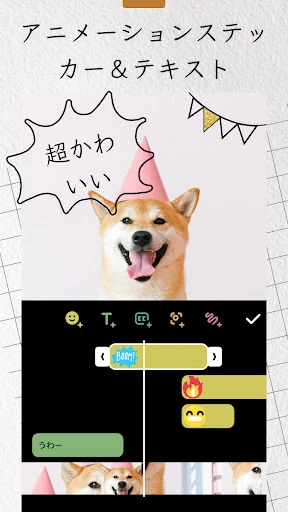
When I imagine using InShot after a day out, the appeal is having the basic editing steps together. I can select clips, trim away the slow starts, merge the useful moments, and add music or a voice-over. Text, stickers, and transitions help give the result a little structure without turning a simple recap into a full production project.
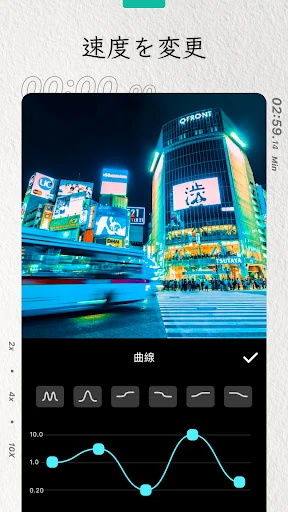
For a vertical clip, I can adjust the aspect ratio and choose a background to fill the space around the footage. If a moment would benefit from a slower pace, speed controls and smooth slow motion offer another option. That makes InShot a practical fit for quick social posts, family highlights, or a short vlog made from footage already on my phone.
More than a trimming tool
Compared with a basic phone editor, InShot brings together video editing, photo adjustments, and collage making. It includes familiar jobs such as trimming, combining clips, adding music, and changing a video’s ratio, alongside tools like keyframes, chroma key, picture-in-picture, and speed ramping. That range makes it more flexible than an app meant only for cutting a clip down to size.
It is still best understood as a mobile creation tool, not a replacement for every kind of professional editing setup. Its stated strengths are short videos, social posts, photos, and collages. Someone who only needs an occasional trim may find the range of options more than they need, while a creator looking for a desktop workflow should look elsewhere.
Small habits, cleaner projects
I get more from a multi-tool editor when I decide on the shape of a project before decorating it. Choosing a ratio early helps me frame clips for the intended destination, while trimming and arranging the footage first keeps effects and text from distracting me. Once the sequence feels right, I can add music, captions, transitions, or a background as the project calls for them.
It also helps to treat the photo and video tools as separate ways to work with the same everyday material. I might make a short clip from several moments, then use the collage maker for a set of still images. For a more layered video, picture-in-picture, keyframes, or tracking can be explored as needed rather than added simply because they are available.
Reads About Video Editor & Maker
More From Our News Desk

Zoom Meetings, Google Meet, or Teams: Which Is Easiest to Join?

How I Build a Free Streaming Lineup With Tubi

Why Crunchyroll Is the Default Anime App for So Many Fans

YouTube TV: A Practical Guide to Cutting Cable

Rummikub and the Small Comfort of Phone Games

TeamViewer Remote Control or AnyDesk for Helping Family?
Who will get the most from it
I’d recommend InShot to people who regularly make short videos, social posts, vlogs, or photo collages and want editing options on a mobile device. Its mix of basic controls and more involved tools gives beginners room to start simply and curious editors reasons to keep exploring. The photo editor is a bonus for anyone who wants to prepare images and video in the same app.
It may be less appealing if your editing needs stop at an occasional trim, or if you prefer a very minimal interface with few choices. The breadth can take time to explore, and the app includes ads and in-app purchases. People who need a desktop editing environment should also consider that InShot is presented as a mobile app rather than a desktop program.
Video Editor & Maker - InShot is developed by InShot Video Editor and is listed in the Photography category. On Google Play it has over 500 million installs and a 4.8-star rating from around 24.8 million ratings. It is free to download, with ads and in-app purchases. The listed in-app product prices range from $0.99 to $199.99 per item.
Google Play gives the app an Everyone content rating. The listed version is 2.243.1555, and its release date is March 5, 2014. The most recent update date supplied for this version information is October 22, 2026. The minimum Android version is not included in the supplied app details, so check the Google Play entry for device compatibility.
A closer look at everyday editing
A welcoming first look
When I first opened InShot, what stood out was the number of different creative jobs it is built to handle. It is not just a video cutter: the app also covers photos and collages. That broad starting point is useful if I move between formats, though it also means there is more to take in than in a narrowly focused editor.
The feature descriptions suggest a low barrier for common edits, with tools for trimming, merging, adding text, and choosing a ratio alongside AI-assisted options. I would start with one small project rather than trying to learn everything at once. That makes it easier to see which controls fit my routine before moving on to more layered edits.
The daily editing rhythm
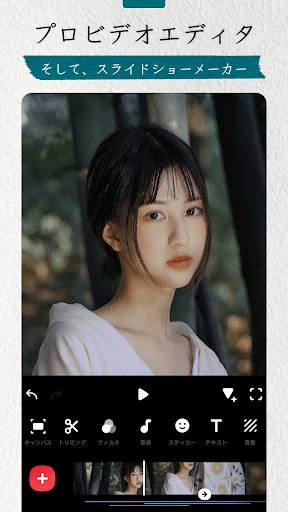
The core editing workflow is built around familiar tasks: arrange clips, trim them, add sound, and refine the look with filters or effects. I can imagine using that sequence for a short recap after a walk or a quick update recorded at home. Music, sound effects, and voice-overs give different ways to shape the audio, depending on what the clip needs.
For a project meant to fit a particular social format, the ratio controls and backgrounds are especially practical. InShot also describes custom export resolution and support for 4K at 60 frames per second. Those options provide room to choose an output that suits a project, rather than treating every edit as the same size and quality.
Tools beyond the basics
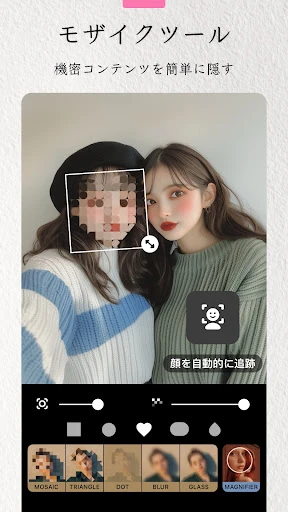
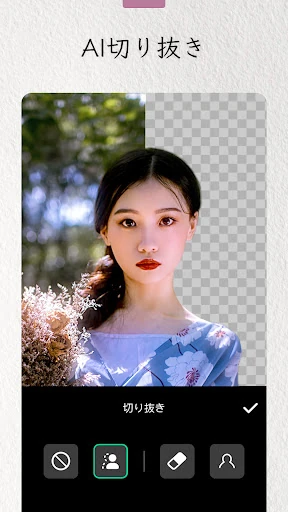
Some of InShot’s more distinctive options are its AI tools. Auto Captions can turn speech into subtitles, while AI Speech converts text into spoken audio with multiple accents and natural voices. There is also automatic background removal for photos and videos, plus Smart Tracking for making text or stickers follow an object’s movement.
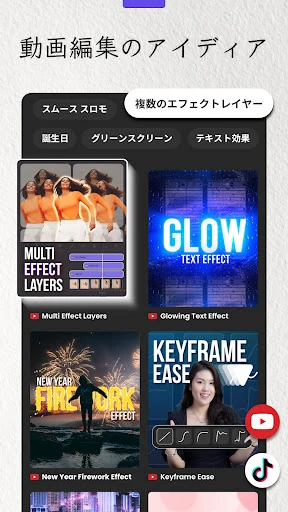
The editing controls go further with keyframe animations, chroma key for green-screen footage, picture-in-picture, blend modes, reverse playback, and speed ramping. For still images, the app includes collage layouts, background blur, object removal, and an AI photo enhancer. The mix is substantial, but I would treat these as tools to reach for when a project calls for them, not a checklist to complete.
A repeatable short-video routine
For a simple weekly vlog, I would begin by choosing a few clips that tell a clear story. I’d trim the pauses, put the moments in order, and set the ratio for the kind of post I’m making. If the footage does not fill the frame, a background pattern or my own picture can help complete the canvas without changing the clips themselves.
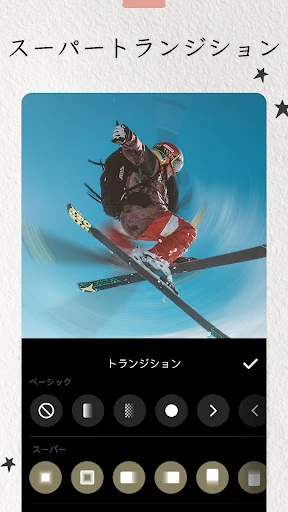
After the sequence is in place, I’d add music or a voice-over, then use text or captions where they help explain what is happening. A transition can connect two scenes, while a filter or adjustment can give the clips a more consistent look. The final step is selecting an export resolution and sharing the finished video on a supported social destination.
A few limits to remember
The main trade-off is choice. InShot covers many kinds of edits, from small trims to layered compositions, so a first-time user may need a little patience to find the right tool. If all I want is to remove a few seconds from a clip, the additional creative options may feel unnecessary rather than helpful.
The app is free to download but includes advertising and in-app purchases, so the experience is not entirely free of commercial prompts. Its feature list also spans video and photo work, which may be more breadth than someone wants from a dedicated single-purpose editor. I would choose it for flexibility, not for the most stripped-down editing experience.
InShot makes a strong case as a versatile mobile editor for people who create short videos, social posts, and photo collages. Its everyday tools are easy to understand, while features such as keyframes, tracking, and background removal offer more to explore. The breadth is useful, although it can feel like a lot when all you need is one quick cut.
I’d recommend trying it if you want one app for routine video and photo projects and do not mind exploring a range of tools. It is less compelling for someone who wants a bare-bones trimmer or a desktop-focused workflow. For casual creators who like having room to experiment, InShot is a practical option.
Video Editor & Maker Frequently Asked Questions
What is Video Editor & Maker - InShot used for?
Video Editor & Maker - InShot is used to edit videos and photos, create collages, and prepare content for sharing. Its tools include trimming and merging clips, adding music or text, applying effects, adjusting aspect ratios, and making photo grids. It also offers features such as auto captions, background removal, keyframes, and picture-in-picture.
Which devices can run Video Editor & Maker - InShot?
The supplied app details describe the Android version, available through Google Play. They do not give a minimum Android version, so compatibility can depend on your device and may vary over time. Check the Google Play entry for the current requirements before installing. The details here do not describe versions for other platforms.
How much does Video Editor & Maker - InShot cost?
Video Editor & Maker - InShot is free to download on Google Play. It contains ads and offers in-app purchases, with listed product prices ranging from $0.99 to $199.99 per item. The specific purchase options and prices may vary, so check the Google Play entry for the current details.
What Android version does Video Editor & Maker - InShot require?
The supplied details do not state a minimum Android version for Video Editor & Maker - InShot. Requirements can vary as the app is updated and can depend on the device, so the most useful place to check is its current Google Play entry. The listed app version is 2.243.1555.
Is Video Editor & Maker - InShot good for beginners?
It can suit beginners who want to make straightforward edits, such as trimming clips, adding music, or placing text, while also offering more advanced tools to explore later. Its range may feel like too much for someone who wants only a minimal editor. The app is rated Everyone on Google Play.
Pros
- Combines video editing, photo adjustments, and collage making in one mobile app.
- Offers approachable basics alongside keyframes, chroma key, tracking, and picture-in-picture.
- Includes AI-assisted options such as auto captions and background removal.
- Supports custom export resolution, with stated 4K at 60 frames per second support.
Cons
- The wide range of tools may take time to explore and can feel excessive for simple trims.
- The free app contains ads and offers in-app purchases.
- May not suit people seeking a desktop editing workflow or a minimal tool.
- Category
- Photography
- Version
- 2.243.1555