HD Camera for Android: XCamera
- 355.03K
- 4.7
- Installs
- 10.00M
- Price
- Free
Screenshots
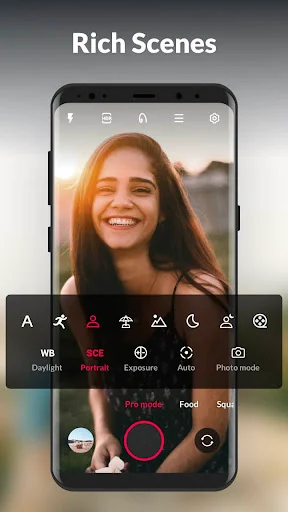
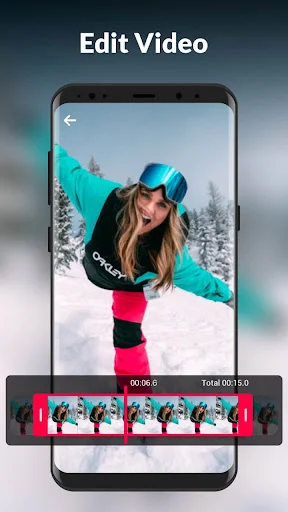
Analysis by Reviewed APKs
HD Camera for Android: XCamera is a camera app for taking photos and videos, with shooting modes, live filters, and controls for adjusting a shot. I see it suiting people who want more options than a basic camera screen without turning every photo into a complicated project. Its range is appealing, though some controls will take a little practice to use comfortably.
A Camera for Daily Moments
Imagine you are out for a walk and spot a colorful storefront, then a friend asks for a quick selfie. XCamera gives you photo and video modes alongside options such as square, panorama, food, and short video. You can choose a filter before shooting, use the timer for a group picture, or pinch to zoom. The aim is to keep different kinds of everyday shots within one camera app.
When I think about using it during a busy day, the practical draw is having adjustments close at hand rather than opening a separate camera utility for every situation. A countdown helps when I want to join a photo, and burst shooting can be useful when a moment is brief. Touch or volume-key controls offer another way to take a picture, depending on how I am holding the phone.
More Controls, Not Editing
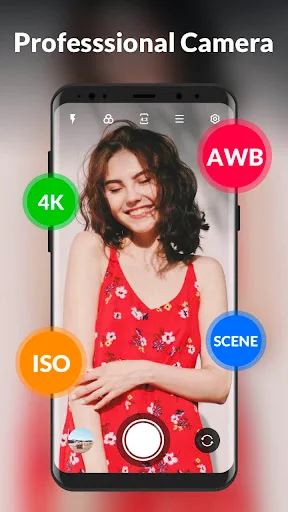
The obvious alternative is the camera app already on your phone. XCamera makes sense if you want several named shooting modes, a selection of live filters, and adjustments such as focus, white balance, and exposure in one place. Its pro mode and scene options invite more hands-on choices, while the standard photo mode remains available for quick snapshots. That breadth is the main reason to try it.
I would treat XCamera as a camera tool, not a full photo-editing suite or a social network. The described features center on taking photos and videos, applying filters, and making picture or video adjustments; they do not make it a dedicated workflow for organizing a large library or retouching images in depth. If you prefer a single automatic shutter button, its extra choices may feel unnecessary.
Small Habits That Help
A useful habit is to pick the shooting mode before the moment arrives. For a meal, the food mode is an obvious starting point; for a wide view, panorama is there to try. I would also test the filter choices in ordinary light rather than deciding in a rush, since a live preview lets you see the effect before taking the picture.
For difficult lighting, small adjustments are more sensible than changing everything at once. Try exposure or white balance, then take a test shot and compare it with the original scene. The app also offers HDR for scenes with bright and dark areas, plus scene presets that include night and sport. A steady hold and the timer can help reduce hurried handling, especially when framing a selfie.
More From Our News Desk

Zoom Meetings, Google Meet, or Teams: Which Is Easiest to Join?

How I Build a Free Streaming Lineup With Tubi

Why Crunchyroll Is the Default Anime App for So Many Fans

YouTube TV: A Practical Guide to Cutting Cable

Rummikub and the Small Comfort of Phone Games

TeamViewer Remote Control or AnyDesk for Helping Family?
Who Might Enjoy XCamera
I would recommend XCamera to Android users who take a mix of casual photos and short videos, and who like being able to choose a mode or tweak a setting. The combination of filters, panorama, burst shooting, timer, and exposure controls gives curious phone photographers several things to explore. It can also suit someone who wants selfie options and everyday camera adjustments without treating photography as a serious hobby.
It may be less appealing if you want the simplest possible camera interface or already rely on your phone’s built-in camera and are happy with it. People looking for extensive post-capture editing or library management should also look elsewhere for those specific jobs. A few controls require experimentation, so anyone who only wants to tap once and move on may not get much value from the added flexibility.
HD Camera for Android: XCamera is a photography app from Simple Design Ltd. On Google Play it has more than 10 million installs and a 4.7-star rating from about 355,000 ratings. It is free to download, contains ads, and offers in-app purchases; listed in-app items are $3.99 each. The content rating is Everyone.
The current version is 1.2.1. The app was released on November 16, 2021, and its recorded last update is August 28, 2026. An Android minimum-version requirement is not included in the available app facts, so check Google Play for device compatibility before installing.
A Closer Look at the Camera
Getting Started
When I first opened a camera app like this, what I would want to establish is a comfortable default: choose photo or video, understand where the mode choices sit, and then get back to framing. XCamera’s range of options suggests a little exploration up front. The payoff is that the app is not limited to one kind of shot, but it is worth learning the controls before a fleeting moment.
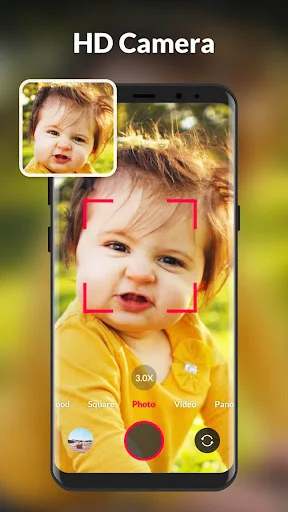
I would start with ordinary photo mode, then try one or two alternatives rather than cycling through everything at once. The available modes include pro, food, square, panorama, and short video, as well as photo and video. This gives a newcomer a clear set of different starting points. Which options feel useful will depend on what you photograph and how much control you want.
The Everyday Camera Routine
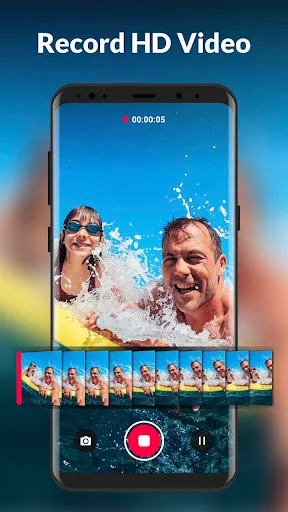
Day to day, the central job is straightforward: frame a subject, choose a mode or filter if needed, and capture a photo or video. XCamera supports pinch zoom, touch-to-shoot, and volume-key or audio controls for capturing. Those alternatives can make a difference when one hand is occupied or when tapping the screen would shift the phone.
For a quick snapshot, I would stick with the simplest setup and avoid adjusting settings just because they are available. When the scene is more challenging, focus, exposure, and white balance give you options to experiment with. That distinction matters: this can be a point-and-shoot app when you want it to be, but its deeper controls are there for users who want to intervene.
Modes and Shooting Tools
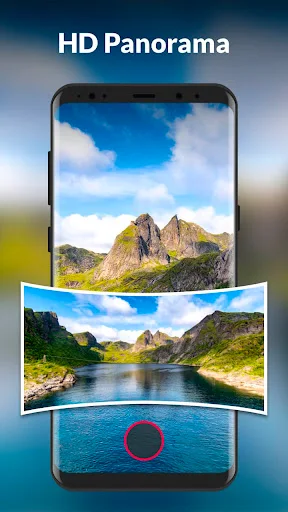
The mode selection is one of the more distinctive parts of the feature set. In addition to standard photos and video, XCamera includes pro, food, square, panorama, and short-video modes. The app also describes scene presets, including night and sport, for one-tap shooting adjustments. This mix covers common situations without suggesting that every mode will suit every phone or scene equally well.
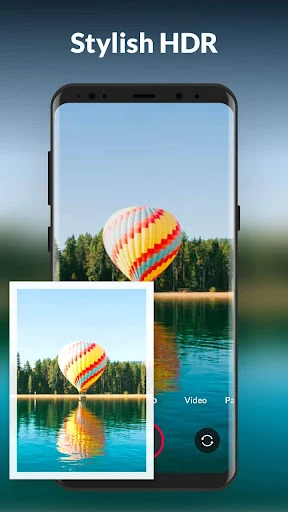
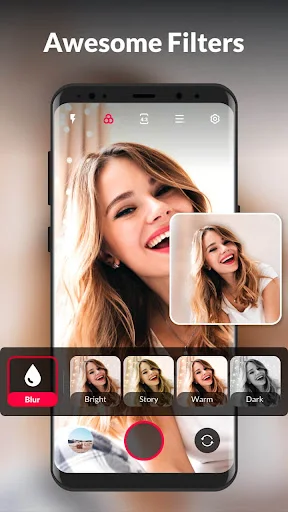
Filters are available in real time, with 19 listed options, so I can preview a different look before capturing. HDR is intended to retain detail across brighter and darker parts of a scene. These are useful choices for experimenting at the point of capture, especially when I would rather decide on a look before taking a photo than sort through options afterward.
Other practical tools round out the camera: a countdown timer, burst shooting, quicksnap, steady shooting, flash and torch, and an auto level. The app also supports picture and video adjustments, a photo collage, and recording location information. This is a broad collection, though the everyday value comes down to which of these controls match my usual way of shooting.
A Simple Photo Routine
For a weekend meal, I could open food mode, compare a couple of live filters, and take a few frames rather than relying on one hurried shot. If the table is dim, I could test the available exposure controls or a night scene preset. I would keep the phone steady and use the timer if I wanted to include everyone in the picture.
Later, for a group or landscape shot, panorama and the auto level give me different tools to try. A square frame may suit a particular composition, while burst shooting can help when people are moving. I would not use every feature in one outing. The useful routine is to recognize the scene, pick one relevant tool, and keep the rest of the process uncomplicated.
Things to Keep in Mind
A feature-rich camera can ask more of you than a barebones one. Modes, filters, and manual adjustments create choices, and those choices may slow down a quick photo if I have not practiced beforehand. I would spend a few minutes exploring the controls at home instead of trying to learn them while a friend is waiting for a picture.
The description presents camera controls and capture-time effects, not a full editing or photo-organization system. Anyone expecting extensive retouching tools should keep that distinction in mind. Also, the app’s results depend on the phone and the scene; a setting such as HDR or exposure adjustment is a tool to test, not a promise that every difficult shot will come out as intended.
XCamera is free to download, but it contains ads and offers paid in-app items. That is worth considering if you prefer an uninterrupted camera experience. The available facts do not specify a minimum Android version, so I would check the Google Play details for compatibility with a particular device before making it the camera app I rely on.
XCamera’s appeal is its variety: it combines everyday photo and video capture with modes, live filters, and useful adjustments. I like the idea of having options such as panorama, timer, burst, and exposure controls ready in one camera app, while still being able to keep a shot simple.
I would try it if I wanted more control than my default camera offers and did not mind testing settings to find a comfortable routine. If my priority were a minimal interface or deeper photo editing, I would look for a more focused option. Check Google Play for device compatibility and current purchase details.
HD Camera for Android Frequently Asked Questions
What is HD Camera for Android: XCamera used for?
XCamera is a camera app for taking photos and videos. It includes modes such as panorama, food, square, pro, and short video, along with real-time filters and adjustments for focus, white balance, and exposure. Other described tools include a timer, burst shooting, flash, and pinch zoom.
Which devices can run HD Camera for Android: XCamera?
XCamera is an Android app distributed through Google Play. The available app facts do not give a minimum Android version, and compatibility can depend on the device. Check the Google Play page on the phone or tablet you plan to use for its current requirements.
Does HD Camera for Android: XCamera cost anything?
The app is free to download, but it contains ads and offers in-app purchases. The listed in-app items are $3.99 each. Purchase options can change, so check Google Play for the current details before buying anything.
Does HD Camera for Android: XCamera have a simple camera mode?
Yes. XCamera offers standard photo and video modes alongside its additional options. You can use it for straightforward captures, then explore filters or adjustments when you want more control. Users who prefer the fewest possible choices may still find its range of modes and settings more than they need.
Who is HD Camera for Android: XCamera best suited to?
It may suit Android users who take varied everyday photos and videos and enjoy trying filters, scene modes, or camera adjustments. It is less suited to people seeking a dedicated photo-editing or library-management app, or those who want only a barebones shutter. Its content rating on Google Play is Everyone.
Pros
- Offers photo, video, panorama, food, square, pro, and short-video modes.
- Includes live filters, HDR, and practical controls such as timer and burst shooting.
- Supports touch, volume-key, and audio controls for capturing photos and videos.
- Free to download, with several options for adjusting a shot before capture.
Cons
- Ads and paid in-app items may interrupt an otherwise free camera experience.
- The range of modes and adjustments can take time to learn.
- It is a camera app, not a dedicated tool for extensive photo editing or library management.
- Category
- Photography
- Version
- 1.2.1