AI Video - AI Video Generator
- 822.55K
- 4.6
- Installs
- 10.00M
- Price
- Free

Screenshots
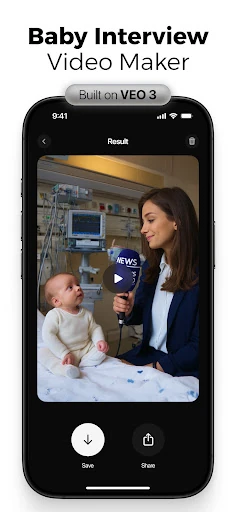
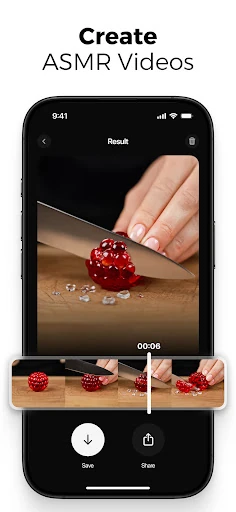
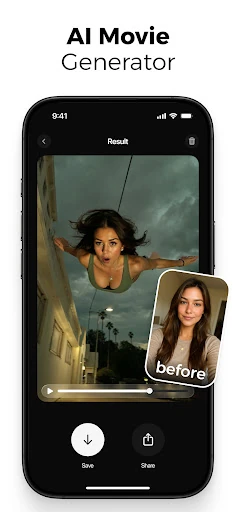
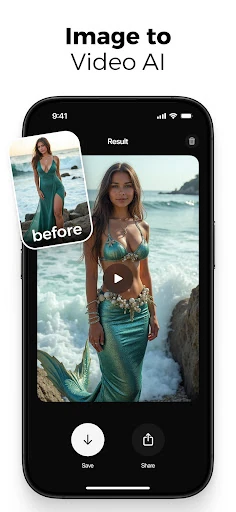
Analysis by Reviewed APKs
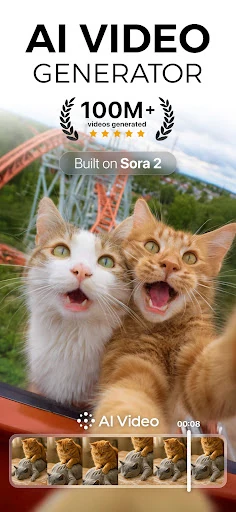
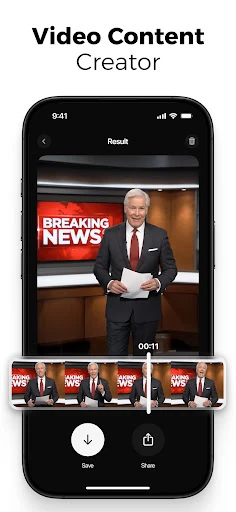
AI Video - AI Video Generator turns written prompts and photos into short AI-made videos, with options for animations, dance clips, effects, and social-ready content. I see it as a playful idea-to-video tool for people who want to make something visual without learning a full editing suite. Its range is appealing, though generation is more about experimenting with concepts than fine-grained production control.
A quick idea into motion
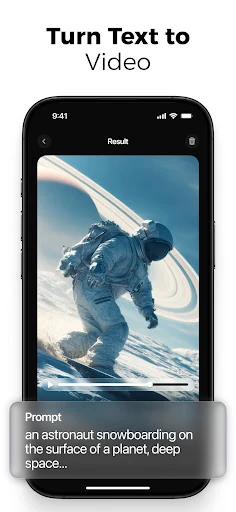
When I first opened AI Video, I pictured using it during a spare moment: I have a photo I like, or a vague idea for a Reel, but no footage to build around. The app lets me start with a text prompt or an image, choose a style or effect, and generate a video. That makes the first step approachable when I want to see an idea in motion rather than plan a full shoot.
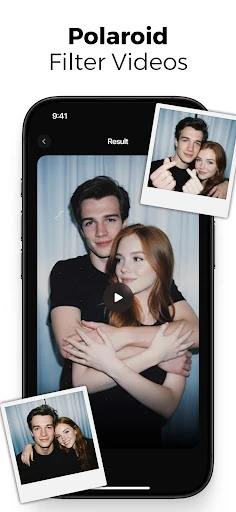
For example, I could describe a scene for a short social post, or pick a photo and try turning it into an animated clip. The app also offers dance concepts, including styles such as K-pop and hip hop, and effects that can create surreal or flying scenes. I would treat the first result as a creative starting point: the fun is trying a few directions and seeing which one suits the idea.
A different kind of video tool
AI Video sits between a camera app and a traditional editor. It is designed to generate visuals from a prompt or still image, then let me edit and export the result. That is useful when I want a quick concept, a playful photo animation, or a short-form video without recording every shot myself. It is not the same as filming real events or building a detailed timeline from a library of original footage.
Compared with a standard editing app, the emphasis here is on AI generation and preset creative directions rather than precise manual assembly. I would not choose it as my main tool for a carefully cut documentary or a project that depends on exact shot-by-shot control. But for experimentation, social snippets, and lighthearted creations, the prompt-first approach gives me a low-friction way to explore ideas.
Make each attempt count
I get more out of a generator like this when I begin with one clear idea instead of piling several unrelated instructions into a prompt. A short description of the scene, subject, and mood gives me a sensible first attempt; then I can try a different style or effect if the result is not the direction I wanted. The app's previews make that kind of exploratory process feel more natural than committing to a long edit.
For photo-based clips, I would choose an image with a subject that is easy to recognize and decide what sort of motion I want before generating. For a social post, it also helps to think about where the clip will go, since the app is geared toward formats such as Reels, TikTok, and Shorts. Saving a few prompt ideas for later can turn an idle break into a small creative session.
More From Our News Desk

Zoom Meetings, Google Meet, or Teams: Which Is Easiest to Join?

How I Build a Free Streaming Lineup With Tubi

Why Crunchyroll Is the Default Anime App for So Many Fans

YouTube TV: A Practical Guide to Cutting Cable

Rummikub and the Small Comfort of Phone Games

TeamViewer Remote Control or AnyDesk for Helping Family?
Who will enjoy creating
I would recommend AI Video to curious creators who like trying new visual ideas, people who want to animate a photo, and anyone making lightweight short-form content. Small businesses, storytellers, and social media managers may also find it handy for sketching out concepts. The appeal is strongest when experimentation matters more than exact control and when a generated clip is a useful starting point.
It may be less satisfying for someone who wants a traditional editor with detailed, hands-on control over every cut, or who needs a reliable recreation of a specific real-world scene. The app's many creative directions can also feel like a lot if all you need is basic trimming or straightforward camera recording. I would approach it as an idea generator and playful video maker, not an all-purpose production studio.
AI Video - AI Video Generator is a free Android app from HubX in the Photography category. Google Play shows more than 10 million installs and a 4.6-star rating from about 823,000 ratings. It is rated Teen. The app does not contain ads, but it offers in-app purchases, with listed items ranging from $2.99 to $69.99.
The current version in the supplied app information is 2.9.3. It was released on March 27, 2024, and its last update is dated October 7, 2026. The minimum Android version is worth checking on Google Play, since that requirement can vary with the app listing and device.
Turning Prompts Into Moving Ideas
Getting started with a prompt
My first impression is that the app wants me creating quickly, not studying a complicated editor. The basic flow is straightforward: write a prompt or choose a photo, select a style or effect, and generate a video. That simplicity suits a phone, where I may have only a few minutes to try an idea before getting back to whatever I was doing.
I would start with a modest, specific concept and use the first preview to judge whether I want to try another direction. AI Video is built around text-to-video and image-to-video creation, so I do not need to arrive with recorded footage for every experiment. That is a useful difference from workflows that begin with a camera roll full of clips.
The everyday creative loop
Day to day, I think of AI Video as a place to turn an idle thought into a small visual test. A prompt can become a generated clip, while a photo can become an animation or a dance video. The app also points toward short-form formats, which makes the results feel suited to sharing ideas rather than assembling a long, polished production.
The loop is simple enough to repeat: try a prompt, preview the output, adjust the idea or style, then edit and export if I like the result. That can be satisfying when I am exploring moods or formats and do not yet know exactly what I want. It also means I should expect experimentation, rather than assuming every generation will match the mental picture on the first try.
More than basic animation
The app's feature mix goes beyond moving a still image. It includes AI dance videos, photo animation, AI vlogs, effects, and tools described for Reels and cinematic or storytelling content. I can see the appeal of having those different creative prompts in one app: a pet photo, a birthday idea, and a surreal scene suggest very different starting points, but all fit the same try-it-and-see workflow.
There are also options for character animation, voiceovers, lip-sync, transitions, filters, and scene customization in the supplied feature description. The app supports HD video exports intended for social platforms. These details suggest a broader creative kit than a single-purpose photo animator, although my expectations would stay focused on generated short-form content rather than a deep professional editing setup.
The description names several third-party AI models used by the generator, including Nano Banana, Seedance, Hailuo, Kling 2.1 Master, Google Veo 3.1, and PixVerse 5. I take that as context for the generation technology, not an endorsement or partnership. For everyday use, the more practical point is that the app brings several generation styles and content ideas together.
A small routine for creators
A practical routine might be to keep a short list of ideas for posts, then open AI Video when I have a spare moment. I would choose one idea, decide whether a prompt or an existing photo is the better starting point, and make a first version. If I am preparing a short social clip, I can explore an effect or style that fits the mood before deciding whether the result is worth exporting.
For a photo animation, I would pick an image with a clear subject and use a focused concept rather than asking for several unrelated actions at once. For a dance clip, I would first decide whether the playful tone suits the image and audience. Small choices like these give each experiment a direction and make it easier to compare attempts without turning a casual session into a long editing task.
Keep expectations realistic
AI-generated video is inherently an experiment, and the app's quick workflow does not mean every result will look exactly as imagined. I would leave room to adjust prompts, try another effect, or decide that a particular idea is better suited to a different format. That is part of the appeal for playful projects, but it can be frustrating if I need precise, repeatable results.
The app's breadth is another trade-off. Dance clips, vlogs, effects, photo animation, and cinematic concepts offer plenty to explore, but someone who only wants to trim a clip may find the generator-first focus unnecessary. And while the app supports social-oriented exports, that does not replace deciding whether a generated video fits the context where I plan to share it.
Cost is worth keeping in mind, too. The app is free to install, but Google Play lists in-app purchases from $2.99 to $69.99 per item. I would check the current store details before settling into a regular workflow, especially if I expect to generate videos often. The minimum Android requirement should also be checked against my device.
AI Video - AI Video Generator is an inviting way to experiment with prompts, photos, animated dances, and short-form effects. I like its low-barrier approach and the range of creative directions, while keeping in mind that generated content is not a substitute for precise manual editing. Its best role is as a playful idea-to-video tool.
I would try it if I enjoy making social clips or want to see what an image can become. If I need exact edits or a conventional video editor, I would look elsewhere for that core job. The free download makes it easy to explore, but I would review the in-app purchase options before making it part of a frequent routine.
AI Video Frequently Asked Questions
What is AI Video - AI Video Generator used for?
AI Video - AI Video Generator makes videos from text prompts and photos. Its described features include photo animation, AI dance clips, effects, vlogs, and short-form content for social platforms. It is intended for creative experimentation and video generation, rather than being only a basic camera or traditional timeline editor.
Which devices support AI Video - AI Video Generator?
AI Video - AI Video Generator is an Android app available through Google Play. The supplied information does not give a minimum Android version, so check the Google Play store details for the requirement that applies to your device. The app description mentions exports for social platforms, but does not establish other supported app platforms.
Does AI Video - AI Video Generator cost money?
AI Video - AI Video Generator is free to download on Google Play and contains in-app purchases. Listed purchase prices range from $2.99 to $69.99 per item, and the app does not contain ads according to the supplied store facts. Check Google Play for current purchase details, since offers can vary.
Can I make a video from a photo in AI Video?
Yes. AI Video - AI Video Generator is described as supporting image-to-video creation and photo animation, as well as turning photos into dance videos. You can start with an image, choose a creative style or effect, and generate a clip. The results are intended for creative and social-video use.
Who is AI Video - AI Video Generator best for?
It may suit people who enjoy experimenting with AI-generated clips, animating photos, and making short-form social content. Creators, storytellers, and small businesses are among the audiences described for the app. It may be less suitable if you mainly want detailed manual editing or need tightly controlled, repeatable video production.
Pros
- Creates videos from either text prompts or photos, so experiments can start with different kinds of ideas.
- Includes playful directions such as photo dances, animated images, effects, and AI vlogs.
- A simple generation flow makes it approachable for casual short-form creative projects.
- Free to download and has no ads, according to the supplied Google Play facts.
Cons
- Generated results may take experimentation if the first output does not match the idea.
- In-app purchases range from $2.99 to $69.99 per item.
- Its generator-first approach may not suit people seeking detailed manual video editing.
- Category
- Photography
- Version
- 2.9.3