Camera360 :Photo Editor&Selfie
- 4.71M
- 4.3
- Installs
- 100.00M
- Price
- Free

Screenshots




Analysis by Reviewed APKs
Camera360 :Photo Editor&Selfie is a photography app for taking and editing portraits, selfies, and short videos. It combines beauty adjustments with filters, makeup looks, stickers, and more detailed color and perspective controls. I see it as a playful, flexible option for someone who likes shaping a photo before sharing it, rather than a minimal camera for capturing a moment and moving on.
A quick portrait tune-up
When I first opened Camera360, I pictured using it at the end of an ordinary day: a friend snaps a group selfie, the light is a little flat, and I want a version that feels more finished before sending it along. The app’s beauty tools can smooth skin, adjust facial features, reshape selected areas, or apply a one-touch look. That gives me several ways to polish a portrait without needing to start with a separate editor.
For a more deliberate pass, I could try makeup effects, a filter, or a sticker that responds to a face and its expression. The app also supports short movies from 10 to 60 seconds, with music, filters, and makeup effects available together. That mix suits casual portraits and playful clips. It is the kind of editing I would do while waiting for a ride, not a complicated project that needs a desktop session.
More than a basic camera
Compared with a simple camera app, Camera360 puts a broad range of appearance and style controls close to the photo-making experience. The emphasis is on portraits, filters, makeup, and creative effects, but there are also more general adjustments for color and image alignment. I would reach for it when I already know I want to experiment, rather than when I only need a fast, unedited snapshot.
It is not a replacement for every kind of photo software. Someone organizing large collections or working through a precise, professional editing workflow may want a tool built around those jobs instead. Camera360’s appeal is the range of approachable transformations in one photography app, from a small color adjustment to a cartoon effect. The trade-off is that the number of choices can feel like more than a quick camera task needs.
Keep a light editing routine
I get the most out of an app with this many effects by deciding what a photo needs before I start tapping around. For a selfie, I might make a modest beauty adjustment first, then compare a few filters and stop once the image still looks like the moment I remember. That simple order helps keep the edits intentional instead of piling on every effect that catches my eye.
For other pictures, I would save the more specialized tools for a clear reason: color settings when a photo needs a tonal change, perspective correction for a building, or a sticker when the goal is a playful result. Camera360 describes support for vertical and horizontal correction and 13 basic color parameters. Treating those as occasional tools, rather than a checklist, makes the app’s breadth easier to navigate.
More From Our News Desk

Zoom Meetings, Google Meet, or Teams: Which Is Easiest to Join?

How I Build a Free Streaming Lineup With Tubi

Why Crunchyroll Is the Default Anime App for So Many Fans

YouTube TV: A Practical Guide to Cutting Cable

Rummikub and the Small Comfort of Phone Games

TeamViewer Remote Control or AnyDesk for Helping Family?
Who may enjoy Camera360
I would recommend Camera360 to people who take plenty of selfies and enjoy changing the mood or finish of a picture before sharing it. The combination of beauty adjustments, makeup looks, filters, and face-aware stickers gives casual editors several ways to personalize portraits. It can also suit someone who wants to make a short, styled video without switching between separate tools for every effect.
It may be less appealing to anyone who prefers natural, untouched photos or wants a very spare interface with only a few controls. The wide selection invites experimentation, but that can also add steps when all you wanted was to take a quick picture. And if your main need is organizing a photo library or building a detailed professional workflow, the app’s portrait-and-effects focus may not match your routine.
Camera360 :Photo Editor&Selfie is a free Android photography app from PINGUO TECHNOLOGY HK CO LIMITED. Google Play shows over 100 million installs and a 4.3-star rating from around 4.7 million ratings. The app is rated Everyone. It has been available since March 3, 2011, and its current version is 9.9.60.
The app contains ads and offers in-app purchases. Individual in-app products are priced from $0.49 to $29.99. The latest recorded update was March 12, 2026. The available app details do not give a minimum Android version, so check Google Play’s compatibility information for the device you plan to use.
A Hands-On Look at Its Editing Range
Getting started
My first impression is that Camera360 is meant to be explored rather than treated as a bare-bones shutter. Its feature set moves between beauty adjustments, makeup, filters, stickers, short videos, and conventional image controls. That variety makes it easy to imagine different uses, but it also means I would take a moment to decide whether I am making a portrait, a stylized image, or a clip before choosing tools.
For a first test, I would start with one selfie and try a single change at a time. Skin smoothing and one-touch beauty are straightforward places to begin, while the more specific face and body shaping options give a user finer adjustments to explore. I prefer that gradual approach: it makes the results easier to judge and avoids turning setup into a long session of trying every available effect.
The everyday edit
In day-to-day use, the main appeal is having quick styling choices alongside finer adjustments. A filter can change the overall feel of a photo, while the color settings provide controls such as saturation, exposure, highlights, shadows, temperature, and hue. If I only wanted to lift a dim-looking image or make its colors more subdued, those controls offer a more measured alternative to applying a strong visual effect.
The balance between fast and detailed editing is useful when my plans change. I might begin with a one-touch beauty effect for a quick portrait, then decide that the image needs a different filter or a small color correction. The app supports mixing filters across parts of a photo, too. I would keep the edits modest for everyday pictures and reserve stronger transformations for images where that is the point.
Effects with personality
The standout feature is the sheer range of ways to change a portrait’s look. Camera360 describes more than 300 filters, including retro, black-and-white, HDR, and lomo styles, along with over 30 makeup filters that can be customized. That range gives me room to move from a restrained finish to something intentionally dramatic without treating every photo as if it should have the same style.
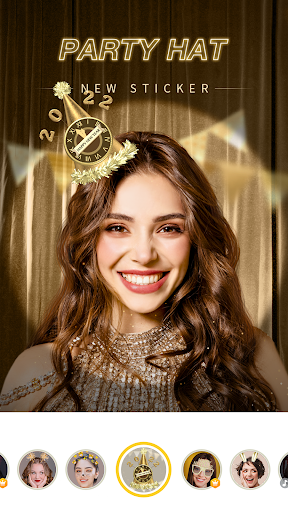
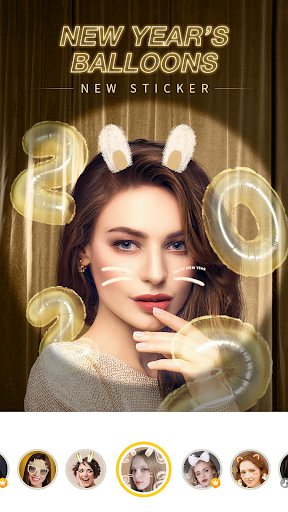
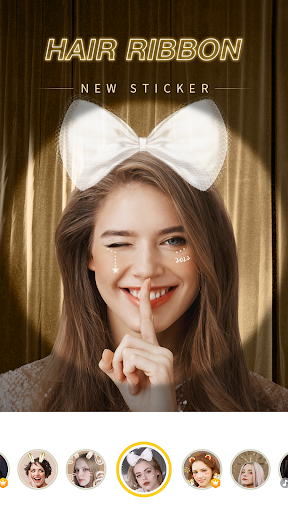
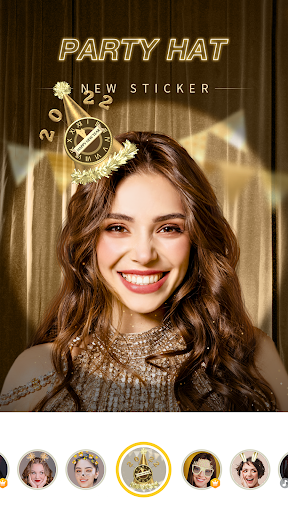
Some effects are more playful than corrective. The app includes cartoon-style transformations, painting-like filters, and options for changing a sky to a dreamy or anime-inspired look. Its stickers can move and use face recognition to respond to facial expressions. Those tools sound best suited to casual sharing and experimentation, rather than edits where a realistic result is the only goal.
A simple photo routine
A practical routine might start with a portrait taken in ordinary indoor light. I would choose whether I want a natural-looking adjustment or a more stylized result, make the smallest useful beauty change, and then compare a handful of filters. If none feels right, I could work with the color controls instead. Taking those steps in order keeps the edit focused and makes it easier to stop before the picture feels overworked.
For a short clip, I would decide on the mood before recording or editing, then combine music with a filter or makeup effect. Camera360 supports videos from 10 to 60 seconds, which makes it suited to brief, informal moments rather than long-form production. For a photo of a building, I would consider the vertical or horizontal correction tools instead of reaching for portrait effects that do not fit the subject.
Limits to keep in mind
A large effects library is only useful if I can find the look I want without losing the original idea for the image. With filters, face adjustments, makeup, stickers, and color controls all in the mix, a quick edit can turn into a longer bout of browsing. I would expect a little trial and error while learning which tools suit my taste and which ones I can comfortably ignore.
The app also contains ads and offers paid in-app products, so the free download is not the only cost detail worth considering. The listed in-app item prices range from $0.49 to $29.99. That does not change the basic appeal of the editor, but anyone who wants to avoid optional spending should take a look at the purchase details in Google Play before deciding how to use it.
Camera360 is a versatile portrait and selfie editor with enough range for both quick touch-ups and more playful transformations. I like that it goes beyond beauty effects to include color controls, perspective correction, stickers, and short videos. Its broad selection is also its main compromise: this is a better fit for people who enjoy experimenting than for someone who wants the simplest possible camera.
I would try it if selfies, makeup looks, and creative filters are part of your regular photo routine. If you prefer unedited images or want a focused tool for a different photography job, its many effects may be unnecessary. For casual portrait editing and short stylized clips, Camera360 offers plenty to explore.
Camera360 Frequently Asked Questions
What is Camera360 :Photo Editor&Selfie used for?
Camera360 is an Android photography app for taking and editing portraits, selfies, and short videos. Its tools include skin smoothing, facial and body adjustments, makeup looks, filters, stickers, color settings, and image correction. It also supports short movies from 10 to 60 seconds with music and visual effects. The mix is aimed at casual creative editing as well as portrait touch-ups.
Which devices can run Camera360 :Photo Editor&Selfie?
Camera360 :Photo Editor&Selfie is available for Android through Google Play. The minimum Android version can vary with the app release and device, so check the compatibility information on its Google Play page before installing. That is also the best place to confirm whether a particular phone or tablet can use the current version.
Does Camera360 :Photo Editor&Selfie cost money?
The app is free to download, contains ads, and offers in-app purchases. Listed individual in-app products range from $0.49 to $29.99. What you choose to buy, and the current purchase details, may vary, so review the purchase information on Google Play if you want to know what is available before using the app.
What Android version does Camera360 :Photo Editor&Selfie require?
The minimum Android version can vary by release and device. Check the requirements shown for Camera360 :Photo Editor&Selfie in Google Play before installing it, especially if you use an older phone or tablet. The store’s compatibility details are the practical reference for your particular device.
Is Camera360 :Photo Editor&Selfie right for casual users?
It can suit casual users who enjoy editing selfies with filters, makeup effects, stickers, or simple beauty adjustments. There are also color and image-correction controls for more measured edits. The selection may be more than needed if you prefer untouched photos or a very simple camera, so whether it suits you depends on how much you enjoy experimenting.
Pros
- Combines portrait retouching, makeup looks, filters, stickers, and color controls.
- Offers playful effects as well as more restrained photo adjustments.
- Supports short videos with music, filters, and makeup effects.
- Includes vertical and horizontal correction for architectural photos.
Cons
- The large selection of effects can make quick edits feel less direct.
- The app contains ads and offers in-app purchases.
- Its beauty and style focus may not suit every photography routine.
- Category
- Photography
- Version
- 9.9.60