Verizon Visa® Card
- 23.97K
- 4.5
- Installs
- —
- Price
- Free
Screenshots
Analysis by Reviewed APKs
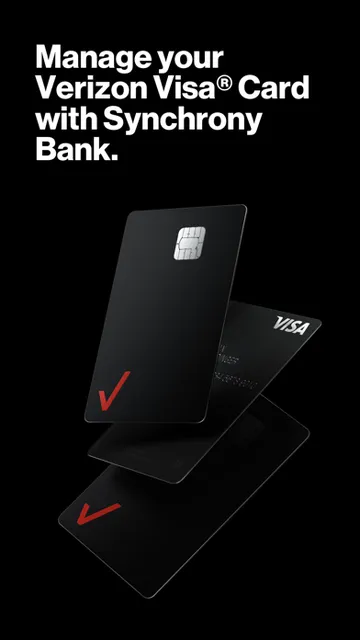
Verizon Visa® Card is a companion app for people who already have the card and want to keep tabs on its balance, bill, spending, and Verizon Dollars from an iPhone. I see it as a focused account tool rather than a general-purpose banking app: its value is in bringing card activity and Verizon-related rewards together. The main catch is that you need the physical card to register.
A quick card check
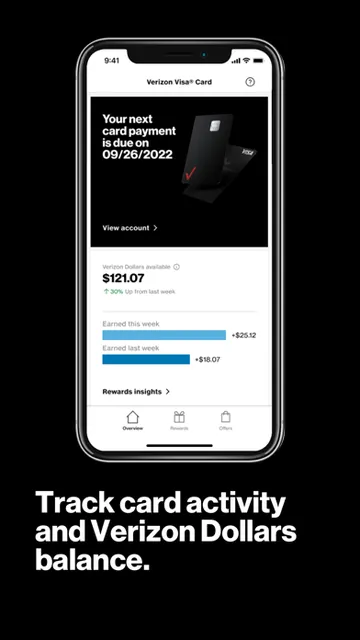
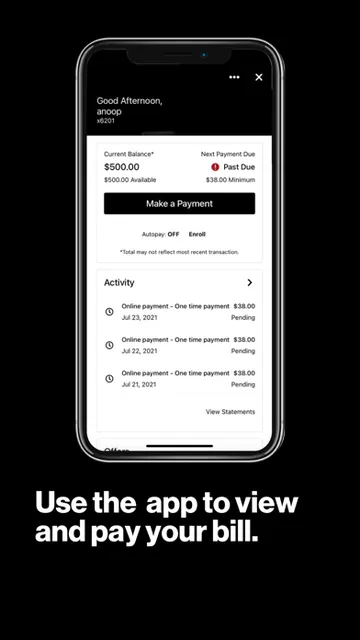
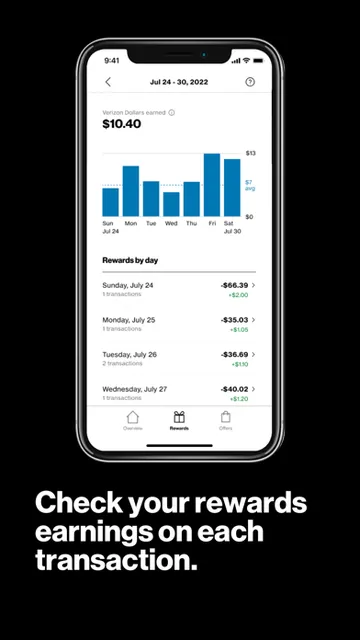
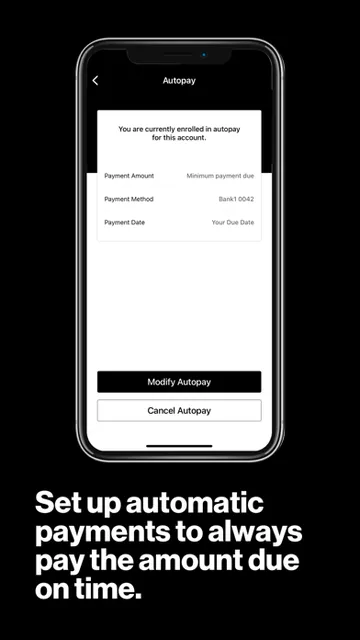
Picture checking your finances during a short break: you want to see what you owe, whether a recent purchase has posted, and how your rewards are adding up. The Verizon Visa Card app is built for that kind of check-in. It lets you review your card balance, pay the bill, track spending, and see where and how you’re earning Verizon Dollars without waiting until you’re back at a computer.
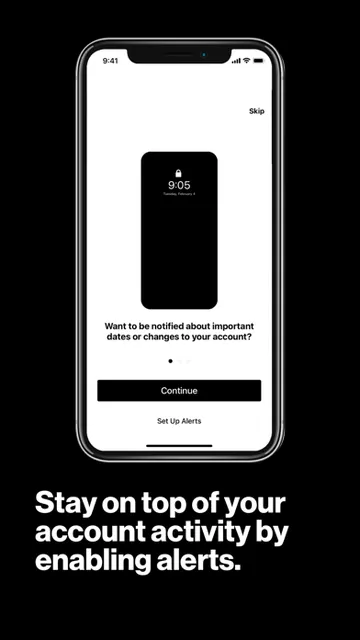
I’d also find the alerts useful in a busy week. You can set account and activity alerts, and the app can send notifications about card promotions and offers. That gives the app a practical role between bill payments: it can help keep card activity visible while you go about your day. It still requires an active Verizon Visa Card account, so this is account management, not a way to browse card features without having the card.
A focused companion, not a wallet
Compared with a broad mobile banking app, this one has a narrower job: it centers on the Verizon Visa Card and the rewards tied to it. That focus makes sense if you want card balances, spending, payment, offers, and Verizon Dollars in one place. The rewards can be redeemed for devices, accessories, or toward Verizon bills, so the app connects card activity to Verizon purchases and services.
It isn’t a general-purpose finance hub, and I wouldn’t choose it to manage unrelated accounts or handle everyday banking beyond this card. The description also points people without the card to My Verizon to learn more and apply; the card application itself is subject to eligibility and credit approval. Think of this app as a companion once you’re a cardholder, rather than a substitute for My Verizon or a standalone payment wallet.
Small habits that help
A simple routine would be to check the balance before paying the bill, then review recent spending and the rewards earned from it. The app’s spending and earning views can make those two questions easier to connect: what did I charge, and what Verizon Dollars did that activity earn? I’d check in often enough to recognize activity as it happens, rather than leaving every account task until the end of the month.
Alerts are another way to make the app fit your habits. Setting account and activity alerts can bring relevant updates to your attention, while offer notifications can surface card promotions. I’d keep the alerts that help me stay informed and avoid treating every promotion as a reason to spend. The app also gives you a place to review current offers when you’re interested, rather than relying only on notifications.
More From Our News Desk

Zoom Meetings, Google Meet, or Teams: Which Is Easiest to Join?

How I Build a Free Streaming Lineup With Tubi

Why Crunchyroll Is the Default Anime App for So Many Fans

YouTube TV: A Practical Guide to Cutting Cable

Rummikub and the Small Comfort of Phone Games

TeamViewer Remote Control or AnyDesk for Helping Family?
Who will get the most from it
I’d recommend Verizon Visa Card to existing cardholders who want to check their account from an iPhone and keep an eye on their bill, spending, rewards, and card offers. It is especially relevant if Verizon Dollars are part of how you choose to pay for devices, accessories, or Verizon bills. Having these card-specific tasks together makes the app a useful companion for regular account check-ins.
It may be a poor fit if you don’t have an active Verizon Visa Card account, since you need the physical card to register and use the app. It also won’t meet the needs of someone looking for a broad banking or budgeting service. The app is available for iOS, and its stated minimum requirement is iOS 17.0, so people using older software should check compatibility before planning around it.
Verizon Visa® Card is published by Verizon Wireless for iOS. On the App Store, it has a 4.5 out of 5 rating from about 24,000 ratings. The app is free to download. Its minimum operating system requirement is iOS 17.0, and the listed version is 3.7.1. An active Verizon Visa Card account is required to use it, and the physical card is needed to register.
The app was released on June 21, 2020, and its listed last update date is September 29, 2026. Its content rating is 17+. The information provided gives no install count, and I’m leaving that figure out. Card applications are subject to credit approval, with eligibility conditions described by Verizon; the app itself is for managing an existing card account.
A closer look at card management
Getting started
My first impression is that this app has a clear audience: someone who already uses a Verizon Visa Card and wants mobile access to its account. Registration has an important practical requirement—you need the physical card in hand, as well as an active card account. That makes it worth having the card nearby before starting, rather than expecting to explore the app first and sort out account access later.
The app is for iOS, with iOS 17.0 as its minimum requirement. Once registered, its stated purpose is to make card management available from a mobile device. I like that the core tasks are easy to understand before diving in: check the account, keep track of spending and rewards, pay the bill, and review offers. It’s a focused starting point, not a promise of a broader financial toolkit.
Everyday account checks
The useful part of a card companion is how it fits into ordinary moments. I can imagine checking the balance after using the card, then returning later to pay the bill. The app also lets cardholders track spending and see where and how they’re earning rewards, giving those account checks a little more context than a balance alone.
That combination makes the app most helpful as a regular reference point. Rather than opening it only when a payment is due, I’d use it to keep an eye on activity and rewards as I go. The description doesn’t promise that it replaces every account service or offers detailed budgeting tools, so I’d keep expectations centered on the specific card tasks it names.
Rewards and offers
Verizon Dollars are the feature that gives this card app its distinct angle. The app lets you view what you’ve earned and redeem those rewards for devices, accessories, or toward Verizon bills. I’d find that useful when deciding whether rewards are building toward something I already plan to buy or a bill I already need to pay.
The app also provides access to the latest Verizon Visa Card offers, along with notifications about card promotions and offers. Those features can be handy for people who want to keep up with what’s available, but I’d treat promotions as optional information rather than the main reason to open the app. The core value remains managing the account and understanding card activity.
A routine that stays simple
A low-effort routine could start with a quick activity check after a few card purchases. I’d look at spending and rewards together, then use the balance view when it’s time to plan a bill payment. That keeps the app connected to things I already need to do instead of turning account management into a separate project.
I’d also set account and activity alerts based on the updates I actually want to notice. When a promotion catches my eye, I can review the available offers in the app rather than assuming every notification needs action. This approach uses the app for visibility and convenience while keeping spending decisions grounded in my own plans.
Things to keep in mind
The biggest limitation is also straightforward: this app is for active Verizon Visa Card account holders. Registration requires the physical card, and someone who doesn’t have the card should look to My Verizon for information about applying. An application is required and subject to credit approval, so downloading this account app is not the same as getting a card.
Its narrow focus may also be a drawback if you want one app to manage several kinds of finances. The listed features cover this card’s balance, bill payment, spending, rewards, alerts, and offers; they don’t make it a general banking service. Finally, iOS 17.0 is the stated minimum, so device compatibility matters before relying on it for account access.
Verizon Visa® Card is a practical, tightly scoped companion for checking a card balance, paying a bill, following spending, and seeing Verizon Dollars and offers. I like that the reward information has a clear connection to Verizon purchases and bills. The app’s usefulness depends on already having the card, but for an eligible cardholder it brings several everyday account tasks together.
I’d recommend it to Verizon Visa Card users on a compatible iPhone who want a convenient way to stay informed about their account. I wouldn’t recommend it as a general finance app or to someone who hasn’t registered a card. If the card-specific tools are what you need, the focused approach is a sensible fit.
Verizon Visa® Card Frequently Asked Questions
What is Verizon Visa® Card used for?
Verizon Visa® Card is for managing an existing Verizon Visa Card account from an iOS device. It lets cardholders review their balance, pay the bill, track spending and rewards, view Verizon Dollars and card offers, and set account and activity alerts. You need an active account and the physical card to register and use the app.
Which devices can run Verizon Visa® Card?
The app is available for iOS, and the stated minimum requirement is iOS 17.0. It requires a compatible device and an active Verizon Visa Card account. Check the App Store for current compatibility details for a particular device, since requirements and compatibility can vary.
Does Verizon Visa® Card cost anything?
The app is free to download. It is intended for managing a Verizon Visa Card account, and the available information does not specify other app charges or in-app purchases. For current details about the app and card terms, check the App Store and the card information provided by Verizon.
Can I use Verizon Visa® Card without the card?
No. The app requires an active Verizon Visa Card account, and you must have the physical card in hand to register and use it. If you don’t have the card, Verizon directs interested users to My Verizon to learn more and apply. Applications are subject to credit approval and eligibility conditions.
Who is Verizon Visa® Card best suited to?
It is best suited to existing Verizon Visa Card holders who want mobile access to their balance, bill payment, spending, rewards, alerts, and offers. It may not suit people seeking a general banking or budgeting app, or anyone without an active card account. A compatible iOS device running version 17.0 or later is required.
Pros
- Combines card balance checks, bill payment, spending, and reward tracking in one focused app.
- Shows where and how card activity earns Verizon Dollars.
- Offers account and activity alerts, plus notifications about card promotions.
- Rewards can be redeemed for devices, accessories, or toward Verizon bills.
Cons
- Requires an active Verizon Visa Card account and the physical card for registration.
- Its card-specific focus may not suit people seeking broader finance tools.
- Requires iOS 17.0 or later.
- Category
- Finance
- Version
- 3.7.1











