USB Camera
- 16.78K
- 3
- Installs
- 5.00M
- Price
- Free
Screenshots
Analysis by Reviewed APKs
USB Camera is for Android users who want to connect a compatible USB webcam or video capture device to a phone or tablet. It can record footage, take snapshots, and send video to streaming servers, so it suits hobbyist broadcasters and people building a specific camera setup more than casual phone-camera users. After looking through its feature set, I see a capable, specialized tool with useful flexibility and some real setup demands.
A Camera in Your Bag
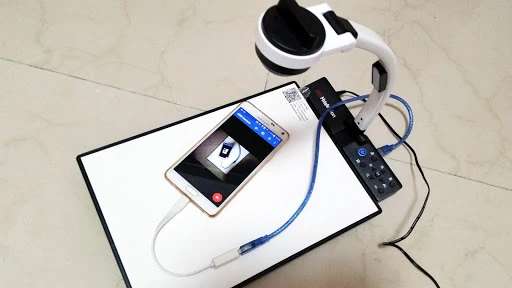
I can picture using USB Camera at a small event where I want a particular camera or capture card in the setup but do not want to bring a laptop. I connect a compatible device to my Android phone with a USB OTG cable, then use the app to preview the feed, record video, or take a snapshot. That makes the phone a practical field monitor and recorder, provided the camera and cable cooperate.
The same idea works for a hobby streaming session at home. A USB capture card can bring in a video source, and the app can send video and audio to an RTMP or SRT server. I like that recording and streaming are both part of the same basic job. It is less about replacing a phone camera and more about giving Android a way to work with external video gear.
A Specialist, Not a Webcam App
The obvious alternative is the camera already built into a phone, or a conventional webcam app designed around a computer. USB Camera serves a different purpose: it connects supported USB video devices to Android and provides recording, snapshots, and streaming options. That can be appealing if I already own a UVC webcam, EasyCap device, or capture card and want to use it with a mobile setup.
I would not choose it as a general-purpose video editor, nor assume it turns every camera into a wireless webcam for every other app. The description says its userspace driver is available only to USB Camera, rather than being installed as a system-wide driver for third-party apps. This distinction matters: the app can do quite a lot with its own video feed, but it is not a universal camera bridge.
Make Setup Less Fiddly
My first practical habit would be to check the exact camera or capture-device chipset before planning a session. USB Camera lists a range of supported UVC and EasyCap devices, including some non-UVC hardware, but compatibility is specific. I would also keep a good-quality OTG cable handy and make sure the connected device has enough power. Some capture cards may need a powered hub or a bridge to work reliably.
Once a setup is working, I would save time by choosing a repeatable routine: connect the gear, check the preview and audio, then start recording or streaming. For longer recordings, loop recording and automatic segments can help keep files manageable, while automatic deletion of old archives can make limited storage less of a surprise. Those options are most useful when configured before the camera is needed.
More From Our News Desk

Zoom Meetings, Google Meet, or Teams: Which Is Easiest to Join?

How I Build a Free Streaming Lineup With Tubi

Why Crunchyroll Is the Default Anime App for So Many Fans

YouTube TV: A Practical Guide to Cutting Cable

Rummikub and the Small Comfort of Phone Games

TeamViewer Remote Control or AnyDesk for Helping Family?
Who Might Get the Most From It
I would recommend USB Camera to Android users who already have compatible USB camera equipment and want to record or stream without relying on a computer. It has room for different kinds of projects, from a simple external-camera recording to an IP-camera setup or a mobile live broadcast. People who enjoy adjusting a practical rig and checking device compatibility are likely to appreciate the range more than the app’s broad name might suggest.
It may be a poor fit if you only want an uncomplicated way to take everyday photos, or if you expect every USB camera to connect without checking hardware and power. The many recording, overlay, and streaming options also make it more specialized than a basic camera app. I would treat the 3.0-star Google Play rating as a reason to read current user feedback and check compatibility before building a setup around it.
USB Camera is developed by 沈垚 / ShenYao China and is categorized as a Video Players & Editors app. Google Play shows more than 5 million installs and a 3.0-star rating from about 16,800 ratings. It is free to install and contains ads. The content rating is Everyone.
The app was released on April 13, 2016, and its last update was February 3, 2026. The Android requirement and current version can vary, so I would check the Google Play store details for the device in question. The description also notes that HEVC recording or streaming requires Android 5.0 or later and compatible hardware; AV1 streaming requires Android 10 or later and AV1 support.
The Details Behind the USB Setup
Connecting the Pieces
When I first opened the description, what stood out was how much depends on the hardware sitting at the other end of the cable. USB Camera is designed to connect an Android device to a USB webcam or video capture card through OTG. Its stated compatibility includes UVC webcams, video grabbers, Windows Hello and infrared cameras, several EasyCap chipset families, and some non-UVC devices such as USB endoscopes.
That breadth is useful, but it also makes setup less like plugging in an ordinary phone accessory. I would confirm the exact model or chipset, use a good OTG cable, and pay attention to power. The developer notes that some devices may need a hub to improve the USB connection. On Android 9 and above, Camera permission is required for full access to USB video devices.
Recording and Streaming
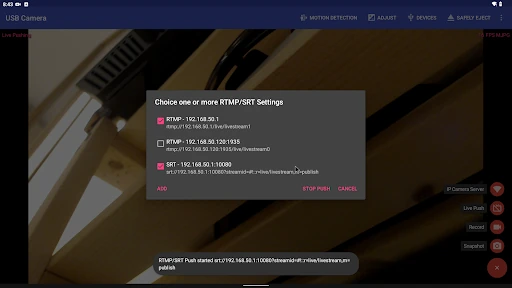
The everyday core is straightforward to understand: bring an external video feed into the app, preview it, and either record footage or capture a still image. For a short recording, that could mean setting a phone beside a camera and saving the feed directly on the mobile device. For a live setup, the app can push video and audio to RTMP or SRT media servers, including support for the RTMPS security protocol.
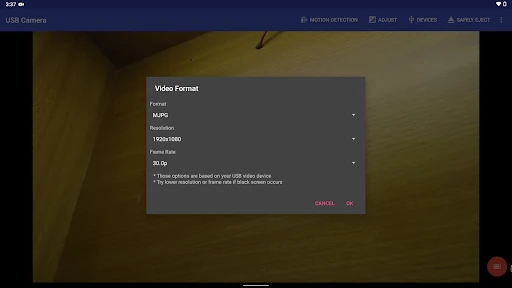
I would be careful not to confuse a long list of formats with a promise that every phone and capture device can use every option. The description names several supported video formats, and higher-efficiency codecs have their own Android and hardware requirements. In practice, I would test the specific device and intended settings before an important broadcast rather than discover a compatibility issue after going live.
More Than a Preview
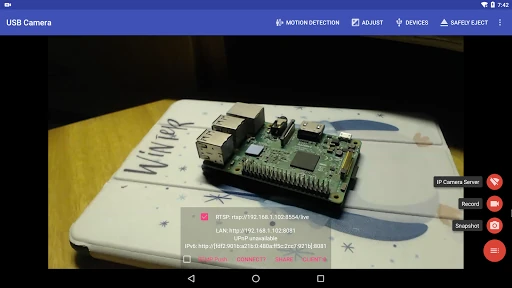
One feature that gives the app a different character is its built-in RTSP and HTTP server. USB Camera can turn the Android device into a wireless IP camera, with the feed viewable through a browser or an IP Camera app. The description also mentions motion-detection recording, automatic FTP uploads, and email notifications, which could suit a fixed monitoring arrangement when the equipment and network are set up for it.
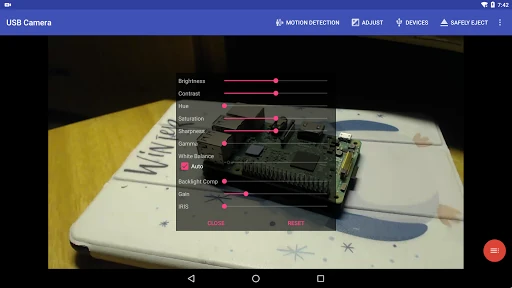
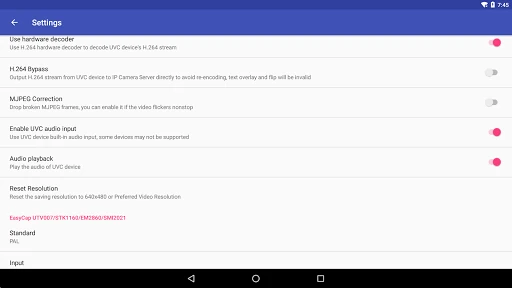
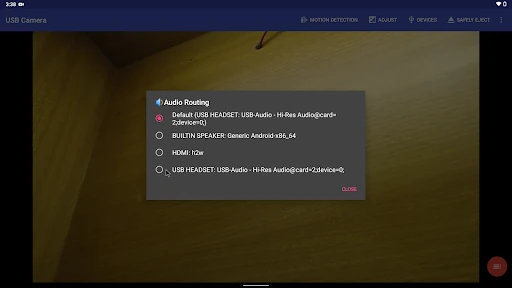
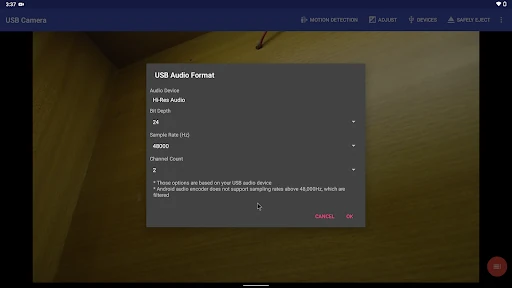
There are also options for combining USB audio with the built-in microphone or system audio, and for overlaying the phone’s screen or built-in camera onto the external video. The app can add timestamps, GPS, speed, and other information to video frames when recording. Picture-in-picture and side-by-side viewing for FPV goggles add further specialist uses without changing the app’s central job.
A Repeatable Field Routine
For a practical recording session, I would connect the camera and OTG cable before opening the app, then check that the preview and audio are both present. Next I would choose whether I need a snapshot, a regular recording, or a stream, and confirm the available storage if I expect to record for a while. Taking those few moments up front is more sensible than treating a USB video rig like a phone camera that is always ready.
For a dash-camera-style routine, loop recording, automatic file segments, and automatic removal of older archives when storage is low could help reduce manual housekeeping. I would choose settings carefully and verify that the desired clips are being kept. The app also supports switching between foreground and background without interrupting recording, which can be handy when I need to use another part of the phone during a session.
Keep the Boundaries Clear
The biggest limitation is the dependency on compatible hardware, a suitable OTG cable, and adequate power. A device that looks like a camera accessory may still rely on a chipset or connection method the app does not support. The developer’s device list is specific, so I would check it rather than assume broad compatibility from the phrase “USB camera.” A powered hub may be needed for some capture cards.
The app’s camera access also stays within the app. Its description explains that Android does not allow this userspace driver to be installed as a kernel driver, so third-party apps cannot simply use the connected USB camera through USB Camera’s driver. Ads are present in the free version, while the described Pro version removes them and adds some features from General Settings.
USB Camera is an unusually flexible option for a focused job: bringing compatible USB video into Android for recording, monitoring, or streaming. Its RTSP and HTTP server, overlays, and recording controls give it more range than a simple preview tool, but hardware compatibility and setup are part of the deal.
I would try it if I already owned a supported camera or capture card and wanted a mobile workflow. I would not buy extra gear on the assumption that it will work without checking device support first. For casual phone-camera use, a simpler camera app is the more natural choice.
USB Camera Frequently Asked Questions
What is USB Camera used for?
USB Camera connects an Android device to compatible USB webcams and video capture devices through USB OTG. It can record video, take snapshots, stream to RTMP or SRT media servers, and provide an RTSP or HTTP camera feed. It also includes options such as overlays and loop recording. The exact experience depends on the connected hardware and Android device.
Which phones and devices can use USB Camera?
USB Camera is an Android app for phones or tablets that support USB OTG and work with a compatible camera or capture device. Its description names UVC webcams, capture cards, several EasyCap chipset families, and some other devices. Check the app’s Google Play details and device compatibility information before relying on a particular setup.
What Android version does USB Camera require?
The Android requirement can vary, so check the current Google Play store details for your device. Some features have specific requirements: HEVC recording or streaming needs Android 5.0 or later and a device that supports HEVC, while AV1 streaming needs Android 10 or later and AV1 support. Android 9 and above requires Camera permission for full USB video access.
Is USB Camera free, and does it have ads?
USB Camera is free to install on Google Play and contains ads. The description also mentions a Pro version that removes ads and provides some extra features from General Settings. Prices and purchase details may vary, so check the current store information before choosing an option.
Is USB Camera suitable for casual recording?
It can record video and take snapshots, but USB Camera is most suitable for someone who wants to connect external USB video equipment to Android. Compatibility, OTG cabling, and power can take some checking, and the driver works within the app rather than making the camera available to third-party apps. For everyday phone-camera use, a standard camera app may be simpler.
Pros
- Records and captures snapshots from compatible USB cameras and video capture devices.
- Includes RTSP, HTTP, RTMP, and SRT options for different streaming workflows.
- Offers loop recording, overlays, and audio mixing for more involved setups.
- Supports a range of UVC and specified EasyCap devices.
Cons
- Compatibility and power needs can make setup more involved than a built-in camera.
- The USB camera driver is available only inside USB Camera, not third-party apps.
- The free version contains ads.
- Category
- Video Players & Editors
- Version
- VARY











