TV Remote for Samsung
- 25.19K
- 3.8
- Installs
- 5.00M
- Price
- Free
Screenshots
Analysis by Reviewed APKs
TV Remote for Samsung turns an Android phone into a controller for compatible Samsung TVs, using either the same Wi-Fi network or a phone’s infrared blaster. I see the appeal for anyone who regularly misplaces the physical remote or wants to send phone media to a larger screen. It has a useful mix of everyday controls and extras, though getting connected depends on having the right TV and setup.
When the Remote Goes Missing
When I first opened TV Remote for Samsung, I pictured the familiar living-room scramble: the show has started, someone wants the volume lower, and the remote has slipped between the cushions. With a compatible TV and phone on the same Wi-Fi network, the app can take over everyday button presses. If the phone has an infrared blaster, it can use that instead. The two connection paths make the basic idea practical for different setups.
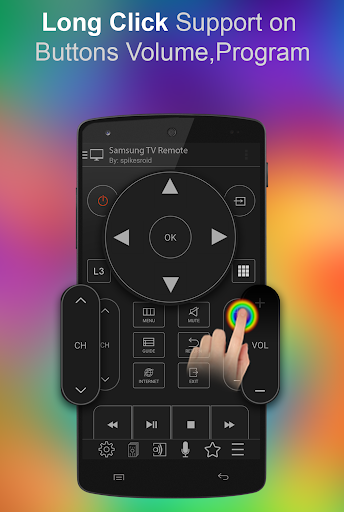
For Wi-Fi control, the phone and Samsung Smart TV need to share a network, and the TV asks for confirmation when the app connects. Once that is accepted, the app supports the remote’s buttons, including long presses for controls such as volume and channel changes. One small catch matters in daily use: Wi-Fi mode cannot turn on a TV that is already off. I would keep the physical remote handy for that moment.
A TV Remote, Not a Universal Hub
Compared with reaching for a standard Samsung remote, this app’s advantage is that the controller is already on a phone I may be carrying. It also goes beyond basic channel and volume changes with features such as phone-media playback, a sleep timer, voice commands, and custom remotes. That makes it more interesting than a simple button-for-button replacement, especially when I want to show photos or play a video from my phone.
The name sets the right expectation: this is for Samsung televisions, not a general-purpose controller for every brand or a single solution for every device in an entertainment setup. The listed Wi-Fi support covers particular Samsung TV generations, while infrared control depends on an IR blaster in the phone. It is also not a way to power on a Wi-Fi-connected TV. I would check my hardware before treating it as a replacement for the original remote.
Small Habits That Help
I would start by identifying which connection route suits my equipment. If the TV supports the app’s Wi-Fi mode, I would make sure the phone is on the same network and approve the prompt on the TV. If the prompt is rejected, the app description points to a setting on the TV under Menu, Network, and AllShare Settings. For infrared use, the phone needs its own built-in IR blaster; the app does not add that hardware.
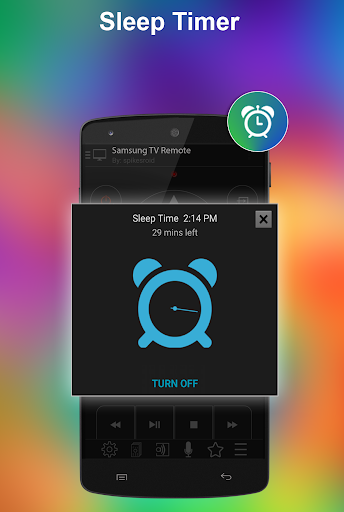
After the initial connection, a little setup can make the app more useful than a plain remote. I could keep favorite channels together, build a custom remote with the buttons I use, and use side buttons for volume. For media sessions, the DLNA feature can send photos, audio, or video from the phone to the TV. A sleep timer is handy when I expect to nod off during a late-night show.
More From Our News Desk

Zoom Meetings, Google Meet, or Teams: Which Is Easiest to Join?

How I Build a Free Streaming Lineup With Tubi

Why Crunchyroll Is the Default Anime App for So Many Fans

YouTube TV: A Practical Guide to Cutting Cable

Rummikub and the Small Comfort of Phone Games

TeamViewer Remote Control or AnyDesk for Helping Family?
Who May Find It Useful
I would recommend TV Remote for Samsung to people with a compatible Samsung TV who want a spare controller on their Android phone. It has the strongest case in homes where the physical remote gets misplaced, or where family members would rather use a phone for occasional volume and channel adjustments. The media-sharing options may also appeal to someone who already keeps photos, music, or video on their phone.
It may be a poor fit if the TV is outside the supported range, the phone lacks an IR blaster, and Wi-Fi control is not available for that setup. People who want one remote app for televisions from many brands should look elsewhere, too. I would also hesitate to rely on Wi-Fi mode as the only remote, since it cannot switch on a powered-off TV. Checking compatibility first saves frustration.
On Google Play, TV Remote for Samsung is published by Spikes Labs in the Video Players & Editors category. It has over 5 million installs and a 3.8-star rating from about 25,000 ratings. The app is free to download, contains ads, and has no in-app purchases. Its content rating is Everyone.
The current version listed in the supplied app details is 1.107. It was released on November 29, 2013, and was last updated on July 21, 2024. The Android version requirement is not included in the supplied details, so I would check the Google Play page on the device before installing.
A Closer Look at Daily Control
First Connection
My first impression is that the app tries to serve both newer network-connected setups and phones with older infrared hardware. That flexibility is useful, but it means the first step is less about tapping buttons and more about knowing what the TV and phone can do. Wi-Fi control needs a compatible Samsung Smart TV and the same home network; infrared control needs an IR blaster built into the phone.
The Wi-Fi setup includes a confirmation prompt on the television. That is a sensible step, though it can interrupt the otherwise quick process if I am settling in to watch something. If I accidentally reject the prompt, the app description gives a route through the TV’s network and AllShare settings. I would do the pairing while I have the physical remote nearby, rather than when I am already impatient to start a show.
Everyday Buttons
For routine use, the most valuable part is the straightforward remote-control job: changing channels, adjusting volume, and navigating with the familiar directional controls. Long presses are supported for volume, program, and directional buttons, so holding a control does not have to mean repeated taps. Side buttons on the phone can handle volume, too. Those details are small, but they matter when I am making quick adjustments without looking closely at the screen.
The biggest everyday limitation is the difference between a TV that is on and one that is off. The app says all remote buttons are supported in Wi-Fi mode except Power On, because the television cannot receive Wi-Fi commands while off. Infrared mode is a separate route for compatible phones. In practice, I would treat the app as a convenient active-session controller, not assume it can replace every function of a physical remote in every state.
More Than Button Presses
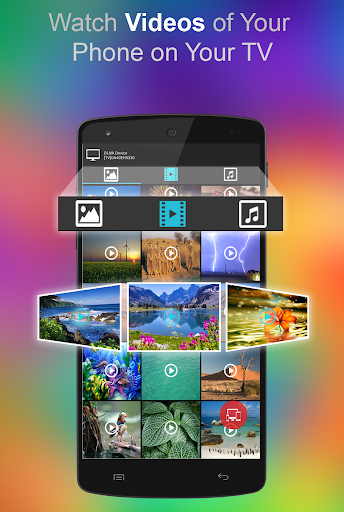
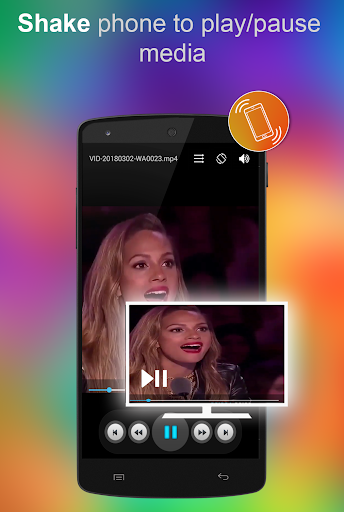
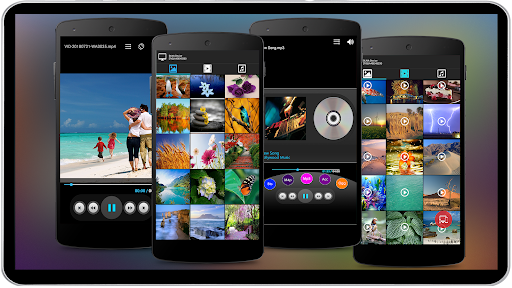
The extras give the app more range than a basic phone remote. It can send photos, audio, and video from the phone to the TV using its DLNA feature, and it includes an audio and video player. That could be useful when relatives are visiting and I want to show a handful of pictures on the larger screen, rather than passing a phone around the room.
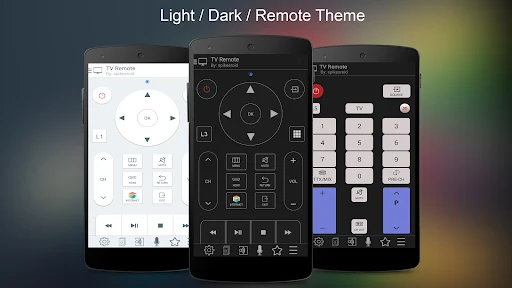
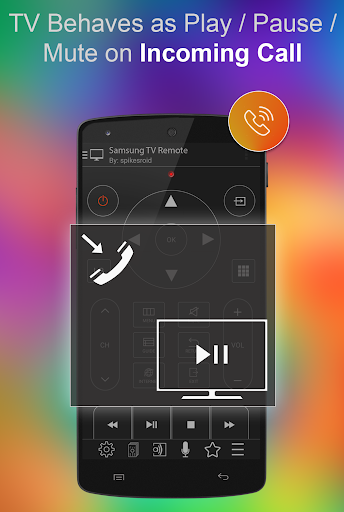
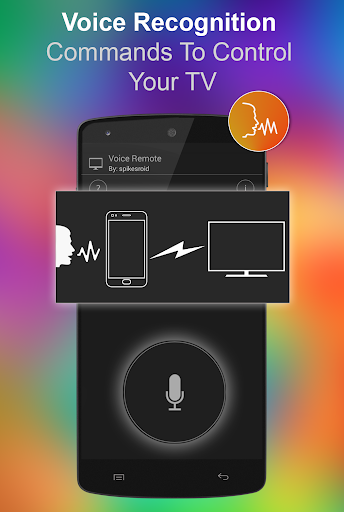
I also like the practical touches: a sleep timer, voice-recognition commands, direct text entry to the TV, and the option to make a custom remote with chosen buttons. Favorite channels can be kept together, and macros can perform multiple operations with one click. The description also says the TV can respond to an incoming call by playing, pausing, or muting. These are distinct extras, not reasons to expect a universal smart-home control center.
A Relaxed Evening Routine
For a typical evening, I would connect before the program starts, confirm that the TV accepts the Wi-Fi request, and then use the phone for ordinary volume or channel changes. If I planned to turn in early, I could set the sleep timer. When a friend asks to see a clip stored on my phone, the media features offer a way to send it to the television instead of crowding around the smaller display.
The custom remote and favorite-channel options seem most worthwhile after I have used the app enough to know which controls I reach for. I would keep the layout focused on those regular choices rather than trying to configure everything at once. If a connection or power issue comes up, I would switch to the physical remote where needed. That simple backup makes the app easier to use casually.
Compatibility Comes First
The main limit is hardware compatibility. Wi-Fi mode is described for particular Samsung TV series, with older models sometimes needing specific network or AllShare arrangements. The app also mentions a Samsung Blu-ray player with Smart Hub. Infrared mode is broader across Samsung TVs, but only when the phone has an inbuilt IR blaster. A phone without one cannot use infrared control through an app alone.
The setup can also involve a little troubleshooting: checking the shared Wi-Fi network, accepting the TV’s confirmation, or manually configuring the TV’s IP address. I would not assume every feature works identically on every model, since the supported routes differ by series and connection type. The app is an unofficial product and is not affiliated with Samsung, so it is best viewed as an independent companion rather than a Samsung-made remote.
TV Remote for Samsung is a useful extra to have when the phone and television are a good match. Its ordinary remote controls are joined by media sharing, a sleep timer, custom buttons, and other handy touches. I especially like the option to use Wi-Fi or an existing phone IR blaster, while keeping the power-on limitation in mind.
I would try it if I owned a supported Samsung TV and wanted a backup remote or a simple way to put phone media on the big screen. I would check the connection requirements first and keep the original remote available for setup and power-on needs. For people with other TV brands or incompatible hardware, this is unlikely to be the right fit.
TV Remote for Samsung Frequently Asked Questions
What is TV Remote for Samsung used for?
TV Remote for Samsung turns a compatible Android phone into a controller for supported Samsung TVs. It can handle remote buttons and also includes features such as a sleep timer, voice commands, custom remotes, favorite channels, and DLNA playback of phone photos, audio, and video on the TV. The available functions depend on the TV and connection method.
Which phones and TVs work with TV Remote for Samsung?
The app is for Android phones and supports Samsung TVs through Wi-Fi or, if the phone has an inbuilt IR blaster, infrared. Wi-Fi mode requires a compatible Samsung Smart TV and the phone on the same network. Supported models vary by series and connection method, so check the Google Play page and your TV details for compatibility.
What Android version does TV Remote for Samsung require?
The Android version requirement can vary, and the supplied app details do not give a minimum version. I would check the current Google Play page from the Android device where you plan to install it. The phone also needs an inbuilt IR blaster if you intend to use infrared mode; Wi-Fi mode instead depends on a compatible TV and shared network.
Is TV Remote for Samsung free?
TV Remote for Samsung is free to download on Google Play and contains ads. The supplied details show no in-app purchases. Store information can change over time, so it is worth checking the Google Play page for the latest cost and purchase details before installing.
Is TV Remote for Samsung a good fit for my home?
It may suit you if you have a compatible Samsung TV and want phone-based controls, media sharing, or a backup for a misplaced remote. It is less suitable if you need a remote for several TV brands or depend on Wi-Fi to turn on a TV that is off. Check your TV series and phone hardware before relying on it.
Pros
- Offers Wi-Fi and phone infrared control for compatible Samsung TV setups.
- Includes DLNA playback for sending phone photos, audio, and video to a TV.
- Custom remotes, favorite channels, and a sleep timer add practical flexibility.
- Supports long presses and volume adjustment through phone side buttons.
Cons
- Wi-Fi mode cannot power on a television that is switched off.
- Infrared control requires an IR blaster built into the phone.
- Compatibility and setup vary across Samsung TV series and connection methods.
- Category
- Video Players & Editors
- Version
- 1.107











