SumUp Business
- 146.38K
- 3.8
- Installs
- 10.00M
- Price
- Free

Screenshots
Analysis by Reviewed APKs
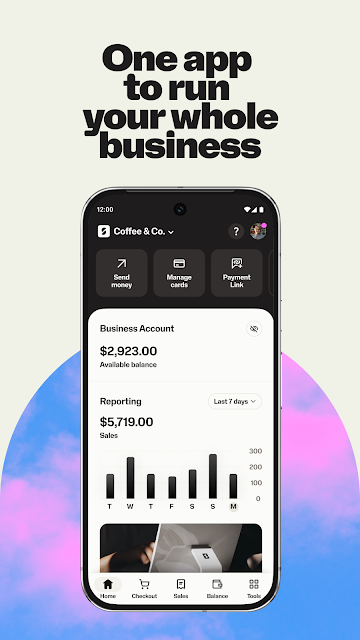
SumUp Business brings payment acceptance and everyday business tools together for merchants who want to handle sales, invoices, bookings, and reporting from one app. I see its strongest appeal for small businesses that take payments in person and remotely, especially those already using SumUp equipment or services. It covers a lot of practical ground, though it is more of a working business toolkit than a general-purpose finance app.
A Busy Day at the Counter
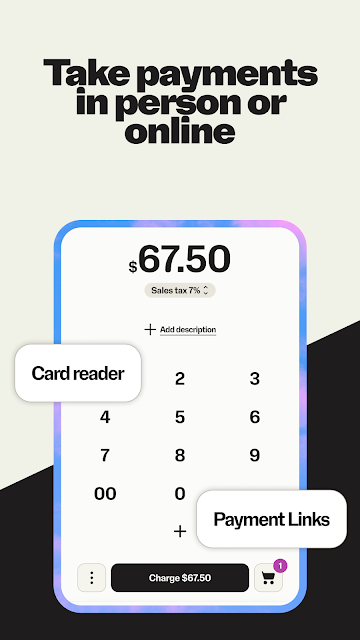
Picture a small shop on a busy afternoon: a customer pays by card, another asks about an item, and a third wants to settle an order later. SumUp Business is designed to bring several of those jobs into one place. Pair it with a Solo card reader for in-person chip and PIN, contactless, or mobile wallet payments, then use the app to track sales and manage related tasks.
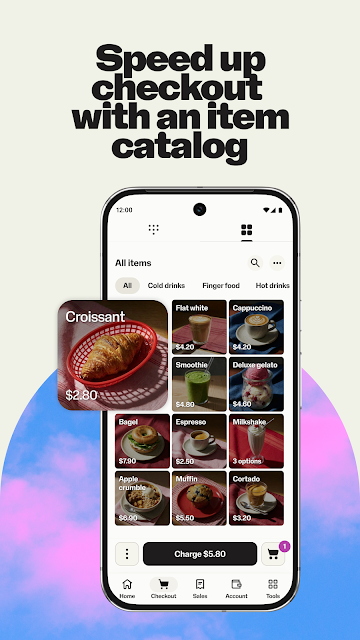
What appeals to me about that setup is the range around the actual transaction. You can add tipping options, set sales tax rates, and issue refunds, while the item catalog can hold descriptions, images, tax rates, and stock information. Rather than treating payment as the only important moment, the app connects it to what you sell and the records you need afterward.
Beyond a Card Reader
A basic card-reader app is mainly about taking a payment and moving on. SumUp Business reaches further: it also offers payment links, invoices, sales reports, a catalog, and bookings for beauty or wellness businesses. The breadth is useful when a business would otherwise keep separate tools for several of those jobs, although the app’s appeal naturally depends on which parts of the SumUp setup a merchant uses.
I would not mistake it for a general personal banking app or a full business-planning system. Its center of gravity is practical commerce: accepting money, organizing sales, and managing related routines. The booking system is aimed at beauty and wellness appointments, while the Point of Sale features cover orders and stock. A business with needs outside those tasks may still need other tools.
Small Habits, Better Records
The catalog is more useful when it reflects the way a business actually sells. Adding item descriptions, images, and custom tax rates, then keeping stock information current, can make the catalog easier to use than a list assembled in a rush. I would treat that upkeep as a small regular task rather than waiting until a busy sales period to fix missing or outdated details.
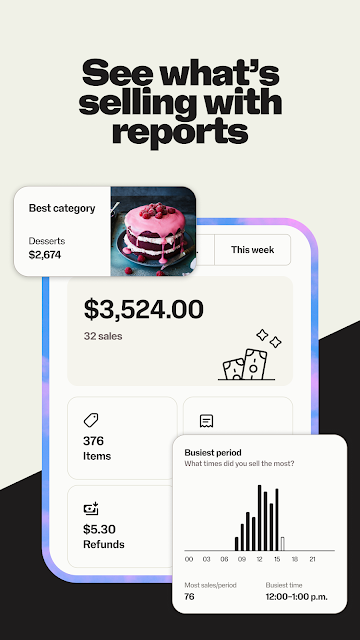
The same steady approach helps with reporting and invoices. Checking a sales overview routinely can make it easier to spot what needs attention, while invoice status tracking gives a merchant a place to follow issued invoices. For remote sales, creating a Payment Link in the app and sharing it by text, email, or social message offers a straightforward alternative to arranging payment in person.
More From Our News Desk

Zoom Meetings, Google Meet, or Teams: Which Is Easiest to Join?

How I Build a Free Streaming Lineup With Tubi

Why Crunchyroll Is the Default Anime App for So Many Fans

YouTube TV: A Practical Guide to Cutting Cable

Rummikub and the Small Comfort of Phone Games

TeamViewer Remote Control or AnyDesk for Helping Family?
Who May Find It Useful
I’d recommend SumUp Business to independent merchants and small businesses looking for a practical hub for payments and related admin. It is particularly relevant if you use a Solo reader, want to take orders through a tablet-based Point of Sale, or need tools such as invoices and payment links alongside sales tracking. Beauty and wellness businesses may also find the booking system relevant to appointment management.
It may be less appealing if you only want a simple personal money tracker, or if you need a narrowly focused app with no business setup around it. Not every merchant will need its catalog, bookings, or account tools, and the range can feel like more than necessary if your only task is occasional payment collection. I’d choose it based on the business workflows you actually expect to use.
SumUp Business is a finance app from SumUp. Google Play shows over 10 million installs and a 3.8-star rating from around 146,000 ratings. The app is free to download, with no in-app purchases or ads. Its content rating is Everyone. Those figures provide a useful snapshot of its reach, but they do not say whether every tool suits a particular business.
The supplied app details give version 2.191.0, a release date of October 20, 2015, and a last update date of November 2, 2026. A minimum Android version is not specified in the supplied details, so check Google Play for the requirement shown for your device. The app offers payment, account, and business-management tools; availability of particular services may depend on the setup you use.
A Closer Look at the Daily Workflow
Starting With the Basics
When I first consider an app like this, I want to know whether it can cover a real working day rather than just demonstrate a payment screen. SumUp Business makes its broad purpose clear: it combines ways to get paid with tools for managing sales and business tasks. That gives a new user a useful starting point for deciding which parts fit their routine.
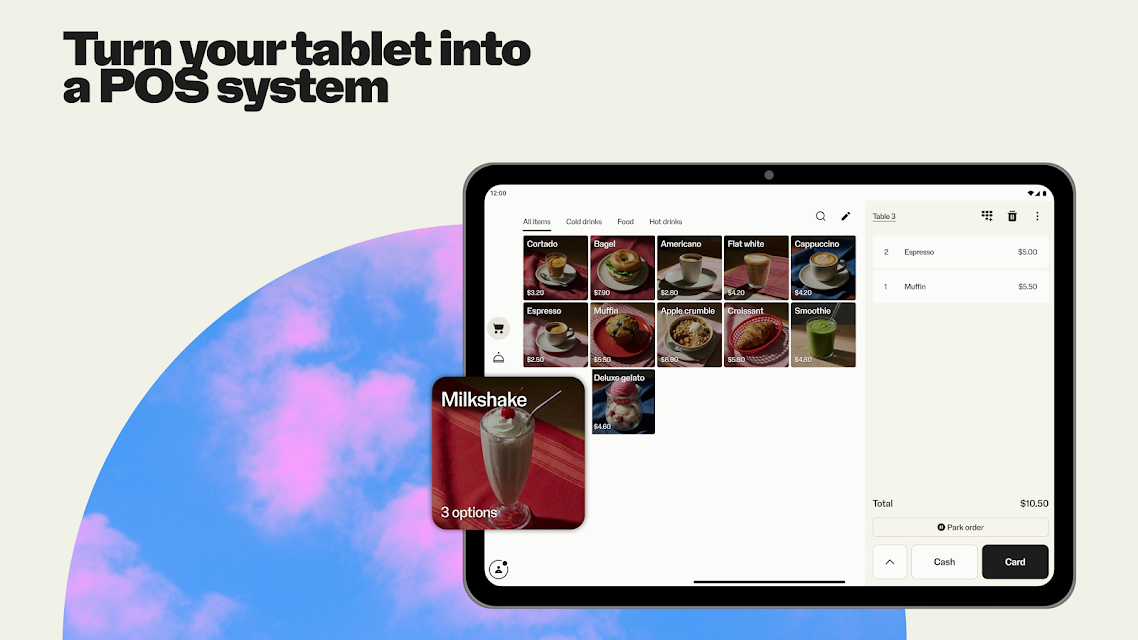
The setup described for in-person card payments involves pairing the app with a Solo card reader. The app also powers payments on stand-alone Solo and Terminal devices, and its Point of Sale option can turn a tablet into a POS system without dedicated POS hardware. These choices give the app more than one role, depending on the equipment and workflow a business uses.
Keeping Sales Moving
Day to day, the core experience is about having payment options that match the way customers buy. In person, the Solo reader supports chip and PIN, contactless, and mobile wallet payments. For a customer who is not there, a Payment Link can be created from the app and shared by text, email, or social media direct message, with payment completed on a secure website.
That flexibility is practical for a business that sells face to face one moment and handles a remote order the next. The app also gives merchants tools for tracking sales, issuing refunds, adding tipping options, and setting sales tax rates. I like that these tasks sit alongside payment acceptance, though the number of options means it helps to focus on the ones that match your business.
Tools That Extend the Sale
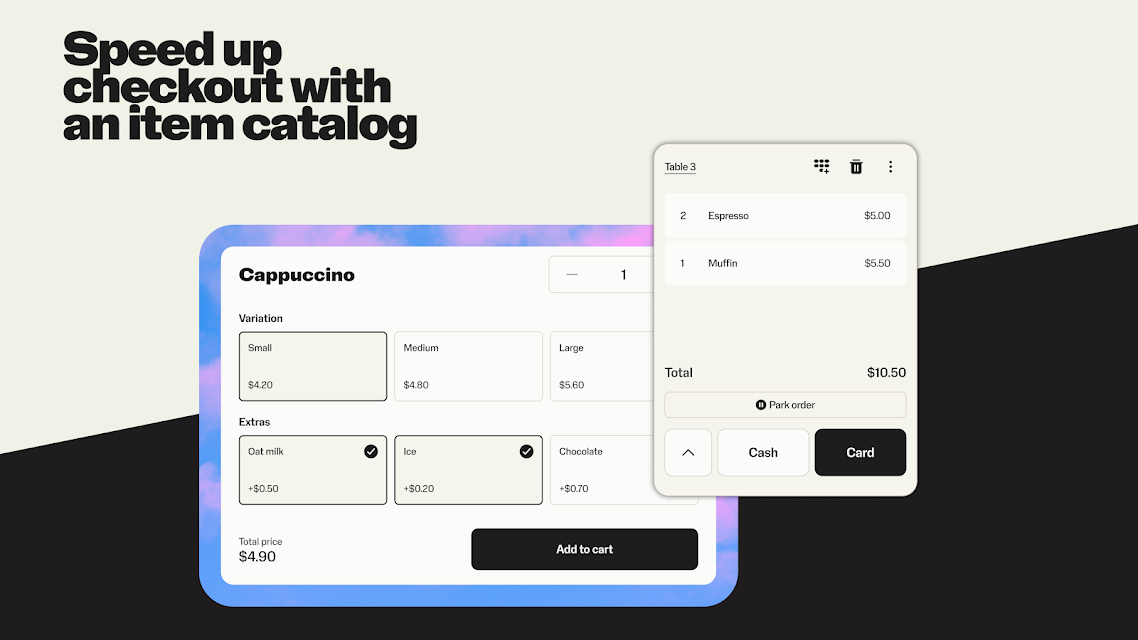
The catalog gives merchants a place to create, edit, and remove items, add images and descriptions, apply custom tax rates, track stock, and sell online. For a business with a changing selection, having those details gathered in one catalog can make sales management feel more connected than working from a payment-only tool. It is a feature with the most value when someone keeps its contents current.
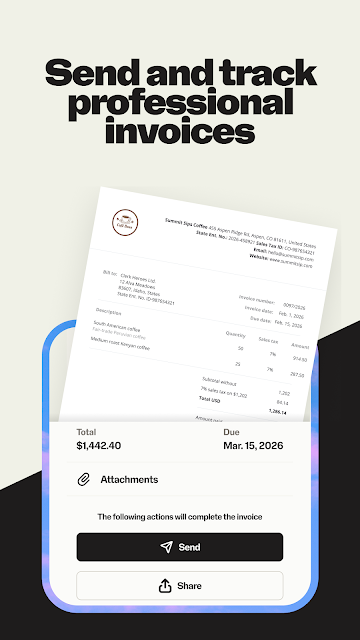
There are also tools for work that happens around a transaction. Invoices can be created and issued in the app, and their status can be tracked; customers can have the option to pay online. Reports range from a simple sales overview to a more detailed transaction breakdown. Together, these features make the app useful not just at checkout but during routine business administration.
A Routine for Remote Work
For a service provider handling appointments, a practical routine could start with the booking system, which is described for beauty and wellness businesses. It can manage appointments, collect upfront payments, and use automated reminders and cancellation fees. After a customer has booked, an invoice or payment link can help handle a payment that does not happen at a counter.
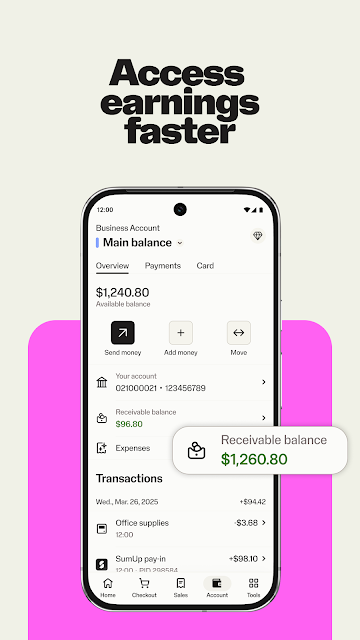
I would then make time to review sales reports and invoice statuses, rather than letting those jobs pile up. A business that takes payments through SumUp can also get next-day payouts, including weekends and holidays, through a SumUp Business Account, according to the app description. That account can be opened from the app, and includes a contactless Mastercard for business spending.
Limits to Keep in Mind
The range is a strength, but it also means SumUp Business will not feel equally useful to everyone. A merchant who only needs a simple way to accept an occasional payment may not care about stock tracking, invoices, or bookings. Conversely, someone looking for a dedicated tool outside payment and business operations may find that this app is not intended to cover that broader need.
Some features are tied to particular business types or equipment. The booking system is described for beauty and wellness businesses, and the Solo reader is the stated route for the listed in-person card methods. The app also connects some account benefits to taking payments with SumUp. I would check which tools fit your setup before relying on the app as the home for every business task.
SumUp Business makes the most sense as a practical workbench for merchants who want payment acceptance and business admin in the same app. Payment links, invoices, reporting, catalog management, and bookings give it useful range beyond a reader companion. The trade-off is that its breadth is only valuable when those tools match the way you work.
I’d recommend giving it a look if your business already uses SumUp or could benefit from its mix of in-person and remote payment options. If you only need one narrow function, a more focused tool may suit you better. For small businesses with several of these everyday jobs, SumUp Business is a capable place to bring them together.
SumUp Frequently Asked Questions
What is SumUp Business used for?
SumUp Business is used for accepting payments and handling related business tasks. It supports payments with a Solo card reader, payment links for remote customers, invoices, a sales and item catalog, reports, and bookings for beauty or wellness businesses. Which parts are useful will depend on how your business sells and what tools it needs.
Which devices can I use SumUp Business on?
SumUp Business is an Android app on Google Play. Its description also says a tablet can be turned into a Point of Sale system without dedicated POS hardware, and that the app powers payments on stand-alone Solo and Terminal devices. Check Google Play for device compatibility and the Android requirement shown for your device.
What Android version does SumUp Business require?
The Android version requirement can vary as the app and device support change. Check the SumUp Business page on Google Play for the minimum version shown for your device before installing. The app is described as supporting tablet Point of Sale use as well as payment workflows with SumUp devices.
Does SumUp Business cost money?
The app is free to download on Google Play, and the supplied app details show no in-app purchases or ads. Some business services and payment arrangements may have their own terms, so check the store information and the terms for the SumUp services you plan to use.
Is SumUp Business suitable for a small business?
It may suit a small business that wants payment acceptance, invoices, sales reports, or catalog management in one app. The booking system is described for beauty and wellness businesses, and some functions are connected to SumUp equipment or services. If you need only a personal finance tracker or a single narrow task, it may not be the right fit.
Pros
- Combines in-person card payments, remote payment links, invoices, and sales reports.
- Catalog tools include item descriptions, images, custom tax rates, and stock tracking.
- Tablet Point of Sale option works without dedicated POS hardware.
- Bookings support appointments, upfront payments, reminders, and cancellation fees.
Cons
- The wide feature set may be more than a simple payment workflow needs.
- Some features are aimed at specific businesses or SumUp equipment and services.
- The app’s Android version requirement should be checked for your device.
- Category
- Finance
- Version
- 2.191.0











