Subpilot - Cancel Subscription
- 4.38K
- 4.2
- Installs
- 100.00K
- Price
- Free

Screenshots

Analysis by Reviewed APKs
Subpilot - Cancel Subscription is a subscription manager for people who want a clearer picture of recurring bills and a little help deciding what to cancel. I like its practical focus: collect subscriptions, see monthly and yearly totals, and look up cancellation steps for popular services. It makes sense for anyone who loses track of renewals, though it still depends on you keeping your subscription list up to date.
A Clearer Bill Routine
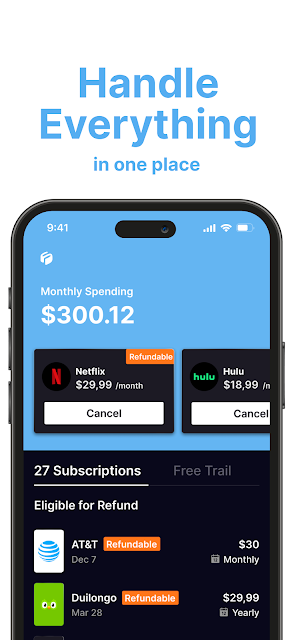
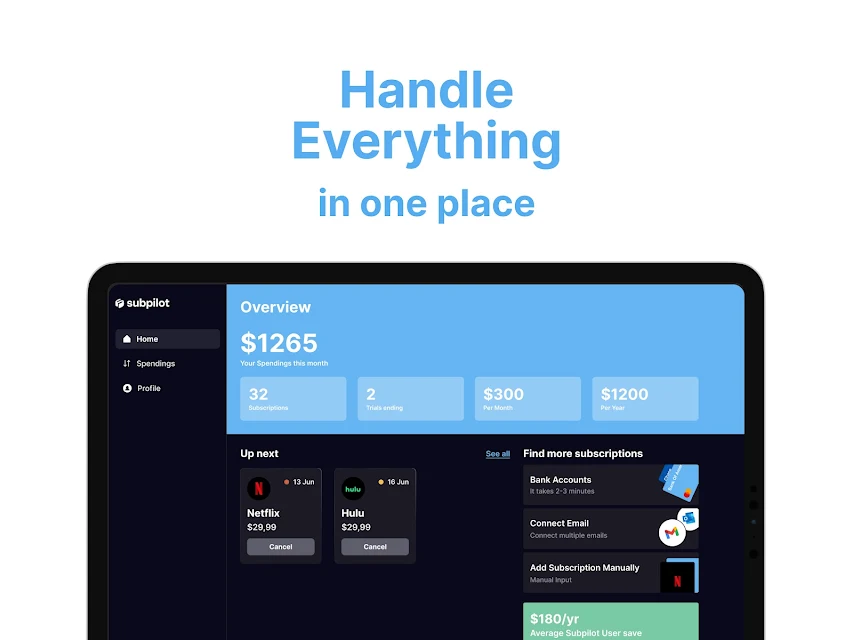
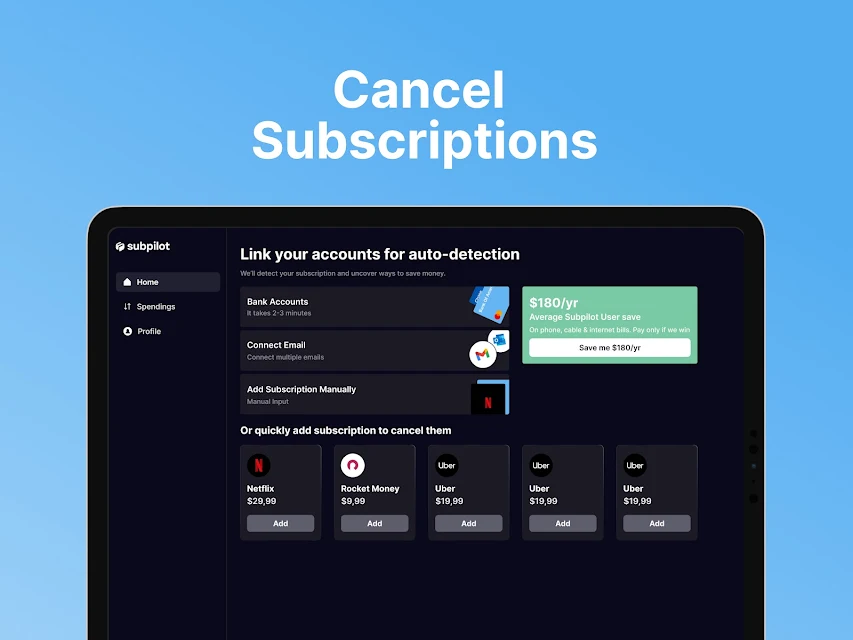
When I first opened Subpilot, I pictured using it during a regular money check-in: sit down with a drink, list the subscriptions I remember, and see how the monthly total adds up. The app is built around that straightforward job. You can add subscriptions, including services such as Netflix, Spotify, and gym memberships, then review monthly and yearly spending in one place.
That overview is useful when a handful of modest charges have started to feel like one surprisingly large monthly bill. I’d use the list to spot an old streaming service or membership I no longer value, then check the cancellation guide before taking action. Subpilot helps organize the decision and gives practical next steps; it doesn’t cancel a service for you.
A Manager, Not a Bank
Compared with keeping a note on my phone or searching through old emails, Subpilot gives subscription tracking a dedicated home and presents spending as monthly and yearly totals. That makes it easier to consider the overall pattern rather than judging each charge in isolation. The included cancellation instructions also make it more useful than a bare list when I’m ready to end a service.
I would not treat it as a banking app or a complete household budget. The described job is tracking subscriptions and finding cancellation guidance, not managing every kind of spending or completing cancellations on your behalf. If you already maintain a reliable spreadsheet and rarely need help finding a service’s cancellation process, the extra app may not change much.
Keep the List Useful
The simplest way to get value from Subpilot is to add subscriptions as I notice them, rather than waiting until I have forgotten which services renew. I’d include the streaming plans, memberships, and other recurring services I want to review, then glance at the combined monthly and yearly cost during a routine check-in. A list that reflects real life is more useful than a perfect-looking list I never update.
When I spot something I may no longer want, I can use the cancellation instructions as a research starting point and follow the steps for that service. I’d also revisit the list after changing plans or ending a subscription, so the totals continue to make sense. Small, occasional updates suit this kind of tracker better than expecting it to make every decision for me.
More From Our News Desk

Zoom Meetings, Google Meet, or Teams: Which Is Easiest to Join?

How I Build a Free Streaming Lineup With Tubi

Why Crunchyroll Is the Default Anime App for So Many Fans

YouTube TV: A Practical Guide to Cutting Cable

Rummikub and the Small Comfort of Phone Games

TeamViewer Remote Control or AnyDesk for Helping Family?
Who Should Give It a Try
I’d recommend Subpilot to anyone with several recurring subscriptions who wants to see their combined costs without piecing the information together from memory. It may be especially handy if you rotate through streaming services, keep a gym membership, or simply want a prompt to review which recurring charges still earn their place. The cancellation guides add a useful layer for people who know what they want to stop but need help finding the steps.
It may be less compelling for someone with only one or two subscriptions, or for a person who already tracks recurring costs in a system they trust. It also won’t suit anyone expecting the app to cancel services automatically: the described feature is step-by-step guidance. The benefit depends on maintaining a reasonably current list and being willing to take the cancellation steps yourself.
Subpilot - Cancel Subscription is published by Linerios Limited. On Google Play, it has over 100,000 installs and a 4.2-star rating from about 4,400 ratings. The app is free to install, with in-app purchases listed at $4.99 to $99.99 per item. Google Play marks its content rating as Everyone.
The listed version is 1.25.13. Google Play gives a release date of September 2, 2025, and a last update date of October 31, 2026. The supplied app details do not give a minimum Android version, so check the Google Play page on your device for compatibility.
A Hands-On Look at Subscription Tracking
A Focused First Look
Subpilot’s purpose is easy to grasp from the start: it is a place to collect recurring subscriptions and understand their cost. I like that the main idea doesn’t require learning a broad budgeting system before it becomes useful. For someone who has been meaning to sort out a cluttered collection of renewals, the scope feels manageable.
Getting started means adding the subscriptions you want to track. That calls for a little attention, since the app’s overview can only reflect what you enter. I’d begin with the services I know I pay for, then add anything else I notice during a later review rather than turning setup into a long research project.
The Everyday Overview
The central day-to-day payoff is seeing subscriptions gathered together with monthly and yearly spending totals. When I’m trying to judge whether several small services are adding up, having both time frames in view gives the costs a more useful scale. It turns a vague feeling that I spend too much on renewals into something I can inspect.
I would treat that view as a snapshot of the subscriptions I have recorded, not as a substitute for checking whether the list is current. The app’s stated role is to monitor and organize subscriptions, so keeping its entries aligned with my actual choices is part of using it well.
Cancellation Guidance
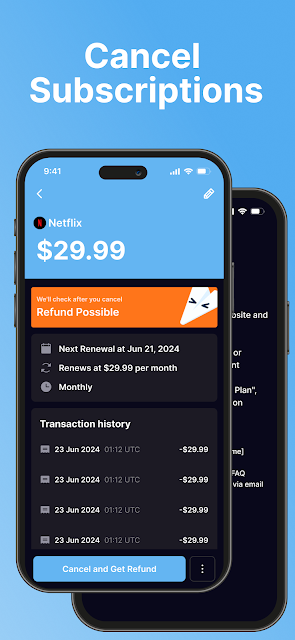
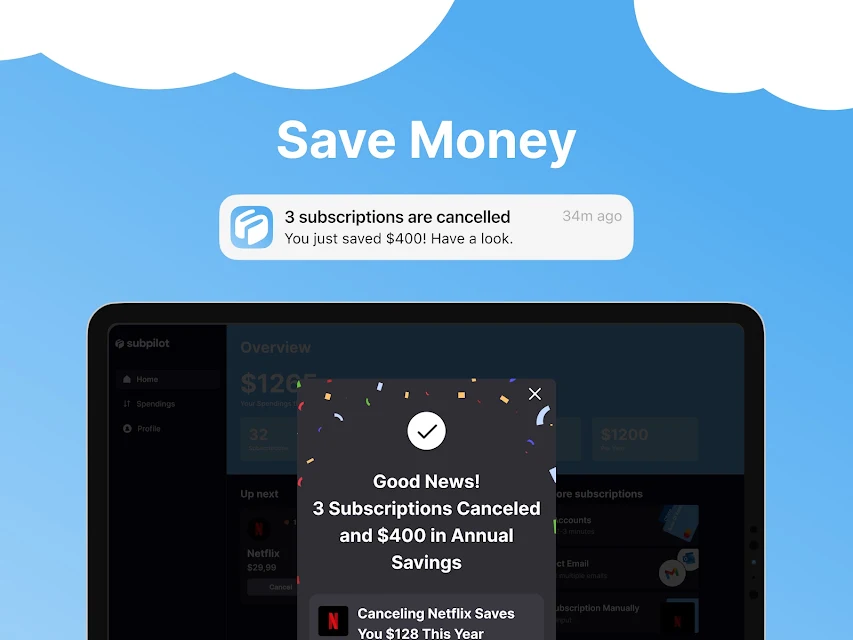
The standout feature is step-by-step cancellation guidance for more than 500 popular services. That is a practical companion to tracking: once I identify a subscription I no longer want, I can look for instructions rather than starting with a broad web search. The guide does not remove the need to follow the service’s own process, but it can make that next task clearer.
Subpilot also describes detailed analytics about subscription habits. That fits the app’s overall emphasis on understanding recurring costs, rather than simply storing names in a list. Together, the spending overview and cancellation instructions connect the two questions I usually have: what am I paying for, and what should I look into ending?
A Monthly Check-In
I’d make Subpilot part of a brief monthly check-in rather than opening it every day. I could scan the subscriptions I’ve entered, look at the monthly and yearly totals, and ask whether each service still fits how I spend my time. If one stands out, I can consult its cancellation guide and decide whether to follow those steps.
That routine works best when updates are small and timely. After I cancel a service or start a new one, I’d revisit my records so the overview doesn’t become a picture of last season’s spending. The app can help me organize the review, while the decision and any action remain mine.
Limits to Remember
Subpilot’s usefulness relies on an accurate list, so it may not reveal subscriptions I forget to add. I’d avoid assuming the totals cover every recurring payment unless I have entered the services I want to track. For someone who wants an automatically assembled financial picture, this manual upkeep may feel like a limitation.
The cancellation feature is guidance, not an automatic cancellation service. Following the instructions still means dealing with the service involved, and the app is focused on subscriptions rather than all aspects of personal finance. Those boundaries are reasonable for a focused tracker, but they matter if you are comparing it with a full budgeting tool.
Subpilot makes a useful case for giving subscriptions their own review routine. I like the combination of monthly and yearly totals with practical cancellation instructions, especially for people juggling several services. Its approach is focused and understandable, provided you’re willing to keep your list current and handle any cancellation yourself.
I’d try it if recurring charges have become difficult to keep straight or if I want a more deliberate way to decide what stays. If you need a full budget manager or expect automatic cancellation, this is not the right fit. For a subscription-focused organizer, it offers a sensible place to start.
Subpilot Frequently Asked Questions
What is Subpilot - Cancel Subscription used for?
Subpilot helps you collect and organize subscriptions, view monthly and yearly spending totals, and find step-by-step cancellation guidance for popular services. It is designed to make recurring costs easier to review. You still need to keep the subscription list relevant and follow the service’s cancellation process yourself.
Which devices can run Subpilot - Cancel Subscription?
Subpilot - Cancel Subscription is listed on Google Play for Android. The supplied app details do not give a minimum Android version, so compatibility can vary by device and operating system. Check the Google Play page from the device you plan to use for its current requirements.
What Android version does Subpilot - Cancel Subscription require?
The minimum Android version is not included in the available app details. Requirements can vary as the app is updated, so check the Google Play page for Subpilot - Cancel Subscription before installing it on a particular device.
Does Subpilot - Cancel Subscription cost money?
The app is free to install and offers in-app purchases listed at $4.99 to $99.99 per item. The available details do not explain which features or purchase options correspond to each price, so check the Google Play page for current purchase information.
Who is Subpilot - Cancel Subscription best for?
It may suit people who want to gather several recurring subscriptions, see their monthly and yearly totals, and look up cancellation steps. It may be less useful if you track subscriptions elsewhere or want a full budget manager. The app provides guidance rather than canceling services for you.
Pros
- Collects subscription entries in one place for easier review.
- Shows monthly and yearly spending totals at a glance.
- Includes cancellation instructions for more than 500 popular services.
- Free to install and rated Everyone on Google Play.
Cons
- The overview depends on keeping your subscription list up to date.
- Cancellation guidance does not cancel services on your behalf.
- Its focused subscription tools are not a complete budgeting system.
- Category
- Finance
- Version
- 1.25.13











