Step Counter - Pedometer
- 1.64M
- 4.9
- Installs
- 100.00M
- Price
- Free

Screenshots
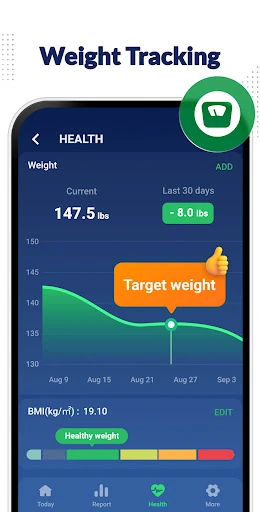
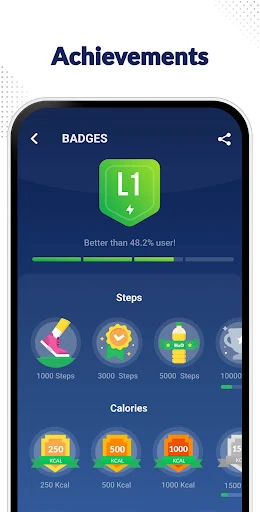
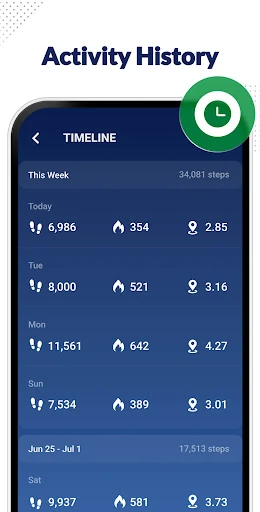
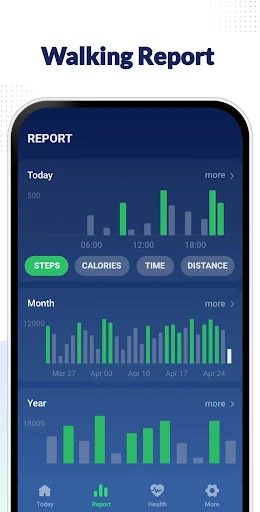
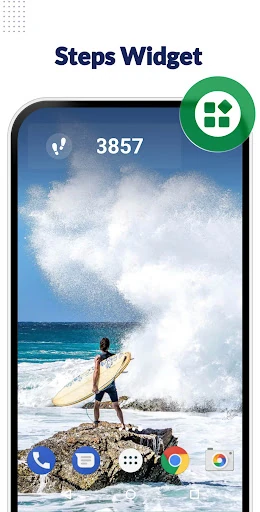
Analysis by Reviewed APKs
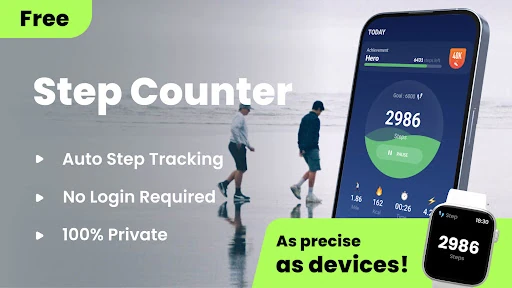
Step Counter - Pedometer is a straightforward walking tracker for people who want a running record of their steps without turning exercise into a complicated project. It uses a phone’s built-in sensor and also records estimated calories, distance, and walking time. I like the practical focus: start tracking, go about the day, and check the charts later. It suits casual walkers more than anyone looking for a full training plan.
A day measured in walks
When I first opened Step Counter - Pedometer, the appeal was easy to understand: start the counter, put the phone in a pocket, and let it keep track while the day unfolds. That makes it useful for ordinary movement, not just a deliberate workout. A walk to the bus, a few errands, or a loop around the neighborhood can all contribute to the same daily step total.
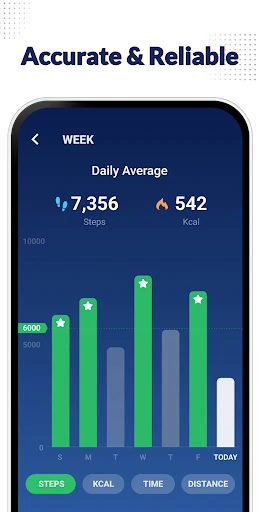
At the end of the day, I’d use the app’s graphs to look beyond the headline number. It also tracks walking distance, time, and estimated calories, so a quick check can give a broader sense of how active the day was. Weekly and monthly views help put a quiet Tuesday in context, which is more useful than judging progress from one unusually busy afternoon.
A simpler kind of fitness app
Compared with a workout planner or a broader health dashboard, this app keeps its attention on walking data. It counts steps and presents related activity figures in graphs rather than asking me to build a detailed training routine. That narrower scope is a plus if I want a low-effort record of everyday movement, or simply want to see whether I have been walking more consistently lately.
It is not a route planner, coaching program, or replacement for a complete fitness service. The description mentions compatibility with Samsung Health and Google Fit, but the core experience is still the step counter and its reports. I would choose it for lightweight tracking, not for guided workouts, social challenges, or a structured plan with scheduled targets.
Small habits that help
The best habit is to start tracking before heading out, then leave the phone somewhere it can travel with you. The app says it can count with the phone in a hand, pocket, bag, or armband, including while the screen is locked. If the numbers seem off, its settings allow adjustments to personal information and sensor sensitivity, both of which can affect the reported distance and calories.
I’d also make a point of checking the weekly graph rather than reacting to every daily fluctuation. Pausing the counter when I do not want it running can stop background statistic updates, and the app offers a reset for today’s count. For anyone who wants to keep records, its backup and restore option uses Google Drive, which can be handy when changing phones.
More From Our News Desk

Zoom Meetings, Google Meet, or Teams: Which Is Easiest to Join?

How I Build a Free Streaming Lineup With Tubi

Why Crunchyroll Is the Default Anime App for So Many Fans

YouTube TV: A Practical Guide to Cutting Cable

Rummikub and the Small Comfort of Phone Games

TeamViewer Remote Control or AnyDesk for Helping Family?
Who may enjoy the simplicity
I’d recommend Step Counter - Pedometer to casual walkers, commuters, and anyone who wants a simple way to notice everyday activity. It does not require an account according to its description, and its focus on steps, distance, time, calories, and graphs makes it approachable. The weekly and monthly reports are particularly useful if you prefer spotting broad patterns over tracking every individual walk.
It may not suit someone who expects coaching, routes, workout programs, or a highly detailed training dashboard. Step counting can also depend on the phone: the developer notes that some devices may stop counting when the screen is locked because of power-saving behavior. If locked-screen tracking is essential, I’d test it on the device before making it part of a daily routine.
Step Counter - Pedometer is a Health & Fitness app from Leap Fitness Group. On Google Play, it has over 100 million installs and a 4.9-star rating from about 1.6 million ratings. It is free to download and contains ads. Google Play also lists in-app purchases, with prices ranging from $1.99 to $119.99 per item.
The app is rated Everyone and requires Android 6.0 or later. The current version in the supplied app details is 1.6.0. It was released on July 28, 2017, and its most recent update was February 2, 2026.
What Daily Step Tracking Feels Like
A quick start
The first impression is that this app is built to get out of the way. Its basic instruction is simple: tap the start button, then carry the phone as usual. That suits the sort of tracking I want on an ordinary day, when stopping to configure a workout would feel like more effort than the walk itself.
There are a couple of settings worth visiting before relying on its estimates. The app asks users to enter correct personal information because it uses that information when calculating distance and calories. Sensitivity can also be adjusted to help the pedometer count more accurately. These controls are practical, though they mean the initial numbers may benefit from a little setup.
The everyday counter
Once tracking is underway, the main appeal is the quiet accumulation of movement. I can imagine starting it before a commute, leaving the phone in a pocket, and checking the total when I get home. The app says it can continue counting with the screen locked, although device power management can interfere on some phones.
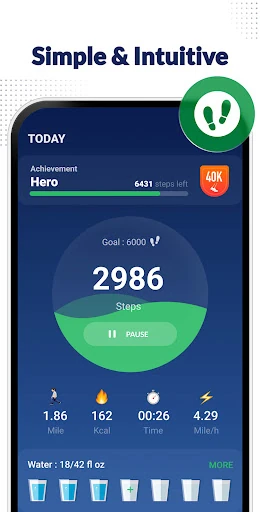
Step totals are only one part of the record. Walking distance, time, and estimated calories give the day a little more context, while graphs display the information in a format intended for a phone screen. I would treat those figures as estimates for personal awareness, rather than as exact measurements or a substitute for a dedicated training assessment.
Reports beyond today
The reporting views are a standout for a small pedometer. The app provides graphs for the last 24 hours, the week, and the month, so I can move from a quick daily glance to a longer view of my walking habits. That makes it easier to notice whether a routine is becoming more consistent without having to remember each day’s number.
There are also start, pause, and reset controls. Pausing can stop background statistic updates when I do not want the counter running, while resetting lets me begin the current day’s count again. The description also includes backup and restore through Google Drive, plus syncing with Samsung Health and Google Fit, giving the walking record ways to fit into a broader setup.
A low-effort routine
A realistic routine would be to start the counter in the morning, carry the phone through normal activities, and check the daily graph in the evening. I would use the weekly view once or twice a week to see whether errands, commutes, and intentional walks are adding up. This keeps the app useful without turning step tracking into another task that demands constant attention.
For someone who wants a record they can keep, the backup and restore feature may be worth setting up. I would also check how the phone handles locked-screen tracking during a regular walk, rather than assuming every device behaves the same way. If the count looks inconsistent, adjusting sensitivity is a more sensible first step than treating every reading as definitive.
Keep the limits in view
The biggest practical caveat is device behavior. The developer warns that some phones may stop counting steps when the screen is locked because of power-saving processing, and older device versions may have the same limitation. That does not make the app useless, but it can affect the hands-off experience that makes a pedometer appealing in the first place.
There are also ads and in-app purchases, so the app is not entirely free of commercial elements even though its description says the features are available without payment. Its scope is intentionally narrow, too: it tracks walking activity and presents reports, rather than offering a comprehensive exercise program. That is a sensible trade-off if basic step records are all I need.
Step Counter - Pedometer works best as a simple companion for noticing how much walking fits into an ordinary day. Its step count, related activity estimates, and short- and longer-term graphs cover the basics without requiring an elaborate routine. The Google Drive backup and health-service syncing options add useful flexibility for people who want to keep their activity data connected.
I’d recommend it to casual walkers who want an uncomplicated counter and are willing to check that their phone tracks reliably with the screen locked. I would look elsewhere for coaching, route planning, or a full workout system. If a lightweight walking record is the goal, this app offers a focused place to start.
Step Counter Frequently Asked Questions
What is Step Counter - Pedometer used for?
Step Counter - Pedometer tracks steps using a phone’s built-in sensor and also records walking distance, time, and estimated calories. Its graphs cover the last 24 hours, the week, and the month. It is mainly for keeping an eye on everyday walking, rather than following a guided workout or training plan.
Which phones can run Step Counter - Pedometer?
Step Counter - Pedometer is an Android app and requires Android 6.0 or later. The developer says it can track with the phone in a hand, pocket, bag, or armband, including with the screen locked. Phone power-saving behavior can affect locked-screen tracking, so results may vary by device.
Does Step Counter - Pedometer cost money?
The app is free to download and contains ads. Google Play also lists in-app purchases priced from $1.99 to $119.99 per item. The app description says its features are available without payment; for current purchase details and availability, check the Google Play listing.
Does Step Counter - Pedometer need an account?
The app description says no sign-in is required. It also describes a Google Drive backup and restore option, as well as syncing with Samsung Health and Google Fit. The exact setup and availability of these connections may vary, so check the app and its Google Play details for current information.
Is Step Counter - Pedometer a good fit for beginners?
It can suit beginners who want to count everyday steps and review simple activity graphs without a complicated training setup. It may be less suitable for people who want coaching, route planning, or structured workouts. Since some phones may stop counting when locked, it is worth testing the app on your device.
Pros
- Tracks steps, distance, time, and estimated calories in one focused app.
- Offers graphs for the past 24 hours, weekly activity, and monthly activity.
- Includes pause, reset, backup, and restore options for practical day-to-day use.
- Can track with the phone in several common carrying positions.
Cons
- Some devices may stop counting steps while the screen is locked.
- Ads and in-app purchases are part of the app experience.
- Its focused walking tools may feel limited beside full fitness platforms.
- Category
- Health & Fitness
- Version
- 1.6.0