Home Workout - No Equipment
- 3.83M
- 4.9
- Installs
- 100.00M
- Price
- Free

Screenshots

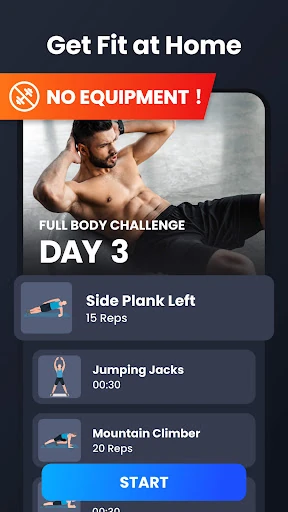
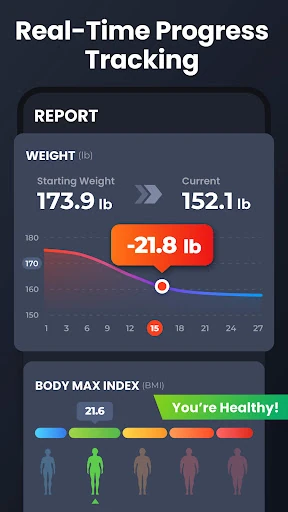
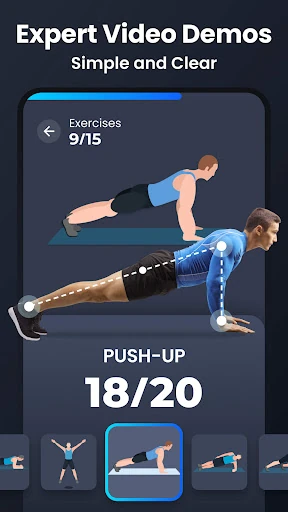
Analysis by Reviewed APKs
Home Workout - No Equipment is a bodyweight fitness app for people who want guided routines without going to a gym or buying gear. I found its appeal in the low barrier to starting: you can choose a muscle group, follow exercise guidance, and fit a short session into a day at home. It is a practical routine builder, though it is not a substitute for personal coaching.
A workout between errands
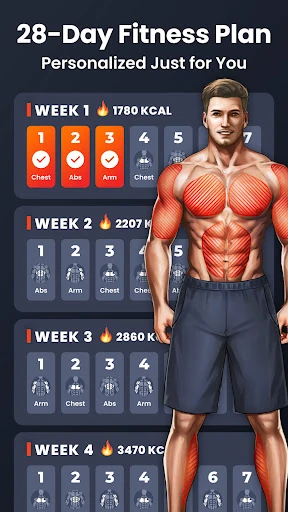
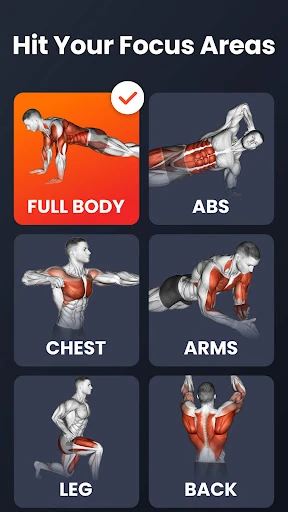
When I first opened Home Workout, I pictured the kind of day when a gym trip feels like too much: work is done, dinner is still ahead, and there is a small patch of floor available. The app offers routines for areas including abs, chest, legs, arms, and butt, plus full-body workouts. That makes it easier to pick a focus and get moving without first assembling equipment.
A session can draw on familiar bodyweight moves such as squats, push-ups, lunges, planks, and jumping jacks. Warm-up and stretching routines are included, and exercise animations and video guidance show how movements are performed. I like having that visual reference when I am trying to remember the shape of a move, rather than relying on a list of exercise names and guessing.
At home, not the gym
The obvious alternative is a gym routine, where equipment and in-person guidance may be part of the experience. This app takes the opposite route: its described workouts use body weight and are meant to be done at home. For someone who wants a simple prompt to exercise in a living room or spare corner, that focus is useful. There is no need to plan around a gym visit or equipment setup.
I would not treat it as a complete replacement for a coach or a tailored training relationship. Its core job is guiding home workouts, not offering live feedback from a person or arranging a gym program. It also is not a general-purpose health tracker based on the available features. If what you want is straightforward exercise guidance and a way to follow routines, it is closer to the mark.
Build a small routine
A useful way to approach the app is to decide when a short workout can realistically happen, then use the routine that fits that moment. I would keep the phone where I can see the exercise guidance, clear enough floor space, and make the warm-up part of the session rather than jumping straight into the main movements. That little bit of preparation makes a home routine feel more intentional.
The app can automatically record training progress, track weight trends in a chart, and let you customize workout reminders. I would use those tools as light prompts: a reminder to return to the habit, and a progress view to notice whether I have been consistent. They are most helpful when checked occasionally, rather than turning each workout into a measurement exercise.
More From Our News Desk

Zoom Meetings, Google Meet, or Teams: Which Is Easiest to Join?

How I Build a Free Streaming Lineup With Tubi

Why Crunchyroll Is the Default Anime App for So Many Fans

YouTube TV: A Practical Guide to Cutting Cable

Rummikub and the Small Comfort of Phone Games

TeamViewer Remote Control or AnyDesk for Helping Family?
Who may enjoy it
I would recommend Home Workout to people who want a guided, equipment-free way to exercise at home and appreciate having several muscle-group routines to choose from. It can also suit someone who finds it easier to follow visual demonstrations than to invent a workout on the spot. The combination of exercise guidance, warm-ups, and reminders gives a basic home routine some structure without requiring a gym schedule.
It may be less suitable for people who want hands-on coaching, specialized equipment programming, or a carefully individualized plan. The app's focus is bodyweight exercise, and its progress tools are not a substitute for professional assessment. If you already have a routine you like and need only a detailed training log, its guided workout emphasis may feel unnecessary. I see it as a convenient starting point, not a universal fitness solution.
Home Workout - No Equipment is a Health & Fitness app from Leap Fitness Group. It is free to download on Google Play and has over 100 million installs. Its Google Play rating is 4.9 out of 5, based on around 3.8 million ratings. The content rating is Everyone, and the minimum Android requirement is Android 6.0.
The app contains ads and offers in-app purchases. Listed in-app product prices range from $2.99 to $69.99 per item. The current version is 1.6.3. It was released on November 8, 2017, and its most recent update date is February 7, 2026.
How the Home Routine Comes Together
A clear first impression
When I first opened the app, the main idea was easy to grasp: choose a routine, follow the exercises, and work out without equipment. That simplicity matters because deciding what to do can be a hurdle in itself. The range of muscle-group options gives the experience a practical starting point, whether I want to focus on one area or choose a full-body session.
Getting ready is mostly about making a little space and having the phone visible. The app's exercise animations and video guidance provide a reference while moving, and the warm-up routines offer a way to begin more deliberately. I appreciate that this setup stays close to the central promise: a home workout built around body weight, rather than a complicated equipment checklist.
Following the routine
Day to day, the app's value is in reducing the small decisions that can derail a workout. Instead of wondering which exercises to string together, I can start with a routine aimed at abs, legs, arms, chest, butt, or the whole body. The exercise demonstrations help make the sequence more approachable, particularly when a move is familiar by name but less familiar in execution.
I would still treat the guidance as a prompt to pay attention to how each movement feels. A video or animation can show a position, but it cannot provide the same individual feedback as a person watching in real time. For everyday home exercise, though, visual guidance can be a useful companion and helps the app feel more supportive than a plain checklist.
Useful built-in touches
The warm-up and stretching routines stand out because they give the workout a beginning and an end beyond the main exercises. That is a small design choice, but it helps the experience feel like a complete routine rather than a pile of movements. I also like that exercise guidance is available visually, which can be easier to follow than written descriptions alone.
Progress recording, a chart for weight trends, and customizable reminders add a second layer for people who want some continuity between sessions. These are practical tools, not a reason to fixate on numbers. The app also supports sharing with friends on social media. I would see that as optional; the core experience remains choosing and following bodyweight workouts.
A realistic weekly rhythm
A routine I can imagine sticking with is choosing a few realistic moments during the week, rather than promising myself a long session every day. On a busy evening, I could pick a muscle-group workout, clear the floor, follow the warm-up, and use the guidance for the exercises. On another day, a full-body routine could be a change of emphasis without requiring a different setup.
I would leave reminders on only if they fit my schedule, then use the automatic training record to look back on whether I have been returning to the habit. The weight-trend chart can be checked when useful, but it need not define whether a session was worthwhile. That kind of low-pressure workflow suits an app whose main advantage is making exercise at home easy to start.
Keep the limits in view
The no-equipment focus is convenient, but it also defines the kind of training the app is built around. People looking for routines organized around gym machines or weights may need a different tool. Likewise, visual exercise guidance is not the same as personalized, real-time correction. The app can show how to perform a move, but users still have to pay attention to their own movement and comfort.
There are also practical trade-offs in a free app that contains ads and offers in-app purchases. The available facts do not establish which paid options apply to a particular user or what they unlock, so I would check the Google Play store for current details before buying. Overall, I see the app as a useful source of structure, with clear boundaries around what home workout guidance can do.
Home Workout - No Equipment makes the basics of a home exercise session approachable: choose a target, follow bodyweight movements, and use visual guidance to stay oriented. I especially like that warm-ups, reminders, and progress recording support the routine without changing its simple focus.
I would recommend it to anyone who wants guided workouts at home and is comfortable exercising without equipment. People seeking live coaching or specialized gym programming should look elsewhere. For a practical nudge to move in a small space, this app has a clear purpose and a sensible set of tools.
Home Workout Frequently Asked Questions
What is Home Workout - No Equipment used for?
Home Workout - No Equipment provides daily bodyweight workout routines for areas including abs, chest, legs, arms, and butt, as well as full-body sessions. It includes warm-up and stretching routines and visual exercise guidance. The app also records training progress, charts weight trends, and offers customizable workout reminders.
Which phones can run Home Workout - No Equipment?
The app is available for Android through Google Play and requires Android 6.0 or later. The supplied platform information covers Android, so check the store listing for current device compatibility and availability before installing.
Is Home Workout - No Equipment free?
It is free to download, but it contains ads and offers in-app purchases. Listed in-app product prices range from $2.99 to $69.99 per item. Prices and purchase details can vary, so check Google Play for the current options before making a purchase.
Does Home Workout - No Equipment require equipment?
The workouts are designed to use body weight and do not require equipment. The app provides routines for several muscle groups and full-body workouts, along with warm-ups and exercise animations or video guidance. You will still need enough clear space to perform the movements comfortably.
Who should try Home Workout - No Equipment?
It may suit people looking for guided home workouts without equipment, especially those who want exercise demonstrations and reminders. It may not suit someone seeking live coaching or routines centered on gym equipment. The app's Google Play content rating is Everyone; individual needs and compatibility can vary.
Pros
- Bodyweight routines cover several muscle groups as well as full-body workouts.
- Exercise animations and video guidance make movements easier to follow.
- Warm-ups, stretching, reminders, and progress recording support a repeatable routine.
- No workout equipment is needed for the described exercises.
Cons
- The bodyweight focus may not fit people seeking gym-equipment routines.
- Visual guidance cannot provide personalized, real-time coaching or correction.
- The free app contains ads and offers in-app purchases.
- Category
- Health & Fitness
- Version
- 1.6.3