Sleep Sounds - Relax Music
- 114.41K
- 4.7
- Installs
- 5.00M
- Price
- Free
Screenshots
Analysis by Reviewed APKs
Sleep Sounds - Relax Music gives me a way to put rain, white noise, nature sounds, or gentle music behind a quiet evening. I can play a single sound or mix several, then set a timer so the audio stops later. It suits people who like a steady backdrop for bedtime, meditation, or a short break. My take: the controls are practical, provided you expect an audio tool rather than a sleep cure.
A quieter end to a noisy day
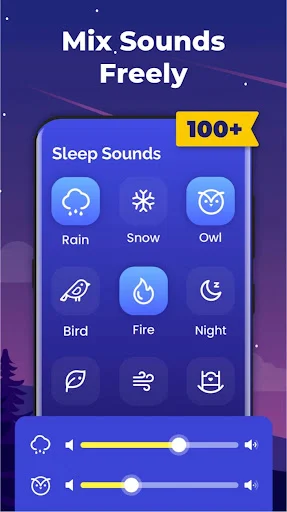
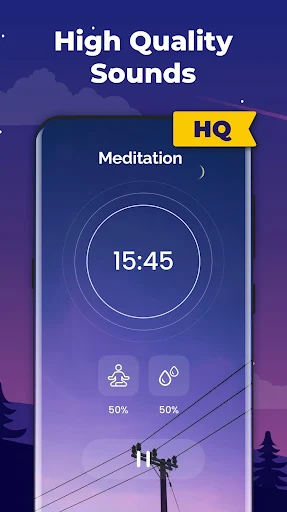
On a night when the sounds outside my window keep grabbing my attention, I want something more consistent to listen to. Sleep Sounds - Relax Music lets me start with rain or white noise and adjust from there. I can put a little wind under the rain, lower whichever sound feels too prominent, and leave the mix playing while I get ready for bed. That is a more personal approach than accepting one fixed recording.
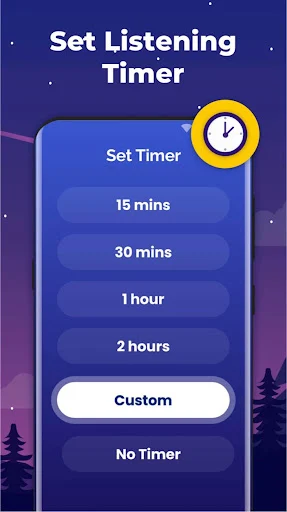
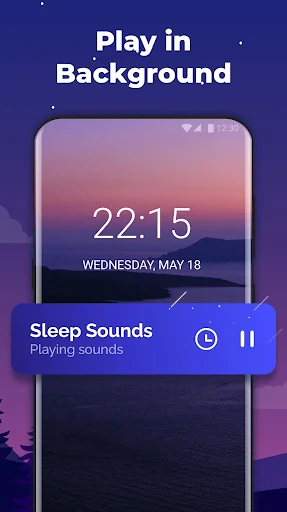
The sleep timer is the part I appreciate once I'm actually lying down. I can schedule the sound to stop instead of deciding whether to leave it running all night. Background playback also means the audio is not tied to keeping the app in front of me. Neither feature makes a noisy room disappear, but together they take two small decisions out of a routine that should feel simple.
Where sound mixes fit best
If I just need a quick wash of sound, a single white noise track could do the job. This app makes more sense when I want to combine options, such as rain and fire, and set each one's volume separately. A standard music playlist gives me songs in sequence; here I'm shaping a continuous backdrop. It is not a sleep tracker, a meditation instructor, or a treatment for insomnia or tinnitus.
That distinction matters when deciding whether to keep it on my phone. I would reach for it when ordinary room noise feels distracting or when silence makes it harder to settle into reading or meditation. I would not expect it to explain why I sleep badly, measure improvement, or replace help for a persistent health concern. Its job is narrower and more useful for being clear: it plays adjustable sounds.
Small habits that make it easier
I get more out of the app by choosing a starting sound before I'm tired enough to resent making choices. One evening, I tried a water sound on its own, then added a quieter nature sound to see whether the combination felt less repetitive. Changing one level at a time helped me notice what I actually liked. With more than 30 sounds available, a little restraint can be more relaxing than trying everything at once.
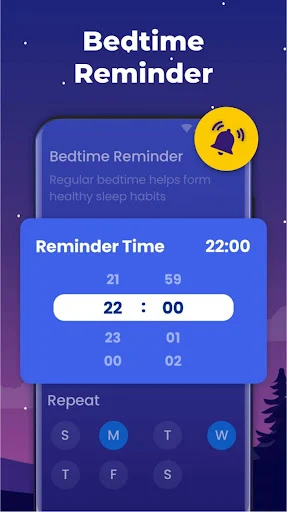
The customizable bedtime reminder is useful as a cue to start winding down, not as a rule I have to follow perfectly. I pair that cue with setting a sleep timer, then keep the mix at a comfortable level. For a daytime break, I would choose a shorter timer and a different combination. Having those two uses in mind makes the controls feel purposeful rather than like another bedtime project.
More From Our News Desk

Zoom Meetings, Google Meet, or Teams: Which Is Easiest to Join?

How I Build a Free Streaming Lineup With Tubi

Why Crunchyroll Is the Default Anime App for So Many Fans

YouTube TV: A Practical Guide to Cutting Cable

Rummikub and the Small Comfort of Phone Games

TeamViewer Remote Control or AnyDesk for Helping Family?
Who might enjoy listening
I would recommend Sleep Sounds - Relax Music to someone who already likes falling asleep to rain, waves, or white noise but wants more control than a single recording provides. It also makes sense for a person who wants background audio during meditation, a nap, or a focused stretch of work. The ability to mix sounds and adjust their separate volumes is the main reason I would pick it over a basic audio track.
It may be less appealing if you want spoken guidance, sleep measurements, or a completely ad-free free app. The app contains ads and offers in-app purchases, so those details are worth weighing against the simple sound controls. I would also be careful about treating it as an answer to insomnia, anxiety, or tinnitus. Sound can be part of a comfortable routine without being a substitute for appropriate care.
Sleep Sounds - Relax Music is a Health & Fitness app from Leap Fitness Group. On Google Play, it has over 5 million installs and a 4.7-star rating from around 114,000 ratings. That is a substantial amount of user feedback, though my own decision would still come down to whether I like the available sounds and the way they fit my routine.
The app is free to download, contains ads, and offers in-app purchases priced at $3.99 to $9.99 per item. Its content rating is Everyone. The current version in the supplied app details is 1.1.4. It was released on May 16, 2018, and last updated on October 16, 2026. Those practical details are useful to check alongside the sound features before installing.
Living with a customizable bedtime soundtrack
Starting with one sound
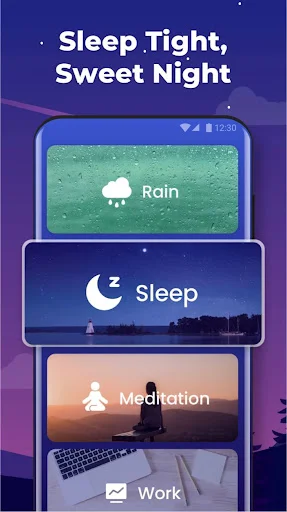
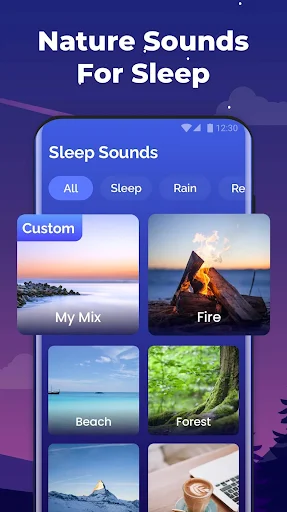
When I first approached Sleep Sounds - Relax Music, the most sensible starting point was not a complicated mix. I picked the kind of sound I would normally look for at bedtime and listened before adding anything else. The app's range covers nature sounds, water sounds, white noise, and relaxing music, so there is room to explore without assuming that every option will suit the same mood.
The setup decisions that matter to me are modest: what to play, how loud to make each part of a mix, and whether to set a timer. I like that I can make those decisions around an ordinary evening rather than commit to a structured program. I would still spend a few minutes trying different combinations before relying on one at bedtime; a sound that seems pleasant during the day may feel busy in a quiet room.
How it settles into a routine
Day to day, I see this as a background app. I can start audio while I read, leave it playing in the background, and let the timer handle the stopping point. That removes the awkward moment of reaching for my phone just as I begin to relax. The mix controls remain useful, but I do not need to fiddle with them every night if a simple combination already feels right.
What surprised me was how much a small volume change can alter the character of a mix. Rain can take the lead while wind sits underneath, or the balance can shift the other way. I would rather make those adjustments while I'm still awake than keep experimenting after lights-out. For me, the appeal is having control when I want it and then being able to leave the audio alone.
Mixing beyond plain white noise
The more distinctive feature is the ability to build a soundscape from separate sounds instead of choosing only one. The selection includes examples such as birds, fire, wind, snow, rivers, storms, and waves, alongside white noise and relaxing melodies. I can use one sound as the base and add another at a lower volume. It is a straightforward idea, but it gives me more flexibility than a fixed track.
I also like that the app does not require a network connection for its sound features. That matters on a trip or in a room where I do not want to think about connectivity before bed. The bedtime reminder serves a different purpose: it nudges me toward starting the routine at all. Neither feature changes the sounds themselves, but both make the app easier to fit into real life.
A break that is not bedtime
I spent an evening thinking about how I would use the app outside a full night's sleep. For a short rest, I would choose a calm water sound, set the timer, and avoid building an elaborate mix. For meditation, I would keep the audio low enough to sit behind the activity. Those uses call for different choices, even though the same sound library and timer do the work.
The app also suggests sounds for concentration and white noise for baby sleep. I would treat those as options to try rather than outcomes to expect. A sound that helps me focus might distract someone else, and a baby may respond differently from one day to the next. The practical advantage is being able to switch among sound types and adjust a mix without changing apps.
Limits to keep in mind
The biggest limitation is one of expectations. Sleep Sounds - Relax Music can provide audio that may make a space feel more comfortable, but it cannot control traffic outside, another person's snoring, or the reasons I might be awake. I would not judge it by whether it solves a difficult night. I would judge it by whether the sounds are pleasant and the timer and mixing controls are easy to use.
The other trade-off is the free app model. Ads are present, and in-app purchases are offered, so I would look at those terms before settling into regular use. I would also resist mixing too many sounds simply because the option exists. If I keep the setup restrained, the app serves its purpose better: a predictable backdrop that asks for very little attention once it starts.
Sleep Sounds - Relax Music works best for me as a small piece of an evening routine, not a promise of better sleep. Its mix controls, background playback, timer, and reminder cover the practical things I want from a sound app. I especially appreciate being able to choose a familiar backdrop and stop tinkering once it feels comfortable.
I recommend trying it if rain, white noise, or nature sounds already appeal to you and you want to adjust the balance yourself. If you are looking for guided sessions, sleep analysis, or help with an ongoing health issue, I would look elsewhere for that specific need. For customizable background audio, this is a sensible option to consider.
Sleep Sounds Frequently Asked Questions
What is Sleep Sounds - Relax Music used for?
Sleep Sounds - Relax Music plays relaxing audio for bedtime, naps, meditation, and other quiet moments. It includes nature and water sounds, white noise, and relaxing music. You can combine sounds into a mix and adjust each sound's volume. I would use it to make a comfortable audio backdrop, rather than expect it to diagnose or treat a sleep problem.
What devices can run Sleep Sounds - Relax Music?
Sleep Sounds - Relax Music is available on Google Play for Android devices. Its background playback and lack of a network requirement can be useful when you want to listen without keeping the app on screen or relying on a connection. For compatibility with your particular phone or tablet, I would check its Google Play page before downloading.
What Android version does Sleep Sounds - Relax Music require?
The minimum Android version can vary with the app's current availability and your device, so I would check the requirements shown on Google Play for your phone. That is more reliable than guessing from the app's features. The app details provided here identify version 1.1.4, but that app version is not the same thing as an Android requirement.
Is Sleep Sounds - Relax Music free?
Sleep Sounds - Relax Music is free to download on Google Play. It contains ads and offers in-app purchases priced at $3.99 to $9.99 per item. I would check the purchase details in the store if cost matters to you, then decide whether the free experience meets your needs before spending anything.
Who is Sleep Sounds - Relax Music best for?
I think Sleep Sounds - Relax Music best suits someone who wants to choose rain, nature sounds, white noise, or relaxing music and adjust a personal mix. The bedtime reminder, sleep timer, and background playback also suit a simple nightly routine. If you want spoken instruction or sleep tracking, this app's described focus is sound playback instead.
Pros
- Separate volume controls make mixed soundscapes more personal than a single recording.
- Sleep timer and background playback fit naturally into a bedtime routine.
- Nature sounds, water sounds, white noise, and music offer useful variety.
- No network connection is required for the sound features.
Cons
- The free app contains ads and offers in-app purchases.
- Sound playback is not a substitute for sleep tracking or guided instruction.
- Experimenting with too many sounds can complicate an otherwise simple routine.
- Category
- Health & Fitness
- Version
- 1.1.4