Calm - Sleep, Meditate, Relax
- 617.08K
- 4.5
- Installs
- 50.00M
- Price
- Free

Screenshots
Analysis by Reviewed APKs
Calm is a sleep and mindfulness app for people who want guided meditation, breathing exercises, relaxing audio, or a gentler way to wind down at night. It suits beginners as well as people who already have a meditation routine. After spending time with its mix of short exercises and bedtime content, my take is that Calm is flexible and inviting, though its broad library can make choosing a starting point harder than it needs to be.
A quieter end to the day
When I first opened Calm, I imagined using it at the end of a busy day: put the phone down, choose a Sleep Story, and let a narrated tale replace one more round of scrolling. The app also offers sleep sounds and music, so the same bedtime routine can be quiet narration one night and rain or ocean waves the next. That choice makes the app feel useful even when I don't want to follow instructions.
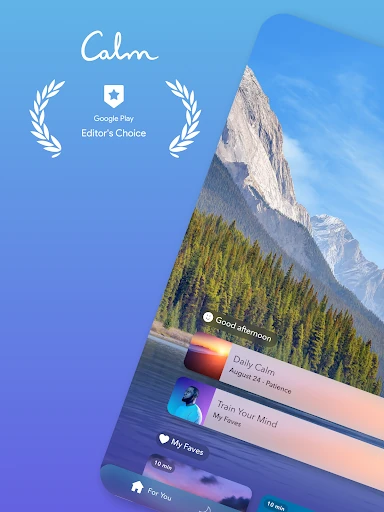
On a more hectic afternoon, I could see myself opening a short breathing exercise instead of waiting for a perfect block of free time. Calm describes sessions for people with as little as three minutes, alongside longer options. Guided meditations and breathwork give the experience a clear starting point when my attention is scattered. It is less about building an elaborate ritual and more about having a few ways to pause.
A library, not a clinical tool
Compared with a standalone sleep-sound player, Calm covers more ground: guided meditation, breathing exercises, mindfulness programs, sleep music, soundscapes, and Sleep Stories all sit under one umbrella. That breadth is helpful when my needs change from night to night. Instead of keeping separate apps for a bedtime story and a short mindfulness session, I can look for both in the same place.
Calm is not a substitute for professional mental health care, and I wouldn't treat an app as a fix for persistent anxiety or sleep problems. Its role is more modest: guided relaxation and mindfulness content for everyday use. If I only wanted a single looping sound, the larger library might feel like more choice than I need. But for people who like options, its range is the point.
Make the choice easier
A small habit that helps is deciding what I want before browsing: sleep, a breathing pause, focus, or a guided meditation. Calm's library spans all of those uses, and picking a purpose first keeps the choice from turning into an aimless tour. On nights when I already know I want a story, going straight to that kind of content makes the app feel more like part of a routine than another feed to explore.
I would also keep a few reliable options in mind rather than expecting to sample everything. Calm includes daily content, mindfulness programs, and sessions organized around topics such as focus, stress, and self-care. Returning to one familiar exercise can be easier than choosing a new one whenever I feel distracted. The app also describes Daily Streaks and Mindful Minutes, which may suit people who like to notice their use over time.
More From Our News Desk

Zoom Meetings, Google Meet, or Teams: Which Is Easiest to Join?

How I Build a Free Streaming Lineup With Tubi

Why Crunchyroll Is the Default Anime App for So Many Fans

YouTube TV: A Practical Guide to Cutting Cable

Rummikub and the Small Comfort of Phone Games

TeamViewer Remote Control or AnyDesk for Helping Family?
Who may enjoy Calm
I'd recommend Calm to someone who wants guided audio for a more deliberate bedtime or a short mindfulness break during the day. Beginners have guided sessions to start with, while more experienced meditators can look through a broader range of topics and programs. It also suits people who prefer listening to a narrator or soundscape rather than trying to create a quiet moment without any structure.
It may be less appealing if you want a very small, single-purpose tool or dislike choosing among lots of content. Some programs and features require an optional paid subscription, so the free experience may not include everything a particular user hopes to try. And while Calm can support everyday relaxation habits, anyone looking for personalized clinical care will need something beyond a general meditation and sleep app.
Calm is developed by Calm.com, Inc. On Google Play, it has over 50 million installs and a 4.5-star rating from about 617,000 ratings. The app is free to download, contains no ads, and offers optional in-app purchases. Google Play lists those purchases at $0.99 to $399.99 per item, so the price depends on what you choose.
Google Play gives Calm an Everyone content rating. Its Android version varies by device, as does the app version. The store records its release date as July 30, 2014, and its latest update as October 23, 2026. Calm also describes a Wear OS app, including tiles for quick-starting breathing exercises.
How Calm Fits Into Real Routines
A welcoming first look
My first impression is of an app designed to make several kinds of relaxation content feel accessible in one place. Calm is not limited to meditation: its description also covers sleep stories, breathing, music, sounds, and mindfulness programs. That range is appealing, but it can also make the first decision feel bigger than expected. I found it easier to think about the moment I wanted help with than to browse without a goal.
There is no need to arrive as an experienced meditator. Calm describes guided sessions for beginners and more advanced practice, which gives newcomers a way to start without needing to invent their own routine. I would begin with one short session or a bedtime option rather than treating the whole library as homework. A small first step seems more realistic than trying to explore every category at once.
Day-to-day flexibility
The everyday appeal is that Calm can serve different moments without asking me to use it in one fixed way. A breathing exercise can suit a quick pause; a guided meditation can be a more focused practice; and sleep sounds or a story can take over at bedtime. That variety helps a routine adapt to the day instead of making the app useful only when I have a long stretch of quiet.
I would still be intentional about when I reach for it. Calm's content is made for listening and mindfulness, so it fits best when I can give the audio some attention, even if only briefly. If I'm busy doing something that competes with listening, the session may not feel like a meaningful pause. The app offers options for different amounts of time, but a little space to engage still matters.
Stories and soundscapes
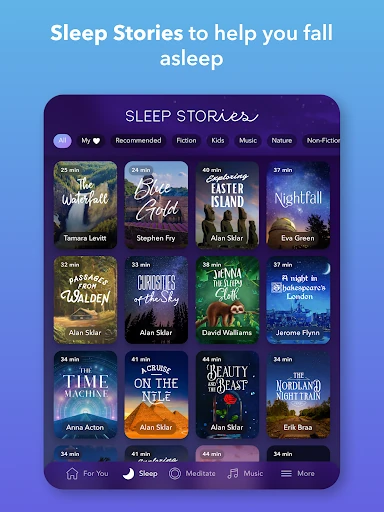
Sleep Stories are one of Calm's most distinctive draws. The app describes bedtime stories for adults narrated by familiar voices, alongside a library of exclusive stories. That gives bedtime listening a different feel from simply replaying a nature sound. For someone who finds a spoken narrative more absorbing than silence, stories could become the part of Calm that makes a wind-down routine easier to repeat.
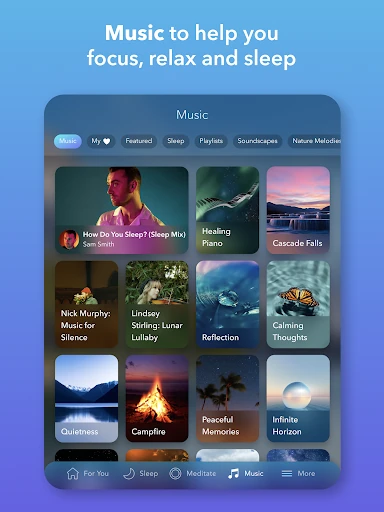
The audio choices go beyond narration. Calm includes nature sounds such as rain and ocean waves, plus calming music and soundscapes for sleep or focus. I like that this lets me choose between something with a voice and something more atmospheric, depending on how much input I want. The description also says focus and sleep music is updated weekly, so the listening side is not presented as a fixed collection.
A simple weekly rhythm
A practical way I would use Calm is to give it two jobs: one brief daytime pause and one bedtime option. During the day, I could choose a breathing exercise or guided session when I notice my attention slipping. At night, I could switch to a Sleep Story or soundscape. Keeping those choices tied to familiar moments makes it easier to open the app with a purpose rather than wandering around its different offerings.
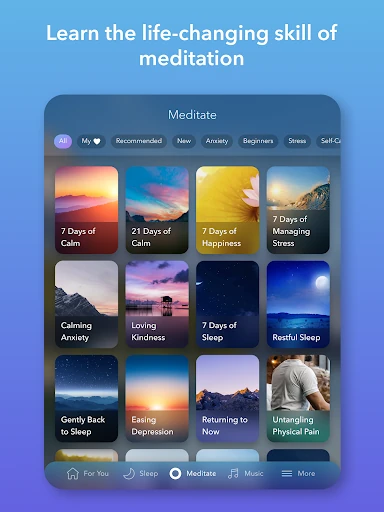
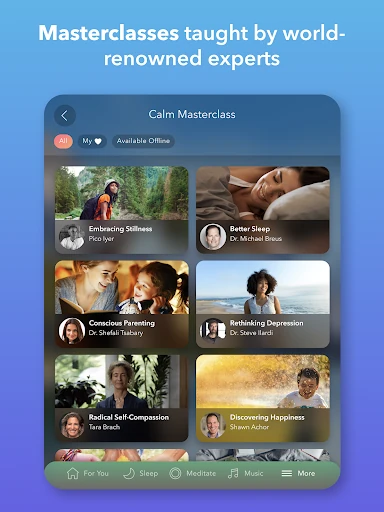
For a more structured habit, Calm describes seven- and 21-day mindfulness programs, as well as daily content such as Daily Calm and Daily Jay. Those formats may suit someone who appreciates a sequence rather than picking a standalone session every time. I would choose one program or recurring feature to try at a time. That keeps a routine manageable and makes it easier to tell whether the format fits.
Keep expectations grounded
The main trade-off is choice. Calm brings sleep content, meditation, breathing, movement, music, and programs together, but a large range can make browsing feel like its own activity. If I open the app while tired and indecisive, I may spend longer choosing than I planned. Knowing in advance whether I want a story, a sound, or a guided exercise helps keep that friction small.
Another limit is that some content is behind an optional paid subscription. Calm is free to download and use, and its description says some programs and features remain free, but access is not necessarily the same across the entire library. I'd try the available free content first and check the store for current purchase details before deciding whether a subscription makes sense for my routine.
Finally, Calm is a general-purpose wellness app, not a personalized service. Its guided content can support relaxation and mindfulness, but it cannot know what someone needs in the way a personal conversation with a qualified professional can. I would use it for everyday habits and keep my expectations proportionate to that role.
Calm works best when I treat it as a flexible audio companion rather than a cure-all or a task to complete. Sleep Stories, breathing exercises, guided meditation, and soundscapes give it several useful entry points, and the range makes it easy to adapt a routine to the day.
I'd recommend trying Calm if you want guided help winding down or building a mindfulness habit, especially if you enjoy listening to stories and relaxing audio. If you prefer a minimal tool or need personal clinical support, it may not be the right fit. Start with one use case and see whether it earns a place in your routine.
Calm Frequently Asked Questions
What is Calm - Sleep, Meditate, Relax used for?
Calm is used for sleep and relaxation content, guided meditation, mindfulness programs, breathing exercises, and calming music or soundscapes. It also offers Sleep Stories and content on topics such as focus and stress. People can use it for a bedtime routine or a shorter pause during the day, depending on which kind of session they choose.
Can I use Calm on Android and Wear OS?
Calm is available on Google Play for Android. Its description also mentions a Wear OS app with tiles for quickly starting breathing exercises and features related to tracking meditation. Device compatibility can vary, so check the Google Play store listing for the requirements that apply to your device.
What Android version does Calm require?
The Android version requirement varies by device on Google Play. Check the store listing from the Android device you plan to use for the current compatibility details. The app version also varies with device, so there isn't one version number that applies to every installation.
Is Calm free, and does it have in-app purchases?
Calm is free to download and use, and it contains no ads. Some programs and features are free, while some content is available through an optional paid subscription. Google Play lists in-app purchases from $0.99 to $399.99 per item; check the store for current options and prices.
Who is Calm a good fit for?
Calm may suit people who want guided meditation, breathing exercises, bedtime stories, or relaxing sounds, whether they are new to meditation or already practice. It may be less suitable for someone who wants a very simple, single-purpose app or expects personalized professional care. The content is intended for everyday sleep, stress, and relaxation routines.
Pros
- Combines guided meditation, breathing exercises, sleep stories, music, and soundscapes.
- Offers options for short pauses as well as longer mindfulness programs.
- Includes guided sessions designed for beginners and more experienced meditators.
- Free to download and use, with no ads.
Cons
- The broad library can make choosing a session feel like extra work.
- Some programs and features require an optional paid subscription.
- Its general wellness content is not personalized professional care.
- Category
- Health & Fitness