Spotify: Music & Podcasts
- 34.55K
- 3.9
- Installs
- 100.00M
- Price
- Free

Screenshots
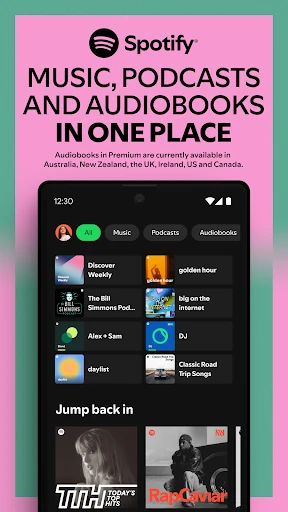
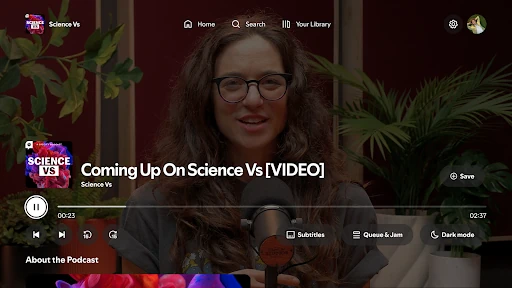

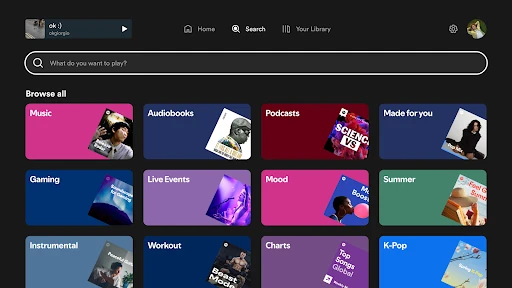
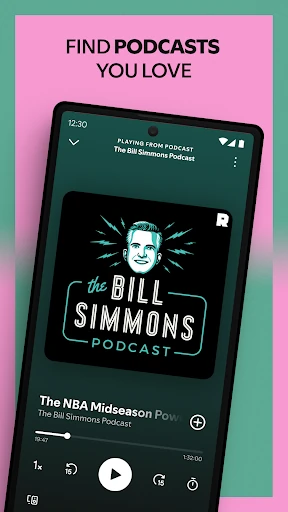
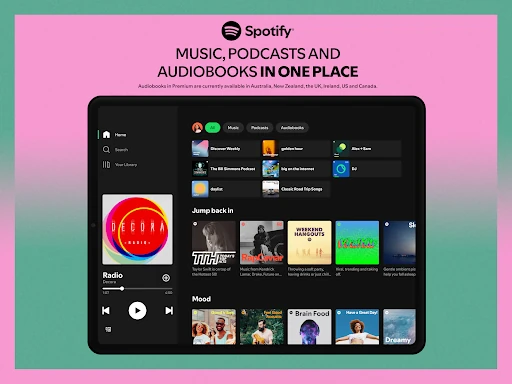
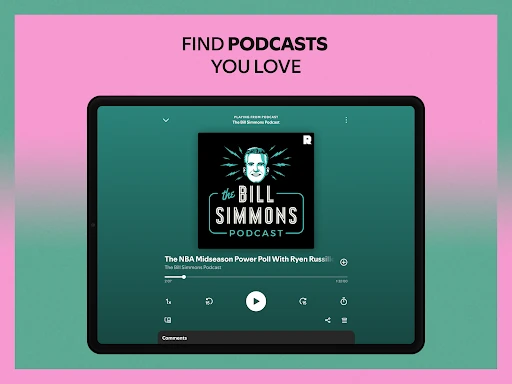
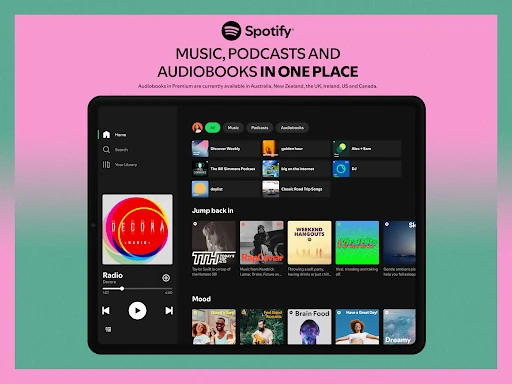
Analysis by Reviewed APKs
Spotify: Music & Podcasts brings music, podcasts and video podcasts to an Android TV, turning the living room screen into a place to choose and play audio. It suits people who want music for cooking, relaxing or having friends over, especially if they like controlling playback from a phone as well as a TV remote. I like the clear focus on shared, room-filling listening, though some features depend on Premium or device support.
A living-room soundtrack
When I want background music while making dinner, a TV can be a convenient place to start a playlist without tying up my phone. Spotify’s Android TV app is built for that sort of moment: I can stream songs or a curated playlist directly on the television, then use the remote or Spotify Connect to manage playback. It also fits a slower evening when I want a podcast on in the background rather than another show to watch.
The living-room angle becomes more useful when friends are over. Music is already coming through the room’s TV setup, and Spotify says Premium users can host a Jam so guests can queue tracks. On supported devices, lyrics can appear on screen for a casual singalong. I appreciate that these uses are grounded in playback rather than a complicated party-planning layer; the app’s job is to get audio going and make it easier to share.
TV first, not a phone replacement
The most obvious alternative is using Spotify on a phone, computer or another listening device. This version is specifically aimed at Android TV, where the large screen and TV remote make sense for a shared room. Spotify Connect adds another option: I can use a phone to control the TV playback without having to walk over and interrupt what is playing. That combination is more useful at home than when I’m out with headphones.
I wouldn’t treat the TV app as a full substitute for every way of using Spotify. Its strengths are streaming music, playlists, podcasts and video podcasts in a living room, not managing a listening session while commuting or browsing on a small mobile screen. Some features, including Jam, ad-free listening and enhanced audio, are tied to Premium, while videos and other features can depend on region or TV model.
Small habits that help
I’d get the most from the app by choosing what I want before settling into the sofa: a playlist for dinner, a podcast for a quiet evening, or a video podcast when I’m actually watching the screen. Once playback starts, Spotify Connect gives me a convenient way to make adjustments from my phone. That is a small but practical habit when the remote is across the room or someone else is using the TV.
For a get-together, I’d start the music before guests arrive, then consider a Premium Jam if I want everyone to contribute tracks to the queue. Lyrics can add an easy singalong element when available. I’d also keep expectations flexible: recent podcast episodes can appear on supporting devices for resuming, but support varies. A little planning around the device and account makes the TV feel like a useful shared player.
More From Our News Desk

Zoom Meetings, Google Meet, or Teams: Which Is Easiest to Join?

How I Build a Free Streaming Lineup With Tubi

Why Crunchyroll Is the Default Anime App for So Many Fans

YouTube TV: A Practical Guide to Cutting Cable

Rummikub and the Small Comfort of Phone Games

TeamViewer Remote Control or AnyDesk for Helping Family?
Who will enjoy it
I’d recommend Spotify on Android TV to people who already use Spotify and want to play music or podcasts through their living-room setup. It is a natural fit for background listening during meals, a playlist while friends visit, or a podcast in the evening. The ability to control playback with a TV remote or Spotify Connect is especially appealing if you don’t want your phone to be the only way to manage what’s playing.
It may be less compelling if you mainly listen on the move, want a phone-first music experience, or expect every feature to work on every television. Some capabilities require Premium, and video or other feature availability can vary by region or TV model. If you’re choosing it for a particular device, I’d check compatibility and the current store details first. For a shared-room listening routine, though, the TV focus is a sensible reason to give it a try.
Spotify AB develops Spotify: Music & Podcasts, a free Music & Audio app for Android TV. Google Play shows more than 100 million installs and a 3.9-star rating from 34,555 ratings. The app is marked as containing ads, has a Teen content rating, and requires Android 6.0 or later. The version shown is 1.123.3.
The app was released on May 10, 2016, and its latest update shown here is dated January 29, 2026. Its listed price is $0, with no in-app purchases indicated in the supplied store facts. The description explains that Spotify Premium is needed for some features, including hosting a Jam and ad-free music listening; it does not give a Premium price.
Making Spotify Work in the Living Room
A straightforward first impression
When I first considered Spotify for a TV, what stood out was the simple premise: put songs, playlists and podcasts on the screen already anchoring the room. The app can stream directly from the television, so the basic routine does not depend on casting from a phone. That makes sense for evenings when I want to start music and leave my mobile device free for messages, recipes or whatever else I’m doing.
Setup is best thought of as device-dependent rather than identical everywhere. Spotify describes the app as designed for Android TV, while some options depend on a supported device. If hands-free control matters, Google Assistant can open Spotify or play a song on supported devices. I’d start by checking that the TV supports the app and then see which controls and playback options are available on that particular setup.
Everyday playback
Day to day, the app’s core value is getting music or spoken audio onto a room’s TV setup. I can picture starting a curated playlist while tidying, then switching to a podcast when I sit down. Spotify Connect is a useful part of that routine because it lets a phone control playback without taking the audio away from the television. It keeps the listening experience in the room while allowing a familiar device to handle the controls.
The TV remote remains another way to control playback, which suits times when my phone is charging or someone else has it. This flexibility is more meaningful than it sounds: the person choosing what plays and the person using the screen do not always need to be the same. The app is still centered on streaming, so its appeal depends on wanting audio to play through the TV rather than treating the television as a general-purpose music workstation.
More than a music queue
Music is only part of the offering. Spotify on Android TV also supports podcasts and video podcasts, giving me a choice between listening with the screen mostly incidental and watching a podcast when the video format is available. The description also calls out millions of songs and curated playlists. That variety is useful for a household where one person wants music during the day and someone else prefers a spoken show later.
On-screen lyrics are another thoughtful touch, where available. They can turn a familiar song into a casual singalong without needing to look up words separately. Premium users can host a Jam and let friends queue songs on the TV, which gives a gathering a more participatory feel. I’d keep the qualifications in mind: Jam requires Premium, and video or other features may vary by region or television model.
On supporting devices, recent Spotify podcast episodes can be displayed on the TV for resuming. I like the practical idea of returning to an episode without having to remember where I left off. Since the description limits this to supported devices, I wouldn’t assume every TV presents that same resume experience. It is a useful extra when available, rather than the central reason to choose the app.
A simple evening routine
For a low-effort evening, I’d pick a playlist before starting dinner and let it play through the TV. If the mood shifts after eating, I could switch to a podcast and use Spotify Connect from my phone rather than searching with the remote. On a quieter night, I might choose a video podcast if that option is available on the device. The appeal is the ability to move between these kinds of listening without changing the basic room setup.
When hosting, I’d choose a playlist early enough that the music is already going as people arrive. If I have Premium and want guests to add choices, a Jam can let them queue favorites on the TV. Lyrics may also help turn a familiar track into a shared moment. These are small ways to make the app part of a gathering, without pretending that it replaces conversation or the host’s judgment about what fits the room.
A few limits to remember
The main limitation is that this is a television-focused Spotify experience. If I’m looking for an app built around listening on the go, this is not the most natural version to reach for. The description centers on Android TV, a TV remote, Spotify Connect and living-room playback. That focus is a strength for the right routine, but it also means the app’s usefulness depends on having a compatible television setup.
Not every highlighted feature is available to everyone. Jam and ad-free music listening are among the Premium benefits described, while lyrics, video and other options can depend on availability or device support. I’d avoid assuming that a feature will appear just because it is part of Spotify’s TV offering in general. Checking the app on the intended TV is the practical way to set expectations.
The Google Play rating is 3.9 stars from 34,555 ratings, which offers a broad snapshot rather than a promise about any one TV or household. My own recommendation is less about chasing a perfect score and more about matching the app to the room: if you want Spotify audio on an Android TV, its controls and content make sense; if you rarely use a TV for listening, the benefits may be modest.
Spotify: Music & Podcasts makes a convincing case for using an Android TV as a shared music and podcast player. I like the choice of TV remote or Spotify Connect, plus the extra possibilities of lyrics, video podcasts and Premium Jam. The best fit is someone who already wants Spotify in the living room, not someone seeking a phone-first listening companion.
I’d recommend trying it if music or podcasts are part of your home routine and your TV supports the features you care about. Just keep Premium requirements and device or regional variation in mind. For dinner playlists, an evening podcast or music with friends, Spotify’s TV focus is practical and easy to understand.
Spotify Frequently Asked Questions
What is Spotify: Music & Podcasts used for on a TV?
Spotify: Music & Podcasts lets you stream music, curated playlists, podcasts and video podcasts on Android TV. It also supports on-screen lyrics where available, and recent podcast episodes can be shown for resuming on supporting devices. You can control playback with the TV remote or Spotify Connect, making it suited to shared-room listening.
Which devices can run Spotify: Music & Podcasts?
The app is described for Android TV, and the supplied requirements specify Android 6.0 or later. Some features depend on a supported TV or device, and availability can vary by region or TV model. If you have a particular television in mind, check the Google Play store listing and the device’s compatibility details before relying on a specific feature.
Is Spotify: Music & Podcasts free?
The app is listed as free to download, with ads. The description says Spotify Premium provides ad-free music listening and enhanced audio, and that hosting a Jam requires Premium. Premium pricing can vary, so check the current Google Play store listing or Spotify account options for the applicable details.
Does Spotify: Music & Podcasts have in-app purchases?
The supplied Google Play facts show no in-app purchases for the app, while the description still refers to Spotify Premium features. The cost and availability of a Premium plan may depend on the current offer and account details. Check the store listing or Spotify’s account options for current pricing before subscribing.
Who should use Spotify: Music & Podcasts?
It is a good fit for people who want Spotify music and podcasts playing through an Android TV, whether they are relaxing, cooking or hosting friends. It may be less useful if you mainly listen away from home or do not use a TV for audio. Premium and device support affect access to some features.
Pros
- Streams music, curated playlists, podcasts and video podcasts through an Android TV.
- Playback can be controlled with either the TV remote or Spotify Connect.
- Lyrics and Premium Jam add useful options for shared listening.
- Recent podcast episodes can be resumed on supporting devices.
Cons
- Some features require Premium, including hosting a Jam and ad-free music listening.
- Video and other feature availability can vary by region or TV model.
- Its TV-first focus is less useful for people who mainly listen on the move.
- Category
- Music & Audio
- Version
- 1.123.3