Sparrow Card App
- 2.26K
- 4.6
- Installs
- 100.00K
- Price
- Free

Screenshots
Analysis by Reviewed APKs
Sparrow Card App is the companion app for managing the Sparrow Rewards Mastercard, with tools for payments, card controls, notifications, and credit-related information. It is aimed at cardholders who want to keep an eye on account activity and build healthier credit habits. My overall take is that it focuses on practical card management rather than trying to be an all-purpose budgeting or banking app.
A Cardholder’s Daily Check-In
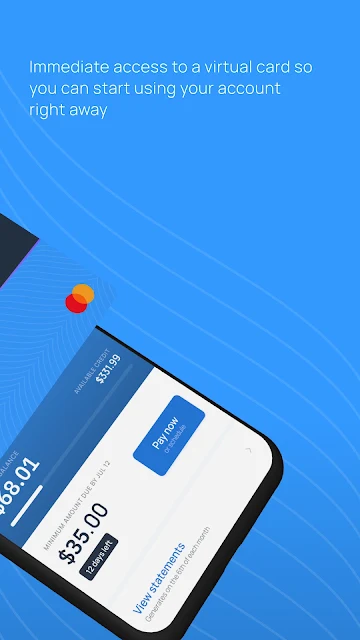
Picture a quick check-in after using your card for groceries or an online purchase. Sparrow’s real-time notifications can let you know about card activity, while the app gives you a place to make payments and manage the card itself. I like that the core tasks are easy to describe: check for activity, take care of a payment, and get back to the day. It is a focused routine, not a financial overhaul.
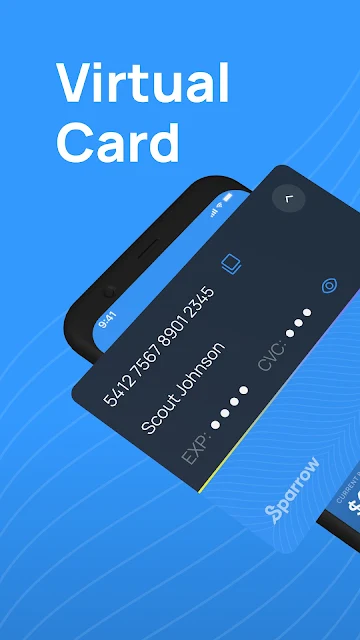
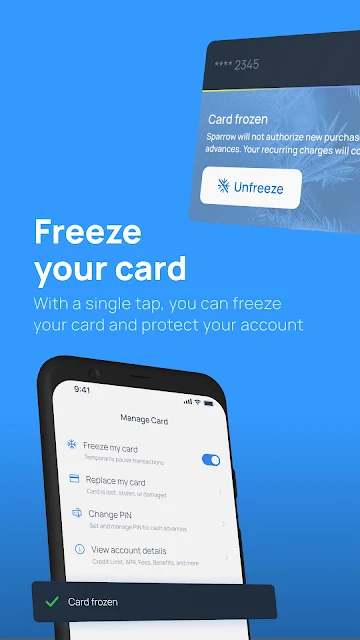
When I first considered how I would fit Sparrow into a normal week, the virtual card stood out as a useful option for having access to the credit line digitally. If a card goes missing or needs attention, the app also supports freezing or replacing it. Those controls make the app more than a place to glance at a balance; they give cardholders some practical ways to respond to everyday changes.
A Card App, Not a Budget Suite
Sparrow makes the most sense alongside the Sparrow Rewards Mastercard. Its tools center on using and managing that card, including payments, card controls, recurring subscription charges, and credit-related features. That is a narrower job than a general banking app or a dedicated budget planner. I would not choose it expecting category-based spending reports, monthly budget limits, or broad account aggregation; those are not the focus described for this app.
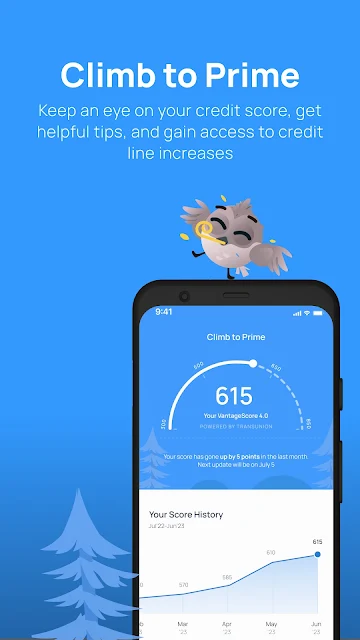
The credit-building angle also sets the app apart from a basic card utility. Sparrow says it reports account performance to the three major credit bureaus and offers a Climb to Prime feature with credit score information, possible credit line increases, and explanations of credit scoring. These tools may appeal to people working on credit habits, but the app is still tied to its card rather than being a standalone credit education service.
Small Habits That Help
A simple habit is to glance at notifications when they arrive rather than waiting until the end of the month to notice card activity. The app’s real-time alerts are intended to keep users informed, and regular attention can make card management feel less like an occasional chore. I would also make payment check-ins part of an existing routine, such as a weekly review of bills, instead of relying on memory alone.
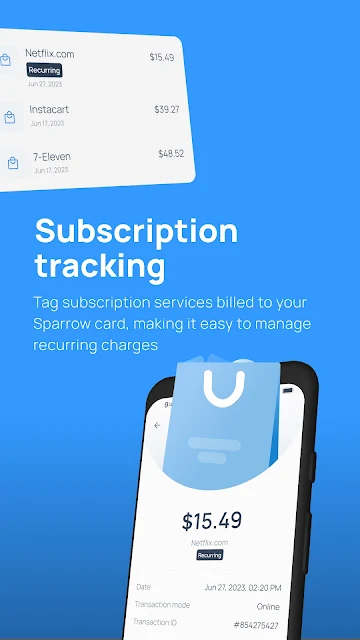
Recurring subscription charges are another reason to open the app periodically. If a subscription needs attention, Sparrow includes tools to manage recurring charges, alongside the ability to update personal information or reset a PIN. The credit score and credit-scoring information in Climb to Prime can fit into a less frequent monthly check-in. Small, repeatable visits seem more useful here than expecting one app session to solve everything.
More From Our News Desk

Zoom Meetings, Google Meet, or Teams: Which Is Easiest to Join?

How I Build a Free Streaming Lineup With Tubi

Why Crunchyroll Is the Default Anime App for So Many Fans

YouTube TV: A Practical Guide to Cutting Cable

Rummikub and the Small Comfort of Phone Games

TeamViewer Remote Control or AnyDesk for Helping Family?
Who May Find It Useful
I would recommend Sparrow Card App to people who have the Sparrow Rewards Mastercard and want a direct way to manage payments, card activity, and card settings. The virtual card, notifications, freeze and replace controls, and subscription management cover practical needs that can come up in ordinary card use. People interested in monitoring credit information and learning about credit scoring may also appreciate having those features gathered in the same app.
It may not suit someone looking for a complete household finance hub, detailed expense analytics, or budgeting tools. Its described features are centered on the Sparrow card, so it is a less natural fit for someone who wants one app to track multiple financial accounts. I would also keep expectations measured around credit-building: the app provides tools and account reporting, but it cannot promise a particular score outcome or financial result.
Sparrow Card App is developed by Sparrow Financial, Inc. On Google Play, it has over 100,000 installs and a 4.6-star rating from about 2,300 ratings. The app is free to download, has no in-app purchases, and contains no ads. Its content rating is Everyone, making the store rating suitable for a broad audience.
The current version is 5.1.1. The app was released on August 24, 2023, and was last updated on October 14, 2026. The minimum Android version is not included in the available app details, so check Google Play for device compatibility before installing.
A Closer Look at Everyday Card Management
A Focused First Impression
Sparrow’s purpose is clear from its feature set: this is a companion for a particular credit card, not a general-purpose money dashboard. I find that focus helpful because it gives the app a practical scope. Payments, card controls, account details, and credit-related information all connect to the same everyday task: looking after the Sparrow card.
The virtual card is an appealing part of that first impression. It gives users digital access to their credit line, while notifications are meant to keep them informed about card activity. Those are useful ideas for someone who wants to manage a card from a phone. The app’s value, though, depends on having the associated Sparrow card; its tools are not presented as independent services.
The Everyday Card Routine
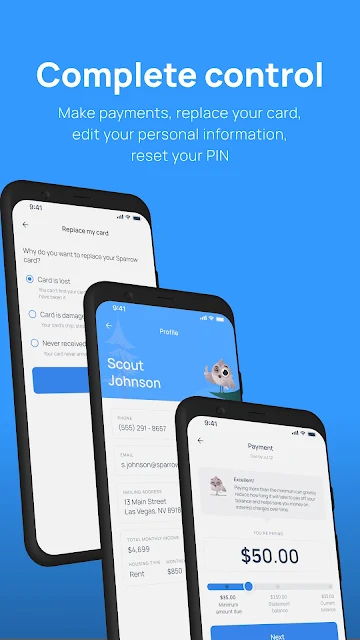
Day to day, the strongest practical point is having payment and card-management options in one place. Sparrow supports making payments, freezing or replacing a card, updating personal information, resetting a PIN, and managing recurring subscription charges. That makes it relevant for routine upkeep as well as the occasional moment when a card needs to be paused or replaced.
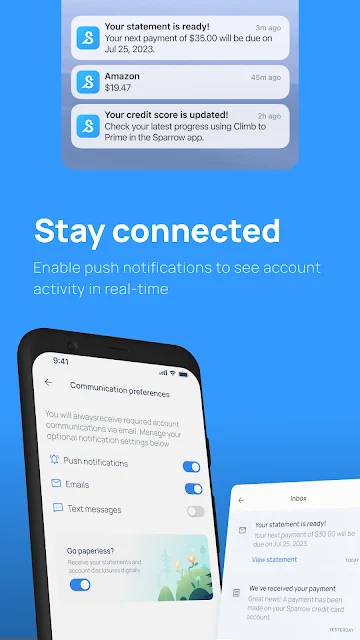
Real-time notifications can add a useful prompt to that routine by bringing card activity to your attention. I would treat them as a convenient way to stay informed, not as a substitute for checking account details when something needs follow-up. The app is most compelling for quick, card-specific tasks; it does not claim to replace a broader system for planning spending across all of someone’s finances.
Credit Features With Context
Climb to Prime is one of Sparrow’s more distinctive features. It brings together access to credit score information, the possibility of credit line increases, and guidance about how credit scoring works. I like the combination of a status check and educational material in principle: the information can make a cardholder’s regular account routine feel more connected to longer-term credit habits.
Sparrow also says it reports account performance to all three major credit bureaus, and the card offers 1% cashback on on-time payments. Those details are worth understanding as part of the card’s terms, not as a promise of a particular credit result or reward total. The app gives cardholders a way to engage with these features, while actual outcomes depend on account activity and applicable terms.
A Weekly Review That Fits
One sensible use case is a short weekly review. I would check any recent notifications, make a payment if one is due, and look over recurring subscription charges that might need attention. If something about the card changes, the app also provides options to update personal details or reset a PIN. Keeping the visit brief can make the app feel like a useful part of a routine rather than another demanding task.
Credit information is better suited to a separate, occasional check-in than constant monitoring. A user could open Climb to Prime to review the available score information or revisit its credit-scoring guidance, then return to normal card management. That division keeps the app’s everyday purpose straightforward. It also helps set expectations: the practical value comes from consistent account attention, not from treating a score feature as a shortcut.
Limits to Keep in View
The app’s biggest limitation is its narrow scope. Its described features are built around the Sparrow Rewards Mastercard, so it is not a substitute for a full-service bank app or a detailed budgeting tool. There is no reason to expect expense categories, charts, monthly spending limits, or tools for other cards based on the available feature description. If those are central to your routine, you may need a separate app or service.
Credit-building features also call for realistic expectations. Sparrow describes bureau reporting, cashback on on-time payments, and information about credit scoring, but these do not establish that every user will see a specific score change or be offered a credit line increase. I would read the cardholder agreement and use the app as a management tool. The experience is most useful when its boundaries are clear.
Sparrow Card App has a clear role: it helps Sparrow cardholders manage payments, card settings, activity, and a handful of credit-focused features. The virtual card, notifications, and freeze or replace options give it everyday utility, while Climb to Prime adds a longer-term credit angle without turning the app into a broad finance suite.
I would try it if I had the Sparrow Rewards Mastercard and wanted a focused companion for keeping up with the account. If I wanted budgeting, multi-account tracking, or detailed spending analysis, I would look elsewhere for those tools. For card-specific management, Sparrow’s feature set is practical and easy to understand.
Sparrow Card Frequently Asked Questions
What is Sparrow Card App used for?
Sparrow Card App is used to manage the Sparrow Rewards Mastercard. Its features include making payments, receiving real-time card activity notifications, freezing or replacing a card, managing recurring subscription charges, and updating personal information or a PIN. It also includes Climb to Prime, which offers credit score information and credit-scoring guidance.
Which phones and devices support Sparrow Card App?
Sparrow Card App is available on Android through Google Play. The minimum Android version is not included in the app details here, and compatibility can depend on a device’s software. Check the Google Play page for current requirements before installing. The app is designed to accompany the Sparrow Rewards Mastercard.
What Android version does Sparrow Card App require?
The minimum Android version is not provided in the available details. Requirements can vary as the app is updated and by device, so check the Sparrow Card App page on Google Play for the current compatibility information before downloading.
Does Sparrow Card App cost money?
The app is free to download on Google Play, and it has no in-app purchases or ads. The app is for managing the Sparrow Rewards Mastercard, so card terms and any costs associated with the card are separate from the app download. Check the cardholder agreement and store information for details that apply to you.
Is Sparrow Card App a good fit for me?
It may suit Sparrow Rewards Mastercard cardholders who want payment tools, card controls, activity notifications, and credit-related information in one place. It is less suited to people seeking a full budgeting app, detailed spending analytics, or a dashboard for multiple accounts. The features support card management, but do not promise a particular credit score outcome.
Pros
- Combines card payments, PIN resets, and personal information updates in one companion app.
- Includes real-time notifications and options to freeze or replace a card.
- Climb to Prime pairs credit score information with credit-scoring guidance.
- Free to download, with no ads or in-app purchases.
Cons
- Its features are centered on the Sparrow Rewards Mastercard rather than multiple accounts.
- It is not described as a budgeting app with spending categories or monthly limits.
- Credit tools do not promise a particular score change or credit line increase.
- Category
- Finance
- Version
- 5.1.1











