Skrill - Fast, secure payments
- 241.25K
- 4.5
- Installs
- 10.00M
- Price
- Free

Screenshots

Analysis by Reviewed APKs
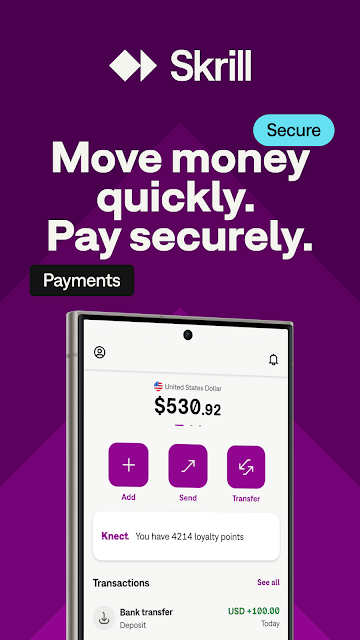
Skrill is a digital wallet for paying online, sending money to other Skrill users, and handling transfers across currencies. I can see it suiting people who regularly shop at supported websites or need to move money internationally, rather than someone looking for a basic budgeting tool. After spending time with its feature set, my take is that it brings several payment jobs together, though availability and options can depend on where you live.
A wallet for everyday transfers
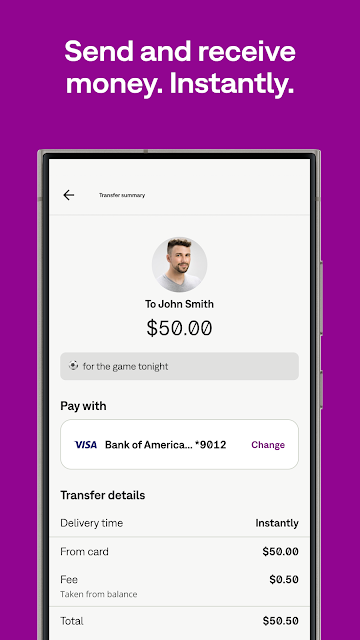
Imagine you need to pay on a website that accepts Skrill, then send money to a friend who also uses it. Instead of reaching for your card details each time, the app gives you a wallet account for online payments and transfers. You can send to another Skrill user using their phone number or email, and the app says it provides real-time notifications when you spend or send money.
When I first explored the idea of using Skrill day to day, what stood out was how many different payment moments it tries to cover. It can be used to fund an account by card, bank transfer, or local payment methods, and its description also includes withdrawals and requests for payment. That makes it more than a single-purpose transfer button, though you will want to check which options apply in your location.
How it compares with alternatives
Skrill sits somewhere between a payment method for online checkout and a peer-to-peer transfer service. Its wallet can be used at thousands of websites, and the app also supports international transfers to bank accounts in multiple countries. If your usual routine is paying online, sending money abroad, or managing more than one currency, it may be convenient to keep those tasks in one account.
It is not a general personal-finance dashboard, and the description does not present it as a way to track a household budget or manage investments. Nor is it a replacement for every bank service: you choose from the available funding and withdrawal methods. I would compare its transfer details and fees with other options before sending money, especially when an exchange or international bank transfer is involved.
Small habits that help
A useful habit is to check your balance and payment notifications after a purchase or transfer, rather than relying on memory. Skrill describes real-time alerts for money spent or sent, which can make it easier to keep tabs on activity during a busy day. If you use more than one currency, taking a moment to review the currency you are handling can also help keep a transfer from becoming an unexpected surprise.
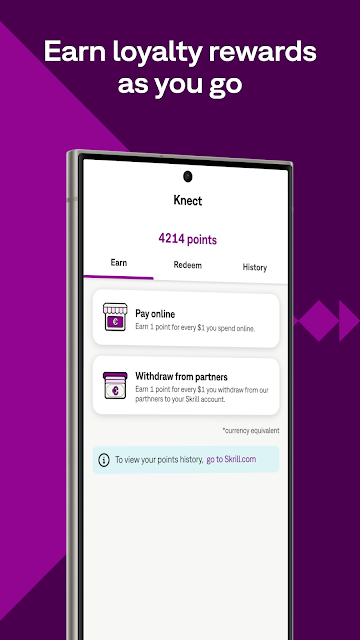
For recurring use, I would keep the app’s available payment and withdrawal choices in mind before starting a transaction. The description says accounts can be funded in several ways, and that payment requests can be shared with people who do not use Skrill through a link. Rewards points from eligible transactions are another reason to check the app periodically, though I would treat them as a small extra rather than the main reason to choose a wallet.
More From Our News Desk

Zoom Meetings, Google Meet, or Teams: Which Is Easiest to Join?

How I Build a Free Streaming Lineup With Tubi

Why Crunchyroll Is the Default Anime App for So Many Fans

YouTube TV: A Practical Guide to Cutting Cable

Rummikub and the Small Comfort of Phone Games

TeamViewer Remote Control or AnyDesk for Helping Family?
Who may find it useful
I would recommend Skrill to people who pay at supported online shops, send money to other Skrill users, or sometimes need to exchange currencies. The combination of wallet payments, international transfers, payment requests, and multi-currency support gives it a practical role for people whose money routines cross more than one service or currency. The Google Play rating is 4.5 from around 241,000 ratings, with over 10 million installs.
It may be less appealing if you only need a simple way to split an occasional bill, or if you want one app dedicated to budgeting rather than transactions. Some features depend on jurisdiction, and the prepaid card is available only in select countries, so I would not choose Skrill assuming every feature will be available to me. People comparing transfer services should also check the applicable costs and options before using it.
Skrill - Fast, secure payments is a finance app from Paysafe Holdings UK Limited. On Google Play, it has over 10 million installs and a 4.5-star rating from about 241,000 ratings. The app is free to download. Its Google Play entry says it contains ads, and the content rating is Everyone.
The app’s listed version is 3.196.0-2026102007, with a release date of September 1, 2014, and a last update of November 3, 2026. A minimum Android version is not included in the supplied app details, so check Google Play for device compatibility before installing.
A closer look at Skrill in practice
Getting started
My first impression is that Skrill is built around getting money into a digital wallet and then using that balance in different ways. The central idea is easy to grasp: fund an account, pay at supported sites, transfer money, or exchange currency. The range of tasks is broad, but it also means the app is most useful once you know which of those jobs you actually need it to handle.
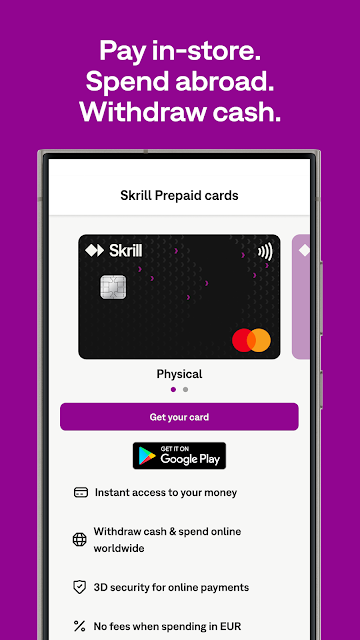
Before relying on it for a particular payment, I would check that the relevant option is available where I live. The description notes that some features are limited by jurisdiction, and the Skrill prepaid card is offered only in select countries. That is a practical detail worth settling early, especially if a card or a specific kind of transfer is the main reason you are considering the app.
Everyday payments
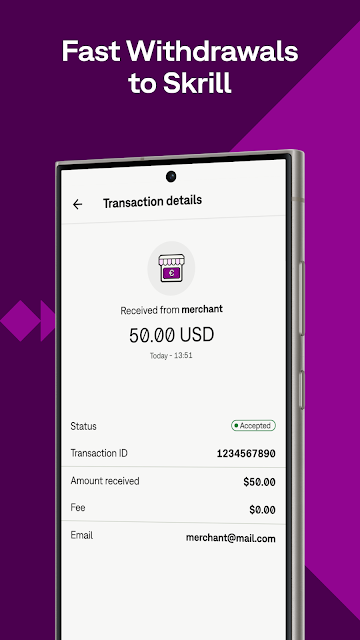
For an online purchase, Skrill is meant to let you pay using your Skrill login instead of sharing bank or card details with the website. That can make checkout feel more straightforward when a retailer accepts it. The app also describes quick withdrawals and several ways to fund an account, so it can support more than just the moment of paying.
The day-to-day appeal depends on whether the shops and people you deal with use the service. Sending money to another Skrill user requires their phone number or email address, while the app also offers international transfers to bank accounts in multiple countries. I would check the transfer details before confirming, rather than assuming every destination or method works the same way.
More than a wallet
The multi-currency tools are among Skrill’s more distinctive features. The app says users can hold and manage multiple currencies in one account, and exchange between more than 40 currencies. That can be handy for people who make purchases or transfers in different currencies, though I would still review the exchange information shown for a transaction instead of assuming the conversion will suit every situation.
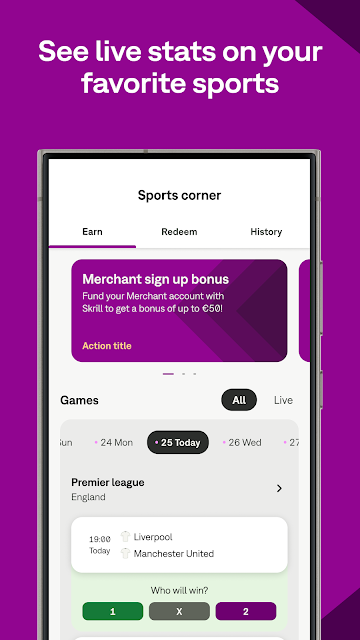
There are a few extras beyond payments. Skrill describes its Knect loyalty program, where users earn points on transactions and can exchange points for cash in their account. It also includes a Sports Corner with football statistics, live scores, expert facts, and probability estimates. These additions widen the app’s scope, but they are optional parts of the experience rather than the core reason most people would need a wallet.
A practical routine
One realistic routine is to use Skrill when a supported online service offers it, then check the notification after the payment. If a friend or family member also has a Skrill account, you can send money using their contact details. When someone does not use Skrill, the app says you can request payment by sending a link, which gives the service another role in everyday exchanges.
For someone handling multiple currencies, I would make the currency check part of the same routine as reviewing the recipient and amount. If you use the rewards program, checking your points occasionally can help you understand whether it adds value to your normal transactions. These are modest habits, but they make a broad wallet easier to use deliberately rather than treating every feature as something you need.
Limits to keep in mind
Skrill’s usefulness depends on local availability and the payment options offered for a particular transaction. Its description makes clear that some features may be limited by jurisdiction. The prepaid card is also available only in select countries, so card-related benefits should not be assumed to apply to every account. The same is true of choosing a funding or withdrawal method: check what the app offers for your circumstances.
This is a transaction-focused app, not a complete money-management suite. Its feature set is extensive, but that breadth may feel unnecessary if you only need an occasional transfer or a basic way to pay online. I would compare the costs and exchange details with other services before sending money, and make sure the recipient, amount, and currency are correct before confirming.
Skrill brings online payments, transfers, currency exchange, payment requests, and rewards into one wallet app. I like that it can cover several everyday money tasks without making budgeting or financial planning its focus. The strongest fit is someone who already has a reason to use its supported payment network or currency tools.
I would try Skrill if online checkout, international transfers, or multi-currency handling are regular parts of my routine. If I only needed a one-off payment, I would compare the available methods and costs first. Check local feature availability before relying on the prepaid card or a particular transfer option.
Skrill Frequently Asked Questions
What is Skrill used for?
Skrill is a digital wallet for paying at supported websites, sending money to other Skrill users, and making international transfers to bank accounts in multiple countries. It also supports payment requests, multiple currencies, and currency exchange. Some features may be limited by jurisdiction, so check Google Play and the app for options that apply to you.
What devices can run Skrill?
Skrill is an Android app available on Google Play. The minimum Android version is not included in the supplied details, so compatibility may vary by device and should be checked on the Google Play page. The description also mentions adding the Skrill prepaid card to Google Wallet, where that card and feature are available.
Does Skrill cost anything to download?
Skrill is free to download on Google Play, and the supplied app details do not show in-app purchases. The app’s Google Play entry says it contains ads. Costs related to a particular payment, transfer, or currency exchange can depend on the transaction and available options, so review the details in the app before proceeding.
Does Skrill require a particular Android version?
The supplied details do not specify a minimum Android version for Skrill. Requirements can vary as the app is updated and by device, so check the Google Play page for the current compatibility information before installing. The listed app version is 3.196.0-2026102007.
Who is Skrill best suited for?
Skrill may suit people who pay at supported websites, send money internationally, or manage more than one currency. It may be less useful if you only want a budgeting app or an occasional way to split a bill. Some features depend on jurisdiction, so check Google Play and the app for local availability before relying on a specific option.
Pros
- Combines online payments, transfers, payment requests, and currency tools in one wallet.
- Supports multiple currencies and exchange between more than 40 currencies.
- Offers transaction notifications and a points-based Knect rewards program.
- Payment requests can be shared with people who do not use Skrill.
Cons
- Some features, including the prepaid card, are limited by location.
- The broad feature set may be more than occasional users need.
- Transfer and exchange details are worth checking before each transaction.
- Category
- Finance
- Version
- 3.196.0-2026102007











