Settlemate
- 39.47K
- 4.6
- Installs
- 500.00K
- Price
- Free

Screenshots
Analysis by Reviewed APKs
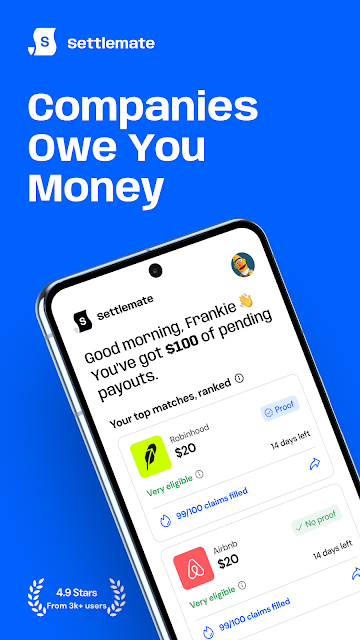
Settlemate is a finance app for finding class action settlements, checking whether you may qualify, and keeping track of claims and payouts. I can see it suiting people who would otherwise miss notices or put off sorting through claim paperwork. Its appeal is practical: it brings discovery and follow-up into one place. Just keep expectations measured, since eligibility and payment amounts depend on each settlement and your circumstances.
A Claim Check Between Errands
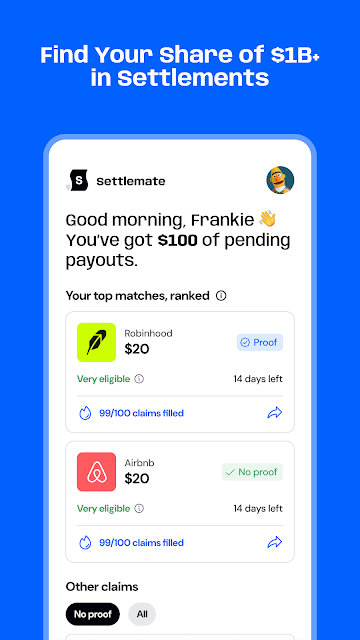
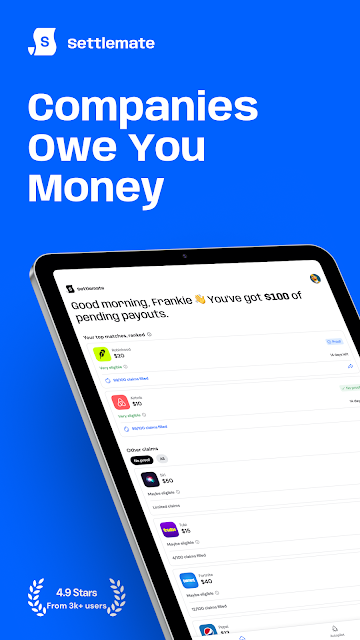
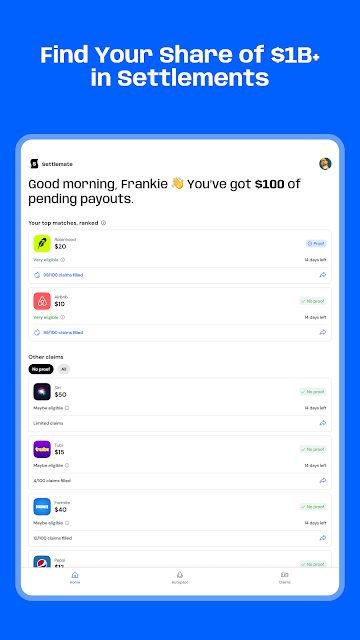
When I first considered how Settlemate fits into a normal day, I pictured opening it while waiting for coffee or winding down after work. The app asks a few questions to match you with active settlements you may be eligible for. That is a more approachable starting point than searching legal notices one by one, especially if you have no idea which products or services might be relevant.
Finding a possible match is only the beginning, not a promise of money. Settlement terms determine who qualifies, what information a claim needs, and whether any payment is due. Settlemate is designed to make the process easier to follow, but I would still read the details attached to a claim before submitting anything. The useful part is having a place to discover and monitor opportunities rather than relying on memory.
A Finder, Not a Budget Planner
Settlemate occupies a narrower lane than everyday budgeting apps or expense trackers. Its focus is class action settlements: finding claims, checking eligibility, submitting claim information, and following refunds or compensation. If your main goal is to categorize purchases, split a restaurant bill, or set monthly spending limits, this is not the tool described here. It is for a different, occasional task that can be easy to overlook.
Compared with handling every claim through separate notices and websites, Settlemate aims to put discovery and progress updates together. It also says users can submit claims without hiring a lawyer, while making clear that it does not provide legal advice. I would treat it as a convenience layer, not a substitute for understanding a settlement’s terms or for professional advice when you need it.
Make Follow-Up a Habit
The app’s matching questions are most useful when I approach them carefully rather than rushing through. Taking a moment to recall relevant purchases or services can help surface a possible match; the app cannot infer every detail of my history. Once a claim appears, I would check the eligibility information and any deadlines in the settlement materials before deciding whether to continue.
Settlemate also offers notifications when new class actions open and updates about claim status, payments, and expected timelines. Those features make a light routine possible: check new opportunities when an alert arrives, then revisit filed claims occasionally instead of repeatedly checking every day. I would keep my own notes for important dates, too, particularly if a settlement’s process includes steps that need attention.
More From Our News Desk

Zoom Meetings, Google Meet, or Teams: Which Is Easiest to Join?

How I Build a Free Streaming Lineup With Tubi

Why Crunchyroll Is the Default Anime App for So Many Fans

YouTube TV: A Practical Guide to Cutting Cable

Rummikub and the Small Comfort of Phone Games

TeamViewer Remote Control or AnyDesk for Helping Family?
Who May Find It Useful
I would recommend Settlemate to people who want a simpler way to learn about active class action settlements and keep an eye on claims they have submitted. It may be especially handy if legal notices tend to get lost in your inbox or if complicated forms make you postpone checking eligibility. The app is built around everyday users rather than legal professionals, and that focused purpose is its strongest point.
It may not suit someone looking for a full personal finance dashboard, automated expense categorization, group bill splitting, or legal counsel. Nor would I install it expecting every match to result in compensation: settlement rules and individual circumstances decide that. People who prefer to research each claim independently may also be comfortable without an extra tracking app. For everyone else, it offers a more organized route to checking and following claims.
Settlemate is the developer and publisher. On Google Play, the app has over 500,000 installs and a 4.6-star rating from about 39,000 ratings. Those figures suggest that a substantial number of people have tried it, though ratings alone cannot tell me whether a particular settlement will apply to an individual user.
The app is free to download, contains no ads, and offers in-app purchases priced from $1.99 to $64.99 per item. Google Play gives it an Everyone content rating. The available version is 4.6.0; it was released on July 17, 2025, and last updated on October 29, 2026. The minimum Android requirement can vary with the device and is worth checking on Google Play.
A Closer Look at Claim Tracking
A Focused First Impression
Settlemate’s purpose is immediately easier to grasp than a broad finance app’s: it is about class action settlements, not day-to-day spending. I like that focused scope because the task can feel obscure before someone points out that a claim might be relevant. The basic promise is to answer questions, surface possible matches, and keep claim progress together, rather than expecting users to already know legal terminology.
Getting started centers on answering a few questions so the app can match you with active settlements. The description also says users can sign in with Apple or Google. I would take my time with the answers and review any information request before proceeding; accuracy matters when deciding whether a settlement’s eligibility rules fit. This is a modest setup compared with building a detailed budget, but it still rewards care.
The Day-to-Day Experience
Most people probably will not need to open Settlemate several times a day. Its rhythm is more occasional: check for a relevant settlement, decide whether to pursue it, then return for updates. That makes notifications useful in principle, since a new opportunity or a change in claim status can prompt a timely check without turning the app into a constant chore.
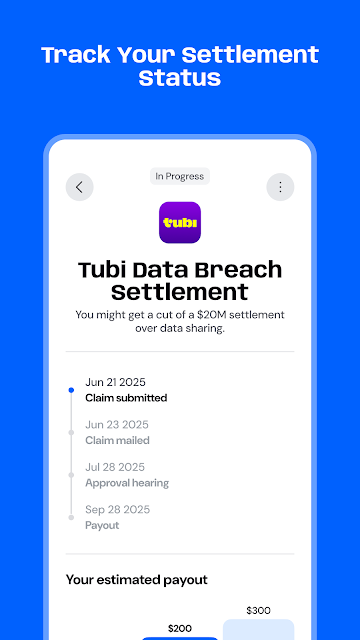
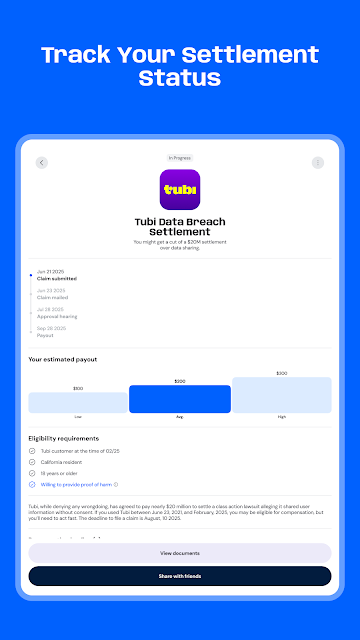
The tracking side covers refund status, settlement payments, and expected compensation timelines. I would use that information to know when to look again, not as a firm date for planning around. Payment timing and amounts depend on the settlement, and the app’s role is to help follow the process. That distinction keeps expectations grounded while still making the claim easier to keep tabs on.
Matching and Claim Tools
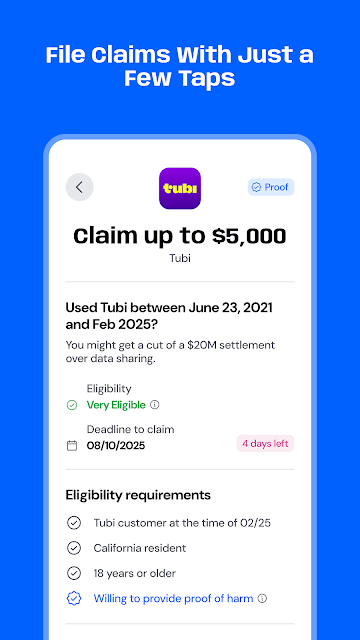
The standout feature is the eligibility matching flow. Rather than browsing a long list without context, users answer questions and receive matches for active settlements they may qualify for. That can make discovery less intimidating, although a suggested match is a starting point for checking the actual criteria, not a final decision about eligibility.
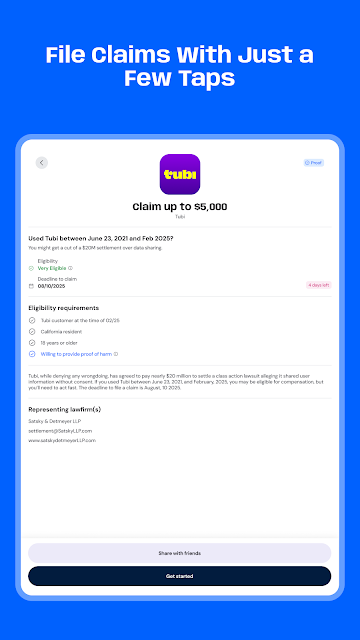
Settlemate also describes tools for submitting claims and following their status. Its aim is to reduce the friction of paperwork and make claim steps easier to manage without a lawyer. The app says it does not require legal expertise to use, but the settlement rules still matter. I would read the relevant terms closely and provide information only when I understand what the claim asks for.
Notifications round out the feature set by flagging newly opened class actions. For someone who rarely checks settlement news, that could be a practical nudge. The app also describes sign-in through Apple or Google and says legal information is encrypted. Those are useful details to know, while I would still review the app’s privacy information and make my own judgment about what to share.
A Low-Fuss Claim Routine
A sensible routine might be to answer the matching questions when you have a few quiet minutes, then review any results without rushing. If a settlement looks relevant, I would compare the app’s information with the settlement’s own eligibility requirements and note any important dates. That little pause is worthwhile: a match can be interesting without meaning that a claim will be accepted.
After submitting a claim, I would use Settlemate’s status and payment updates as a place to check progress. Notifications can bring new opportunities to my attention, while occasional manual reviews help me avoid treating an alert as the whole story. I would also keep copies of details I may need later. This is a small organizational habit, not a complicated financial system to maintain.
Limits to Keep in Mind
The biggest limit is built into the subject: no app can make a person eligible for a settlement whose rules do not fit them. Payment amounts and timing vary according to the settlement and individual circumstances. Settlemate can help with discovery and tracking, but it cannot turn a possible match into a certain payment, and I would not count on money arriving by a particular date.
The app is also not a general-purpose finance manager or a source of legal advice. Its features are aimed at finding and following class action claims, so users seeking budgets, spending charts, or help interpreting a complicated legal dispute will need something else. Reading the settlement information remains important, even when an app makes the steps feel more approachable.
Finally, the purchase details deserve a quick look before choosing any paid option. The app is free to install and includes in-app purchases, with prices that can vary by item. I would check the current Google Play information for the available purchase terms and Android compatibility before downloading, since those practical details can change.
Settlemate turns a hard-to-track corner of personal finance into a clearer sequence: look for a match, review the criteria, submit a claim if appropriate, and follow its progress. I appreciate that narrow focus and the reminders, while keeping in mind that eligibility and payout outcomes rest on settlement terms rather than the app itself.
I would try Settlemate if I want a convenient way to discover and monitor class action claims. It is less compelling for anyone seeking budgeting tools or legal guidance. Use it as an organizer and starting point, read the relevant claim details, and keep expectations realistic about whether and when compensation may arrive.
Settlemate Frequently Asked Questions
What is Settlemate used for?
Settlemate helps users find active class action settlements, check whether they may meet eligibility criteria, submit claims, and follow claim status or payment updates. It also offers notifications about newly opened class actions. Eligibility and payment amounts depend on the particular settlement and a person’s circumstances, so a suggested match is not a promise of compensation.
Which devices can run Settlemate?
Settlemate is an Android app available through Google Play. It also describes sign-in with Apple or Google, but that does not change the platform information for this app. Check Google Play for current device compatibility and the Android version required for your phone, since requirements can vary.
What Android version does Settlemate require?
The minimum Android version can vary with device compatibility and the current app release. Check Settlemate’s Google Play page from the Android device you plan to use for the latest requirement before installing. The app’s listed version is 4.6.0, but that does not by itself establish a minimum operating system.
Does Settlemate cost money?
Settlemate is free to download and contains no ads, but it offers in-app purchases. Google Play shows purchase prices ranging from $1.99 to $64.99 per item. Check the current store information for the specific options and terms before buying, as purchase details may vary.
Is Settlemate suitable for everyone?
It may suit people who want help discovering and tracking class action claims without sorting through every opportunity on their own. It is not a budgeting app or a source of legal advice. Users should review settlement criteria themselves, since eligibility, payment amounts, and timing vary by claim and personal circumstances.
Pros
- Combines settlement discovery, eligibility checks, claim submission, and progress tracking in one focused app.
- Notifications can flag new class actions and provide a prompt to check claim updates.
- Free to download and contains no ads.
- Designed to make class action claims more approachable for everyday users.
Cons
- A possible match does not mean you qualify or will receive compensation.
- It is not a general budgeting tool or a replacement for legal advice.
- In-app purchases are available, so check the current options before buying.
- Category
- Finance
- Version
- 4.6.0











