Serve
- 62.42K
- 4.7
- Installs
- 1.00M
- Price
- Free

Screenshots

Analysis by Reviewed APKs
Serve is a financial account app for people who want to check their available balance, review transactions, and handle a few money-in and money-out tasks from a phone. I see its appeal in the everyday basics: checking what came in, keeping an eye on spending, and sending or requesting money from other Serve cardholders. It is practical and focused, though it is not a general-purpose banking or budgeting replacement.
A quick balance check
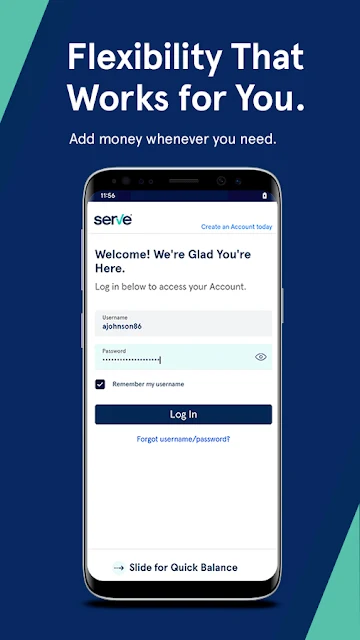
When I first opened Serve, I pictured using it in the small gaps of a normal day: checking my balance before heading to the store, then reviewing a transaction later when I have a quiet minute. The app is built around managing a Serve Account, so that quick glance at available funds and the ability to inspect active and completed transactions are central to the experience.
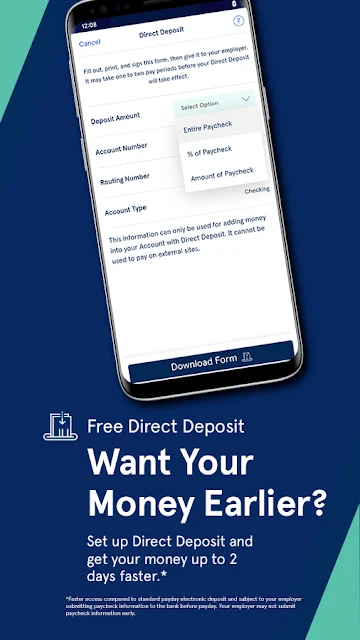
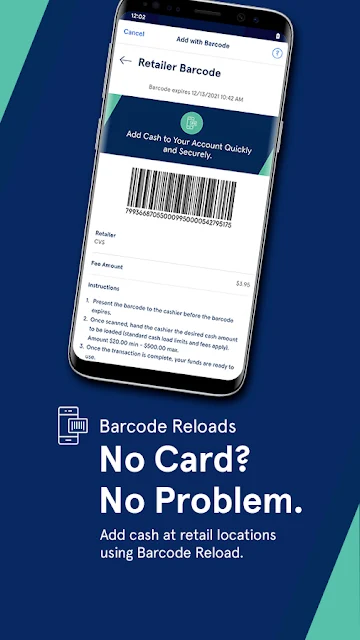
The money-in options make it more than a read-only balance screen. I can view direct deposit information, use mobile check capture to add money from my phone, or request money from another Serve cardholder. If a friend or family member also uses Serve, the request and send options give the app a straightforward way to handle that exchange without switching to a separate payment app.
A focused money tool
Compared with opening a full bank app to check an account, Serve is aimed at managing its own account and card. The description emphasizes balance and transaction details, ways to add or send money, and spending with a Serve card online or in stores. That focus can be useful if Serve is already part of your routine and you want its main account details close at hand.
I would not treat it as a broad replacement for every financial service. The available information describes account management and a set of practical payment actions, not a full financial-planning system or a comprehensive household budget. It also does not describe sending money to people who are not Serve cardholders. For those needs, another service may fit better; Serve makes the most sense when its particular account and card are what you need to manage.
Small habits that help
A useful habit is to check the available balance before making a purchase, especially when I have not looked at the account for a few days. Reviewing the transaction details afterward can help connect that balance change to a particular payment. Serve also lets me see active and completed transactions, so I can use it as a quick reference rather than relying only on memory.
For money coming in, I would keep the direct deposit information handy when setting up a deposit elsewhere, then use the app to check the account. If I need to add money by check, mobile check capture is another phone-based option described for the account. Requests and sends are most relevant when the other person is a Serve cardholder, so it helps to know that before making the app part of a shared routine.
More From Our News Desk

Zoom Meetings, Google Meet, or Teams: Which Is Easiest to Join?

How I Build a Free Streaming Lineup With Tubi

Why Crunchyroll Is the Default Anime App for So Many Fans

YouTube TV: A Practical Guide to Cutting Cable

Rummikub and the Small Comfort of Phone Games

TeamViewer Remote Control or AnyDesk for Helping Family?
Who may find it useful
I would recommend Serve to someone who already has a Serve Account and wants a convenient way to check its balance and transaction history on the go. The combination of direct deposit details, mobile check capture, and transfers between Serve cardholders gives everyday account management a useful range. It may suit people who prefer handling a quick check or request on a phone instead of waiting until they are at a computer.
It may be less suitable if you are looking for a broad budgeting toolkit, a general-purpose way to send money to anyone, or a place to manage multiple financial accounts. Those jobs are not part of the described feature set. The app is also most useful when the Serve account and card are already relevant to your spending; without that connection, its account-specific tools have less to offer.
Serve is a finance app from Interactive Communications International, Inc. On Google Play, it has more than 1 million installs and a 4.7-star rating from 62,421 ratings. Its content rating is Everyone. The app was released on March 26, 2011, and the current version is 6.40.0.0.
Serve is free to download, with a listed price of $0. The available app facts say it contains no ads and offers no in-app purchases. Its last update is dated October 16, 2026. The minimum Android version is not included in the available details, so check Google Play for the requirement shown for your device.
How Serve Fits Into Everyday Money
A practical first look
My first impression is that Serve is organized around a clear question: what is happening with this account right now? The balance and transaction details are the most immediately useful pieces for someone checking in while out and about. Rather than presenting a long list of unrelated financial features, the app describes a compact set of actions tied to its account and card.
That focus makes the app easy to understand at a high level. I can check what is available, review account activity, and find options for adding or moving money. The first step is having a Serve Account to manage; the app is not described as a general financial dashboard for accounts from other providers.
I would start by checking the available balance and looking through the transaction details, then note which money-in and money-out options are relevant to my routine. That is a practical way to get familiar without assuming every feature will be needed every day.
Checking in day to day
The central everyday loop is simple: open the app, check the available balance, and look over transactions when I want context. That can be handy before a purchase or after one, particularly if I am trying to keep track of what has already cleared. The app also supports using a Serve card for purchases online or in stores, tying the account view to ordinary spending.
I like the idea of having completed and active transactions together for a quick account review. It gives me a way to look back as well as check what is currently available. The description does not promise a particular method for organizing or categorizing spending, so I would use the transaction view as a reference rather than expect a detailed spending analysis.
For someone who checks an account in short bursts, this kind of mobile access is the main point. I can imagine looking at the balance while waiting in line, then returning to transaction details later if I need to understand an account change.
Useful ways to move money
Serve offers several ways to handle money coming in. I can view direct deposit information, add money with mobile check capture, or request money from another Serve cardholder. Those options cover different situations: setting up money to arrive, adding a check through the phone, or asking another user to send funds.
On the other side, the app lets users send money to other Serve cardholders. That distinction matters for everyday planning: the described transfers are between people who have Serve, rather than a universal payment tool for any contact. If the people I exchange money with use the same service, the option may be convenient; otherwise, it may not fit the situation.
The Serve card also connects account management with online and in-store purchases. I find that combination useful in principle because the app is not only about viewing account details; it is also meant to support spending from the account through its card.
A simple weekly routine
A low-effort routine could begin with a balance check before a regular shopping trip. Afterward, I could glance at the transaction details to keep the account activity fresh in my mind. This does not require turning the app into a full budgeting project; it is simply a way to stay familiar with what is available and what has been recorded.
When money is expected, I could refer to the direct deposit information as needed and check the account later. If I receive a check that I want to add, mobile check capture is another described option. For shared expenses with another Serve cardholder, I could use a request or send rather than leave the exchange untracked in a conversation.
The routine works best when it stays tied to real tasks. I would not open the app just to build elaborate reports that the described features do not promise. A quick check, a review after spending, and using the relevant money-in or cardholder transfer option are enough to make the account tools useful.
Limits to keep in mind
Serve is account-specific, which is both its strength and its main limitation. Its balance, transaction, deposit, check-capture, and cardholder-transfer features are useful if I am managing a Serve Account. They are less compelling if I mainly want to see several providers in one place or handle transfers with people outside the Serve community.
The description mentions tools to help users budget, but it does not spell out a detailed set of planning or tracking controls. I would avoid choosing Serve on the expectation of advanced budgeting features. The clearest described functions are account access, transaction details, ways to add or send money, and using the Serve card for purchases.
Finally, the practical fit depends on the account and device requirements that apply to an individual user. The minimum Android version is worth checking in Google Play before installing. For anyone deciding whether its focused feature set is enough, the best test is to compare those account tasks with what they actually need to do most often.
Serve makes a sensible companion for people who already use a Serve Account and want its balance, transaction details, and money-moving options within reach. I like its emphasis on practical account tasks rather than a sprawling collection of features. The cardholder-only transfer scope and limited detail about budgeting are worth considering before making it a main money app.
My recommendation is straightforward: try Serve if you need a mobile way to manage this account, check activity, add money, or exchange funds with other Serve cardholders. If you want a broader financial overview or payment options for everyone, it may not cover enough. For its intended account-focused role, it offers a useful set of everyday tools.
Serve Frequently Asked Questions
What is the Serve app used for?
Serve is used to manage a Serve Account from a mobile device. It lets users check their available balance and transaction details, view direct deposit information, add money with mobile check capture, and send or request money from other Serve cardholders. Users can also spend with a Serve card online or in stores.
Which devices can I use the Serve app on?
Serve is presented as a mobile app, and its available store details are for Google Play. Check the Google Play page for current device compatibility and requirements before installing, since those details can vary by device. The app's described account features are intended for managing a Serve Account on the go.
What Android version does Serve require?
The minimum Android version is worth checking on the Google Play page before downloading, since it can vary with the app and device. The app's version shown in the available details is 6.40.0.0, but that does not establish which Android versions a particular phone supports.
Does Serve cost money or include in-app purchases?
Serve is free to download, with a listed price of $0, and the available app details say it has no in-app purchases and contains no ads. Account terms or other conditions may vary, so check the Google Play page and the relevant Serve account information for current details.
Is the Serve app a good fit for me?
Serve may suit you if you have a Serve Account and want to check its balance, review transactions, add money, or exchange funds with other Serve cardholders. It may not fit as well if you need a broad budgeting system, a multi-account financial overview, or transfers to people who do not use Serve.
Pros
- Puts the available balance and transaction details within easy reach.
- Includes mobile check capture and direct deposit information among its money-in tools.
- Supports sending and requesting money between Serve cardholders.
- Free to download, with no ads or in-app purchases listed.
Cons
- Transfers are described for other Serve cardholders, not as a universal payment option.
- The feature details do not establish an advanced budgeting toolkit.
- Its account-specific focus may not suit people managing several financial providers.
- Category
- Finance
- Version
- 6.40.0.0











