SCRL: Photo Collage Maker
- 127.51K
- 4.8
- Installs
- —
- Price
- Free

Screenshots


Analysis by Reviewed APKs
SCRL: Photo Collage Maker is an iPhone and iPad design app for arranging photos into collages, social media carousels, stories, and coordinated feed grids. It suits creators who care about composition as much as the pictures themselves, but it can also make a personal photo dump feel more deliberate. After exploring its range of layouts and editing tools, my take is that SCRL offers plenty of creative control, with a learning curve and premium options to consider.
A carousel with a story
Imagine coming back from a weekend trip with a camera roll full of good moments and no clear idea how to share them. With SCRL, I can start by choosing a template or laying out a design myself, then arrange photos into a collage or a sequence that carries the eye across several slides. A panoramic composition is especially useful when one landscape photo feels too wide to squeeze into a single post.
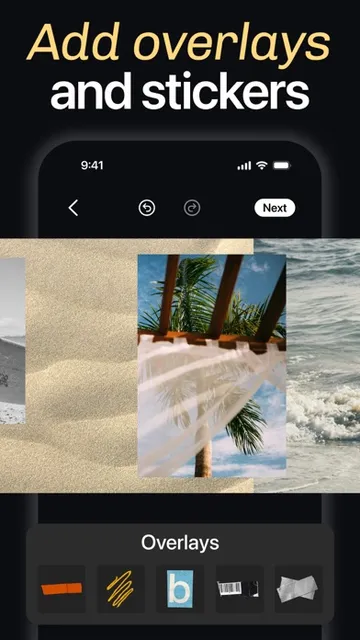
I like that the app treats the whole sequence as a design rather than a pile of separate images. I can adjust spacing and alignment, add textural overlays or stickers, and make edits without switching to a separate photo editor. The result can feel more like a small visual story than a standard album upload. For someone who likes planning a post before sharing it, that extra control is the main appeal.
A design tool, not a feed
Compared with quickly placing a few photos in a basic collage maker, SCRL is geared toward building compositions with more intention. It offers structured grids when I want clean order and a freeform canvas when I want to overlap, resize, and position elements more freely. Templates provide a starting point, while built-in adjustments and filters help keep the finished piece feeling cohesive.
That focus also defines what SCRL is not: it is not a social network or a replacement for the places where you browse and follow people. Its job is to help prepare visual content, including carousels and grids, for sharing. If I only need to crop one snapshot or apply a quick filter, the broader layout tools may feel like more work than necessary. It makes most sense when presentation matters.
Small habits, better layouts
I get more out of a design app like this when I decide on the shape of a post before I start moving pictures around. For a carousel, I first think about the opening image and how the story should continue across slides. For a feed grid, I consider how the individual images might look together. That little bit of planning helps me choose between a template and a more open-ended canvas.
It also helps to make a few deliberate passes instead of trying to perfect every detail at once. I can place the photos, check the overall balance, and then return to adjust spacing, color, or overlays. Zooming out on the freeform canvas is useful for checking the composition as a whole; zooming back in helps with small details. That rhythm makes the design process feel more manageable.
More From Our News Desk

Zoom Meetings, Google Meet, or Teams: Which Is Easiest to Join?

How I Build a Free Streaming Lineup With Tubi

Why Crunchyroll Is the Default Anime App for So Many Fans

YouTube TV: A Practical Guide to Cutting Cable

Rummikub and the Small Comfort of Phone Games

TeamViewer Remote Control or AnyDesk for Helping Family?
Who will enjoy SCRL
I’d recommend SCRL to people who regularly make visual posts and want more control over how separate photos work together. Artists, social media creators, and anyone who enjoys shaping a personal feed into something more consistent have a clear reason to try it. Its combination of templates, freeform layouts, photo adjustments, and carousel tools gives both a starting point and room to customize.
It may be less appealing if you prefer posting photos with minimal editing, or if you want an app whose main purpose is browsing and interacting with a social feed. There is also a difference between trying the free app and relying on every premium tool: the description offers a Premium trial followed by a subscription. I’d explore the available workflow first and check the App Store terms before committing to a plan.
SCRL: Photo Collage Maker is made by SCRL AB and is available for iOS through the Apple App Store. The app is free to download, carries a 4+ age rating, and requires iOS 16.0 or later. The store reports a 4.8-star rating from 127,512 ratings. Its current version is 9.62.
The App Store release date is October 18, 2017, and the recorded last update is November 2, 2026. SCRL’s description also offers Premium with monthly and yearly plans, including a free seven-day trial; it says an annual subscription fee is charged after the trial and that subscriptions renew automatically unless renewal is turned off in time. Check the App Store for the current plan terms.
Making Every Slide Feel Connected
Starting with a blank canvas
When I first opened SCRL, the range of possible outcomes stood out more than any single editing effect. The app is built around composing: a straightforward grid, an overlapping collage, a story template, or a larger design spread across slides. That makes it feel closer to a small mobile layout studio than a one-tap filter app.
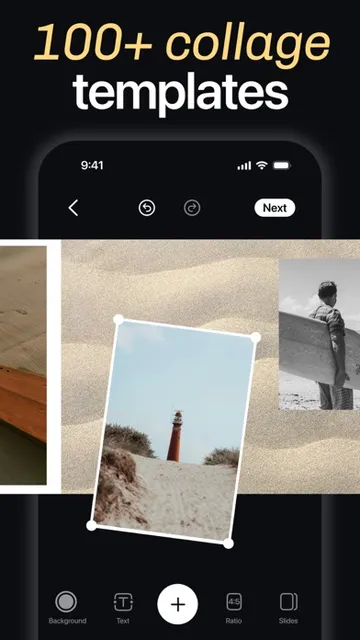
There are two useful starting moods. If I already know the look I want, I can work from a freeform canvas and position elements myself. If I would rather not begin with an empty design, the curated templates offer a ready-made structure. Either way, the basic idea is to shape the layout around the photos rather than force every set of images into the same arrangement.
The everyday editing flow
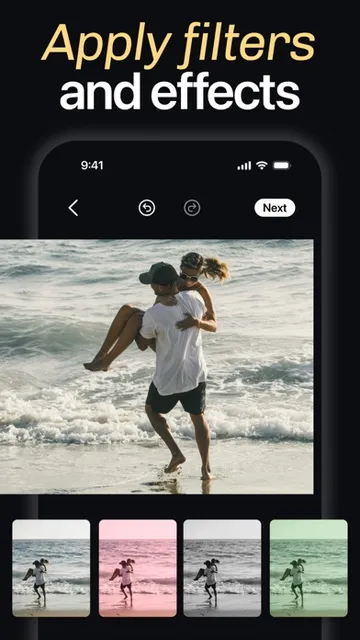
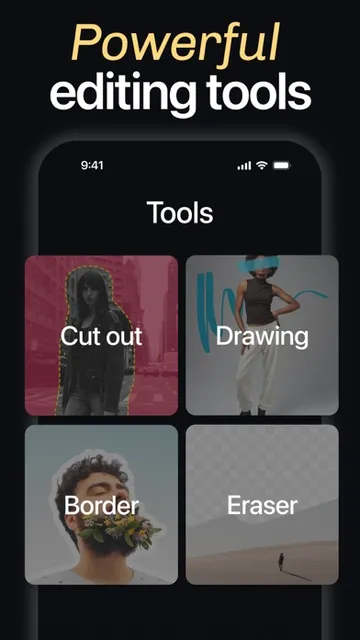
The day-to-day appeal is having several parts of the creative process together. I can arrange images, adjust exposure and color, and apply filters without leaving SCRL. That keeps the work in one place while I make decisions about both the individual pictures and the composition around them. It is a practical setup when I want to get from a rough idea to a polished post without bouncing between different tools.
I also appreciate that the app supports both precise layouts and a looser approach. Structured spacing can bring order to a group of images, while freeform placement leaves room for layers and asymmetry. Those options do mean there are more choices to make than in a simple collage tool. For me, the payoff is flexibility; the trade-off is that a design can take a little longer to settle.
Templates with room to adapt
Templates are one of the features that make SCRL approachable when I don’t have a layout idea ready. The app describes a curated collection for collages, carousels, and stories, with designs made around composition and visual rhythm. I can use one as a starting structure instead of building every post from scratch, then decide how closely I want to follow its arrangement.
The freeform canvas is the counterweight to those prepared designs. I can zoom in to work on details or zoom out to see the full composition, which is useful when a project spans more than one image. Stickers and overlays add another layer of choice, whether I want texture or a small decorative detail. Together, these tools give the app a broader design range than templates alone.
Planning a week of posts
For a small batch of posts, I’d begin by sorting the pictures into a few visual themes: a location, a set of product images, or moments from the same event. Then I’d choose whether each theme works best as a single collage, a sequence of carousel slides, or a grid that spans several photos. This keeps the layout decision tied to the content rather than choosing a template just because it looks attractive.
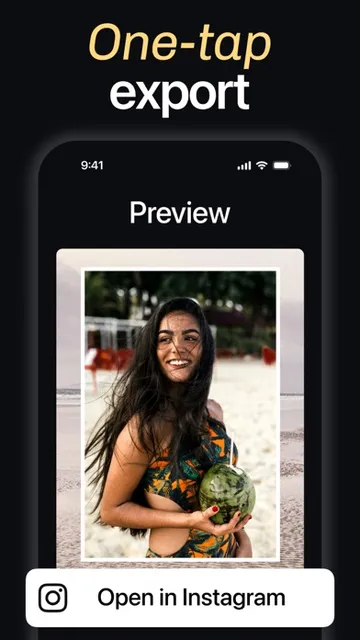
Once the structure is in place, I’d make the photo adjustments and check how the slides connect. SCRL is designed for carousels with panoramic layouts, precise alignment, and transitions that flow from one slide to the next. I’d finish by reviewing the full sequence, not just its opening image, before sharing. The app describes direct posting to Instagram and TikTok as part of its workflow.
Keep the scope in mind
SCRL’s strength is also its limitation: it concentrates on visual composition for social content. People who want a quick, automatic result may find the layout choices and hands-on adjustments unnecessary. And while templates can speed up a project, customization still requires deciding what belongs where. This is an app for taking a little care over presentation, not necessarily for every casual photo share.
The subscription is another practical consideration. The app is free to download, while its description presents Premium plans, a seven-day trial, and an annual charge after that trial. Since those terms can matter if I only need occasional designs, I’d check the current App Store details before starting. I’d also keep in mind that SCRL’s purpose is creating content; the social experience itself happens elsewhere.
SCRL is a capable choice when I want a set of photos to feel composed rather than simply collected. Its templates make it easier to begin, and the freeform canvas, built-in editing, and carousel tools leave room to make a design personal. The best results ask for some planning, but that is part of the point.
I’d recommend giving it a try if you regularly make collages, stories, or multi-slide posts and enjoy having control over spacing and flow. If you mostly share single photos with minimal fuss, a simpler editor may suit your routine better. Before using Premium, check the App Store subscription terms.
SCRL Frequently Asked Questions
What is SCRL: Photo Collage Maker used for?
SCRL is used to design photo collages, story layouts, feed grids, and carousel posts. It includes templates and a freeform canvas, along with photo adjustments such as exposure, color, and filters. It is focused on preparing visual content to share, rather than providing a social feed for browsing or following other accounts.
Which devices can run SCRL: Photo Collage Maker?
SCRL: Photo Collage Maker is an iOS app distributed through the Apple App Store. Its stated minimum requirement is iOS 16.0, so check your device’s software version before downloading. The App Store page is the best place to check current compatibility details for a particular iPhone or iPad.
Does SCRL: Photo Collage Maker cost money?
The app is free to download. Its description offers SCRL Premium through monthly and yearly plans and describes a free seven-day trial, followed by an annual subscription fee. Subscription terms and available prices may vary, so review the current App Store information before beginning a trial or choosing a plan.
What are the requirements for SCRL: Photo Collage Maker?
The app requires iOS 16.0 or later and has a 4+ age rating in the App Store. It is listed as version 9.62. Device compatibility can depend on the hardware and software you use, so check the App Store page for the latest details before installing.
Is SCRL: Photo Collage Maker right for casual users?
It can suit casual users who enjoy putting care into collages or sharing a set of photos as a designed sequence. Templates provide a way to start without building a layout from scratch. If you usually post one photo with little editing, SCRL’s broader composition tools may be more than you need.
Pros
- Combines collage layouts, photo adjustments, and carousel design in one app.
- Offers both structured templates and a flexible freeform canvas.
- Useful for planning connected slides and cohesive multi-photo grids.
- Zoom controls help switch between fine detail and the overall composition.
Cons
- Hands-on layout choices may feel excessive for quick, casual photo sharing.
- Premium involves a subscription after the described seven-day trial.
- Its focus is content creation, not social browsing or interaction.
- Category
- Photography
- Version
- 9.62











