Royal Caribbean International
- 116.74K
- 4.6
- Installs
- 5.00M
- Price
- Free

Screenshots

Analysis by Reviewed APKs
Royal Caribbean International is a cruise-planning and onboard companion app for people booking or taking a Royal Caribbean vacation. I found its main appeal in having trip preparation, reservations, schedules, maps and travel-party chats in one place. It can help make a busy cruise easier to organize, though some features depend on the ship and it is most useful when you are actually sailing with the line.
From Booking to Boarding
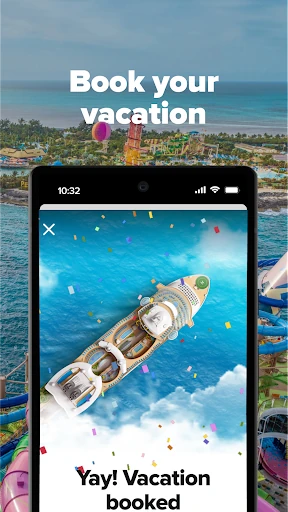
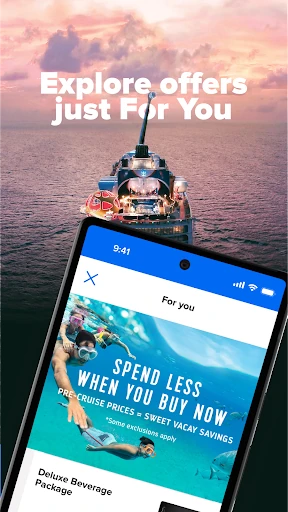
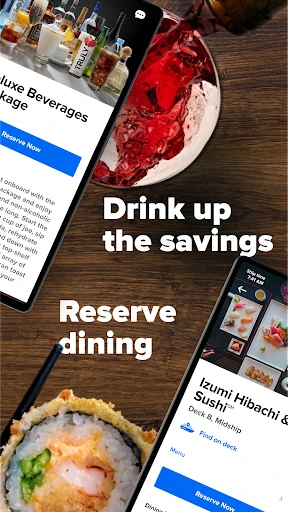
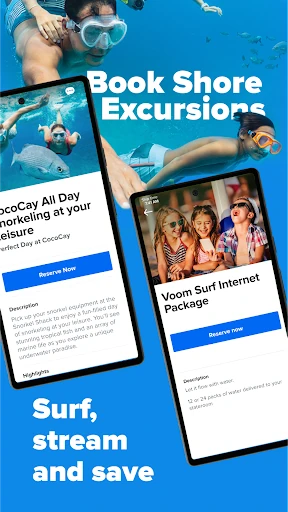
When I picture using this app, it starts a few weeks before sailing: I open it to check in, gather the travel documents I need and look for reminders about what still needs doing. I can also browse shore excursions, consider dining and beverage options, and reserve things ahead of time. That makes the app feel less like a digital brochure and more like a working trip organizer as departure gets closer.
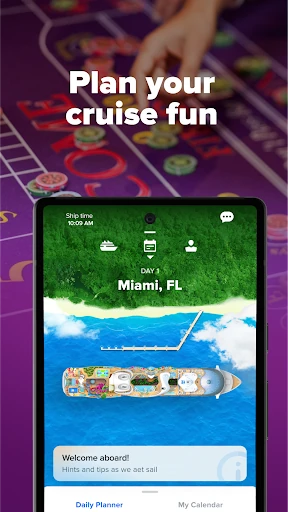
On sailing day, the practical details matter most. The app can help me start the required safety briefing and access my SetSail Pass before I head to the terminal. Once onboard, I can check the Daily Planner, map out activities and use deck maps to find my way. I like that the planning can continue after boarding rather than ending with the check-in screen.
A Cruise-Specific Toolkit
Compared with a general travel app, Royal Caribbean International concentrates on one part of a trip: a Royal Caribbean cruise. It combines cruise search and booking with preparation, onboard schedules, reservations and communication tools. The app also covers related planning, including flights, transportation and lodging options, so it can help organize more than the days spent at sea.
That focus is also its main boundary. This is not a universal travel planner for coordinating a trip across different cruise companies, and its onboard tools are not intended to serve every vacation. If I were planning a city break or a cruise with another line, I would need other tools. For a Royal Caribbean sailing, though, having ship-related details together is a more useful proposition than a generic itinerary list.
Small Planning Habits
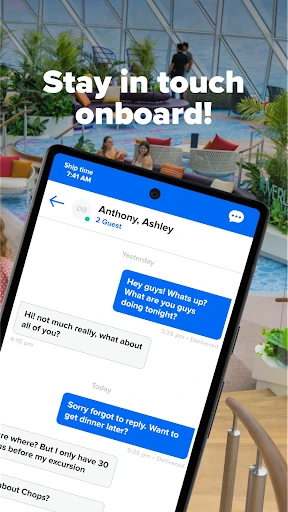
I would get more from the app by checking it in short bursts instead of leaving everything until departure week. Early on, I could browse destination and cruise options; closer to sailing, I could revisit check-in, travel documents and reminders. Linking reservations with the rest of my travel party also helps make shared plans easier to coordinate, especially when several people are deciding what to do in port.
Once onboard, a simple routine would be to check the Daily Planner in the morning, save activities to a personalized calendar and glance at the deck map before walking to an unfamiliar venue. The app can send notifications about scheduled plans, which is handy when a day gets busy. I would also check which features are available on my ship before relying on them.
More From Our News Desk

Zoom Meetings, Google Meet, or Teams: Which Is Easiest to Join?

How I Build a Free Streaming Lineup With Tubi

Why Crunchyroll Is the Default Anime App for So Many Fans

YouTube TV: A Practical Guide to Cutting Cable

Rummikub and the Small Comfort of Phone Games

TeamViewer Remote Control or AnyDesk for Helping Family?
Who Will Find It Useful
I would recommend Royal Caribbean International to people who have booked, or are considering, a Royal Caribbean cruise and want one place for both preparation and onboard planning. It suits travelers who like to check in early, compare excursions, keep schedules close at hand and coordinate with companions. The combination of trip reminders, reservations, maps and chat can be especially helpful when a group is juggling different plans.
It may be less useful to someone who is not sailing with Royal Caribbean, since the app’s strongest tools are tied to the line’s cruises and ships. Travelers who prefer to arrange everything elsewhere may also have little reason to keep opening it. I would treat it as a practical companion, not a replacement for every travel service or for checking ship-specific details before depending on a particular feature.
Royal Caribbean International is developed by Royal Caribbean Cruises Ltd. On Google Play, it has more than 5 million installs and a 4.6-star rating from about 117,000 ratings. The app is free to download, carries an Everyone content rating and requires Android 9 or later. Google Play describes it in the Travel & Local category.
The current version is 1.73.2. The app was released on August 10, 2017, and was last updated on February 5, 2026. The app description says it is free to use and notes that in-app purchases are available. It also says features may vary by ship, and that onboard use is available through the ship’s guest Wi-Fi network without an internet package.
A Handy Companion for Cruise Days
A Useful First Open
My first impression is of an app with a clear job: help with the cruise before, during and after the sailing. It is not only a place to look at destinations and book a cruise. The description also points to check-in, trip documents, onboard planning and loyalty information, which gives the app a broader role than I would expect from a simple booking tool.
For someone with a reservation, getting started can be about gathering the trip in one place: check-in reminders, possible shore excursions and options for dining, packages or spa appointments. The app also supports planning flights, transportation and lodging. I would approach it as a companion to the cruise booking, then explore the parts relevant to my own itinerary rather than trying to use every feature at once.
The Daily Rhythm
The app’s value changes as the trip progresses. Before departure, the emphasis is on planning and preparation. On the ship, the Daily Planner and personalized calendar help bring activities and shows into focus, while notifications can remind me when I have something scheduled. Deck maps are useful when I need to navigate around the ship rather than rely on memory.
I can also use the app to chat one-on-one or in a group with my travel party, and to track onboard expenses. Guest Services chat is available on select ships. These tools make the app more relevant during the cruise itself, when quick access to plans and practical information can save a little friction. Their availability can depend on the ship, so I would not assume every sailing offers the same set.
Features with Staying Power
The personalized Daily Planner stands out because it turns a list of shows and activities into something I can use to shape the day. Notifications add a helpful nudge when plans are coming up. Linking reservations with travel companions can also make group planning feel less scattered, while chat gives people a way to coordinate without switching to a separate conversation for every small decision.
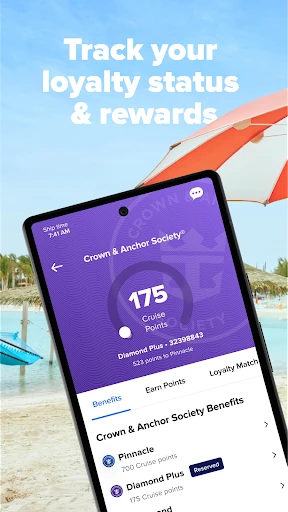
There is a substantial pre-cruise side, too. The app describes booking shore excursions, making dining reservations, purchasing or upgrading beverage and internet packages, and arranging spa packages. It also supports check-in, the safety briefing and the SetSail Pass. After the voyage, I can keep track of Crown & Anchor Society status and benefits, so the app has a role beyond the immediate sailing.
A Low-Stress Routine
For a practical routine, I would begin by checking the app when I book, then return as departure approaches to review check-in, travel documents and reminders. I could browse port excursions and look at dining or other pre-cruise options at a comfortable pace. If I am traveling with others, linking reservations early gives the group more time to compare plans instead of sorting everything out at the last minute.
During the cruise, I would check the planner each morning and build the day around a few activities rather than trying to schedule every minute. A deck map can help with unfamiliar routes, and chats can keep the group in touch. I would also use the app to review expenses or access available ship-specific services. That is a manageable rhythm without turning vacation into another project.
Keep the Boundaries in Mind
The main limitation is that features vary from ship to ship. Photos can be viewed, purchased and downloaded through the app on select ships, and Guest Services chat is also limited to select ships. I would check what is available for my sailing rather than count on every tool being present. That qualification matters most if I am building a detailed plan around a particular onboard feature.
The app is also most compelling for Royal Caribbean travelers. Its cruise search, bookings, onboard maps and planner are closely tied to the company’s trips, so it is not a general-purpose travel organizer for every vacation. The app description says ship guest Wi-Fi can be used without an internet package, while an internet package is an option to purchase. I would keep that distinction in mind when planning how to stay connected.
Royal Caribbean International brings a lot of cruise-specific planning into one app, from early check-in and reservations to daily schedules, maps and travel-party chats. I like that it can stay useful after boarding, rather than being only a booking channel. Ship-to-ship variation is worth remembering, but the overall focus makes sense for the trip it is designed to support.
If you are sailing with Royal Caribbean, I would try it as a practical companion and use the features that fit your itinerary. It is less compelling for travelers who want a general trip planner or are sailing with another line. For its intended audience, the mix of preparation and onboard tools makes it worth having on hand.
Royal Caribbean Frequently Asked Questions
What is Royal Caribbean International used for?
Royal Caribbean International helps travelers explore and book cruises, prepare for sailing and manage parts of the onboard experience. It includes tools for check-in, travel documents, shore excursions, dining reservations, a Daily Planner, deck maps and chats with travel companions. Features can vary by ship, so the exact set of onboard tools depends on the sailing.
Which devices can run Royal Caribbean International?
The app is available for Android devices through Google Play and requires Android 9 or later. The supplied app information describes the Android version, so check the store for current device compatibility and availability on other platforms. Some onboard functions also depend on the ship and its guest Wi-Fi network.
What Android version does Royal Caribbean International require?
Royal Caribbean International requires Android 9 or later. If you are unsure which Android version your device uses, check its system settings before installing. Store compatibility can also depend on the device, so the Google Play page is the best place to check whether the current app version is available for your phone or tablet.
Does Royal Caribbean International cost money?
The app is free to download and use, and its Google Play information says there are no ads. The app description says in-app purchases are available, including cruise-related options such as packages and reservations. The costs of those purchases may vary, so check the app or store details for current prices before making a purchase.
Is Royal Caribbean International useful for first-time cruisers?
It can be useful for first-time cruisers sailing with Royal Caribbean because it brings together preparation reminders, check-in, a safety briefing, the SetSail Pass and onboard planning tools. People who like to organize schedules and reservations may appreciate having those options together. Availability varies by ship, and travelers on other cruise lines may find it less relevant.
Pros
- Combines cruise preparation, check-in and onboard planning in one focused app.
- Daily Planner, deck maps and notifications can help organize busy days at sea.
- Travel-party linking and chats support coordination with companions.
- Includes cruise search, booking and loyalty information beyond the sailing itself.
Cons
- Some onboard features are available only on select ships.
- Its strongest tools are specific to Royal Caribbean trips.
- The range of options may feel like more than occasional travelers need.
- Category
- Travel & Local
- Version
- 1.73.2