Celebrity Cruises
- 25.94K
- 4.5
- Installs
- 1.00M
- Price
- Free

Screenshots

Analysis by Reviewed APKs
Celebrity Cruises is a trip-planning and onboard companion for people booking or taking a Celebrity cruise. It brings together booking, pre-sailing preparations, ship activities, and practical tools such as deck maps and travel-party chat. I like that it follows the trip from early planning through time at sea, rather than stopping at the booking. It makes the most sense for travelers already using the cruise line.
From Booking to Boarding
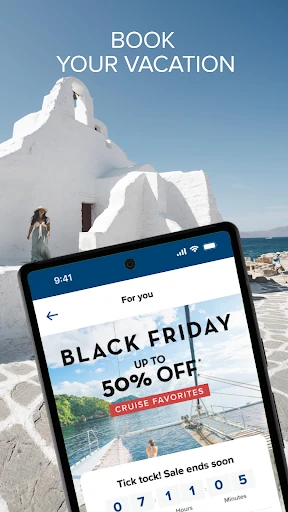
When I first opened Celebrity Cruises, I thought of the familiar moment when a vacation is booked but the to-do list is only starting. There are travel documents to gather, packing decisions to make, and a check-in deadline to remember. The app addresses that stretch directly with planning tips, document guidance, check-in reminders, and the option to start the safety briefing and access a SetSail Pass before sailing day.
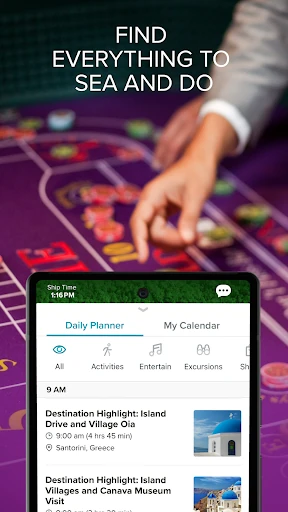
That makes it useful in small pockets of time: I can imagine checking a reminder over breakfast, then looking up an excursion while figuring out plans for a port. Once aboard, the Daily Planner and personalized calendar shift the focus to what is happening on the ship. Notifications can remind me about scheduled plans, which is handy when a relaxed day at sea makes it easy to lose track of time.
A Cruise-Line Companion
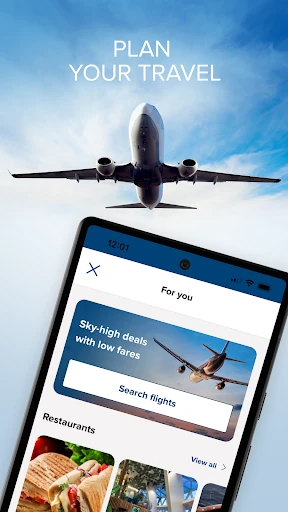
Compared with a general travel app, Celebrity Cruises is more focused on one part of a vacation: cruises with Celebrity. It can help with booking a sailing, exploring transportation and lodging options, and arranging cruise-specific details such as shore excursions, dining reservations, and packages. It also brings onboard information into the same place, including deck maps, event planning, and expense tracking.
I would not treat it as a universal trip organizer or a substitute for comparing every cruise line. Its tools are built around Celebrity’s ships, bookings, and Captain’s Club loyalty program, so travelers planning a trip with another operator will find the central features less relevant. Nor is it just an entertainment guide: much of its value comes from connecting booking and preparation with the practical business of a sailing.
Small Habits, Smoother Sailing
The app is likely to be more useful if I check it before the last-minute rush. I’d start with the check-in reminders and travel-document guidance, then review the available excursions and dining reservations while there is still time to make choices. If my group wants to coordinate, linking reservations and using travel-party chat can help keep plans together rather than scattering details across separate conversations.
On board, I’d use the Daily Planner to pick a few events and build a calendar, rather than trying to remember everything I saw earlier. A quick look at the deck maps can help when choosing where to go, and expense tracking offers a way to keep an eye on onboard spending. For photos, I’d check whether the feature is available on my ship. The app says features can vary from ship to ship.
More From Our News Desk

Zoom Meetings, Google Meet, or Teams: Which Is Easiest to Join?

How I Build a Free Streaming Lineup With Tubi

Why Crunchyroll Is the Default Anime App for So Many Fans

YouTube TV: A Practical Guide to Cutting Cable

Rummikub and the Small Comfort of Phone Games

TeamViewer Remote Control or AnyDesk for Helping Family?
Who Will Get the Most From It
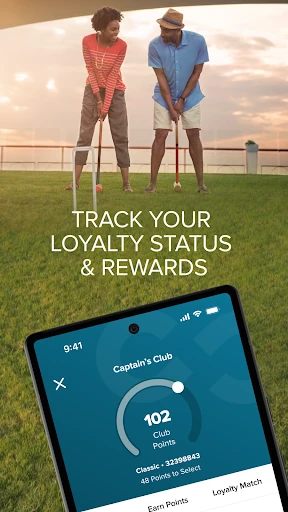
I’d recommend Celebrity Cruises to people who have booked, or are considering, a Celebrity sailing and want one place for several trip-related tasks. It has a useful range: browsing cruises, preparing for departure, reserving experiences, and keeping up with ship activities. Travelers who are already Captain’s Club members can also use it to track their tier and benefits, while prospective members can learn about the program and enroll.
It may be less compelling if you only need a broad flight-and-hotel planner, or if you are not traveling with Celebrity. Some onboard tools depend on the ship, so I wouldn’t plan around a feature such as photo access being available on every sailing. Groups may appreciate reservation linking and chat; solo travelers can still use the planning and ship information without needing those social tools.
Celebrity Cruises is developed by Royal Caribbean Cruises Ltd. On Google Play, it has over one million installs and a 4.5-star rating from around 26,000 ratings. It is free to download and use, and its content rating is Everyone. The app requires Android 9 or later.
The Google Play version is 1.73.2. The app was released on November 29, 2017, and its most recent update was February 5, 2026. The app description says purchases are available, including cruise-related bookings, packages, and extras; check the store and your sailing details for current purchase options.
A Practical Companion at Sea
A Planning-First Welcome
My first impression is that Celebrity Cruises is meant to be useful before the ship leaves port, not just once I am on board. It covers both booking and preparation, with cruise discovery alongside guidance on documents, packing, and check-in. That gives the app a longer role in the trip than a tool opened only to find an event or check a map.
I’d begin by looking at the sailing information and the preparation prompts, then work through the choices that need advance attention. The app also points to flights, transportation, and lodging options, so it can help me think beyond the ship itself. Those options make it a broader trip companion, although its strongest focus remains the cruise and its associated plans.
Useful Through the Day
At sea, the Daily Planner is the feature I’d expect to return to most. It collects shows and programming, lets me create a personalized calendar, and can send notifications when plans are coming up. That is a practical answer to a common vacation problem: there may be plenty to do, but it is easy to forget where or when something is happening.
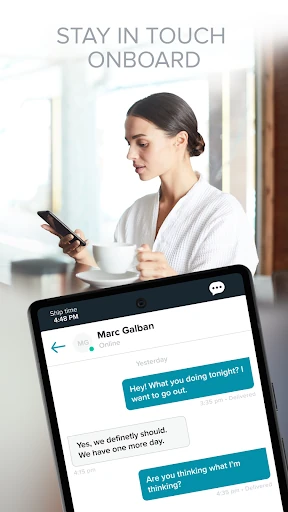
Deck maps add a different kind of everyday help, while chat can keep a travel party in touch through group or one-to-one conversations. I also like that onboard expenses can be tracked in the app. These are distinct jobs, but together they make it feel less like a brochure and more like a reference I can check while moving around the ship.
Planning Beyond the Cabin
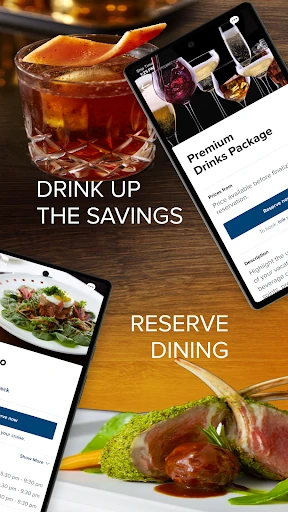
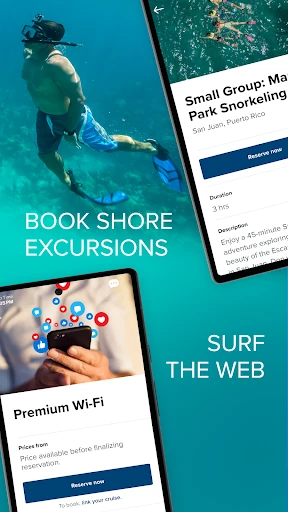
The range of reservations is a standout. The app supports shore excursions at ports, ship excursions and experiences, specialty dining reservations, and spa and wellness packages. It also offers drinks and internet packages, along with other pre-cruise deals, VIP Passes, gifts, and extras. I would not assume every option suits every sailing, but having these choices gathered around the cruise is convenient.
The app also connects planning with loyalty and inspiration. I can learn about ships and destinations through videos, explore the Captain’s Club, and track tier and benefits if I am already a member. After a trip, that loyalty information and the video library still give the app a reason to stay installed while I consider a future sailing.
A Routine for Sailing Day
For a smoother departure, I’d use the app as a short checklist in the days before travel. First, I’d review the document and packing guidance, handle check-in, and start the required safety briefing. I’d then make sure I can access the SetSail Pass before heading to the terminal. Those steps give the app a concrete job at a time when small oversights can create avoidable stress.
Once on board, I’d check the calendar in the morning, save the activities I care about, and use the map when I need to orient myself. If plans involve friends or family, linking reservations and using chat can help everyone stay coordinated. Later, I could review expenses or check for photos, keeping in mind that photo access is available only on select ships.
Keep Ship Differences in Mind
The main limitation is also a useful expectation to set: features can vary by ship. The app describes some offerings as available only on select ships, and the broader feature set may not be identical across the fleet. I’d check the details for my particular sailing before making a plan depend on a specific onboard tool or experience.
There is also a natural boundary to its usefulness. The app is centered on Celebrity Cruises, so it is not a neutral comparison service for all cruise operators. Its booking and extra-purchase options can help arrange a trip, but travelers still need to decide which plans fit their own itinerary. For someone without a Celebrity sailing in view, many of the onboard tools will have little to do.
Celebrity Cruises has a sensible, trip-long shape: it helps with booking and preparation, then stays relevant through ship schedules, maps, chat, and expense tracking. I especially like the way check-in and planning tools sit alongside onboard features instead of being treated as separate tasks.
I’d recommend it to anyone taking a Celebrity cruise who wants fewer scattered notes and reminders. If you are choosing between cruise lines or need a general-purpose travel organizer, it is a narrower fit. For the right sailing, though, it looks like a practical companion from the planning stage to the return home.
Celebrity Cruises Frequently Asked Questions
What is the Celebrity Cruises app used for?
Celebrity Cruises helps travelers browse and book cruises, plan travel details, and prepare for sailing day. It also supports reservations for excursions, dining, and packages, and offers onboard tools such as a Daily Planner, deck maps, travel-party chat, and expense tracking. Some features vary by ship, so check the details for your sailing.
Which phones and devices support Celebrity Cruises?
Celebrity Cruises is available on Android through Google Play. The listed requirement is Android 9 or later. If you use another type of device, check the relevant store or the cruise line’s current information for availability. The app’s onboard features are intended to accompany a Celebrity cruise, and individual tools can vary by ship.
Does Celebrity Cruises cost anything?
The app is free to download and use. The app description also refers to purchases such as cruise bookings, shore excursions, dining, packages, and other extras, so using the app does not mean every trip item is free. Current purchase options and prices may vary; check the Google Play details and your sailing information.
What Android version does Celebrity Cruises require?
Celebrity Cruises requires Android 9 or later. If your phone is running an older version, check the Google Play page for the current compatibility details before relying on the app for a trip. The available features can also differ by ship, so device compatibility and sailing-specific availability are separate things to consider.
Is Celebrity Cruises useful for someone traveling with a group?
It can be, especially for people traveling together on a Celebrity sailing. The app supports linking reservations and offers group or one-to-one chat, alongside shared planning possibilities such as excursions and the Daily Planner. Solo travelers can still use its booking, check-in, map, and ship-planning tools without needing the group features.
Pros
- Covers cruise planning, check-in preparation, and onboard activities in one app.
- Daily Planner, notifications, and deck maps support practical shipboard routines.
- Reservation linking and chat can help travel parties coordinate.
- Includes Captain’s Club information and loyalty-status tracking.
Cons
- Its core tools are tailored to Celebrity Cruises rather than cruise travel generally.
- Some features vary by ship, so availability can differ between sailings.
- The broad selection of packages and extras may take time to sort through.
- Category
- Travel & Local
- Version
- 1.73.2