Expedia: Hotels, Flights, Cars
- 1.73M
- 4.8
- Installs
- 50.00M
- Price
- Free

Screenshots


Analysis by Reviewed APKs
Expedia: Hotels, Flights, Cars brings flight, lodging, rental-car, activity, and vacation-package searches into one travel app. I found its biggest appeal in having reservations and trip details gathered in one place, especially when a trip has several moving parts. It suits people who like comparing options on their phone and want to manage plans as they go. My overall take: broad and convenient, though the range of choices calls for careful comparison.
Planning a Weekend Away
When I plan a weekend away, the early decisions tend to arrive in a jumble: which flight works, where to stay, and whether I will need a car once I land. Expedia gives me a place to search across those pieces instead of switching between separate travel apps. I can compare flights and stays, look at rental cars, and consider activities before I settle on a plan.
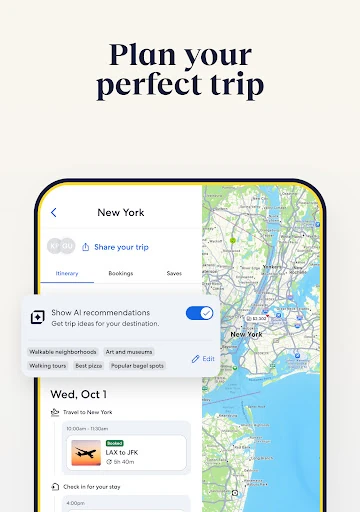
For a hypothetical Friday-to-Sunday trip, I would start with the flight options, then compare hotels or homes near the places I expect to visit. Filters help narrow stays by details such as Wi-Fi, parking, or a pool. Once the main bookings are in place, I can add activities or revisit the package choices. The practical benefit is having trip details and maps together in one itinerary.
A Travel Shop, Not a Guidebook
Expedia’s obvious role is booking and managing travel, rather than serving as a destination guide or a place to build a detailed day-by-day sightseeing plan. It brings flights, accommodation, cars, activities, and packages under one roof, which is useful when I want to compare the basics of a trip in one session. Someone who already knows exactly what to book may use only a small part of that range.
Compared with using separate airline, hotel, and car-rental apps, Expedia offers a shared search and itinerary experience. That does not mean every traveler should book every component through one service. I would still compare the options that matter to me and read the booking details, especially when cancellation terms affect my plans. The app is strongest as a practical booking hub, not as a substitute for personal research.
Small Planning Habits
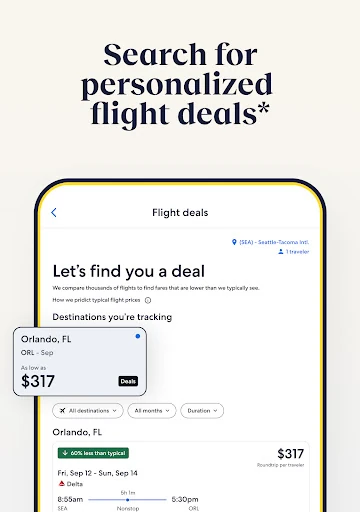
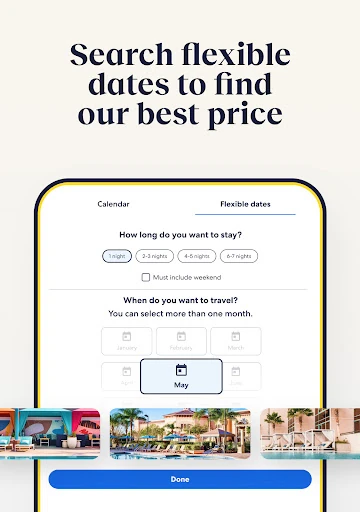
I get more value from a travel app when I use it before I feel rushed. Expedia’s flight price tracking can send alerts when prices drop, so I can keep an eye on a route while dates are still flexible. Flight Deals on a map offers another way to browse. These tools make more sense as part of a gradual search than as a promise that a particular fare will appear.
I would also use filters early rather than scrolling through every stay or rental. A short list of priorities—say, free Wi-Fi, airport access, or a kitchen—makes comparisons easier. If I book different pieces at different times, I can return to the trip and add hotels, cars, or activities later. Sharing the itinerary can help other travelers keep the same details handy.
More From Our News Desk

Zoom Meetings, Google Meet, or Teams: Which Is Easiest to Join?

How I Build a Free Streaming Lineup With Tubi

Why Crunchyroll Is the Default Anime App for So Many Fans

YouTube TV: A Practical Guide to Cutting Cable

Rummikub and the Small Comfort of Phone Games

TeamViewer Remote Control or AnyDesk for Helping Family?
Who May Find It Useful
I would recommend Expedia to travelers who often compare more than one part of a trip and want reservations collected in one itinerary. It can suit a family weighing hotel features, a solo traveler watching flight prices, or someone arranging a car and an activity after choosing a destination. Free membership also opens access to member prices and OneKeyCash on eligible bookings, which may interest people who book through Expedia repeatedly.
It may be less compelling if you only need one quick reservation and already prefer a particular airline or hotel’s own booking process. Travelers who dislike sorting through options may also find a broad travel search tiring until they learn which filters matter to them. And while the app helps organize bookings, it cannot make every trip component fit together automatically; I would still check dates, terms, and locations before paying.
Expedia: Hotels, Flights, Cars is a free Android travel app from Expedia. On Google Play, it has over 50 million installs and a 4.8-star rating from around 1.7 million ratings. The app contains ads, and the supplied store details show no in-app purchases. Its content rating is Everyone.
The supplied app details give version 2026.44.0, an original release date of May 10, 2011, and a last update of October 29, 2026. A minimum Android version is not provided in those details, so check the Google Play page for device compatibility. Expedia’s travel features and booking availability can vary by destination and reservation.
How Expedia Fits Into Trip Planning
Getting Started
When I first opened Expedia, the range of trip components stood out: flights, stays, cars, activities, and vacation packages all belong to the same travel-search idea. That breadth is helpful if I am starting from a blank page, but it can also make the first decision feel bigger than it needs to be. I would begin with the dates and the most important booking, then branch out.
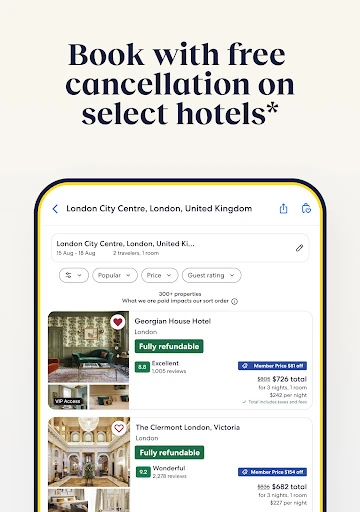
The app’s filters are a useful way to make a large search more manageable. For a stay, I can focus on practical features such as parking, Wi-Fi, a kitchen, or a pool. For flights and rental cars, the app presents comparison options side by side. I would take a moment to check the details rather than treating a quick search result as the final answer.
The Everyday Booking Flow
The day-to-day experience revolves around searching, comparing, and keeping track of bookings. Expedia lets me bring reservations into one itinerary, with trip details and maps, and manage changes on the go. That is most useful after the planning stage, when I want to look up what I booked without digging through several separate services.
Trip alerts cover practical travel updates, including flight delays, gate changes, and hotel check-out times. I like that this puts useful reminders alongside the booking information, rather than leaving the itinerary as a static list. Sharing the itinerary is another sensible touch when someone else needs the same trip details. These features support organization; they do not remove the need to follow the relevant provider’s instructions.
Tools Beyond Search
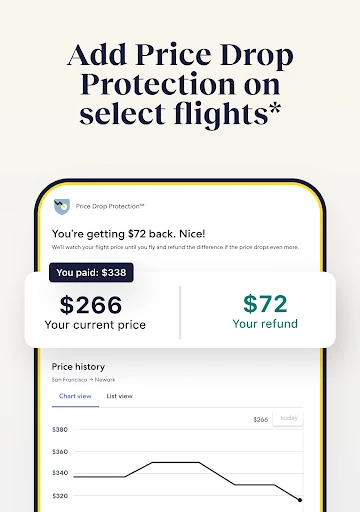
Price Tracking is one of the more distinctive planning tools. I can watch flight prices and receive an alert when a fare drops, which suits travelers who are still comparing dates or deciding when to book. Flight Deals on a map gives another way to explore inexpensive flight options. I see both as browsing aids: useful for spotting possibilities, but not a reason to assume a price will stay available.
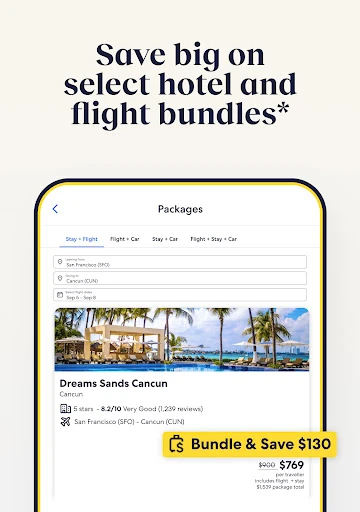
Expedia also brings together Member Prices, Bundle & Save, and OneKeyCash. The description says logged-in members can access select member prices, and eligible bookings can earn OneKeyCash for future use. Bundling components may save money compared with booking those same pieces separately, though savings vary and do not apply to every package. I would compare the final terms and totals rather than choosing a bundle just because it is presented as a deal.
For lodging, the selection spans different kinds of stays, from hotels and hostels to vacation rentals and resorts. Activities can be added for a destination, and rental cars can be arranged for airport or in-town pickup. That mix gives Expedia room to handle different travel styles without forcing a single kind of itinerary. It is a broad catalog, so the useful filters are important.
A Useful Trip Routine
For a trip that is still taking shape, I would first search the flight and use price tracking if I am not ready to book. Next, I would compare stays using a few non-negotiable filters, then check whether a package makes sense for the components I want. If I need a car or want to reserve an activity, I can add those pieces as my plans become clearer.
Once the bookings are set, I would revisit the itinerary before leaving and share it with anyone traveling with me. During the trip, I can check details and maps and pay attention to alerts about flight changes or hotel check-out. This routine keeps planning and travel information together without requiring me to decide every detail at the start. I would still verify each reservation’s dates and conditions.
Limits to Keep in Mind
A single app can make comparison more convenient, but convenience does not guarantee the best fit or the lowest total for every booking. Package savings vary, member prices apply to select options, and hotel cancellation rules differ. I would read the terms for each component before booking, especially if plans may change or a fare has restrictions.
The breadth of the catalog can also create a lot to sift through. A traveler looking only for one room may not need all the flight, car, activity, and package options in the same place. And while the itinerary helps organize information, it is still worth checking updates and booking details directly in the app. Expedia works best when I use its comparison tools deliberately.
Expedia is a capable option for travelers who want to search across several trip needs and keep their reservations in one place. Price tracking, filters, itinerary tools, and alerts give it uses beyond the initial booking. The sheer range is its strength, but it also rewards a little patience and careful checking.
I would try it if I regularly compare flights and stays, or if I like arranging a trip piece by piece in one app. If I only book one travel service at a time, a dedicated provider’s app may feel simpler. Either way, Expedia is most useful as a planning and organization hub, not as a reason to skip comparing terms.
Expedia Frequently Asked Questions
What is Expedia: Hotels, Flights, Cars used for?
Expedia: Hotels, Flights, Cars is used to search, compare, and book flights, hotels and homes, rental cars, activities, and vacation packages. It can also keep trip reservations in an itinerary, provide trip alerts, and track flight prices. The exact options and availability depend on the destination and the bookings being searched.
Which devices can run Expedia: Hotels, Flights, Cars?
Expedia: Hotels, Flights, Cars is an Android app available through Google Play. The supplied app details do not give a minimum Android version, so check the Google Play page on your device for compatibility. The app’s booking choices can also vary by destination and travel dates.
Does Expedia: Hotels, Flights, Cars cost anything?
The Android app is free to download. The supplied Google Play details show no in-app purchases, and the app contains ads. Travel bookings made through Expedia can have their own prices, taxes, fees, and terms, so review the final booking details in the app before confirming.
Does Expedia: Hotels, Flights, Cars offer rewards?
Expedia describes its free One Key membership, which provides access to member-only savings on select bookings. Eligible bookings can earn OneKeyCash to use on a future trip through Expedia, Hotels.com, or Vrbo; it cannot be redeemed for cash. Offers and eligibility vary, so check the terms shown for a booking.
Who should use Expedia: Hotels, Flights, Cars?
It may suit travelers who want to compare several trip components and manage reservations in one itinerary. Price tracking and trip alerts can also help people who plan ahead or want travel details together. Someone who only needs one booking, or prefers a particular provider’s own app, may find Expedia’s broader range unnecessary.
Pros
- Search flights, stays, rental cars, activities, and packages in one app.
- Flight price tracking and map-based Flight Deals support flexible trip planning.
- Itinerary tools collect reservations, maps, trip details, and useful alerts.
- Filters help narrow stays and rentals by practical amenities.
Cons
- The wide range of travel options can take time to sort through.
- Package savings and member prices vary, so compare final booking terms.
- The supplied details do not specify a minimum Android version.
- Category
- Travel & Local
- Version
- 2026.44.0