Airbnb
- 1.98M
- 4.5
- Installs
- 100.00M
- Price
- Free

Screenshots
Analysis by Reviewed APKs
Airbnb is a travel app for finding places to stay, booking local experiences and arranging services at home or while traveling. I see it suiting people who like comparing different kinds of accommodation and keeping trip details together in one place. After spending time with its range of planning tools, my take is that it is more useful than a simple rental search, though the extra choices can make it feel busy.
Planning a weekend away
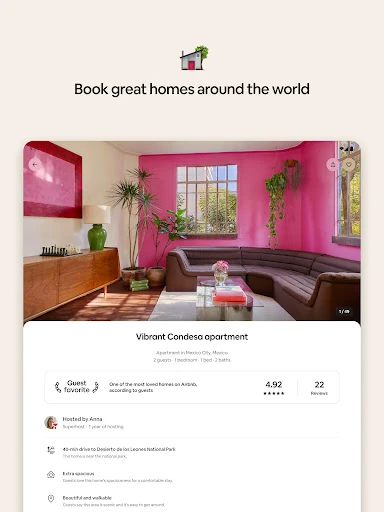
When I plan a weekend in a city I don't know, I like to start with the practical question: where can we stay that fits the group and the way we want to spend the trip? Airbnb's home search gives me filters for things like a kitchen, a pool and step-free entry. I can compare listing details alongside guest ratings and reviews, which makes the early browsing feel more grounded than scrolling through photos alone.
Once I have a place in mind, I can check the listing details and reviews, then keep the booking information in the app. That becomes useful closer to arrival, when the group needs to know the check-in time or how to get inside. I also like that trip details can be shared, so I don't have to be the only person relaying every instruction. It is a practical flow from browsing to the day of travel.
More than a room search
The obvious alternative is a hotel app, and Airbnb serves a different kind of search. Here I can look for a whole home or a stay with particular features, and I can also browse experiences hosted by locals. The app brings those options together with services such as prepared meals or hair styling. That breadth is its main distinction: it can help with parts of a trip beyond choosing a bed for the night.
That wider scope is not automatically better for every traveler. If I only want to compare standard hotel rooms, or I prefer a very focused booking tool, Airbnb's homes, experiences and services may be more than I need. It is not a substitute for deciding what kind of stay suits my plans; the app presents options, while I still have to weigh the details and reviews. I find it best when flexibility matters more than a one-size-fits-all search.
Small habits that help
I get more from a search when I decide on a few must-haves before opening the filters. A kitchen or step-free entry can matter more than a long wish list, and the app offers over 80 filtering options. Narrowing the search around real needs helps me avoid treating every attractive photo as a serious candidate. I then use the listing information and guest feedback to compare the remaining places.
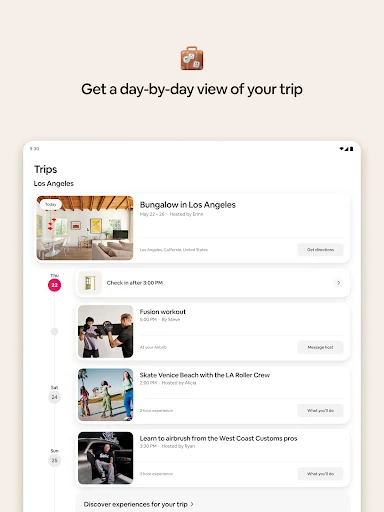
After booking, I make a habit of checking the Trips tab rather than relying on scattered notes. Its day-by-day view brings reservations and key details together, including check-in times, special instructions and entry codes. I can also use in-app messaging to contact the host and keep the conversation with the trip information. For group travel, sharing reservation details early is a small step that can prevent last-minute confusion.
More From Our News Desk

Zoom Meetings, Google Meet, or Teams: Which Is Easiest to Join?

How I Build a Free Streaming Lineup With Tubi

Why Crunchyroll Is the Default Anime App for So Many Fans

YouTube TV: A Practical Guide to Cutting Cable

Rummikub and the Small Comfort of Phone Games

TeamViewer Remote Control or AnyDesk for Helping Family?
Who will get the most from it
I'd recommend Airbnb to travelers who want to compare homes with different layouts and amenities, especially when a kitchen, accessibility feature or space for a group is part of the plan. It also suits people who enjoy adding a local activity to a trip instead of treating accommodation as the only booking that matters. Having reservations and host messages gathered in the same app is a useful extra for people who like one planning hub.
It may be less appealing if you want a narrowly focused hotel search or if browsing a wide range of homes, activities and services feels like work. Airbnb gives you choices, not a shortcut around deciding what is right for your trip. I would also suggest being deliberate about checking listing details and guest reviews rather than choosing on photos alone. For a traveler who enjoys that comparison, the range is a strength; for someone who wants fewer decisions, it can be a lot.
Airbnb is developed by Airbnb and is available for Android through Google Play. The app is free to download, and Google Play shows more than 100 million installs. It has a 4.5-star rating from around 1.98 million ratings. The content rating is Everyone. Those figures offer a useful sense of its reach, though an overall rating cannot tell me whether a particular home or experience will suit an individual trip.
The listed version is 26.44, with a release date of January 17, 2012, and a last update date of October 27, 2026. The supplied store facts do not give a minimum Android version, so it is sensible to check Google Play's compatibility information for the device being used. The app is marked free, with no in-app purchases or ads.
A trip planner beyond the booking
Opening the app
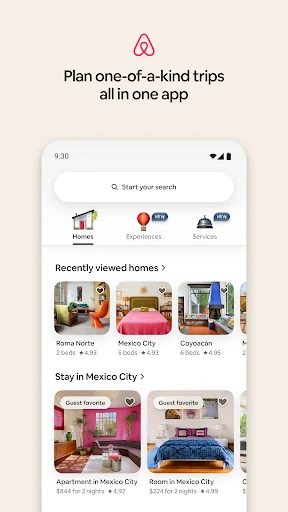
My first impression is that Airbnb wants to be a starting point for a whole trip, not just a place to reserve a bed. Homes, experiences and services all sit within its wider purpose, so there is more to explore than a basic accommodation search. That can be appealing when I'm still deciding what kind of trip I want. It also means I need to give myself a moment to focus on the task at hand.
For a stay search, I would begin with the destination and the kind of accommodation I need, then use filters to narrow the results. Airbnb describes more than 80 options, including amenities and accessibility features. I appreciate that these are concrete things to look for rather than vague inspiration alone. Before I settle on a home, I would take time with its listing details and reviews instead of assuming a compelling image tells the whole story.
Using it as plans change
The app's day-to-day value becomes clearer after a booking. The Trips tab organizes plans by day and keeps reservation details nearby, including check-in times, special instructions and entry codes. I can imagine checking it while on the way to a rental instead of searching through old messages. Some trip details are available offline, which is handy when connectivity is uncertain during travel.
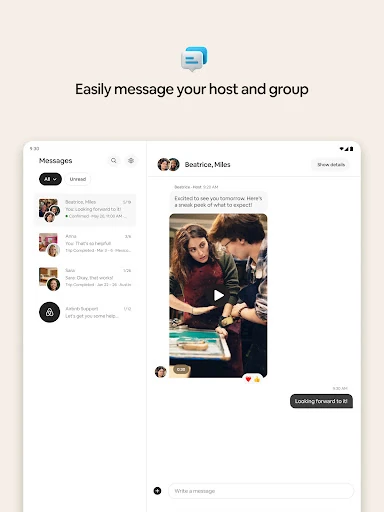
Messaging is another practical part of the routine. Guests can communicate with hosts in the app, ask questions and receive booking updates. The chat can also include photos and videos, and can be used to customize an Airbnb Service. I like the idea of keeping those conversations connected to the trip rather than switching between separate channels. For a group, shared trip details can make the logistics easier to pass around.
Homes, experiences, services
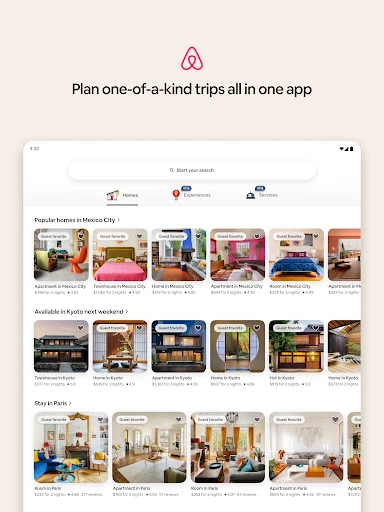
The home search is the app's most obvious feature, but its range goes beyond conventional vacation rentals. Listings can be compared through details, ratings and guest reviews, while filters help surface amenities that matter to a particular stay. The variety makes it possible to look for something that fits the shape of a trip, whether I'm traveling alone or with a group, rather than only browsing by destination.
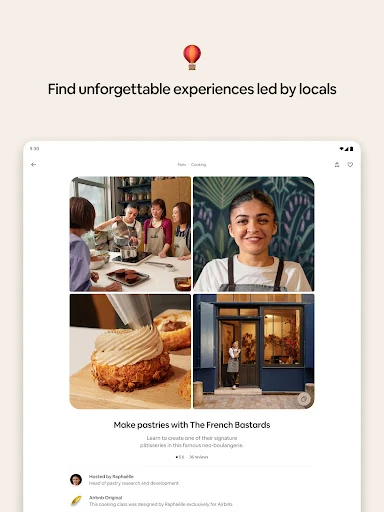
Experiences add a different kind of planning. Airbnb offers activities hosted by locals, with examples including food tours, cooking classes, outdoor activities, art workshops and live performances. The app also presents Airbnb Originals as experiences designed exclusively for the platform. I find this part most useful when I already know where I'm staying and want to look for an activity that complements the destination.
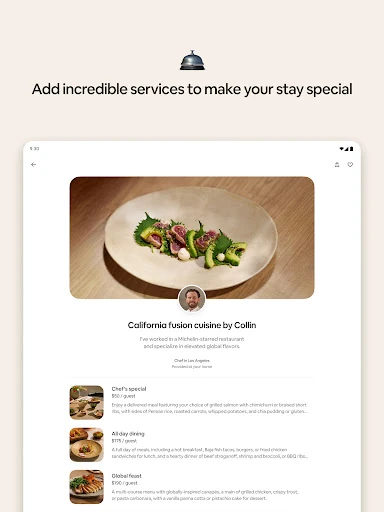
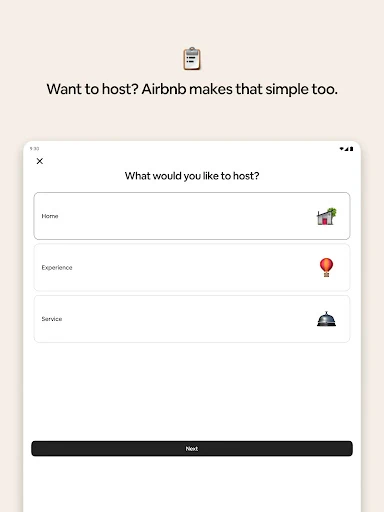
Services make the app broader still. The description includes options such as private chefs, prepared meals, photography, hair styling, massage and personal training. Some services can be booked at a stay, while the app also says people can use them at home without traveling or staying in an Airbnb. I would treat this as an additional way to browse, rather than assuming every service is relevant to every trip.
A calmer trip routine
For a group weekend, I would use Airbnb in stages. First, settle on the essentials for the home and compare a short list using the listing details and guest feedback. After booking, share the reservation information with the other travelers. A little coordination at this point can help everyone know where to go and what to expect before arrival, instead of trying to reconstruct the plan on the travel day.
Next, I would check the Trips tab for the day's plan and any arrival instructions, then message the host if something needs clarifying. Once the stay is settled, I might browse experiences nearby or consider a service that fits the group. The personalized recommendations on the homepage are described as being tailored to where a guest is staying and who they are traveling with, so they can be a useful prompt without replacing my own planning.
Keep expectations realistic
A large catalog is only helpful if I am willing to compare options. Airbnb's filters and reviews can narrow the field, but they do not make every home equally suitable. I still need to read the details carefully and think about the practical needs of the people traveling with me. A pleasant-looking listing is a starting point, not a reason to skip the comparison.
The app also combines several types of booking, which may feel like clutter if all I need is accommodation. Experiences and services are optional parts of the product, but their presence contributes to a wider browsing experience. I would open the app with a clear task when I want to plan efficiently, then explore the extras when I have time. That approach makes its breadth feel more useful and less distracting.
Finally, having trip information in one place is convenient, but it is still worth checking the details before setting out. The app can show check-in times, instructions and entry codes, and some details are available offline. I would review those essentials in advance rather than waiting until I am standing outside. That is a simple travel habit, not a criticism of the app: good planning still depends on paying attention.
Airbnb works best for me as a flexible travel companion: I can compare homes, keep reservation details close and browse activities or services without changing apps. Its range is also its main trade-off, since not every traveler needs all those options. A focused search and a careful look at reviews make the experience more useful.
I recommend trying Airbnb if you want more choice than a conventional stay search and value having trip logistics together. If you prefer a simpler hotel-only experience, its broader approach may not be a natural fit. For travelers who enjoy comparing homes and building a trip around them, it is a capable planning tool.
Airbnb Frequently Asked Questions
What is Airbnb used for?
Airbnb is used to find and book homes, browse local experiences and arrange services such as prepared meals or hair styling. It also keeps reservation details and host messaging in the app, with a Trips view for organizing booked plans. The range makes it useful for more than accommodation, though users can focus on just the part they need.
Which devices can run Airbnb?
The supplied app information covers Android, where Airbnb is available through Google Play. It does not give a minimum Android version, and compatibility can depend on the device and current store requirements. Check the Google Play page from the Android device you plan to use for the latest compatibility details.
Does Airbnb cost anything to download?
Airbnb is free to download on Google Play, and the supplied facts say it has no in-app purchases and contains no ads. Booking a home, experience or service is a separate matter; costs can vary by the option chosen, so review the relevant details in the app before making plans.
Can I use Airbnb just to find a place to stay?
Yes. Homes are a core part of Airbnb, and the app offers filters for amenities and accessibility features, along with listing details, ratings and guest reviews. Experiences and services are additional options rather than a requirement to use the home search. It can suit someone who wants to browse stays without booking those extras.
Is Airbnb a good fit for every traveler?
It may suit travelers who like comparing different homes, need particular amenities or want to keep trip information together. People looking for a narrow hotel-only search may find its broader selection less convenient. The best fit depends on the kind of stay and planning style you want, so checking individual listing details and reviews matters.
Pros
- Filters cover practical home features, including kitchens and step-free entry.
- Guest reviews and listing details support more considered comparisons.
- Trips organizes reservations, arrival instructions and other key details.
- Homes, local experiences and services share one travel app.
Cons
- The broad mix of homes, experiences and services can feel busy.
- Choosing a suitable stay still takes careful comparison of listings.
- Travelers seeking only a straightforward hotel search may want less breadth.
- Category
- Travel & Local
- Version
- 26.44