Priceline: Hotel, Flight & Car
- 562.98K
- 4.8
- Installs
- 10.00M
- Price
- Free

Screenshots
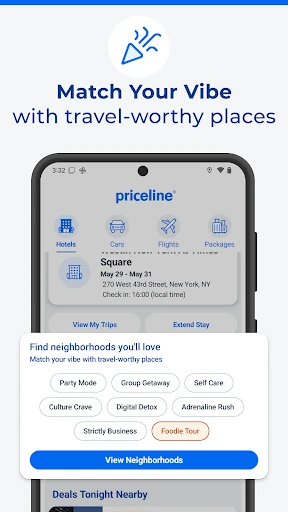
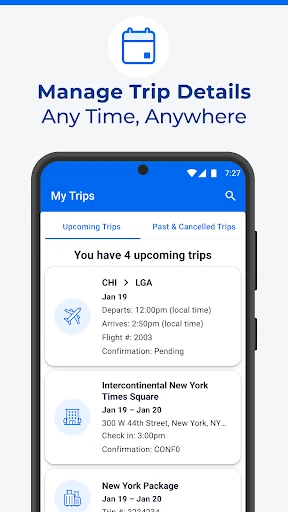

Analysis by Reviewed APKs
Priceline: Hotel, Flight & Car is a travel-booking app for people who want to compare and arrange hotels, flights, rental cars, or combinations of them in one place. I found its broad mix most useful when a trip was still taking shape: I could look at a stay, consider transport, and keep the details together. It suits deal-conscious travelers, though the best savings can call for flexibility.
Planning A Weekend Away
When I’m planning a quick weekend trip, I usually start with a rough destination and dates rather than a finished itinerary. Priceline fits that stage well. I can search for hotels, flights, and rental cars, compare options, and consider a package that combines more than one part of the trip. That makes it handy when I want to get a realistic sense of the whole journey before settling on the details.
A last-minute stay is another natural use. I can browse hotel options across different budgets, from hostels to higher-end properties, and look for Express Deals if I’m willing to trade some certainty for a possible discount. Once a booking is made, My Trips keeps travel details accessible on my phone. It’s a practical loop: search while making plans, book when something works, then check the details again on the way.
A Booking Hub, Not A Guidebook
Priceline’s main advantage over using separate booking services is breadth. Hotels, flights, rental cars, and packages sit under one roof, so it can reduce the back-and-forth of arranging a trip across several apps. That is especially useful when I’m comparing the cost of a hotel-and-flight bundle with booking each piece separately. Search by city or interest, then narrow down what makes sense for the trip and budget.
I wouldn’t treat it as a destination guide or a replacement for researching what I want to do once I arrive. Its focus is finding and booking travel, then keeping trip information available. Travelers who already know their preferred airline, hotel, or rental company may prefer to book directly. Priceline makes more sense when I want options in one place, and it may be less appealing when I need every detail fixed before I compare.
Small Habits That Help
I get more out of Priceline when I search with a few workable dates or lodging styles in mind instead of expecting one perfect result. The app covers a wide range of accommodation types and budgets, and its deals can make flexibility worthwhile. I also check whether a package is relevant rather than assuming it will suit every trip. A little openness makes the comparison process more useful without turning planning into a bargain hunt.
After booking, I make a habit of checking My Trips before leaving home and again during the journey. The app can show trip details even when I’m offline, including bookings made on a computer, which is useful when I’m in transit or trying to find a reservation quickly. For rental cars, the description says most bookings offer free cancellation; I’d still read the terms for the specific option before relying on that flexibility.
More From Our News Desk

Zoom Meetings, Google Meet, or Teams: Which Is Easiest to Join?

How I Build a Free Streaming Lineup With Tubi

Why Crunchyroll Is the Default Anime App for So Many Fans

YouTube TV: A Practical Guide to Cutting Cable

Rummikub and the Small Comfort of Phone Games

TeamViewer Remote Control or AnyDesk for Helping Family?
Who Might Find It Useful
I’d recommend Priceline to travelers who like comparing several parts of a trip together, especially people looking for hotel deals or trying to book a stay at short notice. It is also a reasonable fit for someone who wants hotel, flight, and rental-car plans collected in one app. The package option may appeal when coordinating those pieces is part of the job, while My Trips is useful for returning to details after the booking is complete.
It may suit less well if you want a narrowly focused app for one airline or hotel brand, or if you prefer to research destinations and activities in the same place you book. Deal-seekers should also be comfortable comparing the terms of individual offers rather than assuming every low price has identical conditions. I see Priceline as a convenient booking tool, not a substitute for deciding what kind of trip you want or checking the specifics of an option.
Priceline: Hotel, Flight & Car is developed by priceline.com and is available on Google Play for Android. The app is free to install and has no in-app purchases or ads. Google Play shows over 10 million installs and a 4.8-star rating from about 563,000 ratings. Its content rating is Everyone, so the store classifies it as suitable for a general audience.
The listed minimum requirement is Android 8.0, and the current version is 15.1.370. The app was released on November 10, 2010, and was last updated on February 5, 2026. The recent update introduced Penny, an AI travel assistant for trip ideas, chat, and voice commands; made travel insurance available for all products; and redesigned rental-car checkout, alongside bug fixes and performance improvements.
A Closer Look At Trip Planning
Starting With A Search
When I first opened Priceline, the appeal was straightforward: it brings several booking categories into one travel app. I could think about the hotel, flight, and rental car as connected choices instead of treating each as a separate project. The app is aimed at both vacation and business travel, so the same broad search-and-booking approach can work for a quick overnight stay or a more involved trip.
Getting started is less about building a complicated itinerary and more about choosing what I need to book. I can search by city or interest and compare available travel deals. If I’m in a hurry, the description says hotel booking can be especially quick when signed in. I appreciated that the app’s basic purpose is clear: find options, make a booking, and keep the resulting trip information close at hand.
The Day-To-Day Booking Loop
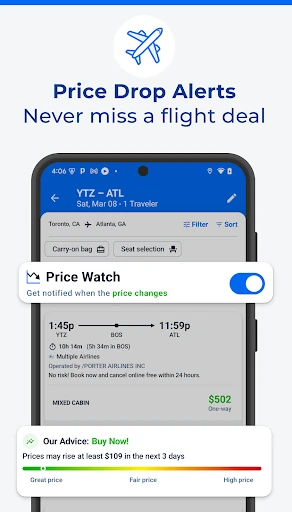
The everyday rhythm is familiar: search, compare, book, and return to the details later. Priceline covers domestic and international flights, hotel stays, and rental cars, which gives me room to handle different trip needs without changing apps. I can look at individual bookings or consider a package combining a hotel, flight, and rental car. Having those choices available is useful, though I still need to decide which parts actually belong in a particular trip.
The part I’d return to after booking is My Trips. It gives me access to trip information and lets me check hotel or rental-car details while on the go. The ability to view details offline is a welcome practical touch, especially when I’m between connections or don’t have a reliable signal. It can also include trips booked on a computer, so the app remains useful even if I didn’t make the original reservation on my phone.
Deals And Trip Tools
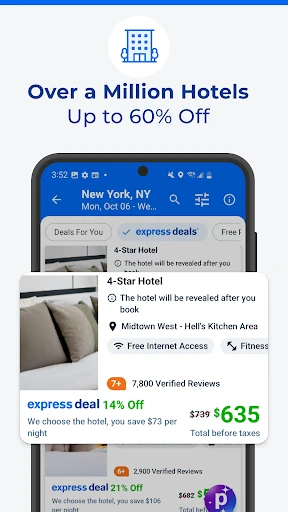
Express Deals are one of the app’s clearer ways to pursue a lower hotel price. Priceline says these hotel deals can save up to 60%, and VIP members can access additional discounts and perks. That gives a deal-focused traveler a reason to check the app even after deciding on a destination. I’d weigh the possible savings against the details and flexibility I want, rather than treating a discount as the only factor in choosing where to stay.
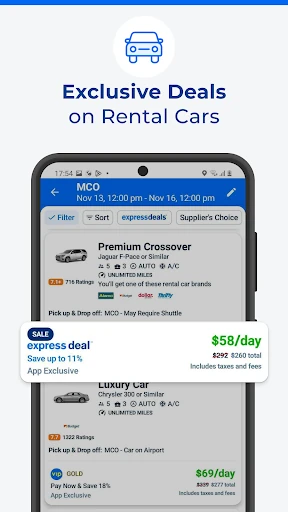
The package-booking option is useful when I want to consider hotel, flight, and rental car costs together. Priceline also covers a range of accommodation types, from hostels to five-star hotels, so the search is not limited to one travel style. For rental cars, the description mentions 290 brands and more than 28,000 locations, plus free cancellation on most bookings and no credit card fees. Specific booking terms still matter, so I would check each offer before confirming.
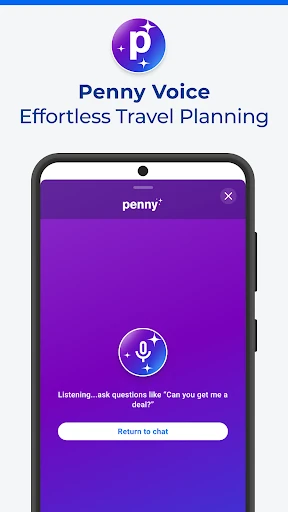
The newest described addition is Penny, an AI travel assistant that can chat, offer trip ideas, and accept voice commands for hands-free planning. Travel insurance is also available for all products, and rental-car checkout has been redesigned. These additions broaden the app beyond simple searching, but the core experience remains about finding and managing bookings. I see the newer tools as extra ways to plan, not a reason to skip comparing the actual travel options.
A Routine For Busy Trips
For a practical routine, I’d begin with the part of the trip that has the least flexibility. If the dates are fixed, I can search flights first and then compare hotels near the destination, or reverse that order if lodging is the priority. Once I have a sense of the options, I can check whether a package makes sense. That keeps the search grounded in the trip I’m actually taking rather than chasing every deal the app presents.
After booking, I’d use My Trips as a compact reference point. Before departure, I can review hotel and rental-car details; during the trip, I can pull them up again, including offline. If plans change, I’d check the terms for the specific reservation rather than assuming all bookings have the same cancellation rules. This small habit makes the app more useful as a travel companion and keeps important details from getting lost in a string of confirmation messages.
Tradeoffs To Keep In Mind
Priceline’s range is helpful, but it also means the app is not a specialist in one narrow part of travel. Someone who wants a focused airline experience or who always books a favorite hotel directly may not need a single place to compare all these categories. And while a package can simplify planning, combining bookings is not automatically the best choice for every itinerary. I’d compare the options that matter to me before deciding.
Some deal options may involve a different balance between price and choice, particularly when I’m looking at Express Deals. The app is most compelling when I’m open to comparing offers and can work with the terms attached to a specific booking. Travelers who need complete certainty from the first search may find that process less comfortable. I also wouldn’t mistake a booking app for a full guide to a destination; its strengths are travel deals and trip details.
Finally, broad claims about savings should be treated as a prompt to compare, not a promise about what every traveler will pay. Rates and booking conditions can differ by trip and offer. I’d take the time to read the details for flights, stays, and cars before confirming, especially when cancellation flexibility matters. That bit of care is worthwhile in any travel-booking app, and it helps Priceline’s convenience work in my favor.
Priceline is a useful all-in-one option for comparing hotels, flights, rental cars, and packages, with My Trips adding value after booking. I particularly like the fit for flexible travelers who want to browse deals and keep travel details accessible on the go. Its breadth is practical, though it doesn’t replace checking the terms of each offer or researching a destination separately.
I’d try it if I were planning a trip with several booking needs or looking for a hotel deal, especially when dates and lodging choices have some wiggle room. If I already book everything directly with a preferred provider, its wider comparison approach may matter less. For travelers who want options together and a place to revisit trip details, Priceline is worth a look.
Priceline Frequently Asked Questions
What is Priceline: Hotel, Flight & Car used for?
Priceline is used to search for and book hotels, flights, and rental cars, either separately or as a package. It also has My Trips for checking travel details, including some information when offline. The app is geared toward arranging travel and managing bookings, rather than serving as a destination guide.
Which devices can run Priceline: Hotel, Flight & Car?
The app is available on Google Play for Android devices. The listed minimum requirement is Android 8.0. If you are using a device with a different operating system, check the relevant app store or Priceline’s current availability information to see what options are offered.
What Android version does Priceline require?
Priceline: Hotel, Flight & Car lists Android 8.0 as its minimum requirement. The current version in the supplied store details is 15.1.370. Compatibility can depend on your device and the version available to it, so the Google Play store page is worth checking before installing.
Does Priceline: Hotel, Flight & Car cost money?
The app is free to install on Google Play, and the supplied details show no in-app purchases or ads. Travel bookings made through it are separate from the app’s install price; the cost of a hotel, flight, rental car, or package depends on the option and trip you choose.
Is Priceline: Hotel, Flight & Car suitable for deal seekers?
It may suit travelers who want to compare several travel categories and look for hotel deals, including Express Deals. It is particularly useful if you have some flexibility and want trip details in one place. If you prefer booking directly with one provider or need a destination guide, its main strengths may be less relevant.
Pros
- Hotels, flights, rental cars, and package bookings are available in one app.
- My Trips keeps hotel and rental-car details handy, including offline access.
- Express Deals and VIP discounts give deal-conscious travelers more options.
- The app covers different lodging styles, from hostels to five-star hotels.
Cons
- Deal-focused options may require flexibility about the details of a booking.
- It concentrates on travel bookings rather than destination research and activities.
- A broad set of booking categories may be unnecessary for direct-booking loyalists.
- Category
- Travel & Local
- Version
- 15.1.370