Renasant Mobile
- 14.16K
- 4.7
- Installs
- 100.00K
- Price
- Free

Screenshots
Analysis by Reviewed APKs
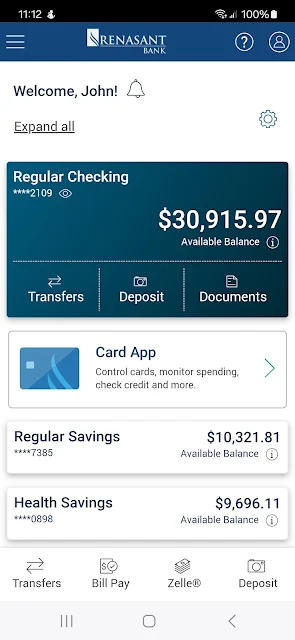
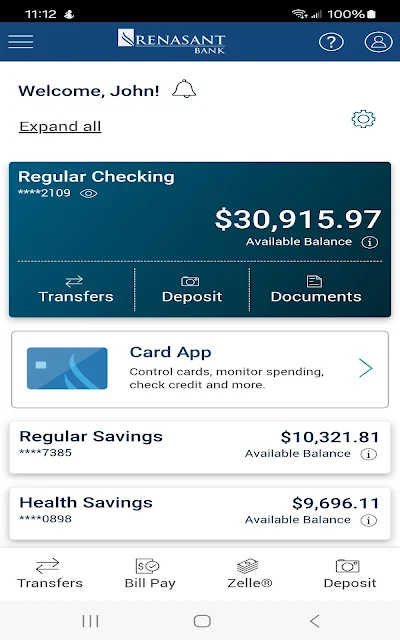
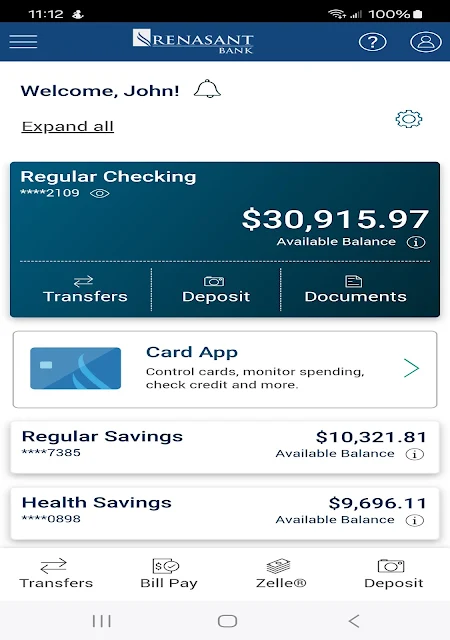
Renasant Mobile is a banking app for Renasant Bank consumer online banking customers who want to handle a few everyday tasks from an Android phone. I like its focused set of basics: checking balances, reviewing recent transactions, moving money between accounts, depositing checks, and finding branches or ATMs. It is most useful as a handy companion to an existing bank relationship, rather than a general-purpose money manager.
A quick banking check-in
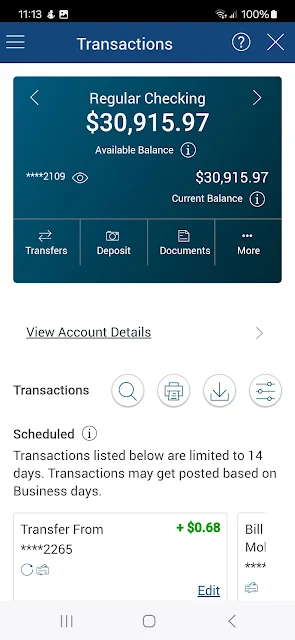
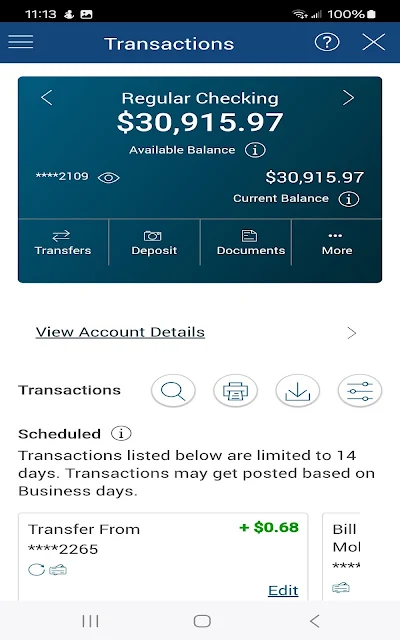
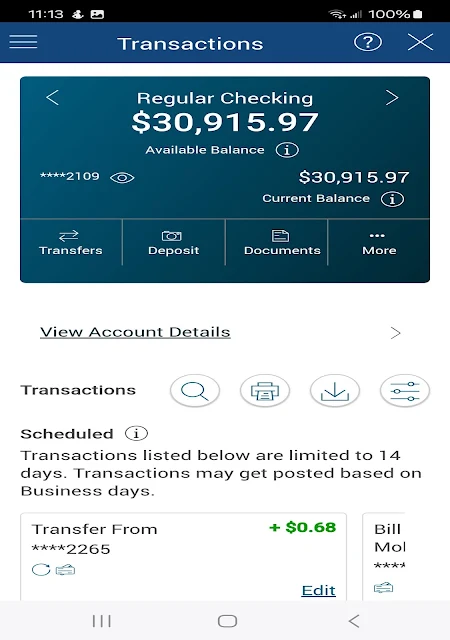
When I imagine using Renasant Mobile on a normal weekday, the appeal is simple: I can check an account balance before making a purchase, then look up recent activity if a charge catches my attention. The app lets customers search transactions by date, amount, or check number, which gives that quick check-in a little more usefulness than a balance-only glance. It keeps routine account information close at hand.
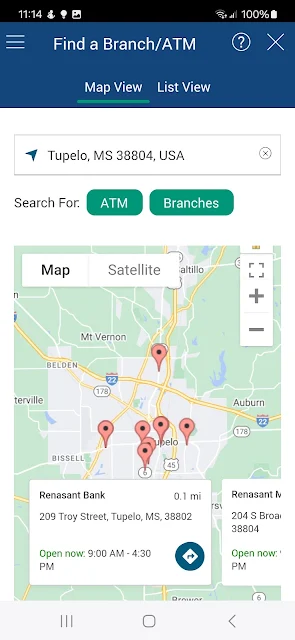
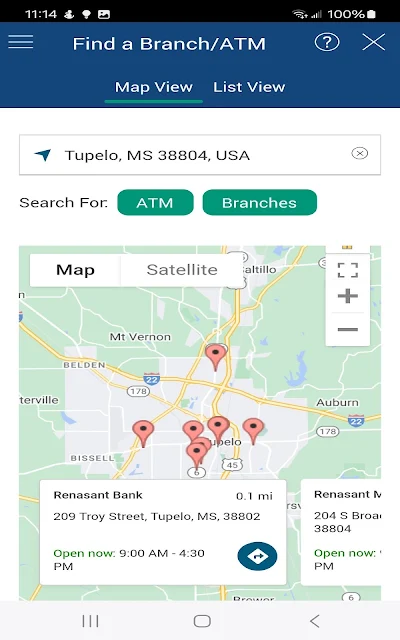
The same convenience matters when a paper check arrives or I need to move money between my own accounts. Instead of planning a separate trip to a branch just to deposit a check, I can use the app's check deposit feature while away from home. And if I do need an in-person visit, its location search can help find a nearby branch or ATM.
A bank companion, not a hub
Compared with visiting a branch or using a computer for a basic account check, Renasant Mobile puts several everyday banking tasks on an Android phone. Its job is deliberately tied to Renasant Bank: it is available to the bank's consumer online banking customers and focuses on their accounts, transfers, check deposits, and location searches. That makes it a practical mobile extension of a banking relationship, not a standalone service.
It is not the broader finance toolkit some people may expect from a money app. The supplied feature information does not describe budgeting tools, bill payment, savings calculators, or a way to manage accounts at other banks, so I would not choose it for those purposes. If your main goal is to handle Renasant account basics away from a desktop, its narrower focus is a reasonable fit.
Small habits that help
A useful habit is to check a balance and scan recent transactions together, especially before a busy day or after a purchase you want to verify. Searching by amount or date can make a specific entry easier to find than scrolling through a long list. If you use checks, the check-number search offers another practical way to narrow down what you are looking for.
I would also treat location search as a just-in-time tool: look up a branch or ATM when a cash need or in-person task comes up, using GPS or entering an address or ZIP code. For transfers, keeping the task focused on moving funds between your own accounts makes the app's role clear. These small routines make its core features easier to fit into an ordinary week.
More From Our News Desk

Zoom Meetings, Google Meet, or Teams: Which Is Easiest to Join?

How I Build a Free Streaming Lineup With Tubi

Why Crunchyroll Is the Default Anime App for So Many Fans

YouTube TV: A Practical Guide to Cutting Cable

Rummikub and the Small Comfort of Phone Games

TeamViewer Remote Control or AnyDesk for Helping Family?
Who will find it useful
I would recommend Renasant Mobile to existing Renasant Bank consumer online banking customers who want a direct way to check balances, review activity, transfer funds between their accounts, deposit checks, or locate a branch or ATM. Those are concrete, recurring errands, and having them available on a phone can save a little time when opening a laptop or making a trip is inconvenient.
It may be less suitable for someone who wants one place to track finances across several banks or is looking for budgeting, bill payment, or other planning tools. The app's described features are centered on Renasant banking tasks. It also will not make sense as a substitute for an account relationship with the bank; access is intended for its consumer online banking customers.
Renasant Mobile is developed by Renasant Bank and is available on Google Play for Android. It has 100,000+ installs and a 4.7-star rating from about 14,000 ratings. The app is free to download, and the supplied store facts indicate that it contains ads. Its content rating is Everyone.
The current version in the supplied facts is 5.5.97. The app was released on January 12, 2014, and its recorded last update is October 7, 2026. A minimum Android version is not included in the available app facts, so check Google Play for the requirement that applies to your device.
A closer look at everyday banking
A straightforward first impression
When I first opened Renasant Mobile, the clearest thing about its purpose was its connection to Renasant Bank accounts. This is an app for existing consumer online banking customers, so it makes more sense as a companion to an account you already use than as a place to start managing money from scratch. That focus helps set expectations before getting into the individual tasks.
The practical setup question is whether you are an eligible Renasant consumer online banking customer and whether the Android device meets the app's current requirements. The provided facts do not give a minimum Android version, so I would check Google Play before installing on an older phone. Once that is settled, the described features cover a straightforward set of familiar banking errands.
Everyday account checks
The most routine job here is checking account balances and recent transactions. I can see the appeal of opening the app during a quick pause in the day rather than waiting until I am home at a computer. When a transaction needs a closer look, searching by date, amount, or check number provides a few specific ways to narrow the results.
That search flexibility is a small but useful detail. It can help when I remember roughly what I spent but not exactly when, or when I want to locate a particular check entry. The description emphasizes recent transactions rather than a complete financial planning picture, so I would treat this as a convenient account-viewing tool, not a substitute for whatever recordkeeping routine I already use.
Useful mobile banking tools
Transfers between your accounts are another core feature. That is a focused use case: move funds within the accounts you hold with Renasant, without making the app sound like a general payment service. For customers who already handle that kind of task, having it alongside balance and transaction checks makes the app more useful than a simple read-only account viewer.
Check deposit and location search round out the feature set. The app supports depositing checks while on the go, and its branch and ATM search can use the Android device's built-in GPS or accept an address or ZIP code. I like that the location tool has both options: GPS can help when traveling, while a typed search is useful when planning ahead.
A practical weekly rhythm
One way I would work the app into a routine is to check balances before an errand run, then look at recent transactions later if I want to confirm a purchase. If a specific item is hard to spot, I can use the available search criteria rather than repeatedly scanning the list. That makes the app useful in small moments instead of requiring a dedicated banking session.
A check deposit can be handled when a paper check comes in, while branch or ATM search is there for the occasions that still call for an in-person stop. I would use the location search close to the time I need it, choosing GPS or entering a ZIP code or address depending on the situation. The features suit an on-the-go routine without demanding a complicated system.
Keep the scope in mind
The main limitation is the app's defined scope. Its described tasks are checking balances, searching recent transactions, transferring funds between accounts, depositing checks, and finding branches or ATMs. That is a useful list for everyday banking, but it does not cover every job people associate with financial apps. If you want broader financial organization, the app may leave you relying on other services or habits.
Access is also aimed at Renasant Bank consumer online banking customers, so it is not a universal banking app. The store facts say the app contains ads, which is worth knowing if you prefer an entirely ad-free experience. And because Android requirements can depend on the current store information, I would check the Google Play page before installing on a device with an older system.
Renasant Mobile makes the strongest case as a practical extension of Renasant Bank's consumer online banking: it covers account checks, transaction searches, transfers, check deposits, and nearby locations. I appreciate that the use cases are easy to understand, even if the overall toolkit is intentionally limited.
If you already bank with Renasant and want those tasks on your Android phone, I would give it a try. If you need cross-bank tracking or a broader money-management suite, look elsewhere for those needs and treat this app as a focused banking companion.
Renasant Mobile Frequently Asked Questions
What is Renasant Mobile used for?
Renasant Mobile is for Renasant Bank consumer online banking customers. It lets users check account balances, search recent transactions by date, amount, or check number, transfer funds between their accounts, deposit checks, and find branches or ATMs. Its described role is everyday mobile banking for Renasant accounts, rather than general-purpose financial planning.
Which phones and platforms support Renasant Mobile?
The supplied app information describes Renasant Mobile for Android, and it is available through Google Play. The location feature can use an Android device's built-in GPS, or users can search by address or ZIP code. Device compatibility can vary, so check Google Play for the current requirements before installing.
What Android version does Renasant Mobile require?
The minimum Android version is not included in the available app facts. Requirements can vary as the app is updated and by device, so check the Renasant Mobile page on Google Play for the current version requirement that applies to your phone.
Does Renasant Mobile cost money?
Renasant Mobile is free to download according to the supplied store facts, and those facts do not indicate in-app purchases. They do indicate that the app contains ads. Store details can change, so it is worth checking Google Play for the current information before downloading.
Is Renasant Mobile right for me?
It is a good match if you are a Renasant Bank consumer online banking customer who wants mobile access to balances, recent transactions, transfers between accounts, check deposits, or branch and ATM searches. It may not suit someone looking for budgeting features, bill payment, or tools for accounts at multiple banks, which are not among its described features.
Pros
- Combines balance checks and searchable recent transactions for quick account reviews.
- Supports transfers between your accounts and check deposits while away from a branch.
- Finds branches and ATMs using GPS or a typed address or ZIP code.
- Focused feature set is easy to match to common Renasant banking errands.
Cons
- Designed for Renasant Bank consumer online banking customers, not every banking customer.
- Its described features do not include broader tools like budgeting or bill payment.
- Google Play facts indicate that the app contains ads.
- Category
- Finance
- Version
- 5.5.97











