Remote for LG TV
- 82.83K
- 4.1
- Installs
- 10.00M
- Price
- Free
Screenshots
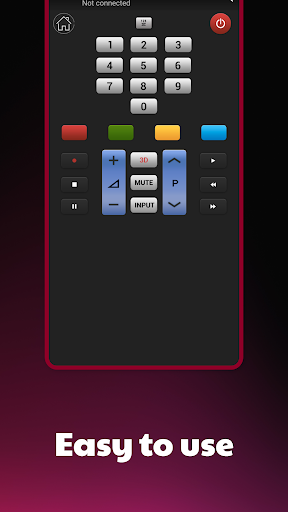
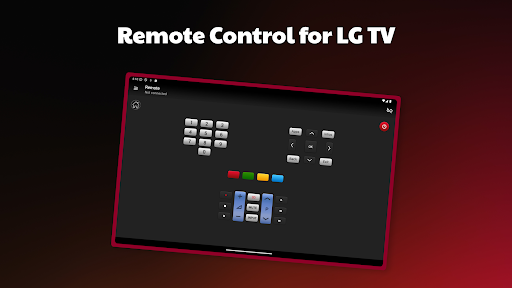
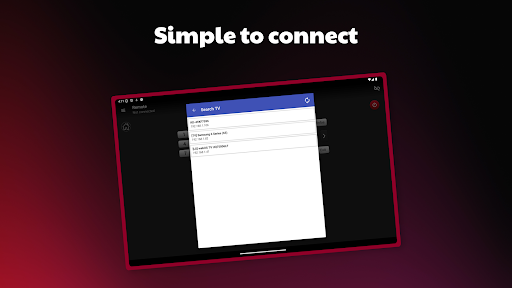
Analysis by Reviewed APKs
Remote for LG TV turns an Android phone into a controller for a compatible LG Smart TV on the same Wi-Fi or Ethernet network. It suits someone who has misplaced the physical remote, wants a phone nearby during a viewing session, or simply prefers one less device on the coffee table. I like the simple premise, though it depends on a network connection and a one-time pairing step.
When the Remote Goes Missing
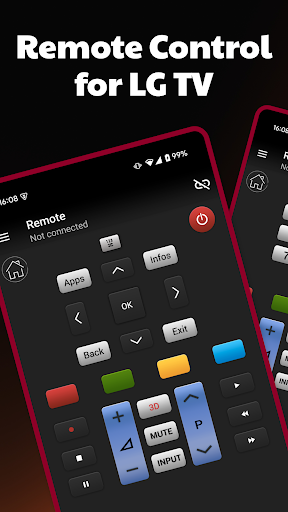
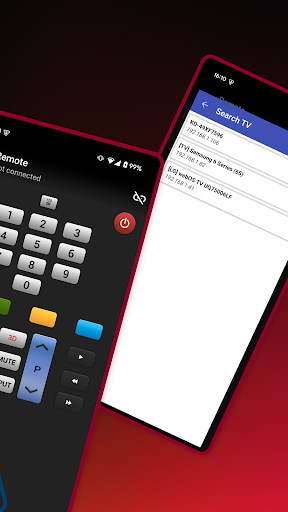
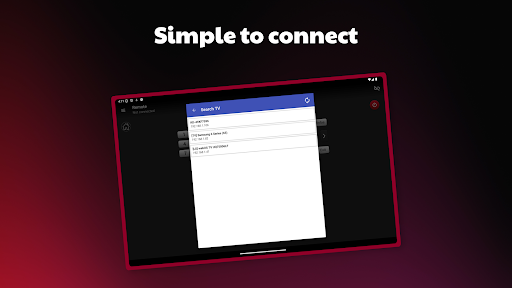
I can picture reaching the sofa just as a show starts and finding the usual remote wedged somewhere under a cushion. With Remote for LG TV, I would open the app on my phone, let it search the network for the television, and enter the code shown on the TV to connect. Once paired, the phone can take over the basic job of controlling that LG set.
That setup makes the app most useful in ordinary, slightly annoying moments: the remote is out of reach, its batteries are spent, or someone else has carried it to another room. The key is that the TV needs to be a Smart TV connected to the same home network. This is not a universal remote for every television in the house; it is specifically a way to control a network-connected LG TV.
A Phone Remote, Not a Fix-All
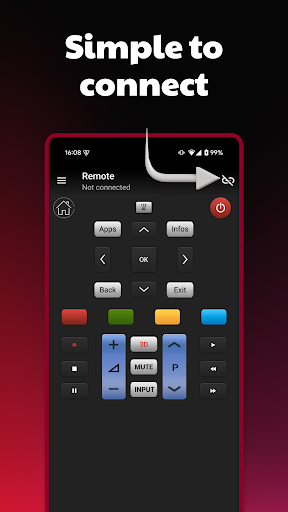
Compared with a physical remote, this app trades a dedicated set of buttons for something I probably already have in my hand. That can be handy when I am already using my phone, and it avoids hunting through the living room for a separate controller. The connection process is straightforward in outline: discover the TV, confirm the code on its screen, then use the phone to control it.
I would not treat it as a replacement for every part of a home entertainment setup. The description focuses on controlling an LG Smart TV over the network; it does not promise control of other brands, connected devices, or TVs that are offline. It also is not a streaming service or a way to watch television on the phone. Its job is narrower and more practical: provide a phone-based control option for a compatible TV.
Make Pairing Part of the Setup
The easiest time to try a network remote is when the TV is on and I can see its screen. I would keep the phone on the same home network, launch the app, and be ready to type the code displayed by the television. Doing that before the physical remote disappears makes the first connection less stressful than attempting setup during a show with everyone waiting.
After connecting, I would keep the app somewhere easy to find on the phone and use it when the regular remote is inconvenient. If I move to a different network or the TV is no longer connected, I would first check the network connection rather than assume the app can control it from anywhere. A little preparation helps the app serve as a useful backup instead of an emergency experiment.
More From Our News Desk

Zoom Meetings, Google Meet, or Teams: Which Is Easiest to Join?

How I Build a Free Streaming Lineup With Tubi

Why Crunchyroll Is the Default Anime App for So Many Fans

YouTube TV: A Practical Guide to Cutting Cable

Rummikub and the Small Comfort of Phone Games

TeamViewer Remote Control or AnyDesk for Helping Family?
Who Might Find It Useful
I would recommend Remote for LG TV to LG Smart TV owners who want a phone-based backup for everyday control. It is a particularly sensible fit for a household where the remote often gets misplaced, or for someone who likes keeping the phone close while watching. The app’s network-based pairing is a small amount of setup in exchange for having another way to reach the TV controls.
It may not suit someone with a non-LG television, a TV that is not connected to the home network, or a person who wants to control several kinds of devices from one app. Anyone who prefers the feel and availability of dedicated physical buttons may also be happier with the original remote. I would think of this as a useful alternative for a specific setup, not a universal controller.
Remote for LG TV is made by AppAgency Labs and is available on Google Play. The app has over 10 million installs and a 4.1-star rating from around 83,000 ratings. Its content rating is Everyone. The version varies with device, and no minimum Android version is provided in the available app details.
The app is free to download and contains ads; the store details say it does not offer in-app purchases. It was released on August 7, 2014, and was last updated on February 10, 2025. The developer describes it as an independent remote-control app, not an LG product and not affiliated with LG.
A Practical Backup for LG TV Control
First Connection
When I first opened an app like this, I would want to know whether it can find the TV without a long setup routine. The described flow is refreshingly direct: the app searches for a television on the network, then asks for the code displayed on the TV. That gives the pairing process a clear endpoint and makes it easier to tell what the next step is.
The initial connection still depends on having the right pieces in place. The television needs Smart TV capability and a Wi-Fi or Ethernet connection, while the phone needs to be on the same network for the app to locate it. I would do this with the TV screen visible and allow a minute to complete the code entry, rather than expecting the app to work as soon as it opens.
Everyday Control
Once the phone and TV are connected, the basic appeal is convenience. I can imagine settling in to watch something and using the phone that is already beside me instead of getting up to retrieve the remote. That is a modest benefit, but small household conveniences are often the ones I notice most when the usual controller has gone missing.
The app’s value depends on the connection continuing to work in the home setup. I would keep the TV connected to the network and use the phone as an alternative controller rather than assume it can reach the set from outside the home. When it does what it promises, it can simplify a familiar task; when the network or pairing is unavailable, the regular remote remains the straightforward fallback.
Network Pairing
The code-based connection is the detail that stands out most to me. Instead of describing a complicated manual setup, the app searches for the TV and uses a code displayed on its screen to establish the connection. That gives the owner a concrete confirmation step before relying on the phone as a controller.
I also appreciate that the app’s stated compatibility is tied to LG Smart TVs connected by Wi-Fi or Ethernet. That is clearer than implying a phone can control any television nearby. It does mean the app is best considered within the existing home network: the TV’s network connection is part of the setup, not an optional extra.
A Simple Home Routine
For a practical routine, I would pair the phone and TV once while the household is calm, then leave the app ready for those evenings when the remote is nowhere in sight. If guests are over, or someone has claimed the sofa, using the phone as a backup can save a small interruption. It is the sort of convenience that helps most when setup has already been handled.
I would also remember which network the TV uses. If the app cannot find the set later, checking that both devices are connected to the home network is a sensible first step. Keeping that expectation in mind prevents a network remote from being mistaken for a control method that works independently of the TV’s connection.
Keep Expectations Grounded
The main limitation is its narrow scope: this is a remote-control app for LG Smart TVs, not a general tool for every brand or every device connected to the TV. The television must also be connected to the network, and initial use involves entering a code from the TV. Those requirements are manageable, but they matter if the app is being considered as a complete substitute for a physical remote.
The app contains ads, which is worth bearing in mind for a tool that may be opened briefly to adjust the TV. Its store details say it is free and has no in-app purchases, but the ad-supported model is part of the experience. I would approach it as a convenient backup with a focused purpose, rather than expecting a feature-rich entertainment hub.
Remote for LG TV has an appealingly straightforward purpose: give owners of network-connected LG Smart TVs another way to control the television from a phone. Pairing requires a code from the TV, and the app’s usefulness rests on the home network, but the setup concept is easy to understand.
I would try it if I own a compatible LG set and often misplace the remote or want a phone-based backup. I would skip it if I need a universal controller or expect to operate a TV without a network connection. For the right household, it is a practical convenience rather than an essential upgrade.
Remote for LG TV Frequently Asked Questions
What is Remote for LG TV used for?
Remote for LG TV is a phone app for controlling an LG Smart TV connected to the same Wi-Fi or Ethernet network. On first use, it searches for the television and asks you to enter a code shown on the TV to connect. It is a remote-control tool, not an app for streaming television on your phone.
Which phones and TVs work with Remote for LG TV?
The app is available on Google Play for Android devices. Its described use is with LG televisions that have Smart TV technology and are connected to the home network by Wi-Fi or Ethernet. The app is not described as a universal remote for other TV brands. Device and compatibility details can vary, so check Google Play before installing.
What Android version does Remote for LG TV require?
The available app details do not specify a minimum Android version. The version is described as varying with device, so compatibility may depend on the particular phone or tablet. I would check the Google Play store entry from the device you plan to use, where current compatibility information may be available.
Does Remote for LG TV cost money?
Remote for LG TV is free to download. Its store details say it contains ads and does not offer in-app purchases. As with any app, store information and availability can change over time, so it is worth checking the Google Play entry for the latest details before installing.
Is Remote for LG TV a good fit for me?
It may suit an LG Smart TV owner who wants a phone-based backup remote and can connect the TV and phone to the same home network. It is less suited to someone with another TV brand, an offline television, or a need to control multiple kinds of devices. You will also need to enter the code shown on the TV when pairing.
Pros
- Offers a phone-based backup for controlling a compatible LG Smart TV.
- Pairs through a network search and a code shown on the TV.
- Free to download, with no in-app purchases.
- Works with compatible TVs connected by Wi-Fi or Ethernet.
Cons
- Requires a network-connected LG Smart TV and a pairing step.
- Contains ads, which may interrupt a quick control task.
- Its stated purpose does not extend to other TV brands or devices.
- Category
- Video Players & Editors











