Radio Garden
- 125.85K
- 4.4
- Installs
- 10.00M
- Price
- Free
Screenshots
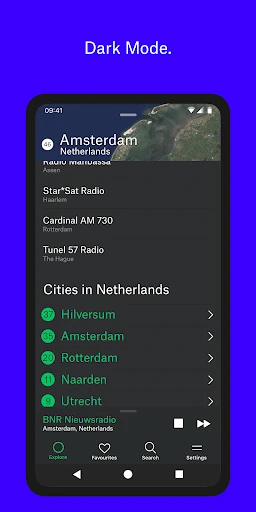
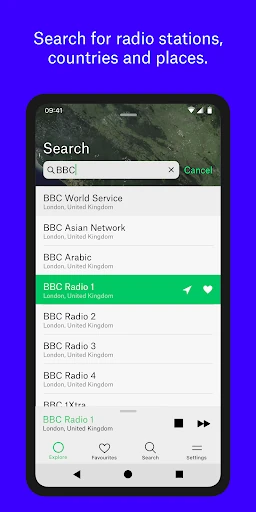
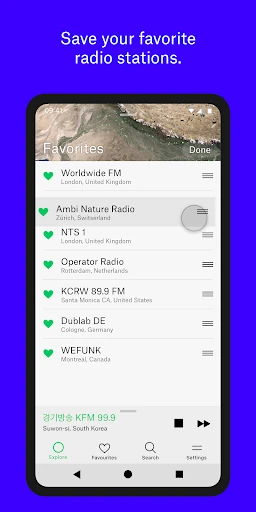
Analysis by Reviewed APKs
Radio Garden is a live radio app built around an interactive globe: tap a green dot for a city or town and listen to stations broadcasting there. I found the idea appealing because it turns browsing into a small act of discovery rather than a search for one familiar station. It suits curious listeners and anyone who likes radio, though it is less focused than an app built around a particular station or music collection.
A quick trip by radio
When I want something on while making dinner, I often reach for a familiar station and leave it at that. Radio Garden offers a different little routine. I open the globe, move to a green dot, and tap to hear a station from that place. The basic action is easy to understand, and it gives a casual listening break a sense of direction: I am not just choosing audio, I am choosing a city.
The globe makes wandering feel natural. I might begin with a place I know, then try a nearby dot simply because it is there. Each tap can lead to a different live broadcast, so the experience is less predictable than replaying a chosen track. I like that this works for short moments as well as longer listening. If a station catches my ear, I can save it for another time.
Radio, not a music library
Radio Garden is best understood as a way to tune into live stations around the world, not as a replacement for a music library or a service organized around specific tracks. Its main attraction is the connection between a place on the globe and the stations broadcasting from there. That makes it a good fit when I want to browse or hear something unfamiliar, rather than build a precise queue for a particular mood.
Compared with simply opening a station I already know, the globe encourages exploration. That is also a limitation if I want a tightly directed listening session: the app's described core is station discovery and live radio, not a set of on-demand songs or playlists. I would choose it for curiosity, background listening, or finding a station to revisit. For a specific track or carefully controlled music selection, I would look elsewhere.
Make discovery repeatable
A useful habit is to save a station as soon as I find one worth hearing again. Radio Garden includes a way to keep favourite stations for later, which saves me from having to retrace my route across the globe every time. I can use the globe for discovery, then rely on saved favourites when I want a more familiar start to a listening session.
I also like treating a quick browse as a small daily ritual rather than expecting every tap to produce a personal favourite. One city can lead to a station I keep; another can simply make for an interesting few minutes. Since playback continues when the phone goes to sleep, I can start listening and put the device away. That is a practical fit for cooking, tidying, or settling in with audio in the background.
More From Our News Desk

Zoom Meetings, Google Meet, or Teams: Which Is Easiest to Join?

How I Build a Free Streaming Lineup With Tubi

Why Crunchyroll Is the Default Anime App for So Many Fans

YouTube TV: A Practical Guide to Cutting Cable

Rummikub and the Small Comfort of Phone Games

TeamViewer Remote Control or AnyDesk for Helping Family?
Who will enjoy tuning in
I would recommend Radio Garden to people who enjoy live radio and are curious about hearing stations from places beyond their usual dial. The globe gives browsing a visual, hands-on quality, and saved favourites help turn an interesting discovery into a regular listen. It can also suit someone who wants background audio without choosing every song, as long as the appeal of radio is part of the point.
It may be less satisfying for listeners who want an exact track, a carefully assembled playlist, or a predictable catalogue-first experience. The app's central activity is choosing a place and tuning into its stations, so a willingness to explore matters. I would also keep its practical store details in mind: it is free to install, but Google Play reports ads and optional in-app purchases, which may not suit everyone.
Radio Garden is published by Radio Garden B.V. and is in the Music & Audio category on Google Play. The store shows over 10 million installs and a 4.4-star rating from about 126,000 ratings. The app is free to install, contains ads, and offers in-app purchases. Google Play gives a per-item purchase range of $2.49 to $25.99.
The content rating is Teen, and the listed minimum requirement is Android 6.0. The current version shown in the supplied store details is 4.0.2. Radio Garden was released on January 3, 2017, and was last updated on September 23, 2025. The latest change note mentions bug fixes and performance improvements.
The pleasure of tuning in
An inviting first look
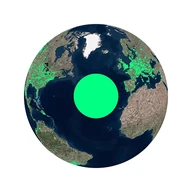
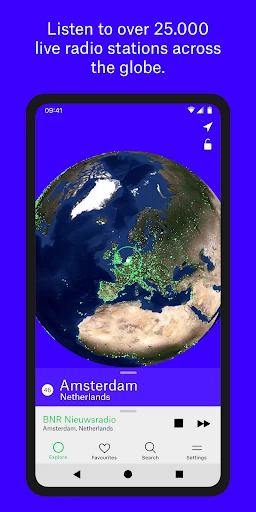
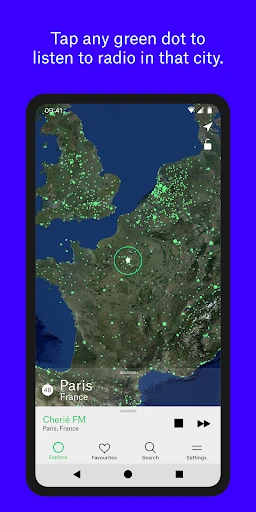
When I first opened Radio Garden, the globe gave me an immediate sense of what the app was for. I did not have to learn a complicated set of steps before trying it: green dots mark cities and towns, and tapping one takes me to stations broadcasting from that place. That direct link between map and radio is the app's clearest design choice.
The first few minutes are more about choosing where to go than configuring a listening profile. I can move around, pick a dot, and hear what is available there. That makes the initial experience approachable for someone who has never used the app, while still giving experienced radio listeners a new way to browse.
A simple daily listen
In ordinary use, Radio Garden has a pleasingly simple loop: explore the globe, tap a location, and listen. I can use it for a few minutes while doing something else or let a station play for longer. The option to save favourites gives the experience some continuity, so a first-time discovery does not have to remain a one-off.
One small convenience is that playback can continue when the phone goes to sleep. I appreciate that during a household task when I do not want the display to stay active or need to keep the app in front of me. The app's strongest day-to-day role is easy access to live radio, with exploration available whenever I feel like changing the station.
The globe is the feature
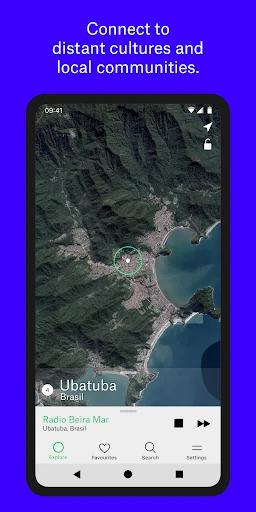
The defining feature is the interactive globe itself. Green dots identify cities and towns, and selecting one tunes into stations broadcasting from that place. It makes location part of the listening choice, which is more engaging to me than picking a station from an undifferentiated list. A place can be familiar, completely new, or simply somewhere I happen to notice while moving around.
Favourites add a practical counterpoint to all that wandering. Once I have found a station I like, I can save it for later listening rather than relying on memory or repeating the same trip across the map. The app also says it adds stations and updates ones that stop working, which supports its focus on maintaining a broad selection of live broadcasts.
A low-effort routine
For a relaxed evening, I might open the globe, choose a place I have never visited, and see which station I land on. If it suits the room, I let it play while I cook or straighten up. If I come across a station I want again, I save it. That routine keeps the app's discovery aspect intact without requiring me to make every listening session a project.
On another day, I can skip the browsing and return to a favourite. This balance is useful: the globe supplies novelty, while saved stations make repeat listening easier. Since radio continues with the phone asleep, the app can stay in the background during those everyday stretches when I want sound but do not need to watch a screen.
Keep expectations realistic
Radio Garden's appeal depends on enjoying live radio and being open to trying stations that may not match a precise brief. The globe is a fun way to browse, but it is not the same thing as choosing an exact song or assembling a track-by-track queue. If I arrive wanting a particular piece of music, the app's core approach may feel indirect.
The store details also deserve a quick look before installing. Google Play marks Radio Garden as containing ads and offering in-app purchases, even though the app itself is free to install. Its minimum listed requirement is Android 6.0, and the content rating is Teen. Those practical details aside, the central experience remains easy to grasp: find a place, tune in, and save what you want to hear again.
Radio Garden makes live radio exploration feel approachable by putting cities and towns on a globe and letting me tune in with a tap. Its best moments come from curiosity, and favourites help turn a chance discovery into a regular listen. I appreciate the straightforward idea and the ability to keep audio playing with the phone asleep.
I recommend it to radio listeners who like trying stations from different places and do not need every choice to be carefully curated. If you mainly want specific songs or a predictable music library, this is probably not the right fit. For curious browsing and easy background radio, Radio Garden is a distinctive option worth trying.
Radio Garden Frequently Asked Questions
What do people use Radio Garden for?
Radio Garden is for listening to live radio stations from around the world. Its globe marks cities and towns with green dots; tapping one lets you tune into stations broadcasting from that place. You can save favourite stations for later, and playback continues when your phone goes to sleep.
Which devices can run Radio Garden?
The supplied store details describe Radio Garden for Android. Google Play lists Android 6.0 as the minimum version. If you are checking a particular phone or tablet, requirements and availability can vary, so it is worth checking the Google Play store page for the device you plan to use.
Is Radio Garden free, and does it have purchases?
Radio Garden is free to install on Google Play. The store also says it contains ads and offers in-app purchases, with listed prices ranging from $2.49 to $25.99 per item. Check the store page for current purchase details, since prices and options may vary.
Does Radio Garden play music on demand?
Radio Garden's described purpose is tuning into live radio stations by selecting locations on a globe. It also lets you save favourite stations for later listening. It is suited to exploring broadcasts rather than selecting a particular track, so listeners looking for exact songs may prefer a different kind of audio app.
Who is Radio Garden best suited to?
It is a good fit for people who enjoy radio and like discovering stations from different places. The globe makes casual exploration central to the experience, while favourites help with repeat listening. It may be less suitable if you want precise track selection or a predictable, song-focused listening routine.
Pros
- The globe makes it easy to connect a place with its live radio stations.
- Green-dot locations make casual station discovery clear and approachable.
- Favourite stations can be saved for later listening.
- Radio continues playing when the phone goes to sleep.
Cons
- The discovery-first approach may feel indirect when you want a specific song.
- Google Play reports ads and in-app purchases despite free installation.
- The experience depends on enjoying live radio rather than precise track selection.
- Category
- Music & Audio
- Version
- 4.0.2











