Podcast App
- 22.45K
- 4.3
- Installs
- 1.00M
- Price
- Free

Screenshots
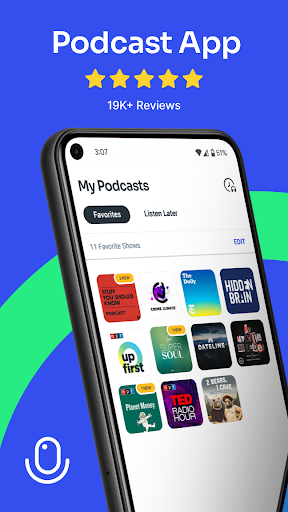
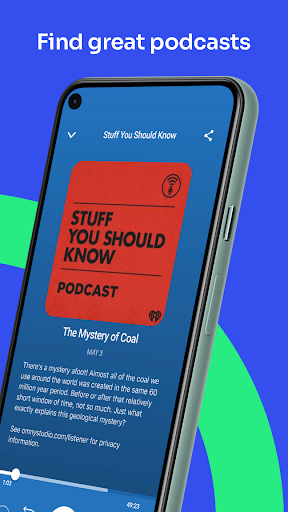
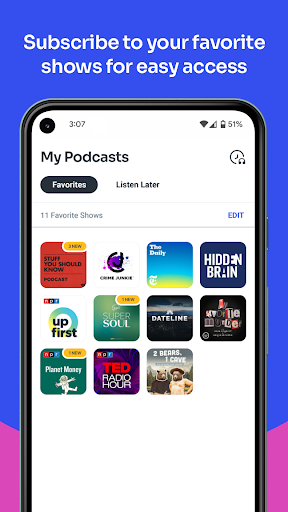
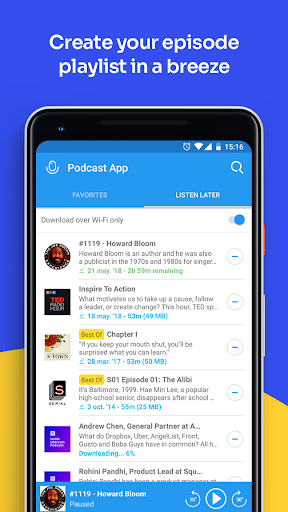
Analysis by Reviewed APKs
Podcast App is an Android audio app for finding and listening to podcasts across topics such as news, comedy, education, history and sports. It suits people who want a broad catalog and a simple way to save episodes for later, rather than a tool for making audio. After looking at what it offers, my take is that its strongest appeal is the combination of discovery and a customizable listen-later list.
A Queue for Busy Days
I can see Podcast App fitting into a fairly ordinary day: I have a few minutes before leaving home, browse for something interesting, and add an episode to my listen-later list instead of trying to finish it right away. The list can be sorted to suit what I want to hear next. That small bit of organization is useful when different shows compete for attention and I don’t want to rely on memory.
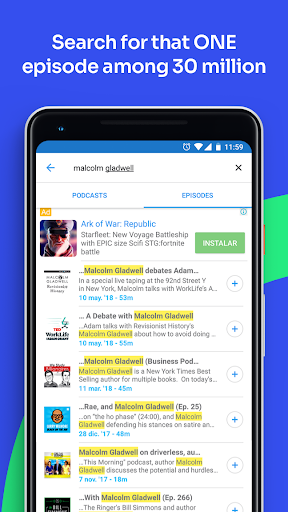
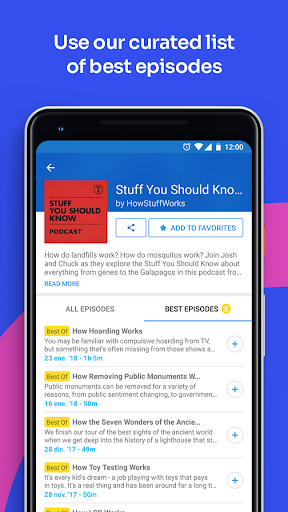
The app also gives me more than a show title to work with. Its description says listeners can browse popular shows and find standout episodes, as well as discover episodes by topic. So if I’m in the mood for a history story one day and a comedy episode the next, I can approach discovery by subject rather than committing to a new show first.
Discovery, Not Production
Compared with choosing a podcast from a friend’s recommendation or searching for one show at a time, Podcast App is aimed at browsing a wider selection. The catalog spans subjects from news and education to crime, politics, religion and career development. That breadth is handy when I want a new listening idea, or when I know the topic I’m curious about but not the show that covers it.
This is a listening and discovery app, not a podcast recording or editing tool. The material focuses on finding shows and episodes and organizing episodes for later. If I already know exactly what I want, another way to play a podcast may be enough; the main reason to choose this app is having topic-based discovery and a listen-later list together.
Make the List Work
The listen-later list is most useful when I treat it as a small queue rather than a dumping ground. I’d add episodes I genuinely expect to hear, then sort them so the next choice is obvious. That helps turn a casual browse into a practical routine: pick an episode while I have a moment, and return to it when I have time for listening.
I’d also use the topic categories as a starting point when I want variety. Instead of repeatedly searching for the same familiar show, browsing areas such as history, sports or education can surface a different kind of episode. The app’s focus on popular shows and notable episodes can help narrow the choices, while the saved list keeps interesting finds from disappearing into an endless mental backlog.
More From Our News Desk

Zoom Meetings, Google Meet, or Teams: Which Is Easiest to Join?

How I Build a Free Streaming Lineup With Tubi

Why Crunchyroll Is the Default Anime App for So Many Fans

YouTube TV: A Practical Guide to Cutting Cable

Rummikub and the Small Comfort of Phone Games

TeamViewer Remote Control or AnyDesk for Helping Family?
Who Might Enjoy It
I’d recommend Podcast App to regular podcast listeners who like moving between subjects and want a place to collect episodes for later. It could also suit someone who is new to podcasts and would rather browse by topic or popular shows than arrive with a list of titles already in mind. The range of subjects gives casual listeners several ways to find a starting point.
It may be less appealing to someone looking for a narrowly focused player or a tool for producing podcasts. The app includes ads and offers in-app purchases, details worth weighing if I prefer an uninterrupted or entirely free experience. And if I already have a dependable way to find and organize episodes, its discovery features may not add enough to justify switching.
Podcast App is a Music & Audio app from Evolve Podcast App For Android. Google Play shows over one million installs and a 4.3-star rating from about 22,000 ratings. The app is free to install, contains ads and offers in-app purchases. The listed in-app purchase prices range from $19.99 to $34.99 per item.
The app has a Teen content rating. Its listed version is 3.35.2, with a release date of March 18, 2016, and a last update date of November 2, 2026. I’d check Google Play for current device compatibility and store details before installing, since practical availability can depend on the device and listing.
A Closer Look at Everyday Listening
A Straightforward Starting Point
When I first open an app like this, I want to know whether I can get from a general interest to something worth hearing without already knowing the podcast world. Podcast App’s stated approach is to offer popular shows, notable episodes and discovery by topic. That gives a newcomer more than one way in: start with a familiar subject, or browse shows that are already popular.
The description also sets expectations around range. It names areas including news, education, comedy, politics, religion and crime, along with subjects such as sports, history and career development. I appreciate that kind of breadth in a discovery app because my listening mood changes. One day I want something informative; another day, I may just want a different subject to explore.
The Daily Listening Loop
The core routine is simple to understand from the available features: find an episode, add it to the listen-later list and choose it when there’s time to listen. I like that the list can be customized and sorted, because saved items are only useful if I can keep track of what I meant to hear. It gives browsing a practical follow-through instead of leaving every find as a passing thought.
I spent a moment imagining how that works around an interrupted day. I might find an episode while waiting for an appointment, save it, and come back to the list later rather than trying to listen immediately. That is not a dramatic feature, but it addresses a familiar problem: interesting recommendations often arrive when I can’t give them my full attention.
Finding the Next Episode
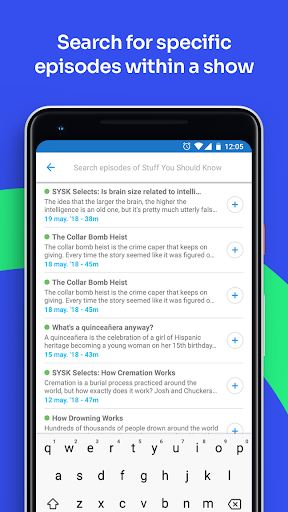
The most distinctive idea in the description is discovery at both the show and episode level. I can browse popular programs, then look for their best episodes, or begin with an interest area and discover episodes that fit it. That makes the app potentially useful for someone who wants a particular subject without being sure which podcast to follow.
The described topic range is broad, covering areas like finances, health, sports, history and career development, as well as entertainment and current affairs. What matters in practice is the choice of entry point: I don’t have to treat every podcast as a long-term subscription decision. I can look for a promising episode first and decide what to explore next from there.
A Practical Weekly Habit
A low-effort way to use Podcast App would be to set aside a few minutes once or twice a week for discovery. I’d browse a couple of topics, pick episodes that genuinely sound appealing, and sort the listen-later list so the next choice is ready. Then, when a walk or a quiet chore opens up a listening window, I have a short queue to choose from.
I’d keep that queue varied rather than filling it with one kind of show. A mix of a familiar favorite and an episode from a new subject makes the list feel more useful, especially when my mood changes. The app’s topic browsing and saved-list options support this sort of routine without requiring me to plan a whole listening schedule.
Keep Expectations Grounded
A large catalog can be both a benefit and a challenge. More shows and episodes mean more chances to find something that fits, but they can also leave me with plenty of options to sort through. Podcast App’s popular-show and topic-based discovery provide ways to narrow the field; the listen-later list provides a place to keep promising episodes. Still, listeners who prefer a very focused catalog may find the breadth less useful.
The practical trade-offs include ads and paid in-app purchases. The app is free to install, but that doesn’t mean every part of the experience is without cost. I’d also check the current Google Play page for compatibility and purchase details before making a decision. Based on the stated features, its value is chiefly in discovery and saved-episode organization, not in production tools.
Podcast App makes sense for listeners who want to discover podcasts across several subjects and keep interesting episodes in a sortable listen-later list. Those are practical, everyday features, especially for people whose listening time is scattered through the day. Its broad focus is a plus if variety matters more than a tightly curated selection.
I’d give it a try if I were looking for new shows or wanted a more organized way to save episodes. I’d be less likely to switch if my current listening setup already does those jobs well, or if ads and paid purchases are a dealbreaker. Overall, it looks like a useful discovery-first option for casual and regular listeners alike.
Podcast App Frequently Asked Questions
What is Podcast App used for?
Podcast App is for discovering and listening to podcasts. Its described features include browsing popular shows and notable episodes, finding episodes by topic, and organizing episodes in a customizable listen-later list. It covers subjects ranging from news, education and comedy to sports, history and career development.
Which devices can I use Podcast App on?
Podcast App is an Android app distributed through Google Play. Check the Google Play page for current compatibility with your device, since availability can vary. The provided information describes the Android app and does not establish support for other platforms.
What Android version does Podcast App require?
The minimum Android version can vary with the current store listing and device compatibility. I’d check Podcast App’s Google Play page before installing to see whether your Android device is supported. The app’s listed version is 3.35.2.
Does Podcast App cost money?
Podcast App is free to install and contains ads. It also offers in-app purchases, with listed item prices ranging from $19.99 to $34.99. Check Google Play for the current purchase details, since prices and available items can vary.
Is Podcast App suitable for new podcast listeners?
It could suit new listeners who want to browse by subject or explore popular shows and episodes without starting with a list of known titles. The app has a Teen content rating. Whether its catalog and ad-supported experience suit you is a personal preference, so it is worth checking the store page.
Pros
- Topic-based discovery gives listeners several ways to find an interesting episode.
- A customizable, sortable listen-later list helps keep promising episodes organized.
- The described catalog spans entertainment, education, news and many other subjects.
- Popular shows and notable episodes offer starting points for browsing.
Cons
- Ads and paid in-app purchases may not suit listeners seeking an entirely free experience.
- A broad selection can take time to narrow down when you want something specific.
- It focuses on listening and discovery rather than podcast production.
- Category
- Music & Audio
- Version
- 3.35.2











