PictureThis - Plant Identifier
- 808.08K
- 4.6
- Installs
- 50.00M
- Price
- Free

Screenshots
Analysis by Reviewed APKs
PictureThis - Plant Identifier helps me put names to unfamiliar plants and get practical care guidance from a photo. It suits curious walkers, new plant owners, and gardeners who want a quick reference for plants at home or outside. I like that identification connects to useful follow-up tools, from care instructions to watering reminders, though it works best as a helpful guide rather than a substitute for careful observation.
A Name for That Leaf
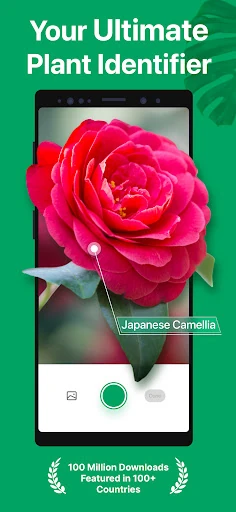
When I first opened PictureThis, I pictured using it on an ordinary walk: I spot a flower I don't recognize, take a photo, and use the result to learn more. That same simple process is handy at home when a new houseplant arrives without a clear label. Instead of searching through broad image results, I can start with a plant name and its accompanying information.
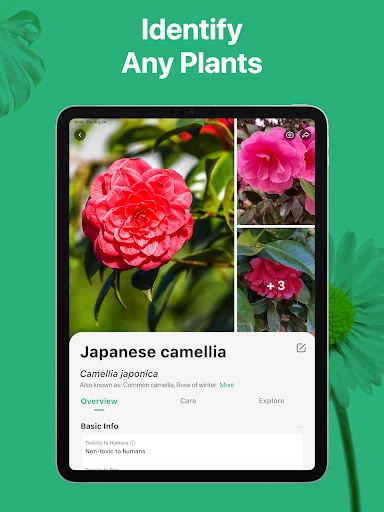
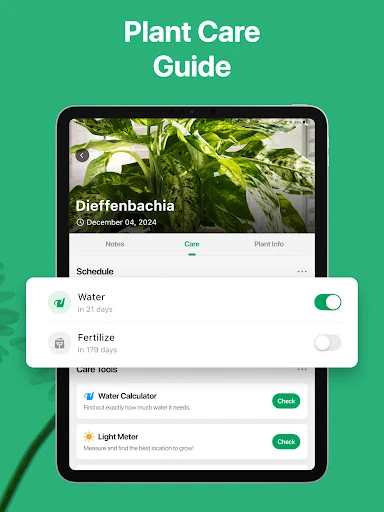
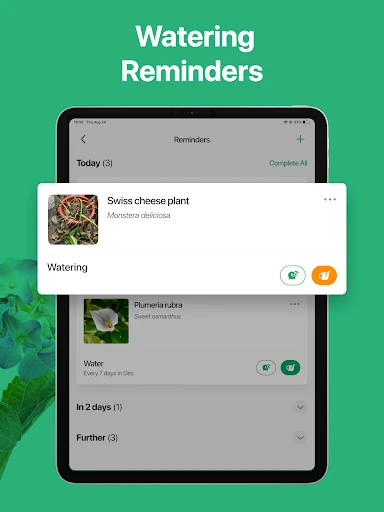
The identification is only the beginning. Once I have a result, the app can provide care instructions such as watering frequency, fertilizer timing, and suitable light conditions. I can also save identified plants in a collection, which makes the app more useful than a one-off camera lookup. It gives me a place to return when I forget what a plant is or want to review how to care for it.
More Than a Plant Search
PictureThis sits between a visual reference guide and a gardening helper. A web search can be useful when I already know what terms to use, while this app starts with the photo and connects identification to care advice. Its collection tools and water reminders also give it a role in day-to-day plant keeping, rather than limiting it to occasional curiosity about a flower spotted outdoors.
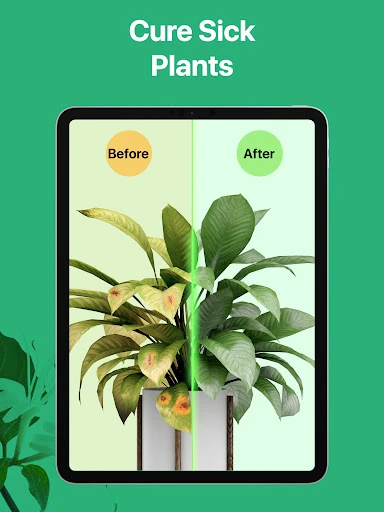
It isn't a full gardening course, and a photo-based diagnosis should be treated as a starting point when a plant looks unwell. The app offers disease identification and treatment suggestions, but it cannot replace looking closely at growing conditions and changes over time. I see PictureThis as most useful for quick answers and organizing plant information, not as a promise that every gardening problem has one easy fix.
Small Habits That Help
I get more from PictureThis when I make a habit of saving plants after identifying them. A collection can include photos and notes, so it becomes a practical record rather than a string of searches I later forget. That is especially useful if I have several similar-looking plants at home, or if I want to keep a wishlist of plants I might add later.
The reminders and light meter can also fit into a low-effort routine. I can check a plant's care guidance, use watering reminders to keep it on my radar, and check light exposure when I am unsure about its spot. These tools are most helpful when I use them as prompts and then pay attention to how the plant responds, rather than following a schedule without thought.
More From Our News Desk

Zoom Meetings, Google Meet, or Teams: Which Is Easiest to Join?

How I Build a Free Streaming Lineup With Tubi

Why Crunchyroll Is the Default Anime App for So Many Fans

YouTube TV: A Practical Guide to Cutting Cable

Rummikub and the Small Comfort of Phone Games

TeamViewer Remote Control or AnyDesk for Helping Family?
Who Might Enjoy It
I'd recommend PictureThis to people who often wonder what is growing along a trail, in a garden bed, or in a pot at home. New plant owners may especially appreciate having identification, care instructions, and a place to save their plants in one app. More experienced gardeners can use it as a convenient reference when an unfamiliar species or possible plant problem catches their attention.
It may be less appealing to someone who only needs a plant name once in a while and doesn't want ongoing care tools or in-app purchases. It also won't remove the need to judge a plant's actual conditions yourself. If you enjoy learning as you garden and like keeping a record of what you grow, the extra tools make it easier to return to the app after the first identification.
PictureThis - Plant Identifier is an Education app from Glority Global Group Ltd. On Google Play, it has over 50 million installs and a 4.6-star rating from about 808,000 ratings. The app is free to download and contains no ads. It is rated Everyone, making its stated content rating suitable for a general audience.
The app offers in-app purchases, with listed items ranging from $1.99 to $49.99 each. The current version is 5.39.0. It was released on July 21, 2017, and its most recent update was October 27, 2026. The minimum Android version is not included in the available practical details, so it is worth checking compatibility on Google Play before installing.
How PictureThis Fits Plant Care
A Friendly First Look
My first impression is that PictureThis has a clear central purpose: take a picture of a plant, get an identification, and learn what to do with the answer. That makes it approachable for someone who doesn't know much botanical vocabulary. I can begin with the thing in front of me instead of trying to describe its leaves or flowers in a search box.
After identifying a plant, I can explore its care information and decide whether it belongs in my saved collection. That progression feels practical: curiosity turns into a reference I can use again. The app also includes tools for plant health and routine care, so there is room to make it part of a household plant habit rather than opening it only outdoors.
A Useful Daily Reference
For everyday use, the strongest idea is connecting a plant's identity with the conditions it needs. Care guidance covers watering, fertilizer, and light, which are the questions I am most likely to revisit after bringing home a plant. Having those details alongside the identification can save me from repeating the same search each time I forget whether a plant prefers a brighter spot.
The collection feature adds continuity. PictureThis can keep identified plants together, with photos and notes, and it also supports a wishlist. I can imagine using that record to keep track of a few indoor plants or note which unfamiliar plants I have seen in a garden. It is a modest organizational benefit, but it makes the app feel less disposable.
Tools Beyond Identification
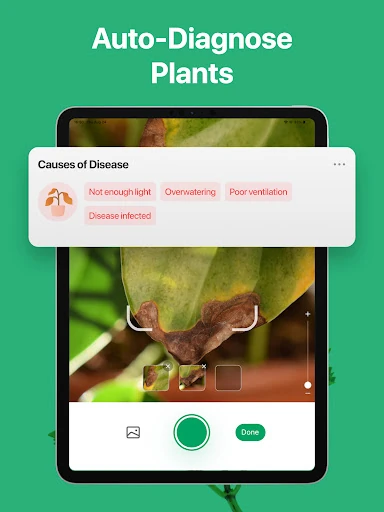
PictureThis goes beyond naming plants with a disease diagnosis feature. I can photograph a plant that looks unhealthy and receive a possible diagnosis with treatment advice. That is a useful way to begin investigating brown spots or other visible changes, provided I treat the result as guidance and consider the plant's wider care conditions too.
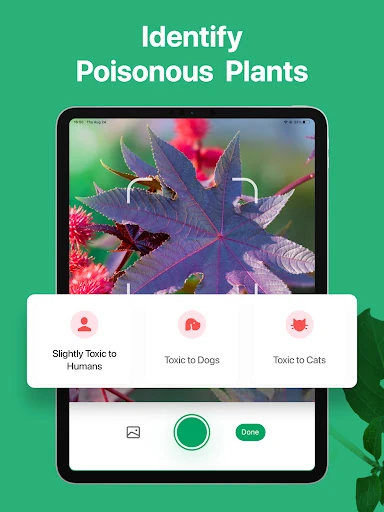
There are also toxic plant warnings, weed identification, and a light meter. Those features broaden the app's usefulness: a pet owner may want to check a plant, a gardener may want to identify an unwanted growth, and an indoor plant owner may want to assess sunlight. The app description also says users can chat with experts around the clock for personalized plant advice.
A Simple Weekly Routine
A practical routine could start with identifying any new plant I bring home and saving it with a photo and note. I would check its care instructions, then use the water tracker and reminders as prompts to revisit it. If the plant seems unhappy, I could use the diagnosis feature to explore possible issues and compare that with what I observe in its light and watering conditions.
On a walk or in the garden, I can use the same photo-first approach for unfamiliar flowers and weeds. Saving interesting finds gives me a small visual reference to browse later, while the wishlist can hold plants I would like to grow. This routine keeps the app focused on real questions rather than turning plant care into a complicated tracking project.
Keep Expectations Grounded
PictureThis makes broad claims about identification accuracy in its description, but a photo result is still best used as a helpful lead. Lighting, the angle of a shot, and how much of the plant is visible can affect what I can learn from an image. When a result matters to a care decision, I would look at the accompanying information and the plant itself rather than relying on a name alone.
The extra care and diagnosis tools also require some judgment. A reminder can nudge me to check a plant, but it cannot account for every change in its environment. And while the app is free to download, in-app purchases are available. People who want only occasional identification may not need its fuller set of collection and care features.
PictureThis is a practical plant companion for people who like knowing what they are looking at and want care information close at hand. I especially like the path from photo identification to saved plants, reminders, and light guidance. Its wider toolkit is useful, as long as I treat diagnosis and care suggestions as support for my own observations.
I would recommend it to curious gardeners, houseplant owners, and anyone who regularly encounters plants they cannot name. If you only need a rare lookup, a simpler reference may be enough. For people who want a reusable plant record and a few helpful care prompts, PictureThis is worth trying.
PictureThis Frequently Asked Questions
What is PictureThis - Plant Identifier used for?
PictureThis identifies plants from photos and provides information about their care. It also includes features for plant disease diagnosis, toxic plant warnings, weed identification, a light meter, watering reminders, and managing a plant collection. I find its photo-first approach useful when I know what a plant looks like but not what to call it.
Which devices can run PictureThis - Plant Identifier?
PictureThis is an Android app available through Google Play. The available details do not specify an Android minimum version, so check the app's Google Play page for compatibility with your device before installing. That is the best place to confirm whether your particular phone or tablet can run the current version.
Is PictureThis - Plant Identifier free?
The app is free to download and contains no ads, but it offers in-app purchases. Listed in-app items range from $1.99 to $49.99 each. What is available and the price shown can vary, so check Google Play for the current purchase details before deciding whether the paid options suit you.
Does PictureThis - Plant Identifier remind me to water plants?
Yes. PictureThis describes a water tracker with notifications to remind users about watering. It also provides care instructions that include watering frequency, fertilizer timing, and light conditions. I would use those tools as prompts and still pay attention to how each plant responds in its own environment.
Who is PictureThis - Plant Identifier best for?
It is a good fit for curious plant lovers, gardeners, and people keeping houseplants who want identification connected to care guidance and saved records. Someone who only needs a plant name once in a while may not use the broader tools. The app's content rating is Everyone, and it is free to download with in-app purchases.
Pros
- Connects photo-based plant identification with useful care instructions.
- Includes reminders, light monitoring, and tools for organizing a plant collection.
- Offers additional help with weeds, toxic plants, and visible plant problems.
- Free to download and contains no ads.
Cons
- In-app purchases range from $1.99 to $49.99 per item.
- Photo-based diagnoses and care guidance still require your own observation.
- Occasional users may not need the wider collection and reminder tools.
- Category
- Education
- Version
- 5.39.0