Mobile Scanner App - Scan PDF
- 110.05K
- 4.6
- Installs
- 10.00M
- Price
- Free
Screenshots
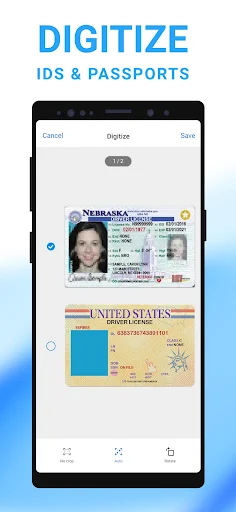
Analysis by Reviewed APKs
Mobile Scanner App - Scan PDF turns a phone camera into a tool for digitizing paper documents, receipts, notes, and photos. I’d consider it for anyone who needs to send or keep a clean copy without reaching for a desktop scanner. Its mix of cropping, OCR, file organization, and sharing is useful, though ads and optional purchases are part of the package.
A Paperwork Errand, Simplified
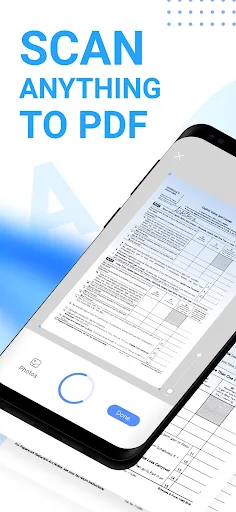
When I need to send a receipt or a signed page, the usual alternative is taking a quick photo and hoping the result is readable. Mobile Scanner is aimed at making that handoff tidier: capture the page, check its edges, adjust the crop or color, and save it as a PDF or JPEG. For a few pages, batch scanning can put them together in one PDF instead of leaving me with a camera roll full of separate images.
I can picture using it after a pile of travel receipts builds up, or when someone asks for a paper form by email before the day is over. The preview and rotation tools give me a chance to straighten a page before I share it. OCR adds another practical option when I want text from a scan, rather than just an image of the paper.
More Than a Camera Photo
The closest alternative is the phone’s regular camera, which is fine for a one-off reference picture. This app is more focused on turning paper into files I can crop, combine, organize, and send. It can also export recognized text as TXT and make searchable PDFs, which takes it beyond a simple snapshot workflow. Those tools matter most when I expect to find or reuse a document later.
It is not a full desktop publishing tool, and it is not meant to replace a dedicated office scanner for large, regular batches of paperwork. Its job is the occasional document task on a phone: receipts, notes, forms, business cards, or book pages. If all I need is to remember what a sign said, the camera may be quicker; if I need a shareable document, Mobile Scanner offers more control.
Small Habits, Better Scans
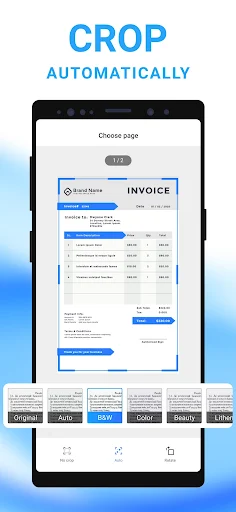
I’d get better results by laying each page flat, using decent light, and checking the preview before saving. Automatic border detection and cropping can speed things up, but the app also offers manual crop, rotate, color, and resize adjustments. For a multi-page form, scanning the pages in sequence and saving them as one PDF keeps the result easier to send and less likely to get mixed up.
A little filing discipline helps too. Custom folders and drag-and-drop reordering can keep work forms apart from household receipts, while password locks are available for confidential documents and folders. When a scan needs to go elsewhere, the app supports email attachments, printing, and uploads to Dropbox, Google Drive, or OneDrive. I’d choose the destination as part of the task, rather than leaving everything in one undifferentiated pile.
More From Our News Desk

Zoom Meetings, Google Meet, or Teams: Which Is Easiest to Join?

How I Build a Free Streaming Lineup With Tubi

Why Crunchyroll Is the Default Anime App for So Many Fans

YouTube TV: A Practical Guide to Cutting Cable

Rummikub and the Small Comfort of Phone Games

TeamViewer Remote Control or AnyDesk for Helping Family?
Who May Find It Useful
I’d recommend Mobile Scanner to students, freelancers, and anyone who occasionally has to turn paper into a neat digital file. It covers common jobs such as capturing notes, receipts, contracts, and business cards, then offers ways to crop, organize, export, and share them. The OCR and searchable PDF options are especially relevant when a scan needs to be more useful than a static picture.
It may be less appealing if you want a completely ad-free experience, since the app contains ads, or if you rarely scan anything and already use a camera for the odd snapshot. People who handle stacks of paper every day may prefer dedicated scanning hardware. For ordinary, occasional document errands, though, the phone-based approach is convenient and gives more file-focused tools than a basic camera.
Mobile Scanner App - Scan PDF is a Productivity app from Glority Global Group Ltd. On Google Play, it has over 10 million installs and a 4.6-star rating from around 110,000 ratings. The app is free to download and contains ads. It also offers in-app purchases, with listed item prices ranging from $0.99 to $39.99.
Google Play gives the app an Everyone content rating. Its listed version is 2.17.0, with a release date of December 27, 2019, and a last update date of November 3, 2026. The minimum Android version is not included among the available app details, so check Google Play for device compatibility.
How Mobile Scanner Handles Everyday Paperwork
A Straightforward First Task
When I first opened Mobile Scanner, I thought about the small jobs that tend to interrupt a day: saving a receipt, sending a signed page, or keeping a clear copy of a handwritten note. The app is built around capturing those items and turning them into PDFs or pictures, rather than treating every scan as a photography project. That focus makes the intended use easy to grasp.
The first useful check is the page preview. Automatic border detection and cropping can frame a document, while manual controls let me crop, rotate, adjust color, or resize it. I’d review the result before moving on, especially for a page with narrow margins or faint marks. A quick check at this stage is less frustrating than discovering a crooked scan after I have already sent it.
The Daily Scanning Loop
For a single page, the routine is simple in principle: capture it, inspect the crop, make any needed adjustments, and save or share the file. For several pages, batch scanning lets me collect them into one PDF. That is a useful difference from snapping multiple camera pictures, where the pages remain separate unless I take extra steps to combine them.
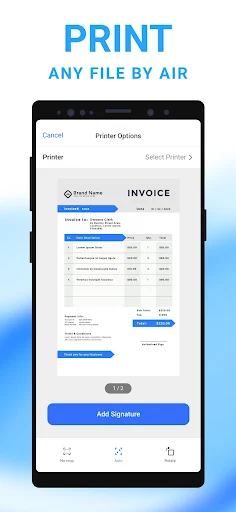
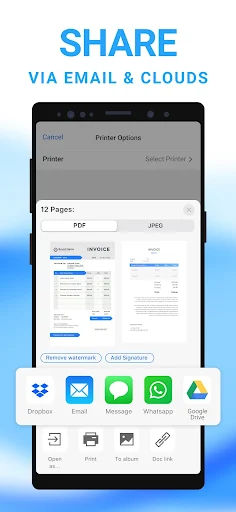
Once the file is ready, the app supports sharing by email attachment, printing PDFs, and uploading scans to Dropbox, Google Drive, or OneDrive. I like that these options match common follow-up tasks: sending a form, making a paper copy, or placing a scan in a cloud service. The choice is practical rather than elaborate, which suits an app designed for quick paperwork.
Useful Tools Beyond Capture
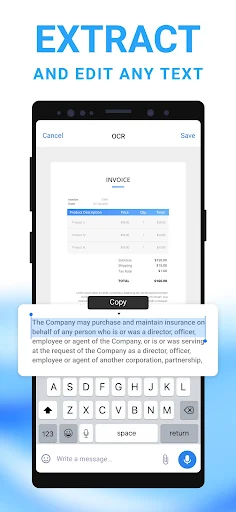
OCR is one of the more distinctive tools here. It recognizes text in a scan, lets me edit that text, and can export it as a TXT file. The app can also create searchable PDFs, which is handy when I want to search a document rather than just look at its image. As with any text recognition feature, I’d review the result before relying on it.
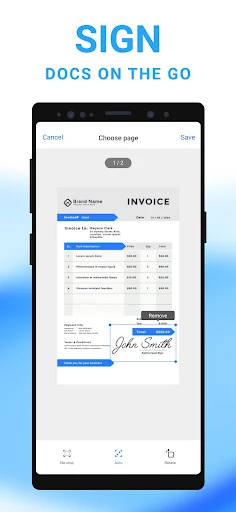
The image controls extend beyond cropping and rotation. The description includes filters and tools to remove or edit imperfections such as stains, marks, creases, and handwriting. There is also a signature option, either by signing manually or adding a signature to a document. These features make the app more flexible for cleaning up a scan, though they do not turn it into a general document-editing suite.
Organization and privacy tools round out the feature set. Custom folders and drag-and-drop ordering help arrange files, while password locks can be set for documents and folders. They are useful options to have when the phone holds a mix of casual receipts and more personal paperwork.
A Weekly Paperwork Routine
A practical routine would be to scan receipts or forms when they arrive, rather than waiting until I need one. I’d group related pages into a single PDF, check the order, and place the finished file in a custom folder. That small habit makes later sharing less of a hunt through camera photos and helps keep a multi-page document together.
For a form that needs to go out the same day, I’d scan it, review the crop and color, add a signature if needed, then send it as an email attachment. If I want a copy elsewhere, the cloud upload options provide another destination. For a page with text I expect to reuse, OCR and TXT export can fit into the same workflow.
A Few Trade-Offs
The app contains ads and offers in-app purchases, so the free download does not mean every part of the experience is necessarily free of interruptions or paid options. The listed in-app item prices range from $0.99 to $39.99. I’d check the current Google Play details if the exact purchase options matter before settling on it for regular use.
Image-based scanning also depends on the page and the capture. Automatic cropping can help, but uneven light, folds, or faint print may still call for a closer look and manual adjustment. OCR can save typing, yet recognized text is worth checking for mistakes. For high-volume office work, a dedicated scanner may be a more comfortable fit than handling every page with a phone.
Mobile Scanner App - Scan PDF makes sense as a flexible phone tool for occasional paperwork. I like the combination of batch PDFs, crop controls, OCR, folders, and straightforward sharing options. It asks for a little care at capture time, and ads and paid items are worth keeping in mind, but the core use is easy to understand.
I’d try it if receipts, forms, notes, or signed pages regularly need to become shareable files. If I only take an occasional reference photo, the camera is probably enough; if I scan large volumes, dedicated hardware may suit me better. For everyday document errands, this app offers a practical middle ground.
Mobile Scanner Frequently Asked Questions
What is Mobile Scanner App - Scan PDF used for?
Mobile Scanner App - Scan PDF turns documents, receipts, notes, photos, and other paper items into PDF or JPEG files. It also includes batch scanning, cropping and image adjustments, OCR text recognition, searchable PDFs, folders, email sharing, printing, and cloud uploads. The best fit is everyday document capture and organization rather than replacing a high-volume office scanner.
Which phones or platforms support Mobile Scanner App - Scan PDF?
The app is available on Android through Google Play. The available details do not specify a minimum Android version, so check the Google Play page for compatibility with a particular phone or tablet. The app description focuses on using a mobile device to capture and manage scans.
Does Mobile Scanner App - Scan PDF cost money?
It is free to download, contains ads, and offers in-app purchases. Listed in-app item prices range from $0.99 to $39.99. Purchase options and prices can vary, so check the Google Play page for the current details if you want to know what is included or what may require payment.
What Android version does Mobile Scanner App - Scan PDF require?
The minimum Android version is not provided in the app details available here. Google Play is the place to check whether Mobile Scanner App - Scan PDF is compatible with your device. The listed app version is 2.17.0, but that does not by itself establish the Android requirement.
Is Mobile Scanner App - Scan PDF suitable for regular paperwork?
It can suit people who scan receipts, forms, notes, or contracts from time to time, especially if they want cropping, batch PDFs, OCR, folders, and sharing options. It may not suit someone who wants no ads or who scans large volumes every day. For occasional mobile document tasks, its tools cover a useful range.
Pros
- Batch scanning keeps several pages together in one PDF.
- OCR can recognize text and export it as a TXT file.
- Folders, cloud uploads, email sharing, and printing support practical follow-up tasks.
- Crop, rotate, color, and image cleanup controls help refine scans.
Cons
- The app contains ads and offers in-app purchases.
- OCR results and automatic crops may need a careful manual review.
- Phone-based capture may feel tedious for large volumes of paperwork.
- Category
- Productivity
- Version
- 2.17.0