Udemy - Online Courses
- 502.21K
- 4.5
- Installs
- 10.00M
- Price
- Free

Screenshots


Analysis by Reviewed APKs
Udemy - Online Courses is a mobile learning app for people who want to build skills in areas such as technology, business, communication, and personal development. I see it as a practical companion for fitting lessons into spare moments, rather than a replacement for every kind of education. Its mix of course content, study tools, and career-focused options gives motivated learners several ways to keep moving.
A Lesson Between Commitments
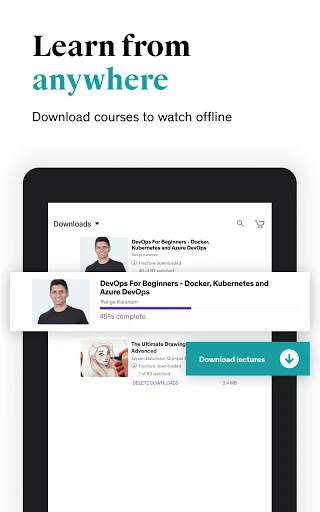
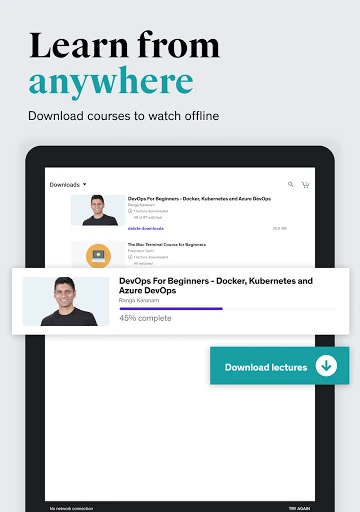
When I first opened Udemy, I pictured using it in the small gaps that often get lost in a busy day: a few minutes before work, a quiet lunch break, or a stretch of time at home after dinner. The app is built around learning from courses on a phone, with options to download content for offline study. That makes it easier to pick up a topic without needing to turn every study session into a formal event.
For example, someone preparing to take on more responsibility at work could use a course to explore communication or leadership, then return to the material later for a refresher. Notes, bookmarks, and quizzes offer ways to revisit important points and check understanding. I like that this setup supports gradual progress. It does not make a busy schedule disappear, but it can give a learner a useful place to resume when time opens up.
Courses, Not a Classroom
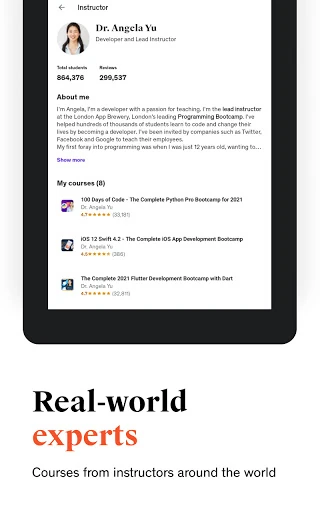
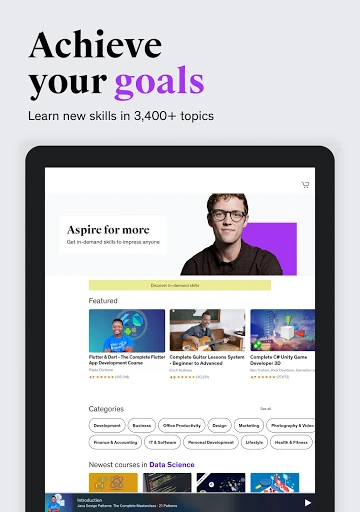
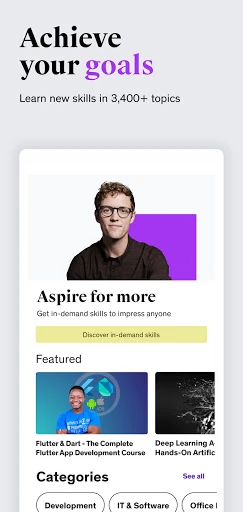
Udemy makes sense when I want to explore a particular skill at my own pace, using course content and supporting tools on a mobile device. Its stated subject areas range from technology and business to creative thinking and personal development. Personal Plan and Career Accelerators add structured, career-oriented options, while AI Role Play is intended for practicing workplace scenarios. Those features make the app broader than a simple video player, though the course remains the center of the experience.
It is not the same thing as attending a live class or working directly with a teacher throughout a course. The description does mention Q&A with instructors, but the overall model is self-directed learning supported by course materials, assessments, and other tools. If I need a real-time classroom, a formal qualification, or a specific credential, I would check that the particular course meets my needs rather than assume the app provides it.
Small Habits That Help
I would get more out of Udemy by choosing one clear learning goal instead of collecting courses faster than I can use them. A short reminder can help make study time part of the week, and the app includes customized push notifications for that purpose. When I come across a useful point, a note or bookmark gives me a place to return to it. Those small actions can make a course easier to follow over several sessions.
I would also treat quizzes as a quick check on what has stuck, rather than as a reason to rush through lessons. Downloading content before a commute or another period without a reliable connection can help keep learning available offline. For a longer study session, casting to Chromecast may be useful, while dark mode can suit a dim room. These tools are most valuable when they support a routine I can actually maintain.
More From Our News Desk

Zoom Meetings, Google Meet, or Teams: Which Is Easiest to Join?

How I Build a Free Streaming Lineup With Tubi

Why Crunchyroll Is the Default Anime App for So Many Fans

YouTube TV: A Practical Guide to Cutting Cable

Rummikub and the Small Comfort of Phone Games

TeamViewer Remote Control or AnyDesk for Helping Family?
Who Might Find It Useful
I would recommend Udemy to people who like learning independently and want to explore a specific subject without committing to a fixed class schedule. It may suit someone building confidence with a work skill, reviewing a topic, or trying out an area of personal interest. The range of subjects described, along with downloads, reminders, notes, bookmarks, and quizzes, gives learners several ways to make a course fit their day.
It may be less suitable for someone who needs regular live instruction, close individual supervision, or a clearly defined academic credential. The app offers courses and instructor Q&A, but that is not the same as a structured classroom relationship. I would also be cautious about expecting every course to suit every learner: the best fit depends on the individual course and the way a person prefers to study.
Udemy - Online Courses is an Android education app from Udemy. Google Play shows over 10 million installs and a 4.5-star rating from about 502,000 ratings. The app is free to install, contains no ads, and offers in-app purchases. The listed price range for in-app products is $0.99 to $239.99 per item, so the cost of learning can depend on what a user chooses.
The app has an Everyone content rating and requires Android 8.0 or later. The current version is 9.57.1. Google Play gives its release date as January 14, 2014, and its last update as February 6, 2026. These details are useful to check against the device and the current store page before installing or choosing any paid content.
Making Course Learning Fit Daily Life
A Clear Starting Point
When I first opened Udemy, the overall idea felt straightforward: use a phone to access learning across a wide range of subjects. The app is aimed at building practical skills, including technology, business, and communication. That gives it an immediate appeal for someone arriving with a goal in mind, whether that goal is work-related or simply a desire to learn something new.
The description also points to Personal Plan and Career Accelerators, which add a more guided direction for people working toward skill-development goals. I would think of those as ways to shape a learning path, rather than assume that every learner needs them. The useful first step is deciding what I want to learn; the app's different options make more sense once that intention is clear.
A Flexible Study Rhythm
Day to day, Udemy's strongest practical idea is flexibility. I can imagine dividing a course into manageable visits rather than waiting for a large, uninterrupted block of free time. Downloads support offline access, and skill reminders can help bring a learning goal back to mind. That combination is particularly useful for people whose schedules change or who prefer to study in short stretches.
I would still set a realistic pace. A notification can prompt me, but it cannot create the time or attention needed to learn. Notes and bookmarks help preserve useful details between sessions, and quizzes provide a way to reinforce progress. Used together, those features give a learner a few simple ways to stay connected to a course without turning every study session into a complicated system.
Tools Beyond Lessons
Several supporting features make the app more than a place to watch or read course material. I can use notes and bookmarks to keep track of insights, quizzes to revisit what I have learned, and Q&A with experts when I need clarification or direction. The exact usefulness of each tool will depend on the course and the question at hand, but they give learners options for engaging with material beyond simply moving forward.
AI Role Play is another notable feature in the description, aimed at practicing real-world situations such as conflict resolution and team collaboration. That makes the app's career-skills focus feel more hands-on than passive course consumption alone. Chromecast support offers a larger-screen option, and dark mode can make the interface more comfortable in low light. These are practical additions, not a substitute for choosing suitable course content.
A Routine That Sticks
A routine I would try is choosing one course that connects to a current goal, then setting a modest reminder for a time I can usually protect. I would download content when I expect to be offline, keep brief notes on ideas worth revisiting, and use bookmarks to return to important sections. This keeps the process simple and gives each short session a clear purpose.
At the end of a study session, I would use a quiz when one is available to check what I remember, then decide what to revisit next time. If a point needs clarification, the course's Q&A option may offer a way to ask the instructor. For a longer session, casting to Chromecast can make the material easier to view. The routine works best when the tools serve the goal rather than become tasks of their own.
Keep Expectations Grounded
Udemy's broad learning focus is appealing, but a course app cannot make every subject equally easy to learn on a phone. Some people will prefer a larger screen or a more formal learning environment, even though Chromecast support offers one way to use a bigger display. And while the app includes instructor Q&A, learners should not mistake that for constant one-to-one teaching or live classroom support.
The app is free to install, but in-app purchases are available and individual item prices span a wide range. I would check the current details for anything I plan to buy and make sure the course itself fits my needs. The app can support steady learning, but its usefulness still depends on choosing appropriate material and making room to study.
Udemy - Online Courses is a flexible option for self-directed learners who want course material and study tools in one mobile app. Downloads, reminders, notes, bookmarks, quizzes, and career-oriented features give people several ways to work toward a goal. I especially like the emphasis on fitting learning into everyday routines instead of requiring a single long study session.
I would recommend giving it a try if you are comfortable setting your own pace and checking whether a particular course suits your needs. It is less compelling for someone seeking a live classroom or close personal instruction. Since paid in-app options are available, I would review the price of any course or product before committing.
Udemy Frequently Asked Questions
What is Udemy - Online Courses used for?
Udemy - Online Courses is used to access learning content across subjects such as technology, business, communication, creative thinking, and personal development. It includes tools such as offline downloads, notes, bookmarks, quizzes, reminders, and instructor Q&A. The app also describes career-focused learning options and AI Role Play for practicing workplace scenarios.
Which devices can run Udemy - Online Courses?
Udemy - Online Courses is available as an Android app and requires Android 8.0 or later. Google Play is the relevant store for checking whether the current version supports your device. The requirements and availability can change, so it is worth checking the store page before installing.
Does Udemy - Online Courses cost money?
The app is free to install and has in-app purchases. Google Play lists in-app product prices from $0.99 to $239.99 per item. The price depends on what you choose, so check the current store information and the details for a specific course or product before buying.
Does Udemy - Online Courses work offline?
The app describes an option to download content for offline learning. That can help when you expect to be without a connection, though what you can download may depend on the content and current app details. Check the course and store information for the options available to you.
Who is Udemy - Online Courses best for?
Udemy - Online Courses may suit people who want to study independently and fit lessons around work or other commitments. Its courses and supporting tools can help with skill-building and personal learning goals. It may be less suitable if you need live teaching, close individual supervision, or a specific credential; check the course details to see whether it meets your needs.
Pros
- Offline downloads, reminders, notes, bookmarks, and quizzes support flexible study habits.
- Topics span technology, business, communication, creative thinking, and personal development.
- AI Role Play offers practice with workplace scenarios such as collaboration.
- Chromecast support and dark mode add useful viewing options.
Cons
- In-app purchases vary widely in price, so check costs before choosing content.
- Self-directed courses may not suit learners who need live, ongoing instruction.
- A course's usefulness depends on how well its content matches your goal.
- Category
- Education
- Version
- 9.57.1