Duolingo: Learn Languages
- 51.63M
- 4.7
- Installs
- 500.00M
- Price
- Free

Screenshots
Analysis by Reviewed APKs
Duolingo: Learn Languages is a bite-sized learning app for people who want to practice a language or explore math, music, and chess in short sessions. I like that it gives a spare few minutes some structure without requiring a long study block. It works best as a friendly daily practice companion; I wouldn’t treat it as a complete substitute for conversation or a full course.
A lesson in spare minutes
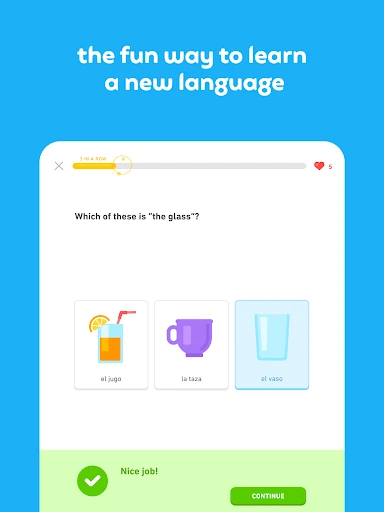
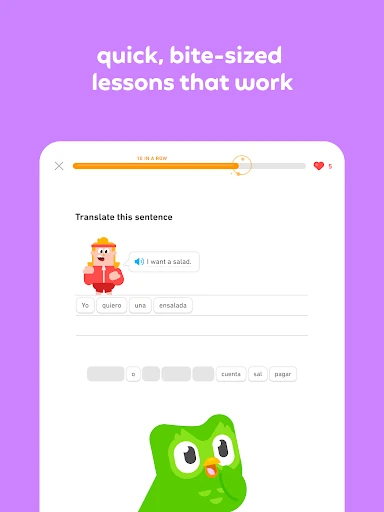
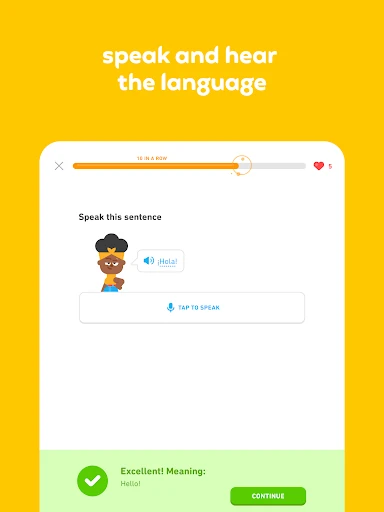
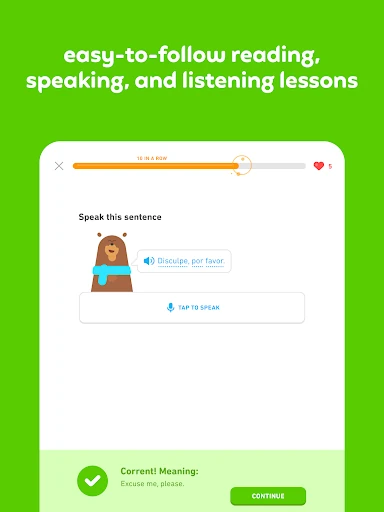
When I first opened Duolingo, its short lesson format immediately suggested a practical routine: do a little practice while waiting for coffee, riding the bus, or winding down before bed. Language lessons use brief challenges to work on reading, writing, listening, and speaking. That mix makes a session feel more active than simply reviewing a word list, while the compact format makes it easier to return tomorrow.
I can imagine starting with Spanish before a trip and fitting a lesson into the gaps in an ordinary day. The app gives learners goals to work toward, along with rewards and achievements that make progress visible. Those touches can help turn a vague intention into a repeatable habit. A short session is still a short session, though: its value comes from returning consistently, not from expecting one quick exercise to make you fluent.
More than a language app
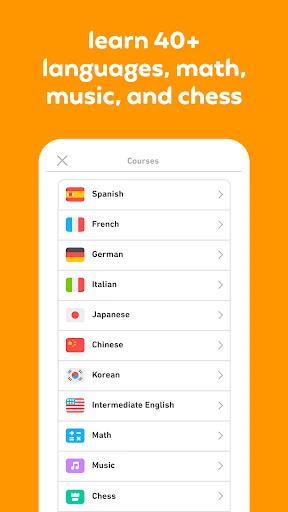
The obvious comparison is a traditional language course or a reference tool. Duolingo is a better fit when I want interactive practice in small pieces, rather than a long lesson or a place to look up a single fact. Its language courses cover skills such as speaking, reading, listening, and writing, and the app also offers math, music, and chess lessons. That wider selection makes it useful for casual learning beyond languages.
It is not a live conversation partner for every language, nor does the description present it as a complete classroom course. Duolingo Max includes AI-powered Video Call and Roleplay for extra practice in some languages, but that is a particular feature, not the whole learning experience. I’d use the app to build a regular practice habit and supplement other learning, rather than assume a streak or a score alone reflects real-world ability.
Make practice a habit
A useful approach is to pick one learning goal and attach a brief session to something I already do every day. For example, I could practice a language after breakfast, then use a second small window for a math or music lesson when I have time. Duolingo’s goals, rewards, and achievements offer a bit of structure, but the routine should stay manageable. A session I can repeat is more useful than an ambitious plan I abandon.
I’d also pay attention to the kinds of exercises I’m doing instead of tapping through purely to finish. Language lessons cover several skills, so I can treat each prompt as a chance to notice what is easy and what needs another pass. If I’m interested in chess or music, I can try those courses as their own learning projects. Keeping expectations specific helps the app’s broad range feel like a choice rather than a distraction.
More From Our News Desk

Zoom Meetings, Google Meet, or Teams: Which Is Easiest to Join?

How I Build a Free Streaming Lineup With Tubi

Why Crunchyroll Is the Default Anime App for So Many Fans

YouTube TV: A Practical Guide to Cutting Cable

Rummikub and the Small Comfort of Phone Games

TeamViewer Remote Control or AnyDesk for Helping Family?
Who may enjoy Duolingo
I’d recommend Duolingo to curious beginners, returning learners, and anyone who finds it easier to study in short bursts than to sit down for a long class. It offers more than 40 languages, with examples including Spanish, French, German, and English, and it also has courses in math, music, and chess. People who like small challenges and visible goals may find it easier to keep coming back.
It may be less satisfying for someone who wants a complete, instructor-led course or expects an app to provide every kind of practice on its own. Even a good daily routine needs to match the learner’s goals, and a cheerful interface will not suit everyone. I’d also keep in mind that Duolingo contains ads and offers in-app purchases. The free option is available, but people who dislike ads or purchase prompts may prefer a different setup.
Duolingo: Learn Languages is an education app from Duolingo. On Google Play it has over 500 million installs and a 4.7-star rating from around 51.6 million ratings. The app is free to download and contains ads. It offers in-app purchases, with prices ranging from $0.99 to $239.99 per item.
Google Play gives the app an Everyone content rating. Its listed release date is May 29, 2013, and its last update is dated November 3, 2026. The version is listed as varying with device. The Android version requirement can depend on the device, so check Google Play for the requirement shown for yours.
A closer look at daily practice
A quick first impression
When I first opened Duolingo, what stood out was the range of things it brings together. The app is built around language learning, but it also offers math, music, and chess. That makes it easy to arrive with one goal and notice another course that sounds interesting. I’d choose a starting point before exploring too much, so the first session stays focused rather than becoming a tour of everything.
Getting started can be as simple as deciding whether I want to work on a language or try one of the other subjects. Language practice is presented in quick, interactive lessons, and the app describes exercises across speaking, reading, listening, and writing. That gives a new learner a useful sense of what practice can involve. I’d begin with a realistic amount of time and return later if I want to explore more.
The everyday rhythm
The core experience is built for repeated, short visits. I can picture doing a language lesson during a quiet moment, then closing the app without needing to set aside an entire evening. Short challenges make that approachable, while the mix of language skills helps sessions feel varied. This format is particularly convenient when I want a nudge to practice but have only a few minutes available.
Duolingo also gives learners goals, rewards, and achievements to help make progress visible. I find that kind of feedback most useful when it supports the learning rather than becoming the only reason to open the app. If I’m answering quickly just to collect a reward, I’m not making the best use of the lesson. Slowing down enough to notice a word or pattern can make a brief visit feel more worthwhile.
A wider learning mix
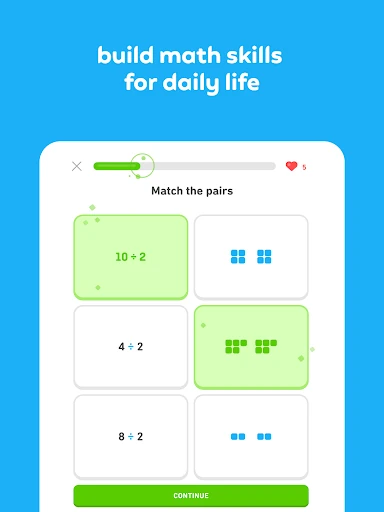
The range of subjects is one of the app’s more distinctive qualities. Alongside language courses, Duolingo offers math practice involving foundational topics such as multiplication, fractions, and geometry. The description also mentions practical mental-math exercises, including calculating tips. That gives someone who wants quick practice with numbers an option without needing to treat the app as language-only.
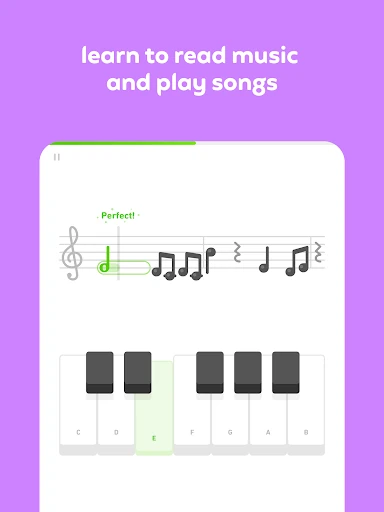
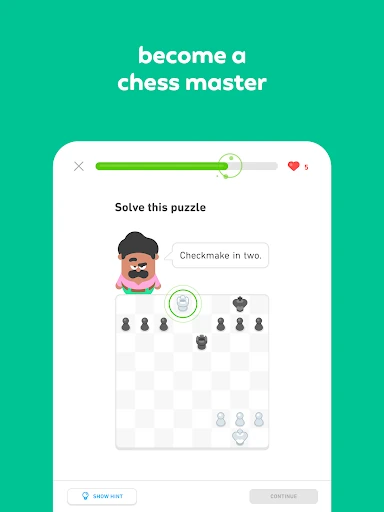
Music and chess add two more kinds of learning. The music course teaches reading music and lets learners practice songs on an on-screen keyboard, with no instrument needed. The chess course uses guided lessons and challenges to cover moves and strategy. These are distinct from the language lessons, so I’d approach each as its own activity instead of expecting one format to suit every subject.
A routine that sticks
For a practical routine, I’d choose one main subject and a regular moment for it. A language learner might do a short lesson after breakfast, when the habit is easy to remember. If a second subject is also appealing, I’d make that an occasional extra rather than trying to fit everything into every day. The app’s goals and achievements can provide a little structure without needing to dictate the whole schedule.
On a day when I have more time, I could pay attention to which skills the language lesson asks me to use and give the unfamiliar ones a bit more thought. On a busy day, a compact session is easier to keep up than a grand study plan. The key is to treat the app as a regular practice aid, not a shortcut around learning. Small, attentive sessions are a more sensible expectation than instant mastery.
Keep expectations grounded
Duolingo’s friendly, game-like approach will not appeal to every learner. Someone who prefers a formal lesson, a teacher, or long uninterrupted study may find the short-challenge format too light. The description emphasizes interactive practice and playful rewards, but it does not frame the app as a replacement for every other way of learning. I’d consider it one useful part of a broader routine, especially when consistency is the hard part.
There are also practical considerations: the app contains ads and offers in-app purchases. Duolingo Max includes AI-powered Video Call and Roleplay for extra language practice in Spanish, French, German, and more, but those features are not the same as the basic description of bite-sized lessons. If cost or a specific feature matters to me, I’d check the Google Play details before deciding what setup fits.
Duolingo’s strength is making it easy to start a small learning session and return to it regularly. I like the mix of language practice with math, music, and chess, and the short format fits neatly into everyday gaps. The app is at its best when I use its rewards as gentle encouragement and focus on learning something from each lesson.
I’d recommend it to curious learners who want an approachable way to practice, especially if brief sessions suit their routine. I’d be more cautious if I wanted a traditional, comprehensive course or dislike ads and in-app purchases. Used with realistic expectations, Duolingo is a convenient practice companion rather than a magic route to mastery.
Duolingo Frequently Asked Questions
What is Duolingo: Learn Languages used for?
Duolingo is used for short, interactive lessons in more than 40 languages, with practice in speaking, reading, listening, and writing. It also offers courses in math, music, and chess. The app suits people looking for regular practice in small sessions, rather than only those studying a language.
Which devices can run Duolingo: Learn Languages?
Duolingo: Learn Languages is available as an Android app on Google Play. Its description also mentions using Duolingo on the web. The Android version requirement depends on the device; check the Google Play store page for the requirement that applies to your phone or tablet.
What Android version does Duolingo: Learn Languages require?
The Android requirement can vary by device. Google Play is the best place to check the current requirement for the particular phone or tablet you plan to use. The app’s listed version also varies with device, so the version shown on the store page may differ across devices.
Does Duolingo: Learn Languages cost money?
Duolingo: Learn Languages is free to download and contains ads. It also offers in-app purchases, with listed prices ranging from $0.99 to $239.99 per item. Prices and available purchases can vary, so check Google Play for the options and costs currently shown in your region.
Is Duolingo: Learn Languages right for beginners?
It can suit beginners who want to start with short, interactive practice and build a regular learning habit. It covers multiple language skills and includes other subjects such as math, music, and chess. Learners who prefer long, instructor-led lessons may find its bite-sized format less suitable.
Pros
- Short interactive lessons make it easier to fit practice into an ordinary day.
- More than 40 language courses sit alongside math, music, and chess.
- Goals, rewards, and achievements give learners visible reasons to return.
- Language practice covers speaking, reading, listening, and writing.
Cons
- Ads and in-app purchases may bother learners who prefer a fully uninterrupted experience.
- The short, playful format may not satisfy people seeking a traditional course.
- Its broad range of subjects can distract from a single learning goal.
- Category
- Education