PhotoSync Autotransfer Add-On
- 307
- 4.4
- Installs
- 10.00K
- Price
- $2.49
Screenshots

Analysis by Reviewed APKs
PhotoSync Autotransfer Add-On is a paid activation license that lets PhotoSync automatically send photos and videos from an Android device to selected storage destinations. It suits people who take pictures regularly and would rather have transfers happen in the background than remember to copy files by hand. I like the idea of setting a trigger around an existing routine; the main thing to keep in mind is that this add-on works with the separate PhotoSync app.
Backups After a Day Out
When I get home after taking photos throughout the day, the chore is usually not taking the pictures; it is remembering to back them up. With PhotoSync, the add-on can make that transfer automatic. I can choose a destination and a trigger, such as connecting to a particular Wi-Fi network or plugging in the phone to charge, so the backup fits into a routine I already have.
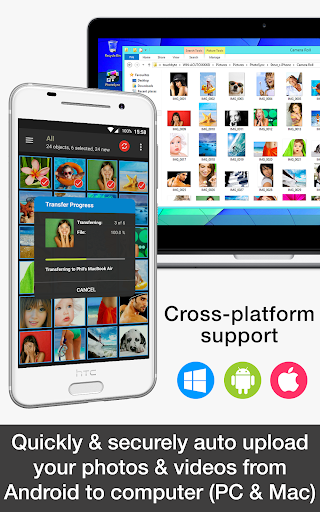
The practical appeal is that I do not have to open a transfer screen every time I want new pictures copied. The add-on supports background transfers of photos and videos to computers, NAS storage, and supported cloud or photo services. Destinations and some connection methods require other PhotoSync add-ons, so the exact setup depends on where I want my files to go.
Automation, Not a Photo Editor
PhotoSync Autotransfer is best understood as a transfer and backup tool, rather than a place to browse, edit, or organize pictures. Compared with manually plugging a phone into a computer or selecting files for a one-off transfer, its focus is on setting conditions in advance and letting later transfers happen automatically. That can be useful when a camera roll grows faster than my patience for repeating the same steps.
It is also not a standalone replacement for every PhotoSync feature. This product is an activation license that adds autotransfer capabilities to the free PhotoSync version. The free version already handles some manual wireless transfers, while the add-on is aimed at automatic transfers and removing ads. Some NAS and cloud destinations require their own PhotoSync add-ons, so it is worth matching the purchase to the storage setup I actually use.
Build a Simple Routine
The easiest way to make the add-on useful is to pick one trigger that naturally fits the way I use my phone. A home Wi-Fi connection is a straightforward choice if I want transfers to wait until I am back on a familiar network. Charging is another simple cue: the phone is already sitting idle, so a transfer can happen alongside an everyday habit.
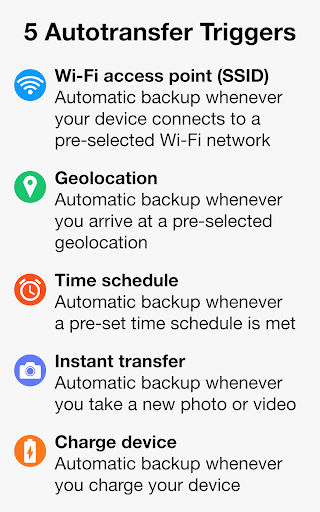
I would start with a single destination and trigger, then see how that arrangement fits before adding more conditions. PhotoSync offers five trigger types: Wi-Fi access point, location, schedule, taking a photo, and charging. Choosing deliberately helps keep automatic transfers predictable. It also makes it easier to notice whether my chosen destination needs a separate PhotoSync add-on or a particular connection method.
More From Our News Desk

Zoom Meetings, Google Meet, or Teams: Which Is Easiest to Join?

How I Build a Free Streaming Lineup With Tubi

Why Crunchyroll Is the Default Anime App for So Many Fans

YouTube TV: A Practical Guide to Cutting Cable

Rummikub and the Small Comfort of Phone Games

TeamViewer Remote Control or AnyDesk for Helping Family?
Who Will Get the Most From It
I would recommend PhotoSync Autotransfer to Android users who take plenty of photos or videos and already have a computer, NAS, or supported online service where they want copies stored. It is especially appealing if manual transfers tend to slip down the to-do list. The selectable triggers let people tie backups to a network, time, location, new capture, or charging rather than relying on memory.
It may be a poor fit for someone who only needs to move a few files occasionally, prefers choosing every transfer manually, or expects a full photo-management app. This is a paid add-on license for PhotoSync, not the whole PhotoSync experience by itself. I would also check the requirements of my preferred destination first, since certain NAS and cloud transfers need additional PhotoSync add-ons.
PhotoSync Autotransfer Add-On is made by touchbyte and is in the Photography category. On Google Play it has 10,000+ installs and a 4.4-star rating from 307 ratings. It costs $2.49, has no in-app purchases, and contains no ads. Its content rating is Everyone.
The current version is 3.4.1. It was released on August 10, 2016, and was last updated on August 21, 2025. The Android version requirement is not included among the available product details, so I would check Google Play for device compatibility before installing.
Making Photo Backups Automatic
A License With a Job
My first impression is that the name is unusually literal: this is the license that adds automatic transfers to PhotoSync, not a separate camera or gallery app. The setup described by the developer involves installing the free PhotoSync app and the add-on license. Once installed, the license upgrades PhotoSync with the autotransfer capability and removes ads.
That relationship matters before I spend anything. I would first think about where I want my media to go and whether the basic PhotoSync app can already handle my current transfer needs. The add-on makes sense when I specifically want transfers to run automatically; it is less compelling if I only need occasional manual copying.
Quiet Transfers in Daily Use
The day-to-day idea is simple: choose a destination, choose a trigger, and let PhotoSync transfer new photos or videos in the background when that condition is met. That could mean arriving at a selected Wi-Fi network after a day away, reaching a set location, or connecting the phone to a charger at night. The automation is the point, not a new place to manage pictures.
I like that the triggers cover different routines instead of assuming everyone charges or connects to the same network at the same time. A scheduled transfer suits a predictable pattern, while a take-a-photo trigger is aimed at sending new captures promptly. Which option makes sense depends on when I want transfers to occur and what connection I want them to use.
Five Trigger Choices
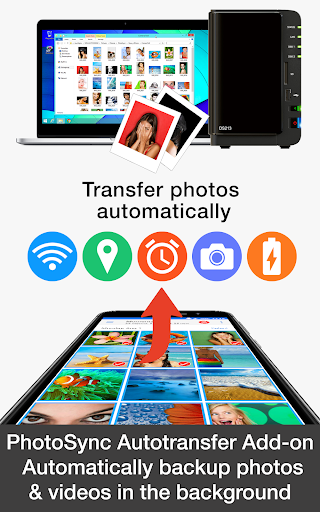
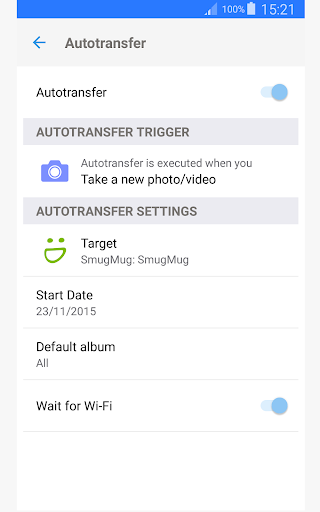
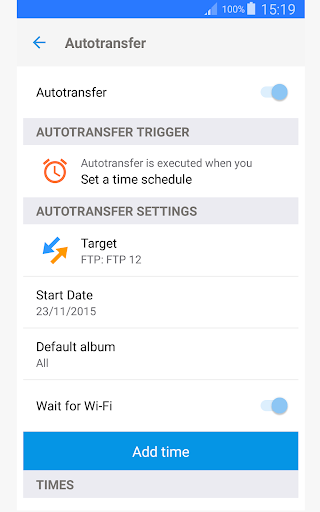
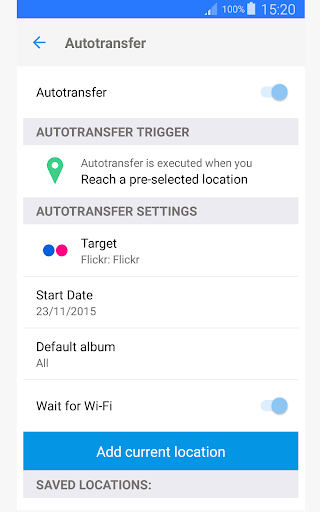
The range of triggers is the feature that gives this add-on its practical flexibility. It can respond to a selected Wi-Fi access point, a chosen geolocation, a time schedule, taking a photo, or charging the device. Rather than making backup a separate task, those conditions can connect it to things I already do during a normal day.
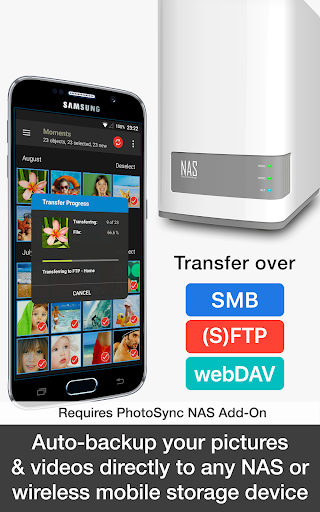
Destinations are broad, but the details matter. PhotoSync describes transfers to computers over Wi-Fi or a portable Wi-Fi hotspot, and to NAS devices or remote servers using SMB, SFTP, or WebDAV. Those NAS routes require the PhotoSync NAS Add-On. Transfers to supported cloud and photo services require the PhotoSync Cloud Add-On, so automatic backup to a particular service may involve more than this license.
A Low-Fuss Evening Routine
A realistic routine would be to take photos during the day, come home, connect to my chosen Wi-Fi network, and leave the phone to transfer in the background. If I would rather not rely on being home at a particular moment, I could use charging or a schedule as the cue instead. The add-on’s job is to remove repeated manual steps once the setup suits me.
I would keep the first setup modest: one destination and one trigger, with a clear idea of which transfers need Wi-Fi or another connection. Once I know the routine works for me, I can decide whether another trigger is useful. A little restraint is helpful with any automatic process; it keeps the arrangement easier to understand and less likely to surprise me.
Check the Destination Details
The main limitation is that this add-on does not make every destination available on its own. The developer specifies that NAS transfers require the NAS Add-On and cloud-service transfers require the Cloud Add-On. I would check those dependencies against my intended setup before buying, especially if I am choosing the license specifically to send media to one of those services.
Automatic transfers also depend on choosing a trigger that fits my expectations. A location-based condition, for example, is different from waiting for Wi-Fi or a charging session, and the available options will not suit everyone equally. This is a focused utility rather than a general photo toolkit, and its value depends on whether I want hands-off transfers enough to build that setup.
PhotoSync Autotransfer Add-On makes the most sense when I want my photo and video backups to happen as part of an existing routine. Its five trigger types give me useful ways to automate transfers, while the separate PhotoSync app and destination add-on requirements make the setup worth checking first.
I would recommend it to Android users who regularly capture media and want automatic transfers to a computer, NAS, or supported service. If I only transfer files occasionally or want a photo editor and organizer, I would look elsewhere. For a modest one-time price, it is a focused solution for people who value not having to remember.
PhotoSync Autotransfer Frequently Asked Questions
What is PhotoSync Autotransfer Add-On used for?
PhotoSync Autotransfer Add-On activates automatic wireless transfers of photos and videos through the PhotoSync app. It can use triggers such as Wi-Fi connection, location, a schedule, taking a photo, or charging the device. Transfers can go to supported destinations, though some NAS and cloud options require additional PhotoSync add-ons.
Which devices can use PhotoSync Autotransfer Add-On?
This add-on is for PhotoSync on Android phones and tablets. The product description also discusses PhotoSync apps for other platforms, but this activation license is for the Android version. Check the Google Play store listing for the Android version requirement and compatibility with your device.
What Android version does PhotoSync Autotransfer Add-On require?
The Android version requirement can vary with the app and device, so check Google Play for the current compatibility details before installing. The add-on works with the PhotoSync app, which is needed to use its automatic transfer capabilities.
How much does PhotoSync Autotransfer Add-On cost?
PhotoSync Autotransfer Add-On costs $2.49. It has no in-app purchases and contains no ads. It is an activation license for PhotoSync, and transfers to some NAS and cloud destinations require separate PhotoSync add-ons.
Is PhotoSync Autotransfer Add-On right for me?
It is a good fit if you regularly take photos or videos and want transfers to happen automatically based on a routine or trigger. It may not suit people who only need occasional manual copying or want editing and organizing tools. Check the store for current details and the requirements of your preferred destination.
Pros
- Five transfer triggers can tie backups to Wi-Fi, location, a schedule, new captures, or charging.
- Supports automatic background photo and video transfers to several types of destinations.
- One-time $2.49 price, with no ads or in-app purchases.
Cons
- Requires the separate PhotoSync app to activate and use its automatic transfer features.
- NAS and cloud destinations require additional PhotoSync add-ons.
- The Android version requirement should be checked in Google Play before installation.
- Category
- Photography
- Version
- 3.4.1











