myTuner FM Radio App
- 337.21K
- 4.6
- Installs
- 10.00M
- Price
- Free

Screenshots

Analysis by Reviewed APKs
myTuner FM Radio App brings live radio stations and podcasts together in one place, with ways to search by location or genre and save favorites for later. I found it most appealing as a companion for chores, commutes, or a quiet evening when I want a real station rather than a playlist. Its international range is the draw; the main trade-off is that live listening depends on an internet connection.
Radio for the in-between moments
When I first opened myTuner, I imagined using it during the parts of the day when choosing music feels like one more task. I could look for a station by city, country, or genre, start a live stream, and leave it playing while I checked messages or made dinner. The app is built around listening, not elaborate setup, which suits a quick kitchen soundtrack or background news while I tidy up.
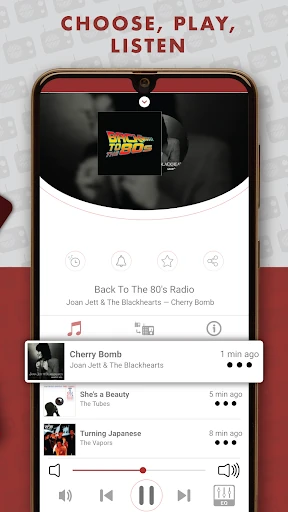
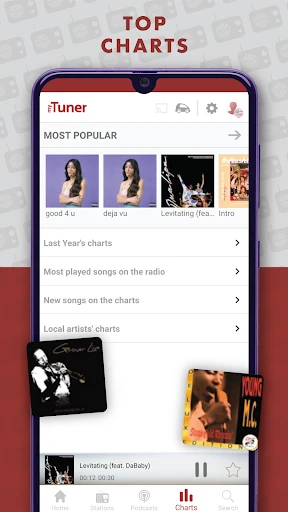
I also like the idea of keeping a few familiar stations in Favorites instead of searching from scratch every time. One day might call for a local station; another might be a music genre or a broadcast from somewhere else. If a station provides song information, myTuner can show what is playing. That makes it easier to catch the name of a track I hear in passing, though the information depends on the station.
A different kind of listening
The obvious comparison is a music streaming service, but myTuner serves a different mood. Instead of starting with a specific album or building a track-by-track queue, I can tune into live radio, browse stations from around the world, or explore podcasts. That makes it a useful alternative when I want a presenter, a familiar broadcast, or the surprise of whatever is on now rather than precise control over every song.
It is not a replacement for a reliable offline music library: the app says radio listening requires Wi-Fi or mobile data, and a station stream can temporarily fail. Nor is it just a local FM tuner that works without a connection. I would choose it for the breadth of live stations and easy discovery, not for downloading music or controlling exactly what plays next.
Small habits that help
A little organization makes a broad station catalog more manageable. When I find a station I like, adding it to Favorites saves me from repeating the same search later. I can search by country, city, or genre depending on what I have in mind, and use the general search when I already know a station or podcast name. That simple routine is more practical than trying to remember every good find.
The alarm and sleep timer are useful additions to an everyday listening habit. I can set a station as a wake-up choice or arrange for playback to stop automatically when I am winding down. For listening around the house, myTuner supports the phone's loudspeaker, Bluetooth, and Chromecast. Sharing a station by message or email also gives me a low-effort way to pass along a discovery.
More From Our News Desk

Zoom Meetings, Google Meet, or Teams: Which Is Easiest to Join?

How I Build a Free Streaming Lineup With Tubi

Why Crunchyroll Is the Default Anime App for So Many Fans

YouTube TV: A Practical Guide to Cutting Cable

Rummikub and the Small Comfort of Phone Games

TeamViewer Remote Control or AnyDesk for Helping Family?
Who might enjoy myTuner
I would recommend myTuner to people who enjoy radio as a format and want more than the stations they can pick up nearby. Its combination of live broadcasts, location and genre search, favorites, and podcasts makes it a good fit for curious listeners who like to browse. It also suits someone who wants a station running in the background while using other apps, rather than making listening the only thing on the phone.
It may be a less natural fit for anyone who expects music to work without internet, or who wants full control over a playlist and each individual track. Station streams can be temporarily offline, and the song information feature depends on the broadcaster. I would also think twice if ads are a deal-breaker: the app contains ads, and optional in-app purchases are available.
myTuner FM Radio App is a Music & Audio app from Appgeneration. On Google Play, it has over 10 million installs and a 4.6-star rating from about 337,000 ratings. The app is free to download and contains ads. In-app purchases are available, with listed items ranging from $20.99 to $99.99 per item.
The app has a Teen content rating. Its version varies with device, and Google Play gives the release date as January 21, 2014, with the last update on October 1, 2026. The description says radio streams require an internet connection over Wi-Fi or mobile data. Some stations may not play temporarily if their stream is offline.
How myTuner Fits Into Everyday Listening
A quick first impression
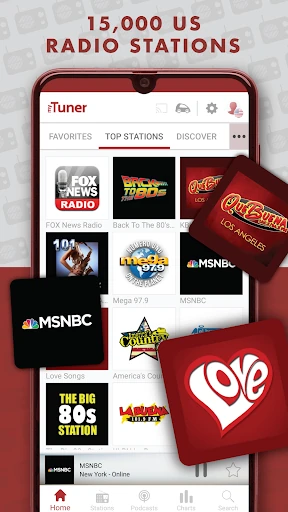
My first impression was that the app is meant to get me listening without much ceremony. The main appeal is the choice of ways to find something: browse by country, city, or genre, or search directly for a station or podcast. That feels approachable whether I know exactly what I want or just have a general idea, such as news, comedy, sports, or a music style.
I would start by finding a couple of stations I already recognize, then save them as Favorites. That gives the app a more personal feel without requiring a long setup session. The description also makes clear that streams need internet access, so I would treat a working Wi-Fi or mobile-data connection as part of getting started, not as an optional extra.
The daily listening loop
In day-to-day use, the central loop is straightforward: find a station, press play, and let it run. I can keep listening while using other apps, which is handy when radio is company for a task rather than the main event. It is a different rhythm from selecting individual songs, and that can be a relief when I want something on without spending time building a queue.
The experience depends partly on the station itself. Some broadcasters provide the song currently playing, while others may not, and the app notes that streams can be temporarily unavailable. I would not assume every search result will play perfectly every time. Still, having a large range to explore gives me alternatives when one station is not working or does not suit the moment.
Discovery beyond local radio
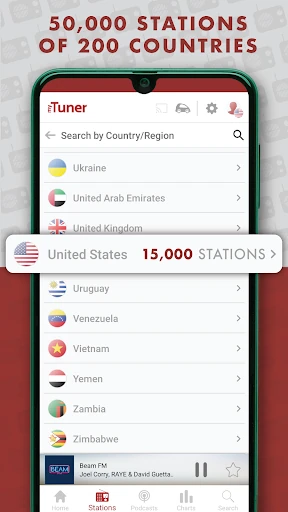
The scale of the catalog is the feature that stands out most. The description says myTuner includes more than 50,000 live stations from over 200 countries and territories, alongside more than a million podcasts. Those numbers suggest plenty to browse, from familiar local radio to broadcasts tied to a different city or country. Search filters help turn that breadth into something more manageable.
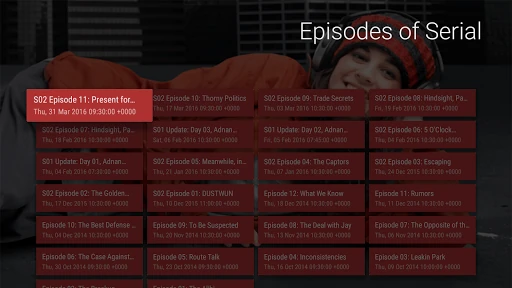
I also appreciate that the app is not limited to music. The listed categories include sports, news, comedy, and more, so I can change the flavor of what I am hearing without changing apps. Other useful touches include station and podcast Favorites, a wake-up alarm, a sleep timer, and playback through Bluetooth or Chromecast. These features support listening habits rather than trying to turn radio into a full music library.
A routine that makes sense
For a simple morning routine, I would save a preferred station, set it as the alarm, and let it provide a familiar start to the day. Later, I could switch to a podcast or a different station during a walk around the house or while making lunch. The alarm and sleep timer are practical because they attach the app to specific moments instead of leaving me to remember to start and stop playback.
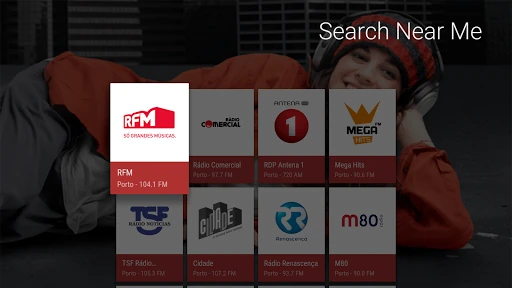
For a more exploratory routine, I might search by city or country when I want to hear what is being broadcast somewhere else, then save anything worth revisiting. If I find a station a friend might enjoy, sharing it through social media, SMS, or email is built in. None of that requires a complicated listening system; it is mostly about saving good discoveries before they slip from memory.
Limits to keep in mind
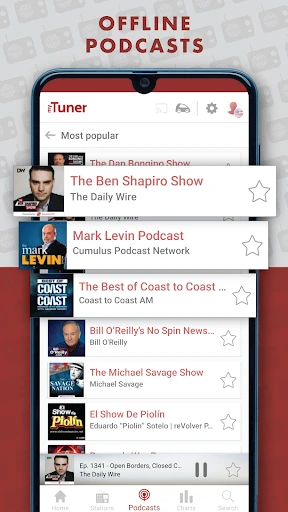
The biggest practical limit is connectivity. myTuner's description says radio stations require an internet connection, whether through Wi-Fi or mobile data, so I would not rely on it as an offline radio solution. It mentions offline podcasts, but the general station-stream requirement remains important. For travel or an unreliable connection, I would plan around that distinction rather than assume every kind of listening is available without data.
The app also inherits the quirks of live broadcasting. A station can be temporarily offline, and song identification depends on what that station makes available. Ads are present, and optional in-app purchases may matter to listeners who prefer a completely ad-free experience. Those are reasonable trade-offs to weigh against the wide selection, especially if my main goal is dependable access to a small number of specific stations.
myTuner works best when I want radio's mix of familiar voices, live programming, and unexpected music, with enough search and Favorites tools to make a large catalog approachable. Its alarms, sleep timer, and background listening give it a place in ordinary routines, not just occasional station browsing.
I would recommend it to radio fans who have a steady internet connection and enjoy discovering stations beyond their local dial. I would steer playlist-first listeners and anyone needing offline radio toward a different option. For the right listening habits, myTuner is a practical way to keep live radio close at hand.
myTuner FM Radio App Frequently Asked Questions
What is myTuner FM Radio App used for?
myTuner is for listening to live radio stations and podcasts. You can search for stations by country, city, or genre, save stations and podcasts as Favorites, and explore categories such as music, news, sports, and comedy. It also offers an alarm and sleep timer. Live radio listening requires an internet connection, and individual station streams can sometimes be temporarily unavailable.
What devices and platforms support myTuner FM Radio App?
The Google Play version is for Android phones and tablets. The app description also mentions listening through other connected devices and services, including smart TVs, cars, wearables, Alexa, and Sonos. Availability can depend on the device or service, so check the relevant store or device details for the option you plan to use.
What Android version does myTuner FM Radio App require?
The Android version requirement can vary with the device and app release. Check the Google Play store entry on the device where you plan to install myTuner for the current compatibility details. The app description says radio streams need Wi-Fi or mobile data, so a connection is also needed for live station listening.
Is myTuner FM Radio App free, and does it have purchases?
myTuner is free to download and contains ads. It also offers in-app purchases; listed purchase prices range from $20.99 to $99.99 per item. The available options and their prices may vary, so check Google Play for the current purchase details before deciding whether they suit you.
Who is myTuner FM Radio App best suited to?
I think myTuner is best suited to listeners who enjoy live radio, want to explore stations from different places, or like keeping a few favorites ready for daily listening. It may be less suitable if you need radio without an internet connection or want precise control over every song. Its Teen content rating is another detail families may want to consider.
Pros
- Wide selection of live stations, searchable by country, city, and genre.
- Favorites, alarms, and a sleep timer support everyday listening routines.
- Background playback lets radio continue while you use other apps.
- Bluetooth and Chromecast options make listening beyond the phone easier.
Cons
- Live radio requires Wi-Fi or mobile data, so it is not an offline tuner.
- Some station streams may be temporarily unavailable or lack song information.
- The free app contains ads, with optional in-app purchases.
- Category
- Music & Audio











