Music Recognition: Song Finder
- 296.78K
- 4.2
- Installs
- 10.00M
- Price
- Free

Screenshots
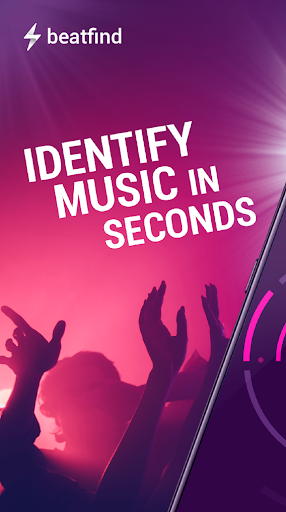
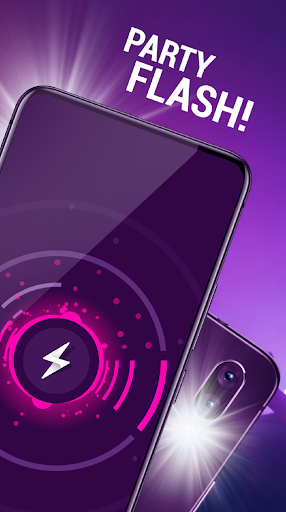
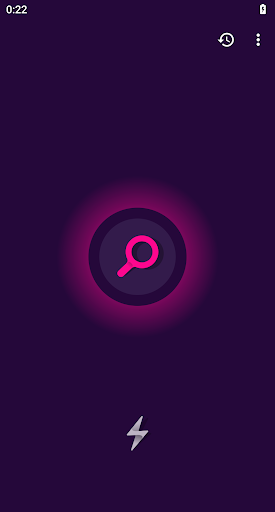
Analysis by Reviewed APKs
Music Recognition: Song Finder is for the moments when a song catches my ear and I want to know what it is without searching by lyrics. It identifies nearby music, saves recognized tracks to a history, and offers ways to explore or hear them. I like the idea of turning a passing song into something I can revisit, though ads and paid in-app options are part of the package.
Catch a song in passing
When I hear an unfamiliar song in a café, shop, or car, trying to remember a line for a later web search is a gamble. This app is built for that brief window: I can ask it to recognize the music, then check the result with a preview. That makes it useful for spontaneous discoveries, especially when the song is still playing and I have only a moment to act.
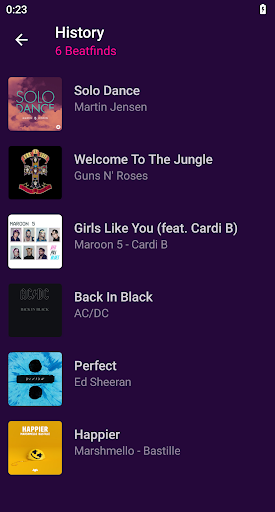
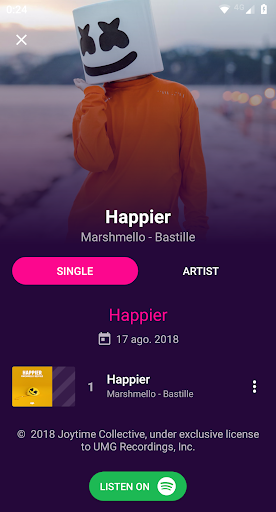
After a match, I can explore the track’s album information, artist biography, and other top songs from that artist. The history page keeps identified songs in one place, so the discovery does not have to end when the music stops. I also like having a web search and sharing options available for a result. It gives me a few practical next steps instead of leaving me with only a title.
A finder, not a music library
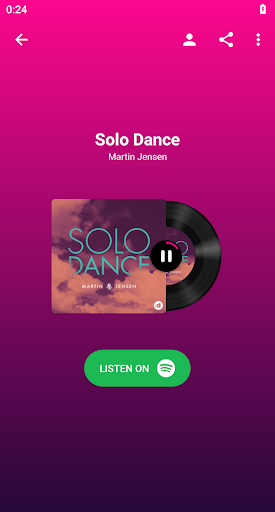
I think of Music Recognition: Song Finder as a bridge between hearing a song and deciding what to do with it. It can provide a preview, and the app points to Spotify or Deezer for full listening; it also offers YouTube music videos and a web search. That is a different job from browsing a streaming catalog or building a listening queue from scratch. Its appeal is the quick identification step.
It is not a substitute for a streaming service, and I would not choose it as my main place to listen to albums. The description focuses on recognizing tracks and exploring information around them, rather than managing a music collection. If I already know a song, opening my usual music app is more direct. If I only know that something playing nearby sounds good, this app has a clearer purpose.
Make discoveries easy to revisit
A small habit that makes sense here is checking the history after a busy day. I can use it as a record of songs that caught my attention, rather than relying on memory or sending myself a note while music is playing. When I find something I want to share, the app supports sharing through other apps, including familiar social and messaging options mentioned in its description.
I would also use the preview as a quick confidence check before following a streaming link or telling a friend I found the right track. If the artist interests me, the album details, biography, and top tracks offer a natural next step. These are modest workflows, but they suit the app’s role: identify first, then decide whether to listen, learn more, or pass the discovery along.
More From Our News Desk

Zoom Meetings, Google Meet, or Teams: Which Is Easiest to Join?

How I Build a Free Streaming Lineup With Tubi

Why Crunchyroll Is the Default Anime App for So Many Fans

YouTube TV: A Practical Guide to Cutting Cable

Rummikub and the Small Comfort of Phone Games

TeamViewer Remote Control or AnyDesk for Helping Family?
Who will enjoy the hunt
I would recommend Music Recognition: Song Finder to people who often hear music out in the world and later wonder what it was. It also suits anyone who likes collecting small discoveries, checking an artist’s background, or sharing a track with a friend. The history feature is especially handy for people who recognize songs at different times and want a simple way to find those results again.
It may be less appealing if you want one app to organize playlists, stream a full catalog, or keep music playing all day. Its description points to previews and links to other services for full songs, so it is best treated as a companion to listening apps. People who dislike advertisements or paid options should also weigh that trade-off before settling into regular use.
Music Recognition: Song Finder is a Music & Audio app from Appozitive. On Google Play, it has over 10 million installs and a 4.2-star rating from about 297,000 ratings. It is rated Everyone. The app is free to download, contains ads, and offers in-app purchases.
Google Play lists in-app products at $4.99 to $44.99 per item. The current version is 1.6.70. The app was released on May 26, 2017, and its listed last update is October 12, 2026. An Android minimum version is not included in the supplied store details, so check Google Play for device compatibility.
From a passing song to a saved find
A direct first impression
The idea is easy to understand: use the app when music is playing nearby and you want a name for it. I appreciate that the result is not meant to be a dead end. A preview helps me check whether the recognition seems right, while artist and album information give me places to go next. That makes the app feel more like a discovery tool than a bare lookup.
I would start by treating it as an occasional companion rather than something that needs a complicated routine. The supplied description centers on song recognition and follow-up details, not a lengthy setup process. In practice, the useful test is simple: can I get a result while the song is still playing, and can I recognize the match from its preview?
A quick everyday lookup
The core experience is built around catching a song in the moment. A track comes on while I am out, I use the recognition feature, and then I can check the result instead of trying to type a lyric into a search engine. The app says it can find a song within seconds, which suits this kind of brief interaction better than a long browsing session.
What matters most afterward is having options. I can listen to a preview, look up the track on the web, or follow the app’s routes to Spotify, Deezer, and YouTube. Those choices make the result useful in different situations: confirming a song, watching a video, or moving to a service where I can hear more.
More than a title
The history page is one of the most practical extras because it gives identified songs a place to stay. I can imagine using it after a day of errands or a night out, when I have heard several tracks but did not have time to investigate each one. It turns scattered moments into a list of discoveries I can return to later.
The artist and album details add another layer without changing the app’s main job. The description says I can see album information, release dates, tracks, an artist biography, and that artist’s top songs. That is a useful path when one recognition leads to curiosity about the person behind it, rather than simply a desire to play the same track again.
There are also a few more playful and social options. I can share a recognized song through other apps, watch music videos on YouTube, and use the flashlight party mode, which flashes in time with the music. A visualizer is included as well. These features broaden the experience, though song identification remains the reason I would open the app.
A simple discovery routine
My most realistic routine would be to identify a song when it is playing, use the preview to make sure the result fits, and leave the track in history if I cannot deal with it right away. Later, I could revisit the saved result, read about the artist, or follow a streaming option. That sequence keeps the quick lookup from becoming a distraction in the middle of an outing.
For a song I want to pass along, sharing is a natural next step. For one I am unsure about, the preview and web search offer ways to investigate before I commit to anything. I like that these are different paths from the same discovery. The app can serve a quick answer, a reminder for later, or the beginning of a deeper listen.
Keep the boundaries in mind
This is not a full music player or an all-in-one streaming library. Full listening is routed through Spotify or Deezer, and YouTube is offered for music videos, while the app itself provides a preview. That means the experience depends on what I want after recognition: a quick confirmation is close at hand, but extended listening involves another service.
The app is free to download, but it contains ads and offers paid in-app items. That is worth considering if I expect to use it often or prefer an uninterrupted experience. The supplied details do not give a minimum Android version, so I would check its Google Play page before relying on it for a particular device. The right fit depends on both compatibility and tolerance for the monetization.
Music Recognition: Song Finder has a clear, useful purpose: it helps me turn music heard in passing into a track I can confirm, save, explore, and share. The history and artist details give discoveries a little staying power, while previews help with a quick check. Its limits are just as clear: it is a finder, not a replacement for a streaming service.
I would recommend it to curious listeners who regularly ask, “What song is this?” and want an easy way to follow that question. If you mainly want a complete listening and playlist experience, your music service is still the better home base. For occasional identification and follow-up, this app offers a practical set of tools.
Music Recognition Frequently Asked Questions
What is Music Recognition: Song Finder used for?
Music Recognition: Song Finder identifies music playing nearby and saves recognized songs in a history page. It also offers a preview, artist and album information, a web search, music video access through YouTube, and links to Spotify or Deezer for full listening. You can share discovered tracks through other apps as well.
What devices can run Music Recognition: Song Finder?
Music Recognition: Song Finder is an Android app distributed through Google Play. The supplied store details do not give a minimum Android version, and compatibility can vary by device and software version. Check the app’s Google Play page for the current requirements before installing it on a particular phone or tablet.
Does Music Recognition: Song Finder cost money?
The app is free to download, but it contains ads and offers in-app purchases. Google Play lists those purchases at $4.99 to $44.99 per item. What you see may vary by region or over time, so check the Google Play page for current purchase details.
Can Music Recognition: Song Finder play full songs?
The app offers a preview of a recognized track and provides options to hear the full song through Spotify or Deezer. It also offers YouTube music videos. It is best understood as a recognition and discovery companion, rather than a standalone service for listening to a full music catalog.
Who is Music Recognition: Song Finder best for?
It is a good fit for listeners who often hear an unfamiliar song and want to identify, save, or learn more about it. The history and sharing options can help with casual discoveries. It may not suit people looking primarily for playlist management or full-time music streaming, and its ads and paid options are worth considering.
Pros
- Identifies nearby songs and keeps recognized tracks in a history.
- Previews and artist details help me check and explore a result.
- Offers routes to Spotify, Deezer, YouTube, web search, and sharing.
Cons
- Full-song listening relies on Spotify or Deezer rather than the app itself.
- Ads and in-app purchases may bother people who want an uninterrupted experience.
- The minimum Android version is worth checking for your device.
- Category
- Music & Audio
- Version
- 1.6.70