Music Choice
- 10.84K
- 3.4
- Installs
- 1.00M
- Price
- Free

Screenshots




Analysis by Reviewed APKs
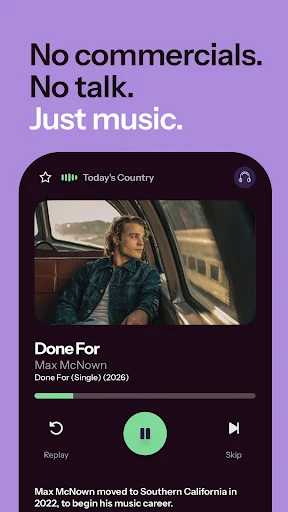
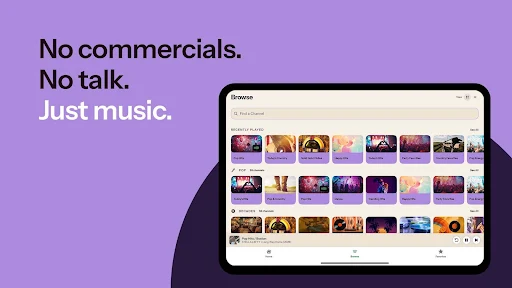
Music Choice is a channel-based music app for people who want to put something on without building a playlist or deciding what comes next. I like its simple bargain: choose a music channel, press play, and let human-selected songs run while I work, clean, or unwind. It suits background listening especially well, though it offers less control than a service built around picking individual tracks.
Music for the In-Between
When I first opened Music Choice, I pictured an ordinary weekday morning: coffee in one hand, a few chores waiting, and no desire to spend ten minutes assembling a playlist. The app’s channel approach fits that moment. I can pick a direction, such as current hits or seasonal music, start listening, and get on with the kitchen or emails instead of tending to a queue.
That hands-off quality is the main appeal. Music experts select the songs for each channel, so the experience feels closer to tuning into a curated station than asking an algorithm to build a mix. If a song misses the mood, I can skip it and hear what comes next. I found that especially useful when I wanted music in the room but didn’t want to keep checking my phone.
Channels, Not a Song Search
The obvious comparison is a streaming service where I search for a specific song or assemble a detailed playlist. Music Choice takes a different route: choose a channel and let its selection carry the session. That makes it a good fit for background listening, but a less natural choice when I have a precise album, artist, or track in mind and want to hear it immediately.
It also isn’t trying to be a music-making tool or a library that I carefully organize. The central experience is listening to songs selected for channels, with the option to skip a track that isn’t working. I’d reach for it when I want low-effort variety, and use a more search-focused service when choosing each song myself matters more than pressing play and moving on.
A Few Useful Listening Habits
I get the most from Music Choice when I decide on a general mood before starting, rather than expecting one channel to suit every part of the day. A channel that works for a lively cleaning session may not be what I want when I’m trying to settle down. Switching channels is an easy way to reset the atmosphere without turning the session into a playlist-building project.
Skipping is worth treating as a small adjustment, not a reason to abandon a channel after one miss. I’ll give a selection a little time, skip a song that doesn’t fit, and return to what I’m doing. If I already receive Music Choice channels through a cable TV package, signing in with my provider credentials is another practical route to listening, according to the app’s description.
More From Our News Desk

Zoom Meetings, Google Meet, or Teams: Which Is Easiest to Join?

How I Build a Free Streaming Lineup With Tubi

Why Crunchyroll Is the Default Anime App for So Many Fans

YouTube TV: A Practical Guide to Cutting Cable

Rummikub and the Small Comfort of Phone Games

TeamViewer Remote Control or AnyDesk for Helping Family?
Who Will Enjoy It
I’d recommend Music Choice to listeners who like radio-style discovery but would rather avoid commercial radio chatter. It can suit a home office, a cooking session, or a weekend tidy-up: choose a channel that matches the moment, then let the music fill the background. The human-picked selections are also appealing if you’d rather leave curation to music experts than rely on an algorithm to assemble a mix.
It may not suit someone who expects precise control over every song or wants to build and manage extensive personal playlists. The channel-first design is intentionally less hands-on, and skipping is the stated way to move past a track that doesn’t click. If your favorite way to listen is searching for one exact recording, Music Choice may feel too indirect; if you mainly need an easy soundtrack, that same simplicity is a plus.
Music Choice is developed by Music Choice and is available on Android through Google Play. It has over 1 million installs and a 3.4-star rating from 10,842 ratings. The app is rated Teen. Its version is 10.1.7523, and the recorded release date is July 15, 2013.
The app is free to download, with in-app purchases priced from $2.99 to $29.99 per item. Google Play reports that it does not contain ads. The latest recorded update date is October 7, 2026. The available facts do not give a minimum Android version, so check Google Play for compatibility with a particular device.
A Closer Look at Channel Listening
A Straightforward First Step
My first impression was that Music Choice wants me listening quickly, not planning an elaborate session. Its basic invitation is uncomplicated: find a channel that sounds right and press play. That is a welcome change when I’ve opened a music app with a vague mood in mind and then lost time browsing instead of actually hearing anything.
The description says listeners can try channels before subscribing or creating an account. That lowers the commitment for a first listen and gives me a chance to see whether the channel format suits my habits. I’d start with a familiar type of music, then try something different once I understood how the app’s hands-off approach felt.
Easy Listening, Less Managing
Day to day, the best part is not having to keep feeding the app instructions. A channel supplies a continuing stream of selected songs, while the skip option gives me a little say when one track is not a fit. For a work session or a quiet evening at home, that balance can keep music present without turning every few minutes into another decision.
There is a trade-off: I’m choosing a channel’s general direction, not necessarily the exact next song. That distinction matters if I’m used to building a queue around specific tracks. Music Choice feels most comfortable when I’m willing to let the selection surprise me within a broad style or theme.
Human-Curated Channels
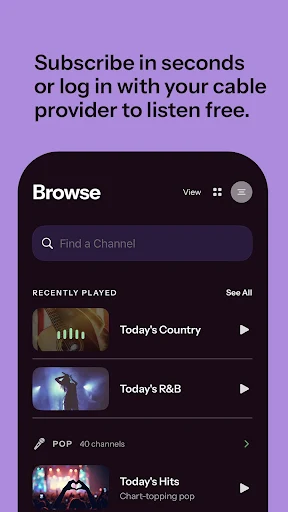
The defining feature is that music experts choose songs for the channels rather than leaving the selection entirely to algorithms. The app describes options ranging from Today’s Hits to Sounds of the Seasons, giving listeners both current chart-focused music and a seasonal choice. That mix of familiar categories and themed listening gives me a simple starting point without requiring a detailed search.
I also appreciate the emphasis on real artists and human selection. It gives the service a clear identity: this is about listening to curated music channels, not generating music or asking me to build a bespoke collection. The ability to skip a song keeps the experience from feeling completely locked in, even though the channel remains in charge of what comes after.
Build It Into a Routine
A practical routine is to match the channel to the task, start playback, and leave the phone alone unless I want to skip. I can imagine choosing upbeat music before a Saturday cleaning spree, then switching to something calmer when the work is done. The point is not to find a perfect soundtrack for every minute; it is to make starting one effortless.
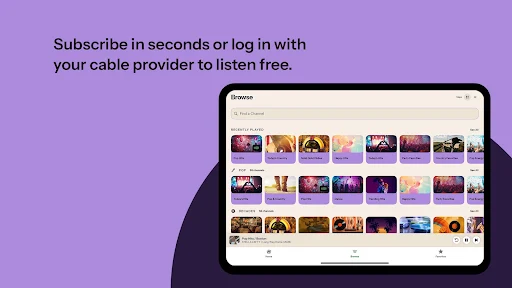
For listeners who already get Music Choice channels through a cable TV package, the app describes signing in with provider credentials to listen free. That can make it a natural extension of a service already in the household. Others can first explore the listening experience before deciding whether a subscription or account fits their needs.
Know the Trade-Offs
The channel format is both the app’s strength and its main limitation. It cuts down on searching and playlist maintenance, but it does not promise the same song-by-song control as a service centered on track selection. I’d keep that in mind before making Music Choice my only music app, especially if I often want to play a particular recording on demand.
A 3.4-star rating from more than 10,000 Google Play ratings suggests opinions are mixed, so the straightforward premise may not work equally well for every listener. I’d judge it by trying a few channels and seeing whether the selections fit my routines. Device compatibility is also worth checking in Google Play, since minimum Android requirements can depend on the current app listing.
Music Choice has a clear, useful role: it gives me curated channels to turn on when I want music without taking responsibility for every song. The ability to skip a track adds a little flexibility, while expert-selected programming keeps the experience distinct from an endless playlist-building session.
I recommend giving it a try if you enjoy radio-style listening and want an easy soundtrack for everyday tasks. If precise song selection and extensive playlist control are essential, it may not replace your usual service. For low-effort background music, though, the channel-first approach is refreshingly simple.
Music Choice Frequently Asked Questions
What is Music Choice used for?
Music Choice is a music-listening app built around channels with songs selected by music experts. You choose a channel, press play, and can skip a song that doesn’t suit you. It is aimed at easy, ongoing listening rather than making you assemble a playlist or select every track individually.
Which devices can I use Music Choice on?
Music Choice is available as an Android app on Google Play. Its description also mentions listening through Android Auto, Smart TVs, and a web browser. Availability and compatibility can depend on the device and service, so check the current store information or Music Choice details for the option you plan to use.
What Android version does Music Choice require?
The minimum Android version can vary with the app’s current release and device requirements. Check the Music Choice page on Google Play before installing to see whether your phone or tablet is compatible. The app is listed there as version 10.1.7523.
Does Music Choice cost money?
Music Choice is free to download and offers in-app purchases priced from $2.99 to $29.99 per item. The app description says you can listen to channels before subscribing or creating an account. Cable subscribers who already receive Music Choice channels can sign in with provider credentials to listen free.
Is Music Choice right for my listening style?
It may suit you if you want expert-curated channels for background listening and are comfortable letting the selection continue, with skips when needed. It may be less suitable if you want to choose every track or build detailed playlists. Trying a few channels is a sensible way to see whether its format fits.
Pros
- Expert-selected channels make it easy to start listening without assembling a playlist.
- Skip tracks that do not fit the moment and keep the session moving.
- The channel format suits background music for work, chores, and winding down.
- Cable subscribers can sign in with provider credentials to listen free.
Cons
- Channel-based listening offers less song-by-song control than a search-focused service.
- A 3.4-star Google Play rating indicates the experience may not suit everyone.
- Minimum Android requirements should be checked against the current Google Play page.
- Category
- Music & Audio
- Version
- 10.1.7523











