Merrick Bank Mobile
- 32.02K
- 4.4
- Installs
- 1.00M
- Price
- Free

Screenshots
Analysis by Reviewed APKs
Merrick Bank Mobile is a companion app for managing a Merrick Bank credit card: you can check balances and transactions, make or schedule payments, view monthly statements, and keep an eye on your FICO Score. I see it as a practical fit for cardholders who want account essentials close at hand rather than a broad personal-finance toolkit. Its focus is narrow, but that can make routine card management simpler.
A quick account check
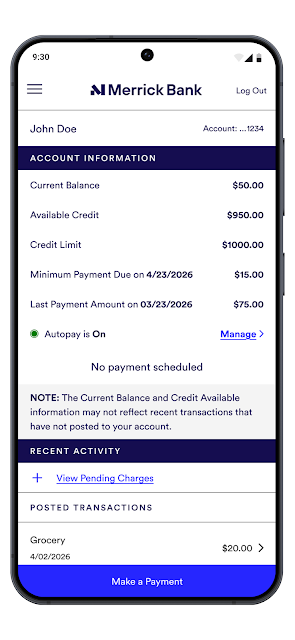
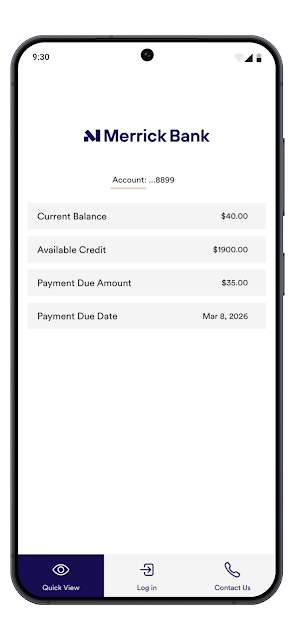
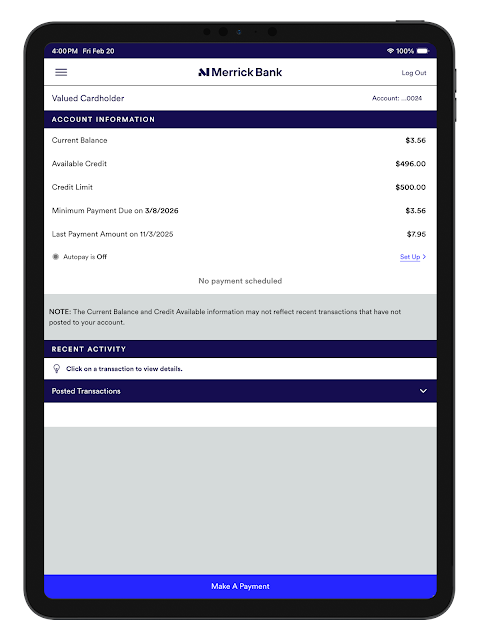
Picture a familiar moment: you’re about to make a purchase and want to check what has posted to your card. Merrick Bank Mobile is built for that sort of quick check, with balance and transaction information available after signing in. Later, you can review the activity again, schedule a payment, or look at a monthly statement. The app keeps these card-related tasks together instead of making you hunt through separate services.
I’d also find the payment and alert options useful during a busy week. You can set or schedule payments, and custom alerts can help keep payment dates and account activity on your radar. The FICO Score view adds another reason to open the app occasionally, though it’s best treated as one account feature, not a full financial picture. The central job remains straightforward: keep up with your Merrick Bank card.
A card companion, not a wallet
Compared with a general budgeting app or a mobile banking app that serves several accounts, Merrick Bank Mobile has a much tighter scope. It focuses on a Merrick Bank credit card: balances, transactions, payments, statements, alerts, and a FICO Score. That concentration is useful if you mainly want to manage this card without adding a separate tool for each basic account task.
That same focus sets a boundary. The described features don’t make this a general-purpose banking hub, a budgeting planner, or a way to manage cards from other issuers. I wouldn’t choose it to organize a household budget or oversee a collection of unrelated accounts. For those jobs, a broader tool may suit you better; for keeping tabs on a Merrick Bank card, the app’s narrower purpose is the point.
Make routine checks count
A small habit that makes sense here is checking transactions regularly rather than waiting until a statement arrives. The app offers real-time balance and transaction information, so brief check-ins can help you stay aware of what has appeared on the account. If you prefer reminders, custom alerts for payments and activity provide another way to keep important account events visible.
I’d pair those quick checks with a monthly statement review and a payment routine that matches your needs. The app supports flexible payment options, including setting and scheduling payments, while statements are available in the app. Fingerprint sign-in is another useful convenience if you prefer not to type a password every time. These are modest workflow improvements, not a substitute for reviewing account details carefully.
More From Our News Desk

Zoom Meetings, Google Meet, or Teams: Which Is Easiest to Join?

How I Build a Free Streaming Lineup With Tubi

Why Crunchyroll Is the Default Anime App for So Many Fans

YouTube TV: A Practical Guide to Cutting Cable

Rummikub and the Small Comfort of Phone Games

TeamViewer Remote Control or AnyDesk for Helping Family?
Who will find it useful
I’d recommend Merrick Bank Mobile to existing Merrick Bank cardholders who want a direct way to check activity, make or schedule payments, review statements, and see their FICO Score. It should be especially appealing if you tend to handle account chores in short bursts from your phone. The custom alerts and fingerprint sign-in also suit people who like reminders and a quicker return to an account they use regularly.
It may be a poor fit if you don’t have a Merrick Bank card, or if you expect one app to cover budgeting, multiple banks, and cards from other issuers. The app’s described job is card management, not comprehensive money organization. I’d also suggest checking the store information for your device before installing, since the available Android requirement can vary. For a focused card companion, its feature set is more relevant.
Merrick Bank Mobile is developed by Merrick Bank and is listed in the Finance category on Google Play. It has over one million installs and a 4.4-star rating from around 32,000 ratings. The app is free to download, with no in-app purchases or ads. Its Google Play content rating is Everyone.
The current version is 4.47.6. The app was released on June 17, 2013, and its last update was June 8, 2026. The Android version requirement is worth checking on Google Play for the device you plan to use. Merrick Bank says the app itself carries no charge, though mobile carrier message and data rates may apply.
Everyday card management, kept close
A familiar sign-in starting point
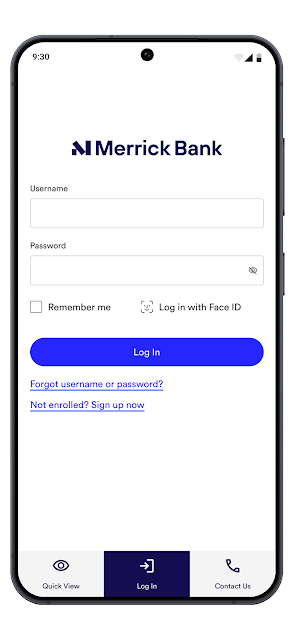
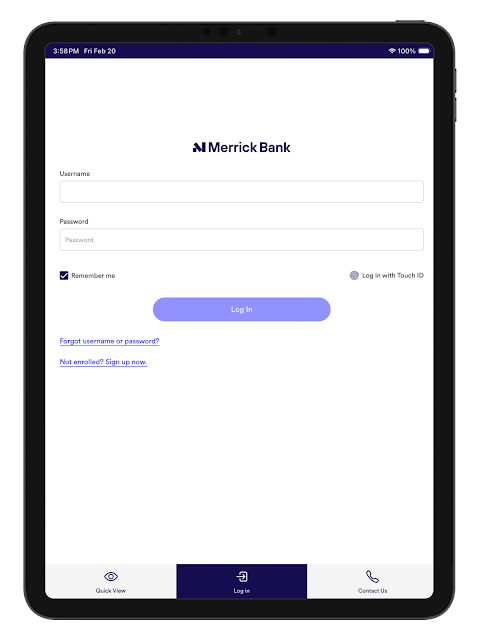
The first practical detail is that signing in uses an existing Merrick Bank username and password. That makes the app an extension of an account relationship rather than a standalone tool for anyone looking to browse finances. New customers are directed to enroll through Merrick Bank’s website before using the app, so the starting point is clear: have your account access ready.
Once you’re in, the feature set is easy to understand at a glance: account activity, payment options, statements, alerts, and a FICO Score. Fingerprint ID is available for faster sign-in. I like that the app’s purpose is apparent without needing to learn a complicated personal-finance system; the trade-off is that its usefulness depends on being a Merrick Bank cardholder.
The everyday account loop
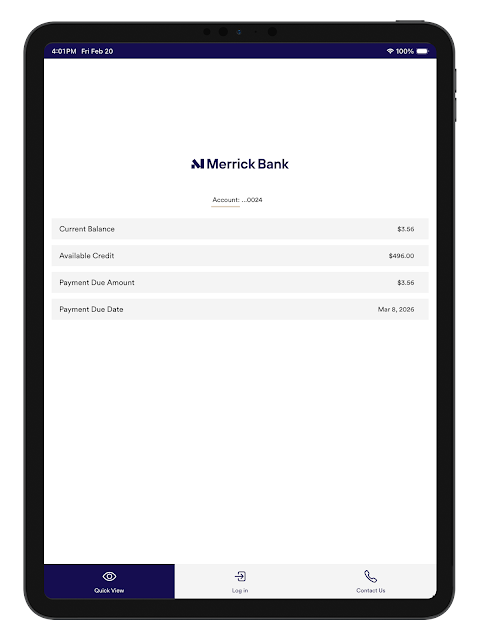
Most routine use revolves around a few repeatable actions. Check the balance, scan transactions, decide whether a payment is needed, and return later to confirm what has posted. Having those tasks in one place is useful when a card question comes up in the middle of an ordinary day, rather than during a dedicated bill-paying session.
Payment flexibility is the part I’d expect to revisit most. You can set and schedule payments, which is helpful when you want to plan ahead instead of relying on memory alone. The app also provides monthly statements, so day-to-day checks and a more deliberate monthly review can sit alongside one another without changing tools.
Alerts and score in context
Custom alerts give the app a little more value between payment sessions. Merrick Bank describes alerts for payments, activity, and more, letting you choose what account events you want to keep an eye on. I’d use them as prompts to check in, not as a reason to assume every important detail can be handled without opening the account.
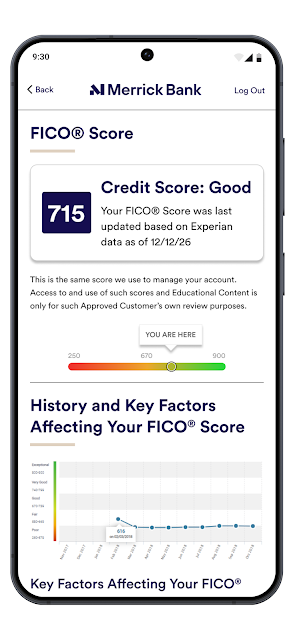
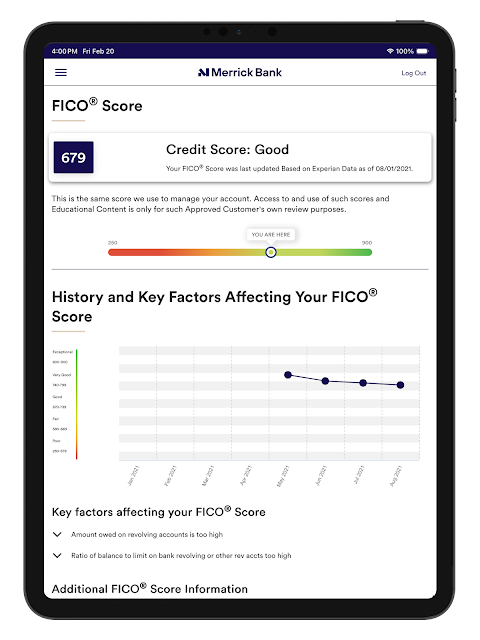
The FICO Score view is another distinct feature. It can be convenient to have a score available alongside card information, especially for someone who already checks the account often. Still, the score is one part of the app, not a replacement for the balance, transaction history, or statement review. Keeping those jobs separate in your mind makes the feature easier to use sensibly.
A simple weekly rhythm
A realistic routine could be a brief transaction check after using the card, followed by a payment check once a week. If a payment date is coming up, set or schedule the payment in the app, then use a custom alert as a reminder to stay attentive. The point isn’t to turn account management into a daily project; it’s to make a few small checks easier to fit in.
At the end of the billing cycle, I’d add a statement review to that routine. Monthly statements are available in the app, so it can serve both quick questions and a more complete look back. Fingerprint sign-in may make repeat visits less fussy, while the FICO Score gives another optional check. This workflow uses the available tools without expecting the app to do more than card management.
Keep the scope in view
The biggest limitation is also the clearest design choice: this is for Merrick Bank cardholders. If you want one place to track spending across several banks or build a complete budget, the described features don’t cover that broader job. I’d keep a separate tool in mind if managing a whole financial picture is your main goal.
The app’s focus on account access also means you’ll need your Merrick Bank sign-in details, and new users need to enroll before using the account. While the description highlights encryption, device recognition, and multiple security protections, sensible account habits still matter. And when using the app over a mobile connection, carrier message or data rates may apply even though Merrick Bank charges nothing for the app itself.
Merrick Bank Mobile makes the most sense as a focused companion for the credit card it serves. Balance checks, transaction activity, payments, statements, alerts, and a FICO Score cover the routine reasons I’d reach for a card app. It doesn’t try to become a complete money-management suite, and that keeps its purpose easy to understand.
If you’re a Merrick Bank cardholder who wants those essentials on your phone, I’d give it a try. If you need cross-bank budgeting or account tools for several providers, look elsewhere for that broader job. The best fit is someone who values convenient access to one card and is comfortable managing the rest of their finances separately.
Merrick Bank Mobile Frequently Asked Questions
What is Merrick Bank Mobile used for?
Merrick Bank Mobile is for managing a Merrick Bank credit card. It lets users check balances and transactions, make or schedule payments, view monthly statements, set custom alerts, and monitor a FICO Score. You need an existing Merrick Bank username and password to sign in; new customers are directed to enroll through Merrick Bank.
Which devices can run Merrick Bank Mobile?
Merrick Bank Mobile is available for Android through Google Play. The Android version requirement can vary by device or app release, so check the Google Play page for the current requirement before installing. The information provided here describes the Android app and does not establish availability on other platforms.
Does Merrick Bank Mobile cost anything?
The app is free to download, and Merrick Bank says there is no charge from the app itself. It has no in-app purchases or ads. Message and data rates may still apply depending on your mobile carrier and plan, so check with your carrier if you’re unsure about those charges.
What Android version does Merrick Bank Mobile require?
The Android version requirement is worth checking on Google Play for the device you plan to use, since requirements can vary. The app’s current version is 4.47.6. If you’re considering an older phone or an older Android release, consult the store page to see whether it is compatible.
Is Merrick Bank Mobile a good fit for every kind of banking?
It is best suited to Merrick Bank cardholders who want to check account activity, manage payments, view statements, set alerts, or see a FICO Score. Its described features focus on that card rather than broad budgeting or accounts from other providers. If you need a wider financial overview, this may not be enough on its own.
Pros
- Brings balance checks, transactions, payments, and monthly statements together for Merrick Bank cardholders.
- Supports scheduled payments and custom alerts for payment and account activity reminders.
- Includes a FICO Score view and fingerprint sign-in for account access.
- Free to download, with no in-app purchases or ads.
Cons
- Focused on Merrick Bank credit cards rather than managing accounts across multiple providers.
- Requires an existing Merrick Bank login, or enrollment for new customers.
- Mobile carrier message and data rates may apply.
- Category
- Finance
- Version
- 4.47.6











